
Technology
AI Chatbots for Banking and Financial Services

By

Reviewed
By Contrank

Banking customers want answers at 11pm on a Sunday as readily as at 11am on a Tuesday. They want to freeze a lost card, check why a payment failed or understand a charge without waiting in a phone queue. At the same time, banks face strict regulation, rising fraud and pressure to cut costs. AI chatbots for banking sit at the centre of that tension, offering fast, always available service while demanding exceptional care over security, accuracy and fairness.
Virtual banking assistants are not new. NatWest launched Cora in 2017, and many banks followed. What has changed is capability. Generative AI and large language models let assistants understand complex questions, hold natural conversations and increasingly carry out tasks on the customer’s behalf. That raises the potential value and the stakes.
This guide is for executives, digital leaders, CTOs, compliance heads and fintech founders in UK and US financial services. It covers where banking chatbot solutions add real value, what regulators expect, the security and compliance controls you need, a detailed look at NatWest’s Cora and a practical approach to building or upgrading a digital banking assistant that customers and regulators can trust.
Why Banks Are Investing in Conversational AI
Several pressures are pushing AI in financial services forward:
- Digital first customers. Most UK retail banking now happens in apps and online. Customers expect in-app help rather than phone calls.
- Branch closures. With fewer branches, digital channels must handle more of the questions staff once answered face to face.
- Cost to serve. Contact centre costs are high, and routine queries consume a large share of capacity.
- Regulation. The FCA’s Consumer Duty requires firms to deliver good outcomes, including support that meets customers’ needs at the right time.
- Fraud. Customers need a fast way to report suspicious activity and receive guidance before losses grow.
High-Value Use Cases for Banking Chatbots
1. Everyday Account Servicing
Balance and transaction queries, card freezes and replacements, direct debit questions, statement requests, travel notifications and address changes make up a large share of contact volume. Automating these gives customers instant answers and frees colleagues for complex needs.
2. Fraud Reporting and Prevention
Chatbot fraud prevention in banking works in two directions. Assistants let customers report suspicious transactions immediately, freeze cards and receive clear next steps. They can also deliver timely scam warnings, for example when a customer mentions an investment opportunity or a call from someone claiming to be the bank.

3. Product Guidance and Onboarding
Conversational banking can explain product differences, guide account opening and answer questions about savings rates, overdrafts or mortgages. Care is needed here: providing information is different from providing regulated advice, and assistants must stay on the right side of that line.
4. Chatbot Loan Processing Support
Assistants can collect application information, explain required documents, give status updates and answer eligibility questions, reducing the back and forth that slows lending decisions.
5. Financial Wellbeing and Insights
With access to transaction data, assistants can answer “How much did I spend on eating out last month?” or flag upcoming bills. This is where banking customer experience AI is heading fastest.
6. Colleague Assistants
Internal chatbots help staff find policies, procedures and product information quickly, improving consistency when they speak to customers.
Real Business Example: NatWest’s Cora
The challenge:
NatWest Group serves more than 19 million customers, and the vast majority now bank digitally. The bank needed digital support that could handle huge volumes of everyday queries, reduce pressure on contact centres and still leave customers feeling understood when discussing something as personal as money.
The solution:
NatWest launched its digital assistant Cora in 2017, working with IBM’s Watson technology. In 2024 it introduced Cora+, adding generative AI through IBM’s watsonx platform so Cora could answer a wider range of questions in a more natural, conversational way, drawing on information from multiple secure sources.
Implementation:
The bank expanded generative AI journeys gradually and with controls. In March 2025, NatWest became the first UK-headquartered bank to announce a collaboration with OpenAI, integrating its models into Cora and its colleague assistant, Ask Archie. By the end of 2025, the number of customer journeys in Cora powered by generative AI had grown from four to twenty one.
Business outcome:
Cora handled 11.2 million retail banking conversations in 2024, with almost half requiring no human intervention, rising to 12.9 million conversations in 2025. NatWest reported that Cora+ delivered up to a 150% improvement in customer satisfaction for some of the questions it answers, while reducing how often colleagues need to step in. In 2026 the bank began rolling out an agentic financial assistant within Cora that answers natural language questions about customers’ recent spending, and it is building agentic fraud support so customers can report and resolve fraud cases through conversation.
The lessons: build on a secure foundation, expand generative AI one journey at a time, measure satisfaction as well as containment and keep colleagues available for complex needs.
Security: Building a Secure Banking Chatbot
A banking chatbot is a new front door to customer accounts, so it must be secured like one. Essential controls include:
- Strong authentication. Anything beyond general information should sit inside the authenticated app or online banking session, with step-up authentication for sensitive actions.
- Least privilege access. The assistant should reach only the data and actions it needs for each journey.
- Encryption and data minimisation. Encrypt conversations in transit and at rest, and avoid storing more personal data than necessary.
- Prompt injection defences. Generative assistants must be protected against attempts to manipulate them into revealing data or bypassing rules.
- Grounded answers. Responses about rates, fees and terms should come from approved, current sources, never from the model’s general knowledge.
- Full audit trails. Every conversation and action must be logged for complaints handling, investigations and regulatory review.
Our AI security and governance services help financial institutions design these controls from the start.
AI Banking Compliance: What UK Regulators Expect
| Requirement | What it means for chatbots |
|---|---|
| FCA Consumer Duty | Support must meet customers’ needs and avoid foreseeable harm, including easy access to a human when needed |
| Vulnerable customers | Assistants should recognise signs of vulnerability and route customers to appropriate support |
| Advice boundaries | Chatbots must not stray into regulated advice without the right permissions and safeguards |
| UK GDPR | Lawful processing, transparency, data minimisation and rights around automated decisions |
| Operational resilience | Critical services must stay available, with fallback routes if the assistant fails |
| Model risk management | Models must be documented, tested, monitored and governed |
| Complaints handling | Complaints raised through chat must be recognised and handled correctly |
The FCA’s Consumer Duty guidance is essential reading for anyone designing customer-facing AI in UK financial services.
Common Mistakes Banks Make with Chatbots
- Trapping customers. Making it hard to reach a person frustrates customers and risks breaching Consumer Duty expectations.
- Launching generative AI everywhere at once. Expand journey by journey, with testing and monitoring at each step.
- Ignoring vulnerability. A customer mentioning bereavement, illness or financial difficulty needs sensitive handling, not a scripted reply.
- Weak knowledge management. Outdated product information creates wrong answers and complaints.
- Measuring only containment. Track resolution, satisfaction, complaints and customer outcomes.
- Treating security as an afterthought. Penetration test the assistant, including adversarial prompt testing, before launch.
Building or Upgrading a Digital Banking Assistant
- Map customer intents. Analyse contact centre, chat and complaint data to find the most common needs.
- Classify by risk. Separate informational queries, authenticated servicing and regulated or sensitive topics.
- Choose the architecture. Combine deterministic flows for transactions with retrieval-augmented generation for knowledge questions.
- Integrate securely. Connect to core banking, card management, CRM and case management through controlled APIs.
- Design handover. Pass full context to colleagues so customers never repeat themselves.
- Test thoroughly. Accuracy, security, accessibility, vulnerability detection and adversarial testing.
- Launch gradually and monitor. Review transcripts, outcomes and complaints continuously.
IIH Global’s AI chatbot development services and natural language processing services support banks, building societies, credit unions and fintechs through each stage.
The Future of Conversational Banking
Banking assistants are moving from answering questions to taking action: setting up payments, disputing transactions, adjusting budgets and resolving fraud cases, all within strict limits and with customer confirmation. Voice interfaces are returning, powered by far better language understanding. Open banking data will let assistants give a fuller picture of a customer’s finances across providers. The banks that succeed will pair this capability with transparent controls, so customers always understand what the assistant is doing and why.
Conclusion
AI chatbots for banking can deliver faster, more personal service at lower cost, but only when security, compliance and customer outcomes are designed in from day one. NatWest’s gradual, measured expansion of Cora shows what that looks like in practice.
Start with high volume, well understood journeys, secure every integration, keep a clear path to human help and expand as evidence builds. To discuss a secure banking chatbot for your organisation, speak to IIH Global.
Frequently Asked Questions
1. What can AI chatbots do in banking?
They answer account questions, freeze cards, report fraud, explain products, support loan applications, provide spending insights and route complex or sensitive issues to human colleagues.
2. Are banking chatbots secure?
They can be, when built with strong authentication, encryption, least privilege access, prompt injection defences, grounded answers and full audit logging, and tested regularly by security specialists.
3. Can banking chatbots give financial advice?
Generally they provide information and guidance rather than regulated advice. Offering personal recommendations requires appropriate permissions, safeguards and compliance with FCA rules.
4. How does the FCA Consumer Duty affect chatbots?
Firms must ensure chatbots support good customer outcomes, avoid foreseeable harm, recognise vulnerability and provide easy access to human help when customers need it.
5. What is Cora at NatWest?
Cora is NatWest’s AI digital assistant, launched in 2017. It handles millions of customer conversations each year and now uses generative and agentic AI for selected journeys.
Published by: Alena Mage
Author


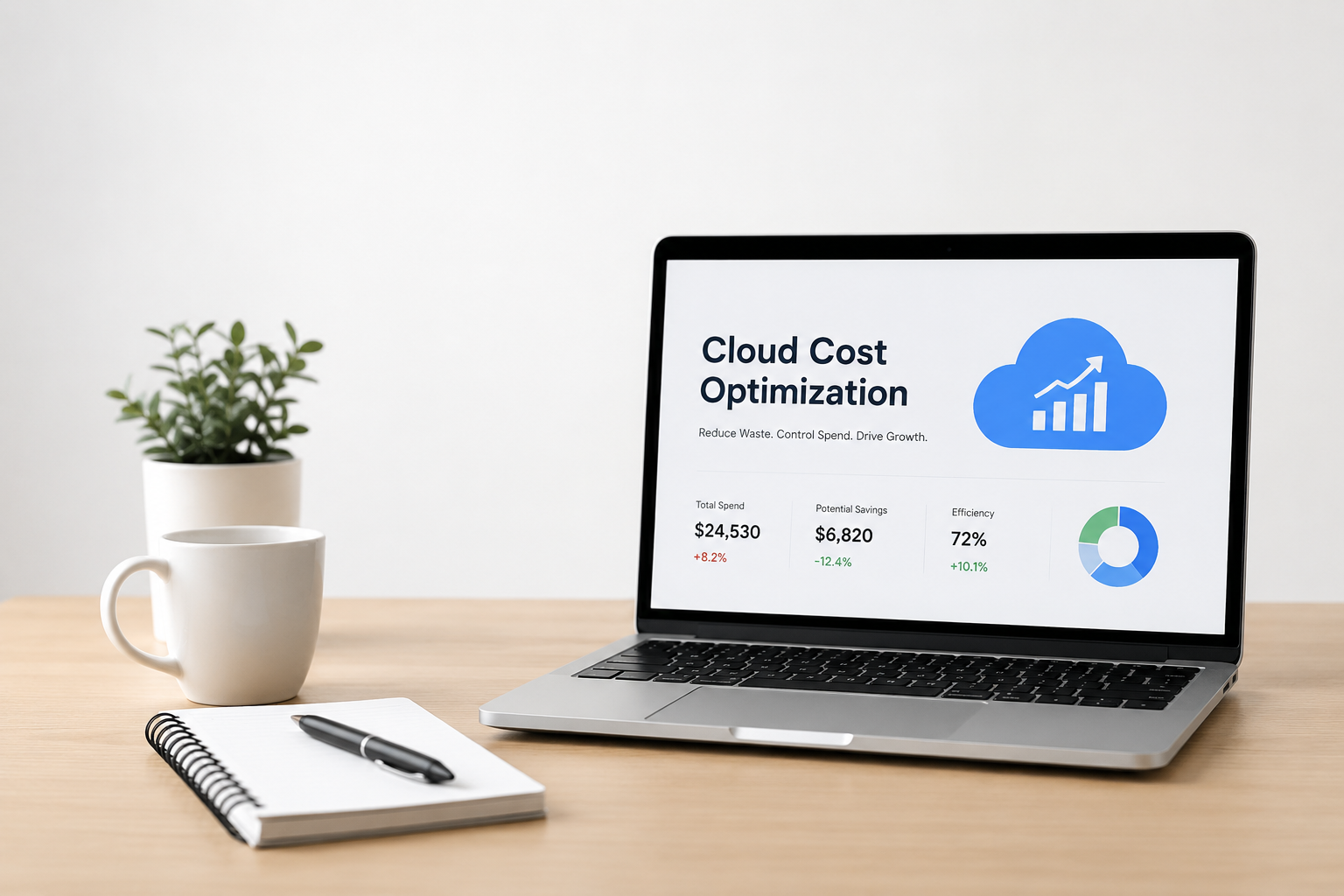
AWS Cost Anomaly Detection: Catch Unexpected Spend Early
Cloud spending does not always increase gradually. A configuration change, unexpected traffic spike, forgotten resource, or rapid scaling event can cause AWS costs to rise much faster than expected. If organizations only review spending at the end of each billing cycle, they may discover the problem after unnecessary costs have already accumulated.
AWS cost anomaly detection helps businesses identify unusual spending patterns earlier. Instead of relying only on monthly invoices or static budgets, teams can monitor changes in cloud costs and investigate spending that differs from normal behavior.
For engineering, finance, and FinOps teams, this creates a more proactive approach to cloud financial management.
What Is AWS Cost Anomaly Detection?
AWS cost anomaly detection is the process of identifying cloud spending that significantly differs from expected cost patterns.
For example, an application may normally generate $300 to $350 in daily infrastructure costs. If that spending suddenly increases to $600 without any planned change in traffic or infrastructure, the increase may require investigation.
An anomaly does not automatically mean something is wrong. Increased customer activity, seasonal demand, or a new product launch may legitimately increase cloud consumption.
The purpose of cloud cost anomaly detection is therefore not simply to flag higher spending. It is to help teams identify unusual behavior and understand why costs changed.
This distinction is important because effective cloud financial management focuses on business value as well as cost reduction.
Why Unexpected AWS Charges Are Difficult to Manage
Modern AWS environments can include many accounts, regions, workloads, services, and development teams.
Infrastructure can also change continuously.
Unexpected AWS charges may result from:
- Compute resources scaling beyond expected demand
- Storage usage increasing rapidly
- Development resources remaining active
- Higher-than-usual data transfer
- New services being deployed without financial review
- Misconfigured infrastructure generating unnecessary usage
These changes may be relatively small individually but can become significant when they continue for several days or occur across multiple accounts.
Continuous AWS cost monitoring gives organizations an opportunity to detect unusual activity earlier rather than relying only on end-of-month billing reviews.
How Cloud Cost Anomaly Detection Works
Cloud cost anomaly detection evaluates spending behavior and looks for patterns that differ from expected usage.
Official AWS Cost Anomaly Detection capabilities use machine learning to identify unusual spending patterns and help users investigate potential causes across dimensions such as AWS services, accounts, Regions, and usage types.
When an anomaly appears, teams should investigate the event rather than immediately assuming that the additional spending represents waste.
A practical investigation might include checking when the cost increase began, identifying the service responsible, reviewing the affected account or Region, and comparing spending changes with recent deployments or traffic activity.
Teams can then determine whether the increase was expected and decide whether action is necessary.
This turns anomaly detection from a simple notification system into a repeatable cloud financial management process.
Build More Useful AWS Cost Alerts
AWS cost alerts can help organizations respond more quickly to unusual spending, but alerts need to be configured carefully.
If every minor change generates a notification, teams may eventually begin ignoring them. This creates alert fatigue and reduces the value of monitoring.
Organizations can prioritize cost anomalies based on factors such as:
- Financial impact
- Percentage change in spending
- Production versus development environments
- Business-critical workloads
- AWS account ownership
- Service type
Alert ownership is equally important.
Finance teams may need information about financial impact, while engineering teams often need enough technical context to identify the resource or workload responsible.
A useful alert should therefore reach someone who can investigate and respond.
Connect Anomaly Detection With FinOps
Anomaly detection becomes more valuable when it operates as part of a broader FinOps strategy.
A FinOps platform can help connect cost monitoring with budgeting, governance, optimization, forecasting, and financial accountability.
Instead of treating every cloud spend anomaly as an isolated incident, teams can use recurring patterns to improve future decisions.
For example, repeated anomalies caused by development resources running outside business hours may indicate the need for stronger scheduling policies.
Frequent cost increases associated with poor resource ownership may reveal weaknesses in tagging or cost allocation.
Similarly, repeated data-transfer anomalies may encourage engineering teams to review architecture or workload behavior.
This creates a feedback loop where anomaly detection supports continuous improvement rather than one-time troubleshooting.
Connect Cost Anomalies With Billing Operations
Detecting a cloud spend anomaly is only the first step.
Businesses also need to understand how the unexpected cost affects accounts, teams, projects, budgets, and financial reports.
This is where BillOps can complement anomaly monitoring by providing a structured approach to understanding, allocating, monitoring, and reporting cloud spending.
Suppose an unexpected database cost increase occurs within one AWS account. Engineering teams may identify the technical reason, but finance teams still need to determine which department owns the expense and how it affects the current budget.
Connecting anomaly monitoring with billing operations helps create clearer financial accountability.
Instead of asking only, “Why did our AWS bill increase?” teams can answer more detailed questions about where the cost originated, who owns it, and whether it was expected.
Best Practices for Managing Cloud Spend Anomalies
Organizations can make anomaly detection more effective by establishing clear processes around it.
Start by understanding normal spending patterns across important accounts, services, and workloads. Teams need a baseline before they can properly evaluate unusual activity.
Cost ownership should also be clearly defined. Major accounts, applications, and workloads should have responsible teams that can investigate unexpected AWS charges.
Organizations should also compare cloud spend anomalies with operational events such as deployments, traffic spikes, autoscaling activity, and configuration changes.
Repeated anomalies deserve particular attention. If the same type of unexpected spending occurs regularly, another manual investigation may not solve the underlying problem.
The organization may need to introduce automation, governance policies, scheduling rules, or infrastructure changes.
From Reactive Billing to Proactive Cost Management
Traditional cloud billing processes often focus on explaining costs after they occur.
AWS cost anomaly detection changes that approach by helping teams identify unusual spending earlier and investigate the reasons behind it.
Combining AWS cost monitoring, meaningful cost alerts, financial ownership, and FinOps practices can give organizations greater control over changing cloud migrations.
The goal is not to eliminate every increase in AWS spending. Growth in cloud costs may be completely justified when it supports increased traffic, customers, workloads, or business activity.
The objective is to ensure that unusual spending is visible, understood, and owned.
Conclusion
AWS cost anomaly detection can help organizations move from reactive cloud billing reviews toward more proactive cost management.
By identifying unusual spending patterns earlier, engineering and finance teams can investigate unexpected AWS charges, determine their causes, and decide whether corrective action is necessary.
When cloud cost anomaly detection is connected with FinOps practices, AWS cost alerts, cost ownership, and structured billing operations, organizations can create a stronger process for managing cloud spend anomalies.
The result is not simply lower cloud spending. It is better financial awareness and greater confidence in how AWS resources contribute to business value.
Frequently Asked Questions
What is AWS cost anomaly detection?
AWS cost anomaly detection identifies unusual cloud spending patterns so teams can investigate significant differences between expected and actual AWS costs.
What can cause unexpected AWS charges?
Unexpected charges can result from autoscaling, forgotten resources, increased storage, data transfer, new deployments, traffic growth, or configuration changes.
How does anomaly detection support FinOps?
Anomaly detection gives FinOps teams earlier insight into unusual spending, helping them improve accountability, governance, optimization, budgeting, and ongoing cloud cost management.
Author


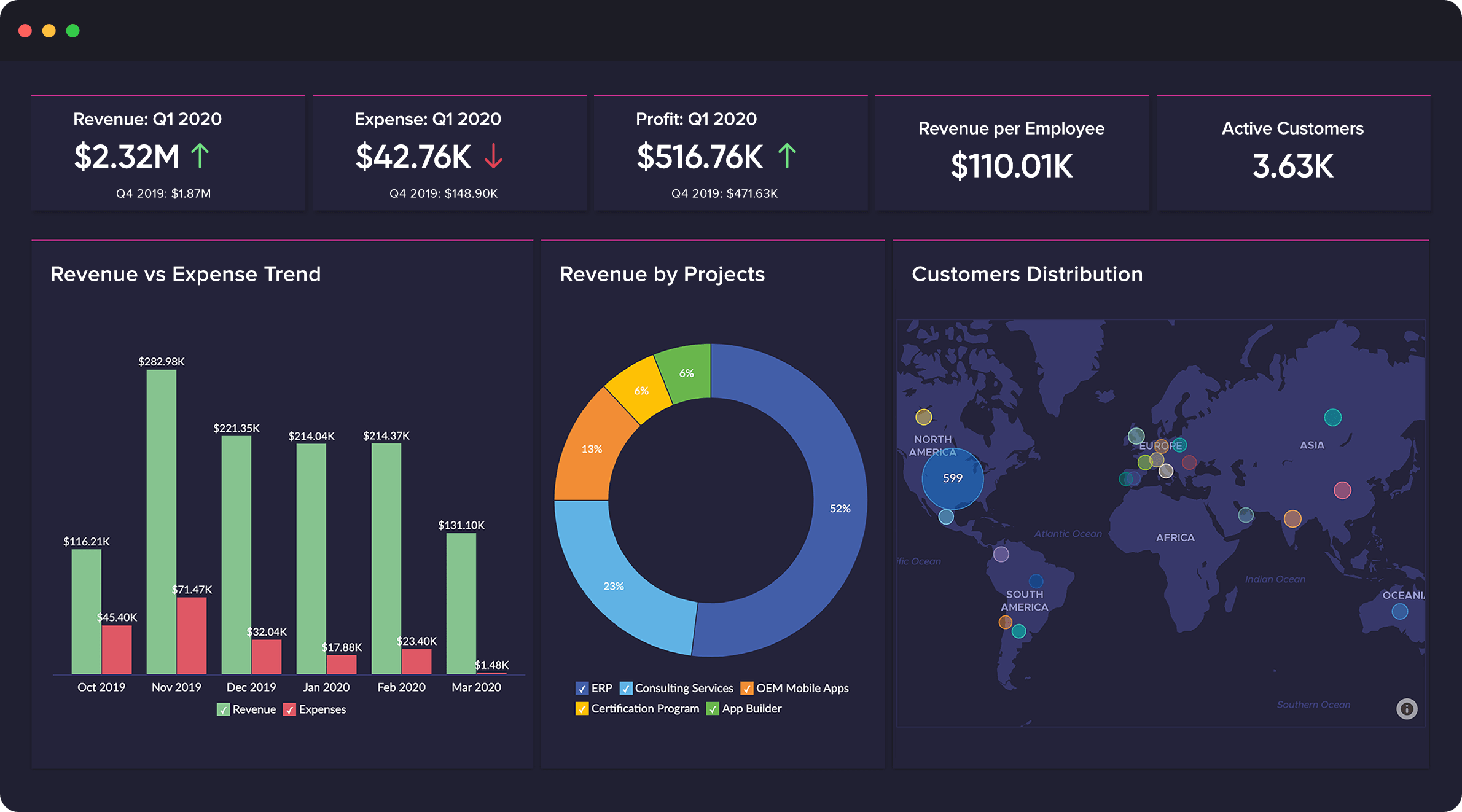
Most companies aren’t short on data they’re short on time to make sense of it. Sales numbers sit in one system, inventory in another, finance in a third, and by the time someone pulls together a report, the insight is already stale. Decisions get delayed, opportunities get missed, and leadership ends up reacting to problems instead of anticipating them. This is exactly the gap an AI business intelligence platform is built to close.
Unlike traditional BI tools that rely on static dashboards, manual filters, and scheduled reports, an AI business intelligence platform brings artificial intelligence directly into the analytics layer. It lets teams ask questions in plain language and get real-time, contextual answers instead of digging through spreadsheets, exporting CSVs, or waiting on an analyst to build a report. For growing organizations juggling multiple departments and systems, this shift from static reporting to intelligent, conversational analytics is becoming less of a luxury and more of a necessity.
Why Traditional BI Is Falling Short
Traditional BI tools were designed for a slower pace of business. They’re excellent at storing historical data and producing scheduled reports, but they typically require someone with technical skill to build dashboards, write queries, or configure filters. By the time a report reaches a decision-maker, the underlying data may already be a day, a week, or a quarter old. In fast-moving business environments, that lag is costly. AI business intelligence platforms are designed to remove this friction entirely by making insight generation instant, conversational, and accessible to non-technical users.
What Makes a Platform “AI” Business Intelligence?
Traditional BI answers the question “what happened?” An AI business intelligence platform goes further, helping teams understand why it happened and what to do next. The difference usually comes down to a few core capabilities.
1. Conversational, Natural-Language Querying
Instead of building filters or writing SQL, users simply ask a question “Which product line had the highest returns last quarter?” — and get an instant, contextual answer. This removes the dependency on analysts or IT for day-to-day reporting needs, freeing technical teams to focus on higher-value work.
2. Context-Aware Responses
A strong AI BI platform doesn’t just return raw numbers. It understands the context of the question — the relevant time period, department, or metric — and responds accordingly, the way a knowledgeable colleague would rather than a static query engine.
3. Executive Dashboards and KPI Narratives
Rather than a wall of charts that still needs interpreting, AI-generated summaries translate metrics into plain-language narratives: what changed, why it matters, and where attention is needed. This is particularly valuable for leadership teams who need quick, decision-ready insight rather than raw data to sift through themselves.
4. Real-Time, Cross-Functional Visibility
Modern AI BI platforms connect data across departments sales, inventory, finance, operations — into a single intelligence layer, replacing siloed reporting with a unified, real-time view of the business. This cross-functional visibility is often where organizations see the biggest shift in how decisions actually get made.
5. Trend and Variance Detection
AI models can flag anomalies, bottlenecks, and emerging trends automatically, so teams catch issues proactively instead of discovering them weeks later buried in a report. This proactive layer turns BI from a rearview mirror into something closer to a forward-looking radar.
Key Benefits of an AI Business Intelligence Platform
- Faster decision-making — Leadership gets instant access to business-critical information without navigating complex reports or waiting on a data team.
- Reduced reporting dependency — Teams spend less time building and maintaining manual reports, freeing up bandwidth for strategic work.
- Improved data accessibility — Non-technical users can explore data confidently through natural language, democratizing insight across the organization.
- Proactive monitoring — Trends, risks, and performance shifts are surfaced before they become bigger, costlier problems.
- Unified visibility — Departments that once operated in silos gain a shared, real-time source of truth, improving alignment between teams.
How to Choose the Right AI Business Intelligence Platform
When evaluating options, look beyond flashy dashboards and consider the following:
- Integration depth — Does it connect natively with your existing systems (ERP, CRM, POS) without disrupting current workflows or requiring a rebuild?
- Data security model — Is access read-only? Is data stored or used for AI training? Role-based access controls matter here, especially for enterprise environments.
- Ease of use for non-technical teams — Can a department head get an answer without help from IT or a data analyst, using plain language?
- Real-time processing — Are insights based on live data, or delayed batch updates that reintroduce the lag you’re trying to eliminate?
- Scalability across departments — Can it support sales, finance, inventory, and operations equally well, or is it built narrowly for a single use case?
Final Thoughts
An AI business intelligence platform isn’t just a faster version of traditional BI it’s a fundamental shift from static reporting to real-time, conversational, decision-ready intelligence. For organizations juggling data across multiple systems and departments, the right platform can turn scattered operational data into genuine, day-to-day competitive advantage — helping leadership move from information overload to decision clarity.
Author



In modern engineering and construction, technical drawings serve as the primary communication medium between design teams, contractors, local authorities, and site personnel. When drafting standards are inconsistent, field execution breaks down rapidly, resulting in misaligned mechanical systems, incorrect structural tolerances, and costly requests for information (RFIs). Adopting clear, structured graphic protocols ensures every sheet across a submittal set speaks the same visual language. Establishing these comprehensive standards through professional AutoCAD drafting services guarantees that engineering deliverables maintain visual clarity, proper layer hierarchy, and full compliance with national guidelines such as the AIA CAD Layer Standards.
Core Pillars of AutoCAD Documentation Standards
A structured layer management system forms the foundation of any reliable digital drawing file. Without a standardized naming framework, drawing files become cluttered, making trade coordination nearly impossible during multidisciplinary reviews. Standardizing discipline prefixes such as “A” for architectural, “S” for structural, “M” for mechanical, and “E” for electrical prevents cross-trade confusion and simplifies complex file navigation. Utilizing disciplined CAD drafting services guarantees that layer colors, line weights, and linetypes remain strictly uniform across all project sheets, enabling site superintendents and fabricators to instantly identify primary load-bearing walls, clearance zones, and secondary annotations.
Standardized drawing templates (.DWT) establish uniform sheet layouts, title blocks, dimension styles, text hierarchies, and plot style tables (CTB/STB). When engineering practices establish well-defined CAD templates, they eliminate repetitive sheet setup tasks and streamline the entire drafting production process across internal teams. Partnering with experienced AEC production firms that provide CAD design services ensures title blocks display accurate project metadata, revision tables, scale factors, and consultant logos across every submittal package without formatting discrepancies.
Standardizing Legacy Data and Digital Conversions
Many engineering initiatives, particularly building retrofits and historical renovations, begin with legacy hard-copy prints that lack digital intelligence. Standardizing these physical assets requires precise vectorization to establish clean, dimensionally accurate baseline files. Utilizing structured CAD conversion services allows engineering teams to transform legacy paper blueprints and hand sketches into fully organized DWG files with active, standardized layers and true geometric alignment.
When working with electronic documents such as raster graphics or static vector files, converting flat geometry into editable layers is essential for active design updates and multidisciplinary coordination. Integrating professional PDF to CAD conversion services ensures vector geometry, scale ratios, wall thicknesses, and dimension strings are accurately captured without spatial distortion, eliminating tedious manual tracing and preventing cumulative measurement errors.
As modern project delivery shifts toward collaborative digital environments, traditional 2D engineering sheets must integrate seamlessly with spatial 3D models. Utilizing specialized CAD to BIM conversion services helps design teams transition flat 2D engineering drawings into data-rich Building Information Models. This standardization step ensures spatial coordination, automated clash detection, and accurate parametric scheduling across mechanical, electrical, plumbing, and structural disciplines.
Trade-Specific Standards Across AEC Workflows
Architectural drawing sets require strict standardization across floor plans, building elevations, wall sections, and detail callouts. Line weight hierarchy plays a critical role here; major structural cuts require heavy line weights, while interior finish lines and background grids require lighter tones. Maintaining consistent line weights, hatch patterns, and annotation styles in architectural drafting prevents costly misinterpretations between design intent and physical construction on site.
Residential construction projects demand clear, dimensionally accurate space planning to satisfy strict municipal zoning requirements and building codes. Standardized floor plan drafting services provide general contractors and framing crews with precise room dimensions, door schedules, window placement callouts, and wall alignments necessary for rapid plan review and permit approval.
High-end commercial developments and luxury residential projects require micro-level drafting standards for custom interior joinery, cabinetry, and detailed fabrications. Relying on specialized millwork drafting services ensures shop drawings include precise material callouts, fastening details, panel reveal dimensions, and assembly sequences that integrate cleanly with primary structural layouts.
At project completion, initial design drawings must be thoroughly updated to reflect actual field conditions, design modifications, and field-issued change orders. Leveraging verified as-built drawing services delivers accurate closeout packages that facility managers, building owners, and plant engineers depend on for ongoing building operation, routine maintenance, and future physical expansions.
Scaling Efficiency with AutoCAD Outsourcing Services
Maintaining strict internal drafting standards while managing fluctuating project deadlines can place a severe strain on internal engineering teams. Leveraging AutoCAD outsourcing services gives firms access to dedicated drafting specialists who enforce established CAD protocols and quality control workflows on demand. Leading AEC production partners like McLine Studios demonstrate how external technical teams act as a seamless extension of an engineering firm’s drafting operations, delivering build-ready drawing sets without adding overhead.
When managing multi-family housing developments or large single-family subdivisions, standardizing structural details and interior plans prevents repetitive field errors across multiple construction units. Utilizing reliable residential drafting services ensures every working drawing set complies with local energy codes, structural framing rules, and municipality submittal guidelines.
Streamlining Workflows with AutoCAD Drafting Services
Adopting comprehensive AutoCAD documentation standards is critical for reducing field errors, protecting project budgets, and delivering build-ready engineering packages. Standardized graphic conventions ensure every trade works from a single source of truth, minimizing rework and enhancing overall project quality. By partnering with external technical experts for ongoing AutoCAD drafting services, engineering and design firms maintain high graphic quality, optimize production efficiency, and accelerate project delivery.
Author



How Much Does the Cheapest Virtual Ejari in Dubai Cost Per Year?

Overview of Jubilee Group and Key Project Highlights

Architectural & MEP CAD Shop Drawings Services for Subcontractors

Ajman Free Zone Company Setup Requirements


Architectural Drafting Services: 10 Things to Consider Before Hiring

AI Chatbots for Banking and Financial Services

Liposuction in Dubai: Questions to Ask Your Surgeon

Real Estate Rendering for Pre-Sales: Essential Views
aaaaaa

Cybersecurity Consulting Company SequelNet Provides Critical IT Support Services to Medical Billing Firm, Medical Optimum

Meet the Megalodon: The Shark Star of ‘Meg 2’

Reduce Video Game Lag: Level Up Your Gaming Performance

Balancing India’s Entertainment: Cricket vs. Bollywood

Jetsetter’s Secrets: Unveiling Our Favorite Travel Hacks for a Seamless Adventure

The 5 Best Live Sports Streaming Sites: Legal and Exciting!

Hollywood Labor Unrest: The Impact of ‘What About Us?’ Strikes

Unveiling the Magic of Dream Fulfillment at the Late NBA Draft

Illuminate Your Skin: Dr. Axe Unveils Natural Remedies for Lightening Knees and Elbows

Bright Choices: Navigating the Pros and Cons of Skin Whitening Creams with Dr. Axe
-

 Business3 years ago
Cybersecurity Consulting Company SequelNet Provides Critical IT Support Services to Medical Billing Firm, Medical Optimum
-
Entertainment3 years ago
Meet the Megalodon: The Shark Star of ‘Meg 2’
-
Entertainment3 years ago
Reduce Video Game Lag: Level Up Your Gaming Performance
-
 Sports3 years ago
Balancing India’s Entertainment: Cricket vs. Bollywood
-
Entertainment3 years ago
Jetsetter’s Secrets: Unveiling Our Favorite Travel Hacks for a Seamless Adventure
-
Productivity3 years ago
The 5 Best Live Sports Streaming Sites: Legal and Exciting!
-
Art /Entertainment3 years ago
Hollywood Labor Unrest: The Impact of ‘What About Us?’ Strikes
-
Sports3 years ago
Unveiling the Magic of Dream Fulfillment at the Late NBA Draft