
Finance
Saving Strategies: Making Your Money Work Harder

By

Reviewed
By Shoun Mike





In the fast-paced financial landscape of 2026, mutual fund investment has become a premier strategy for building long-term wealth. Whether you are a novice entering the markets or a seasoned investor seeking diversification, mutual funds provide a sophisticated balance of risk and potential reward. This guide explains how these funds function, why they represent a strategic choice, and how you can optimize your returns through a disciplined approach.
Understanding the Mechanics of Mutual Funds
A mutual fund operates by pooling capital from numerous investors. Professional fund managers then allocate this money into a diversified portfolio of assets. These typically include stocks, bonds, and other liquid securities. The primary objective is to generate consistent returns that align with the specific goals of the fund.
The most significant advantage of this structure is accessibility. You gain access to a professionally managed portfolio without needing an exhaustive knowledge of market technicalities. The fund manager handles the research, timing, and execution, allowing your capital to work efficiently.

Why Investors are Moving Toward Mutual Funds
Traditional savings accounts often struggle to outpace inflation. Consequently, more individuals are turning to mutual funds for several compelling reasons:
-
Instant Diversification: These funds spread your capital across dozens of different assets. This strategy significantly reduces the risk associated with any single company’s performance.
-
Expert Management: You benefit from professional mutual fund investment guidance. Experienced managers make data-driven decisions based on real-time market trends.
-
Low Barrier to Entry: You can start your journey with a very small amount. This makes investing achievable for beginners and salaried professionals alike.
-
Consistent Growth via SIP: A Systematic Investment Plan (SIP) allows you to invest fixed amounts regularly. This disciplined method helps you build substantial wealth over time through the power of compounding.
Choosing the Right Fund for Your Profile
Different funds serve different purposes. Selecting the right category is essential for meeting your financial milestones.

-
Equity Funds: These primarily target stocks. They offer the highest potential for long-term growth but carry higher volatility.
-
Debt Funds: These invest in fixed-income securities like government bonds. They prioritize stability and consistent interest income.
-
Hybrid Funds: These provide a balanced mix of equity and debt. They aim to capture market growth while cushioning against sudden downturns.
-
Index Funds: These passively track major market indices like the Nifty or Sensex, offering a low-cost way to mirror general market performance.
-
ELSS (Tax Saving) Funds: These provide tax benefits under Section 80C. They combine wealth creation with smart tax planning.
The Power of Personalized Financial Planning
Every investor possesses a unique financial DNA. Your income, future goals, and emotional risk tolerance should dictate your strategy. This is why personalized mutual fund investment plans are vital. A customized roadmap ensures that your portfolio remains consistent even when the market becomes volatile.
Furthermore, goal-based investing keeps you disciplined. Instead of chasing a random percentage of returns, you focus on specific milestones.
-
Short-term goals (1–3 years): Focus on debt or liquid funds for safety.
-
Medium-term goals (3–5 years): Utilize balanced or hybrid funds for steady growth.
-
Long-term goals (5+ years): Lean into equity funds to maximize the compounding effect. Optimizing Your Portfolio for 2026
Building a portfolio is only the first step. To ensure continued success, you must engage in mutual fund portfolio optimization. This process involves identifying underperforming assets and reallocating your capital toward better opportunities.
Expert portfolio management involves:
-
Asset Allocation: Ensuring you have the right mix of equity and debt at all times.
-
Risk Assessment: Periodically checking if your portfolio matches your current life stage.
-
Rebalancing: Selling winners and buying underpriced assets to maintain your target risk levels.
Why a Professional Advisor Matters
While anyone can buy a mutual fund online, achieving superior results often requires expert intervention. A SEBI-registered investment advisor provides transparency and unbiased advice. They help you navigate “noise” in the news and prevent common emotional mistakes, such as panic-selling during a market dip or chasing a “hot” fund that has already peaked.
Common Pitfalls to Avoid
-
Investing Without a Goal: This leads to a lack of discipline and early withdrawals.
-
Ignoring the Review Process: Market conditions change. Your portfolio must adapt.
-
Stopping SIPs During a Downturn: Market dips are actually the best time to buy more units at a lower cost.
Strategic Investment Summary
| Feature | Strategic Benefit |
| SIP (Systematic Plan) | Smoothes out market volatility through rupee-cost averaging. |
| Diversification | Protects your principal by not “putting all eggs in one basket.” |
| Professional Oversight | Replaces guesswork with expert, data-backed decision-making. |
| Liquidity | Allows you to access your money relatively quickly compared to real estate. |
Conclusion: Taking Control of Your Future
Mutual fund investment is one of the most effective tools for building a secure future. By combining professional management with a long-term strategy, you can achieve financial independence with confidence. Remember, the best time to start was yesterday, but the second-best time is today.
Successful investing is not about timing the market; it is about “time in the market.” Align your investments with your life goals, stay consistent through the cycles, and watch your wealth grow.
Author

Finance
Financial Fraud Investigation: Corporate Fraud, AI‑Driven Detection, and Blockchain Forensics

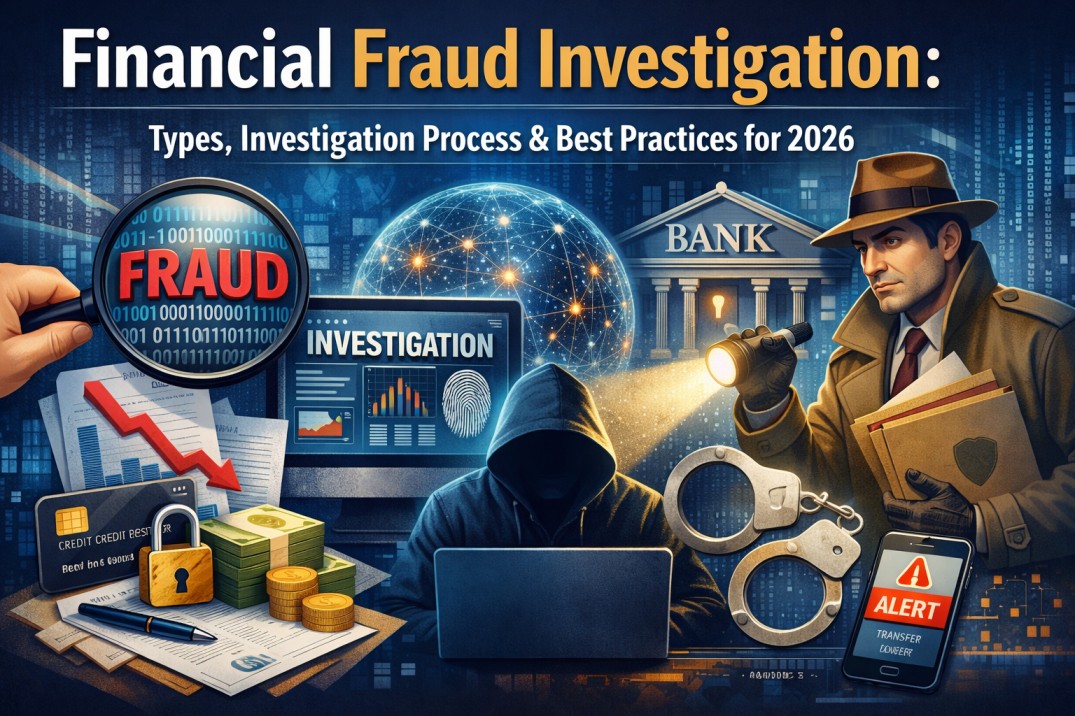
Corporate financial fraud remains a systemic threat to organizations, investors, and regulatory confidence. By 2026, investigations increasingly hinge on hybrid capabilities: traditional accounting forensics, advanced AI-driven detection, and blockchain forensics where distributed ledgers intersect corporate activity. This article outlines common corporate fraud schemes, the investigative process in the modern enterprise, how AI augments detection and prioritization, and practical blockchain forensics techniques — emphasizing legal, evidentiary, and operational best practices.
Common Corporate Fraud Schemes
Corporate fraud in 2026 continues to manifest in both classic and digitally enabled forms:
- Financial statement fraud: Revenue recognition manipulation, improper capitalization, fictitious sales, or off‑balance sheet liabilities designed to misstate performance.
- Asset misappropriation: Theft of company cash, inventory, intellectual property, or misuse of corporate credit and expense accounts.
- Corruption and bribery: Kickbacks, undisclosed related‑party transactions, and procurement fraud.
- Payroll and HR fraud: Ghost employees, falsified time reporting, and falsified severance/benefits.
- Cyber‑enabled schemes: Business Email Compromise (BEC), fraudulent wire instructions, invoice fraud through compromised accounts payable systems, and insider‑assisted cybertheft.
- Tokenization and crypto fraud: Issuance of unauthorized tokens, wash trading, spoofed on‑chain transfers to conceal embezzlement, or laundering corporate funds through DeFi protocols.
Modern Investigative Process
A disciplined, forensically sound process is essential to preserve evidence and enable remediation, civil recovery, or criminal prosecution.
-
Triage and Intake
- Define scope and objectives (regulatory, civil, criminal, internal discipline).
- Implement legal holds and immediate containment (account freezes, access revocation).
- Establish a cross‑functional team: internal audit, legal, compliance, IT/DFIR, finance, and external forensic specialists as needed.
-
Evidence Preservation and Chain of Custody
- Capture system images, logs, emails, ERP and banking exports, and communications, following forensically sound procedures (write‑blockers for storage imaging, verified hash values).
- Document chain of custody, access lists, and all triage actions to ensure admissibility.
-
Data Collection and Integration
- Ingest structured data (GL entries, subledger transactions, payroll, vendor master) and unstructured data (emails, chats, documents) into a secure analysis environment.
- Record metadata and provenance; preserve original formats for replayability.
-
Analysis and Hypothesis Testing
- Conduct ledger reconciliation, journal‑entry tracing, vendor and IP analysis, and timeline reconstruction.
- Use AI‑enabled analytics to detect anomalies, then validate via manual forensic accounting and corroborative evidence.
-
Reporting and Remediation
- Produce technical and executive reports that map findings to financial impact, control weaknesses, and legal implications.
- Coordinate remediation (control changes, personnel action, regulatory notifications, and restitution/litigation strategies).

AI‑Driven Detection and Its Role
AI systems in 2026 augment human investigators by scaling detection, prioritizing leads, and surfacing complex patterns that span disparate data sources. Key capabilities and considerations include:
-
Anomaly Detection and Pattern Recognition
- Unsupervised learning (autoencoders, isolation forests, graph embeddings) highlights outliers: unusual vendor payment patterns, atypical journal‑entry clusters, or anomalous payroll behavior.
- Graph ML maps relationships among employees, vendors, bank accounts, and transaction flows to reveal collusion rings or shell company networks.
-
Natural Language Processing (NLP) and Semantic Search
- Advanced transformer models perform entity extraction, sentiment analysis, and topic modeling across emails, chat logs, and contracts to identify suspicious communications (policy circumvention, coded language).
- Contextual search enables investigators to find probative phrases across terabytes of unstructured data quickly.
-
Transaction Scoring and Prioritization
- Risk scoring models combine behavioral baselines, financial heuristics, and external data (adverse media, sanctions lists, corporate registries) to prioritize high‑risk cases.
- Explainability layer: models must provide interpretable rationale (feature attributions, attention maps) so investigators and regulators can justify findings.
-
Model Governance and Adversarial Risk
- Rigorous model validation, retraining schedules, bias testing, and change logs are necessary to maintain accuracy and regulatory compliance.
- Adversaries can attempt model evasion (noise injection, mimicry); detection systems should incorporate adversarial training and ensemble approaches.
Blockchain Forensics in Corporate Investigations
As corporations increasingly use tokens, stablecoins, and on‑chain settlement, blockchain forensics is essential to trace value flows and identify laundering paths.
-
On‑Chain Data Collection
- Extract complete transaction histories from public blockchains (Bitcoin, Ethereum) and fetch provenance for tokens and smart contracts via RPC or archival node services.
- For private or permissioned ledgers, obtain node logs and access records through custodial cooperation or legal process.
-
Address Clustering and Attribution
- Heuristic clustering (co‑spend, change address patterns) groups wallet addresses likely controlled by the same entity.
- Enrich clusters using off‑chain data: exchange KYC disclosures (via subpoenas), blockchain analytics vendor tags, and public registries to attribute addresses to real‑world actors.
-
Flow Analysis and Layering Detection
- Visualize token flows across DeFi protocols, mixers, bridges, and centralized exchanges to detect layering or obfuscation.
- Smart contract interaction analysis identifies automated money‑movement, yield farming used to obfuscate origins, and unauthorized token minting.
-
Cross‑Chain Forensics
- Monitor cross‑chain bridges and wrapped tokens to trace value that hops between ledgers. Correlate timestamps and transaction patterns to reconstruct laundering timelines.
-
Legal and Privacy Considerations
- Preserve signed transaction data, Merkle proofs, and node logs. Ensure lawful process when compelling custodians for KYC data.
- Consider privacy coin usage and specialized traceability limits; collaborate with specialized blockchain investigators and law enforcement for advanced de‑mixing techniques.
Best Practices and Operational Recommendations (2026)
- Hybrid teams: combine accountants, DFIR specialists, data scientists, and blockchain analysts with clear incident playbooks.
- Invest in integrated data platforms that support secure ingestion, hashing, immutable audit trails, and AI toolkits with explainability features.
- Maintain model governance frameworks: document training data, validation metrics, and monitors for drift and adversarial exploits.
- Proactive monitoring: deploy continuous transaction monitoring, graph analytics, and NLP surveillance on high‑risk communication channels.
- Legal alignment: involve counsel early for preservation, sanctions screening, and interfacing with regulators and exchanges for KYC data.
- Training and red teaming: regularly test detection pipelines with synthetic fraud scenarios and adversarial simulations to measure resilience.
- Evidence readiness: standardize forensic capture (images, hashes, signed blockchain snapshots), and ensure multi‑jurisdictional coordination plans for cross‑border asset recovery.
Conclusion
By 2026, effective corporate fraud investigations require a synthesis of traditional forensic accounting rigor, AI‑driven detection for scalable prioritization, and proficient blockchain forensics to follow value across novel finance rails. Organizations that build multidisciplinary capabilities, prioritize model governance, and institutionalize robust evidence practices will be positioned to detect, investigate, and remediate sophisticated schemes while maintaining legal and regulatory defensibility.
Author



In the competitive financial landscape of 2026, small businesses are moving away from manual, error-prone administrative tasks. Managing accounts payable (AP) is a critical area for long-term sustainability. However, this process often becomes time-consuming and prone to significant human errors. While in-house teams work for some, many small businesses struggle with high costs and administrative complexity.
This is where specialized AP outsourcing becomes a strategic pillar for modern entrepreneurs. These services utilize AI-driven automation and global expertise to transform financial health. By delegating these functions, owners can stop reacting to crises and start planning for the future. Below is a comprehensive look at how this shift supports long-term growth and operational excellence.
1. Streamlined Efficiency Through Automation
One of the most immediate impacts of outsourcing is the transformation of a sluggish workflow. Modern providers use Hyper-Automation to handle the heavy lifting of financial data. This technology removes the friction traditionally associated with paper-based accounting.
First, advanced Optical Character Recognition (OCR) technology extracts data from incoming invoices. This process achieves nearly 100% accuracy and eliminates the need for manual data entry. Next, automated systems route these invoices to the correct department heads. This ensures that “bottlenecks” become a thing of the past. Consequently, tasks that previously took two weeks are now completed in 24 to 48 hours. This increased speed ensures your business stays agile in a fast-moving market. Furthermore, digital workflows allow for instant retrieval of documents during meetings or financial reviews.

2. Direct Cost Savings and Capital Allocation
For a small business, every dollar spent on non-core tasks is a dollar lost to growth. Outsourcing AP converts fixed employee costs into flexible, variable expenses. This shift allows for a much leaner organizational structure.
By offloading these tasks, businesses avoid the “hidden costs” of employment. These include payroll taxes, insurance, and the continuous costs of staff training. Furthermore, most providers in 2026 offer scalable pricing models. You only pay for the specific services you use each month. During slow months, your operational costs drop automatically. During peak growth periods, you handle the surge without hiring temporary staff. This flexibility allows you to reduce overhead while maintaining professional, high-level management.
3. Access to Enterprise-Grade Technology
Many small businesses cannot justify a $50,000 annual investment in top-tier financial software. Outsourcing provides a “backdoor” to these expensive and powerful digital tools. These platforms offer a level of sophistication usually reserved for Fortune 500 companies.
Professional providers offer real-time, cloud-based dashboards. Business owners can see exactly who is being paid from any smartphone or tablet. Additionally, these firms invest heavily in advanced cybersecurity and multi-factor authentication. These tools protect the business from the rising threat of sophisticated payment fraud. By leveraging this shared infrastructure, you gain better visibility and control over your cash flow. You achieve this without the heavy initial investment in hardware or software licenses.
4. Enhanced Accuracy and Error Reduction
Manual AP processes are naturally prone to various types of human error. A simple typo in a bank account number can lead to thousands of dollars in losses. These small mistakes can damage a company’s financial reputation over time.
Specialized providers implement strict quality checks and automated controls to catch these slips. For instance, AI algorithms instantly flag duplicate invoices in the system. This prevents the common and costly mistake of paying a vendor twice for the same service. Moreover, professional teams perform rigorous three-way matching. They compare the purchase order, the receiving report, and the final invoice. This process ensures you only pay for what you actually received at the agreed price. It also provides a clear audit trail for every cent that leaves the business.
5. Proactive Cash Flow Management
In 2026, consistent cash flow serves as the lifeblood of business sustainability. Outsourcing allows a business to move from reactive bill-paying to proactive financial planning. This shift is essential for companies operating on tight margins.
Expert teams identify vendors who offer valuable “early bird” discounts. These small savings add up to significant annual profit over several months. Additionally, accurate tracking of all liabilities allows for much better budgeting. Business owners can make informed decisions about major equipment purchases or new hires. By optimizing these payment cycles, you maintain better liquidity for essential operations. This ensures that funds are always available when a growth opportunity arises.
6. Scaling Without Growing Pains
The greatest challenge for a successful business is the “mid-growth stall.” This happens when administrative work becomes too heavy to allow for further expansion. The business becomes a victim of its own success.
Outsourced AP services provide the “elasticity” needed to scale up or down instantly. If your business suddenly triples its invoice volume, the provider handles it seamlessly. You do not have to spend weeks recruiting or training new accounting assistants. Furthermore, if you begin sourcing materials from overseas, these experts handle multi-currency payments. They also manage the complexities of international tax compliance. This allows you to grow your global footprint without being bogged down by local paperwork.
7. Reclaiming Focus on Core Activities
Many entrepreneurs start a business to innovate and create, not to manage spreadsheets. Routine financial tasks often steal time from your most high-value goals. This “administrative drift” can stall a company’s creative engine.
By outsourcing AP, business owners reclaim 10 to 15 hours of their work week. You can then spend this time on sales, marketing, and strategic product development. This shift improves overall productivity across the entire leadership team. Outsourced AP acts as a silent, reliable support system. It handles the financial backbone of the company while you focus on your primary objectives. It allows you to be the CEO rather than the head clerk.
8. Fortifying Vendor Relationships
Vendors act as silent partners in your long-term business success. If you pay them late, they may deprioritize your orders or stop offering favorable terms. Trust is the currency of the supply chain.
Outsourced services ensure that all payments are processed on time, every time. They provide accurate reporting and maintain clear communication with your suppliers. Consequently, your business improves its credibility and overall reliability in the eyes of partners. This professional approach often helps you negotiate better pricing or priority service in the future. Strong, reliable partnerships are essential for maintaining stability during market fluctuations.
9. Compliance and Risk Management
Tax regulations and financial standards are becoming increasingly complex in 2026. Mistakes in AP management can lead to expensive audit issues and government penalties. Small businesses are often the most vulnerable to these regulatory shifts.
Outsourced providers possess deep experience in managing various compliance requirements. They maintain proper documentation and follow strict internal controls at all times. These systems create a clear digital audit trail for every single transaction. This level of organization ensures your business is always prepared for sudden regulatory reviews. By reducing these risks, you protect your company’s financial reputation and its future. You gain the peace of mind that comes with knowing your books are “audit-proof.”
10. Access to Senior-Level Expertise
Many small businesses can only afford a junior bookkeeper for their internal needs. However, outsourcing grants you the oversight of a CFO-level expert. This gives you a massive competitive advantage.
Professional firms suggest ways to consolidate vendors and improve your overall processes. They identify hidden cost-saving opportunities that might not be apparent to an internal team. Furthermore, these experts are trained to spot “red flags” like fictitious vendors or suspicious billing patterns. This provides an extra layer of defense against both internal and external theft. You gain specialized knowledge and strategic guidance without the cost of a full-time executive salary.
Conclusion: A Strategic Future
Outsourcing accounts payable is no longer a luxury reserved for large corporations. In 2026, it serves as a foundational strategy for any agile and profitable small business. By merging cutting-edge AI technology with deep human expertise, these services eliminate the daily friction of financial operations.
This strategic solution allows you to save money, reduce operational risk, and maintain strong relationships with your vendors. Investing in outsourced AP helps you stop “playing defense” with your monthly bills. Instead, you can focus your energy on driving long-term growth and bold innovation. The future belongs to businesses that automate the routine and prioritize the creative.
Author



Cox.net Yahoo Email: Guide to Fix Login, Sync & Email Issues

Best Air Cleaners for Home: Types, Benefits, and Maintenance Tips

Canon Printer Support: Quick Ways to Contact Customer Care

Packaging Companies: Trends, Top Players & Packaging Solutions

Web Scraping Statistics 2026: Market Size, Growth & Industry

AI-Driven Social Media Marketing Strategies for Modern Businesses

Ami Paris Pullover & Hoodie: The Ultimate Material & Care Guide

Radiopharmaceutical Therapeutic Market : Innovations in Oncology

North America Deflazacort Market: 2026 Outlook & 2031 Forecast

New Apartments in NT: Darwin Harbour & Tropical Living

Cybersecurity Consulting Company SequelNet Provides Critical IT Support Services to Medical Billing Firm, Medical Optimum

Team Communication Software Transforms Operations at Finance Innovate

Project Management Tool Transforms Long Island Business

How Alleviate Poverty Utilized IPPBX’s All-in-One Solution to Transform Lives in New York City

Breast Cancer: The Imperative Role of Mammograms in Screening and Early Detection

Unstoppable Collaboration: D.C.’s Citi Open and Silicon Valley Classic Unite to Propel Women’s Tennis to New Heights

Embracing Renewal: Sizdabedar Celebrations Unite Iranians in New York’s Eisenhower Park

The Benefits of Starting a Side Hustle for Financial Freedom

New Blood Donation Screening Questions What You Need to Know

Stylishly Timeless: The 5 Types of Sandals You Need in Your Closet
-

 Business3 years ago
Cybersecurity Consulting Company SequelNet Provides Critical IT Support Services to Medical Billing Firm, Medical Optimum
-
Business3 years ago
Team Communication Software Transforms Operations at Finance Innovate
-
Business3 years ago
Project Management Tool Transforms Long Island Business
-
Business3 years ago
How Alleviate Poverty Utilized IPPBX’s All-in-One Solution to Transform Lives in New York City
-
health3 years ago
Breast Cancer: The Imperative Role of Mammograms in Screening and Early Detection
-
Sports3 years ago
Unstoppable Collaboration: D.C.’s Citi Open and Silicon Valley Classic Unite to Propel Women’s Tennis to New Heights
-
Art /Entertainment3 years ago
Embracing Renewal: Sizdabedar Celebrations Unite Iranians in New York’s Eisenhower Park
-
Finance3 years ago
The Benefits of Starting a Side Hustle for Financial Freedom







