
Technology Explained
Must-Have CRM Software Dashboards for Sales Teams

By

Reviewed
By Emily Collins
Introduction
When we talk about sales teams across the USA, UK, Israel, Switzerland, and the UAE there’s one thing they all agree on (besides the universal love for free snacks): great dashboards can make or break their day. As a seasoned CRM Software Development Company, we’ve seen it first-hand good dashboards clear the fog, great dashboards steer the ship, and terrible dashboards… well, they usually lead to someone declaring, “We need a meeting,” which is never good news for anyone.
we’re diving into the dashboards every sales team must have, the ones that keep performance transparent, pipelines visible, and frustrations at bay.
But first, a quick anecdote because, at Kanhasoft, stories fuel us almost as much as coffee. A few years ago, a sales manager asked us to build a dashboard that showed wait for it 23 metrics on a single screen. It looked like the cockpit of a space shuttle (minus the thrill of going to space). After three days of blinking at it, he finally said, “Okay, maybe we simplify.” And that, friends, is why dashboard clarity matters.
What Is a CRM Dashboard?
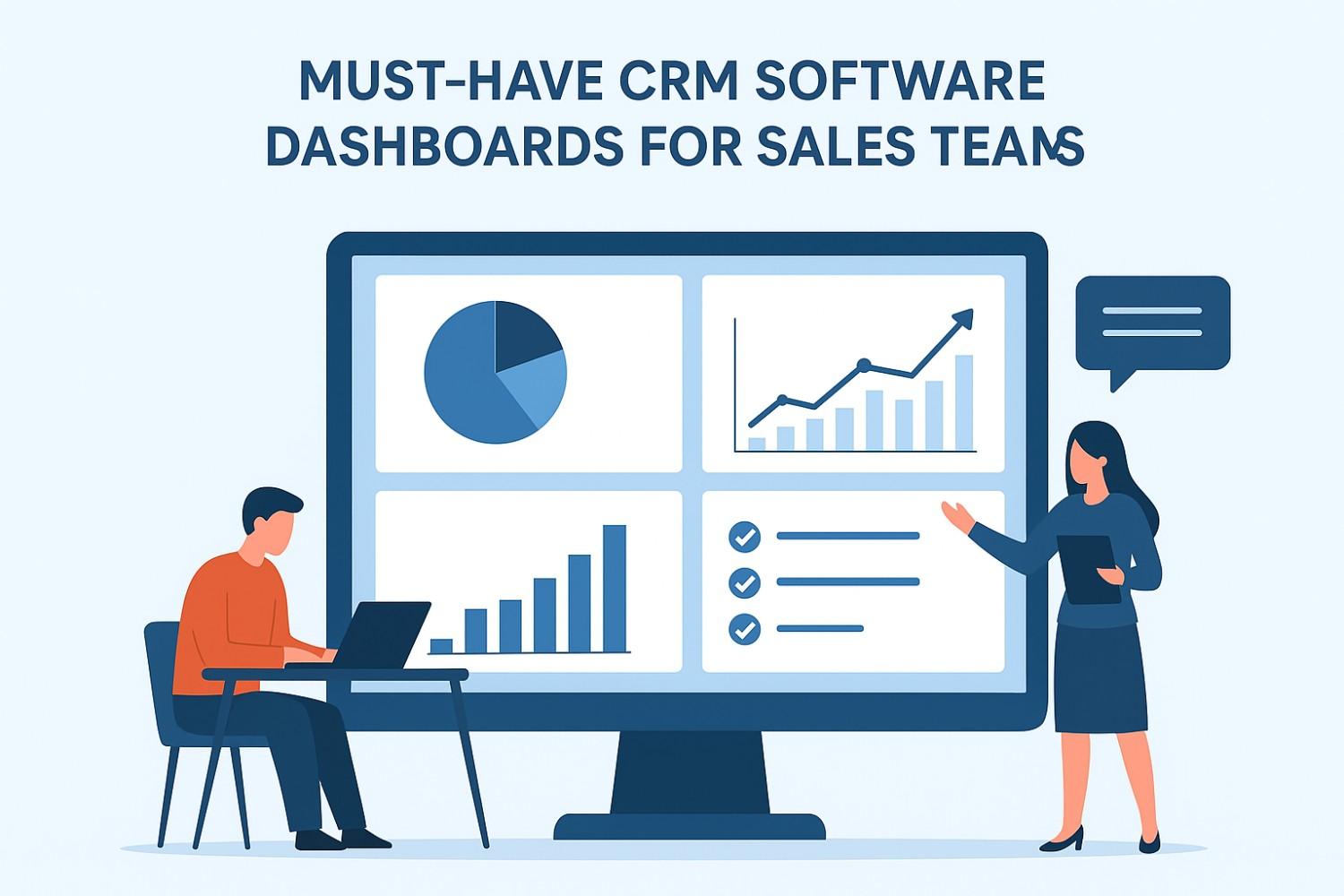
A CRM dashboard is a visual interface within customer relationship management software that displays important sales metrics and performance indicators in one place. Dashboards are designed to give sales teams a quick overview of their progress, pipeline, and goals. They use charts, graphs, and tables to make data easy to understand. Instead of digging through reports or spreadsheets, sales managers and team members can use dashboards to make decisions in real-time.
CRM dashboards can be customized for different roles, such as sales reps, managers, or executives, providing each user with the insights most relevant to their responsibilities.

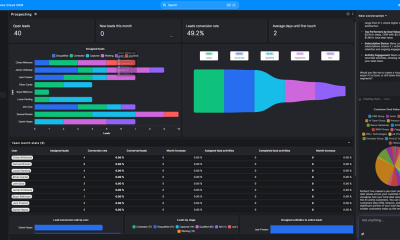
Sales Performance Dashboard
Every morning, sales teams need a single view that tells them, “Here’s how things are going take a breath.” A solid Sales Performance Dashboard offers quick-hit insights like total sales, deals closed, targets achieved, and ongoing activities.
This dashboard works best when it feels like a quick pep talk rather than a confusing riddle. We like using clean charts, color coding (yes, red is still scary), and real-time updates. It sets the tone for the day, aligns the team, and saves managers from sending late-night “Any updates?” messages.
Pipeline Overview Dashboard: Your Sales GPS
Think of this as the North Star for sales teams. The Pipeline Overview Dashboard gives everyone from reps to executives a snapshot of what’s moving, what’s stuck, and what’s sinking into the abyss of “We’ll get back to you.”
We design this dashboard to answer questions instantly:
- What deals are in each stage?
- Who owns what?
- What needs follow-up?
- Where is revenue expected to land?
A great pipeline dashboard should almost speak for itself (preferably in a calm, soothing voice).
Lead Management Dashboard
Across industries and regions, leads behave differently—people in the UAE move fast, the Swiss prefer detail, the British appreciate precision, and Americans… well, they want it all now. So, lead tracking needs flexibility.
Our Lead Management Dashboard helps sales teams prioritize intelligently with:
- Lead sources
- Lead scores
- Last touch activity
- Follow-up reminders
- Conversion probabilities
A good lead dashboard prevents missed opportunities; a great one helps teams strike when the iron isn’t just hot but downloadable as a PDF.
Activity Tracking Dashboard: The Productivity Protector
You know how some days you feel productive but your CRM says otherwise? Yeah, we’ve all been there. This dashboard keeps things honest.
By showing calls made, emails sent, meetings booked, tasks overdue, and timelines for follow-ups it ensures every rep stays accountable. And when automation is added into the mix (something we’re huge fans of), the dashboard becomes even smarter.
Forecasting Dashboard The Crystal Ball
No dashboard gets more attention from leadership teams than the Forecasting Dashboard mainly because it tells them whether they should relax or panic.
A strong forecasting dashboard includes:
- Revenue projections
- Weighted pipelines
- Rep performance trends
- Expected close dates
- Bottlenecks impacting forecasts
We always recommend pairing historical data with current trends because while history doesn’t repeat, it does tend to rhyme (and sales patterns are no exception).
Customer Insights Dashboard
In today’s world, the teams that understand customers best win fastest. This dashboard gives sales reps an edge with:
- Purchase history
- Support tickets
- Engagement timelines
- Account value
- Upsell and cross-sell suggestions
When reps walk into a meeting with context, the conversation moves from “So, what brings you in today?” to “We noticed your team is scaling—here’s how we can support that.” It’s a smoother ride for everyone involved.
Conclusion
At Kanhasoft, we often say: A CRM dashboard shouldn’t make you think harder; it should help you think smarter. When designed intentionally clean visuals, relevant KPIs, and intuitive navigation—dashboards become more than screens. They become accelerators for revenue.
Sales teams deserve tools that reduce chaos, boost clarity, and keep everyone rowing in the same direction. And if you ever feel tempted to cram 23 metrics on one page call us first. We’ll talk you down gently.
FAQs
Q1. What makes a CRM dashboard effective?
Clear visuals, relevant KPIs, real-time updates, and easy navigation. If it requires decoding, it’s not working.
Q2. How often should sales dashboards update?
Real-time is ideal, but near-real-time (every few minutes) also works for most teams.
Q3. Can dashboards be customized for different regions?
Absolutely sales behaviors differ across countries. We tailor dashboards for USA, UK, Israel, Switzerland, UAE, and beyond.
Author












Converting weight from one unit to another may seem like a simple task. However, it can become confusing when you work with different measurement systems. A recipe may use grams, while your kitchen scale shows ounces. Similarly, a shipping company may list a package in kilograms, while the delivery calculator asks for pounds. These small differences can create unnecessary confusion.
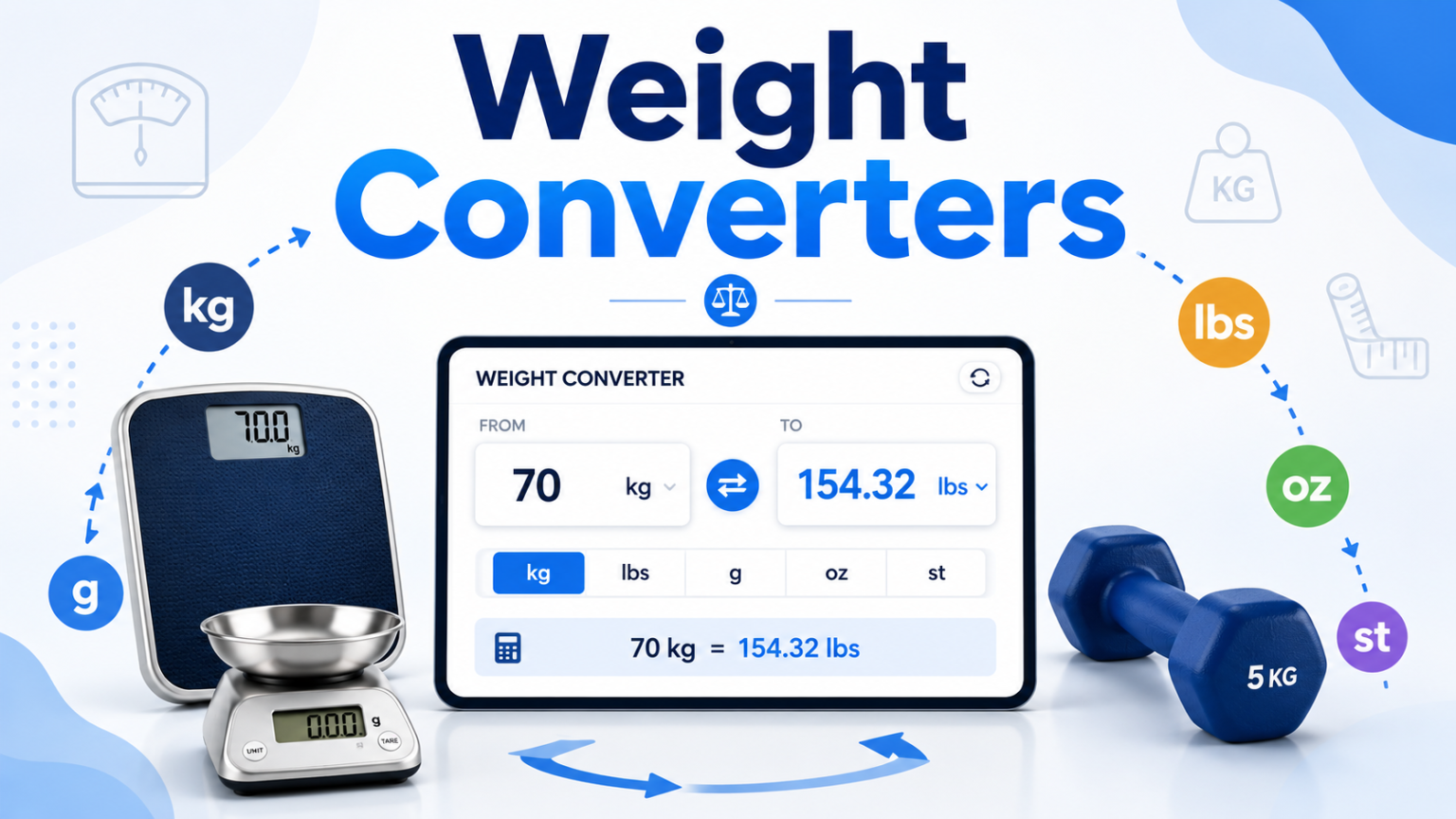
A Weight Converter makes this process much easier. Instead of searching for conversion formulas or calculating numbers manually, you can enter the value, select the units, and get the result almost instantly. This approach saves time and reduces the risk of common calculation mistakes. It also helps people handle different measurement systems without needing to memorize complicated conversion factors.
Why Is Weight Conversion Important?
Weight conversion plays a role in many everyday activities. You may need it while cooking, shopping online, exercising, studying, or sending a package. International websites often use metric measurements, while many American websites continue to use pounds and ounces.
For example, a product might weigh 5 kilograms, but you may want to know its weight in pounds before purchasing it. A simple conversion can provide the information you need. The same principle applies when you follow a recipe from another country or compare product specifications from different manufacturers.
Manual calculations can also become difficult when you work with unfamiliar units. Therefore, using a Weight Converter gives you a convenient way to handle these situations without unnecessary effort.
What Weight Units Can You Convert?
Weight measurement includes many units. Some appear in everyday situations, while others have specific uses in particular industries.
Kilograms and grams are among the most common metric units. People use them for groceries, food ingredients, body weight, and product measurements. Milligrams are useful when measuring very small quantities, particularly in scientific and pharmaceutical settings.
The imperial system includes pounds and ounces. These units appear frequently in the United States and remain common in cooking, fitness, retail, and shipping. Stones also remain familiar in the United Kingdom and Ireland, especially when people discuss body weight.
Other units have more specialized purposes. Metric tons and short tons help businesses measure large quantities of materials. Precious metal markets often use troy ounces instead of standard ounces. Meanwhile, jewelers use carats when measuring gemstones.
A good Weight Converter should make it easy to move between both common and less familiar units. This saves you from searching for separate conversion formulas whenever you encounter an unfamiliar measurement.
Why Is Manual Conversion Difficult?
Manual conversion does not always produce reliable results. Even when you know the correct formula, you can make a mistake while entering or multiplying the numbers. A misplaced decimal point can change the final answer considerably.
The problem becomes greater when you need several conversions. Suppose you start with stones and pounds and want the final result in kilograms. You may need to complete more than one calculation. Each additional step creates another opportunity for an error.
People also tend to rely on rounded conversion factors. While approximations work for quick estimates, they may not provide enough accuracy for professional tasks. Shipping calculations, scientific measurements, and commercial transactions often require more precise results.
A digital tool removes much of this uncertainty. It performs the calculation consistently and provides the result without requiring you to remember the formula.

How Accurate Is an Online Weight Converter?
Accuracy depends on the conversion standards and formulas used by the tool. Reliable converters use established relationships between measurement units. For example, one kilogram equals approximately 2.20462 pounds.
The number of decimal places also matters. Everyday tasks usually do not require extreme precision. However, scientific work, jewelry measurements, and other specialized applications may require additional decimal places.
A useful Weight Converter should display enough digits to support the purpose of the calculation. At the same time, users should understand that displayed values may involve rounding. The tool may calculate a highly precise result internally but show only a selected number of decimal places.
For ordinary tasks, this rounding rarely creates a meaningful problem. However, professionals who work with strict measurement requirements should always check the precision they need before using the result.
Who Can Benefit From Weight Conversion Tools?
Almost anyone can benefit from quick weight conversions. However, some users need them more frequently than others. A simple conversion tool can save time and make everyday tasks much easier. It also helps users avoid common mistakes when working with unfamiliar measurement units.
Home Cooks and Bakers
Cooking often involves measurements from different countries. An American recipe may use ounces and pounds, while a European recipe may list ingredients in grams. Bakers especially need accurate measurements because small changes in ingredient quantities can affect the final result.
A converter helps cooks translate measurements quickly. As a result, they can follow international recipes without constantly searching for conversion formulas.
Fitness Enthusiasts
People who track their body weight or workout progress may encounter different measurement systems. One fitness app might use kilograms, while another uses pounds. A converter makes it easier to maintain consistent records.
It can also help when users compare fitness programs, equipment specifications, or international training resources.
Online Shoppers
Product descriptions do not always use the same units. A website may list a product in kilograms, while a buyer thinks in pounds. Converting the measurement gives shoppers a clearer idea of the item’s actual weight.
This information can also help when estimating shipping requirements or comparing similar products.
Businesses and Logistics Professionals
Weight conversions play an important role in shipping and international trade. Businesses often move products between countries that use different measurement systems. Accurate figures can help companies calculate shipping costs and communicate product specifications clearly.
A reliable converter also reduces the time employees spend performing repetitive calculations. Therefore, it can support smoother day-to-day operations.
Make Weight Conversion Faster and Easier
Weight conversion does not need to involve complicated formulas or repeated calculations. With the right online tool, you can convert measurements quickly and focus on the task that actually matters.
Whether you are preparing an international recipe, checking your fitness progress, comparing products, or managing shipping information, a Weight Converter can simplify the process. It reduces manual work, limits common calculation errors, and provides convenient access to multiple measurement units.
For quick and dependable conversions, you can use a free converter and get your results within seconds. Instead of worrying about conversion factors, you can spend your time on the task itself. Accurate measurement starts with using the right units, and a reliable conversion tool makes that process much easier.
Final Thoughts
Weight conversion has become a simple part of many everyday tasks. From cooking and fitness tracking to online shopping and business shipping, people often need to switch between different measurement units. Doing these calculations manually can take time and may lead to avoidable mistakes.
A reliable Weight Converter offers a faster and more convenient solution. It lets you convert measurements without memorizing formulas or performing complicated calculations. Most importantly, it helps you work confidently with both metric and imperial units.
Whether you need to convert grams to ounces, kilograms to pounds, or tons to another measurement, an online converter can make the process easier. With accurate results available within seconds, you can save time and focus on what matters most. Therefore, keeping a dependable conversion tool within reach can make everyday measurement tasks much simpler.
Author


What if your brand ads appeared next to content that you would never want your customers to see? What if those ads appeared beside violent, misleading, offensive, or adult content? For most brands, that situation would feel completely inappropriate and unsafe. This risk can affect your campaigns without you noticing it. You may look at your impression numbers and assume that everything is working well. However, some of those impressions could come from placements that damage your brand image instead of strengthening it.
In today’s digital advertising environment, these placements can happen within milliseconds. That makes Brand Safety one of the most important concerns for advertisers.
Digital advertising now stretches across websites, mobile apps, social media, online videos, retail media, and Connected TV (CTV). Programmatic advertising allows brands to reach huge audiences across these channels. However, this scale also creates a major challenge. Brands have less control over where their ads finally appear.
So, how can advertisers protect their reputation while still reaching the right audience? The answer starts with understanding why traditional methods no longer provide enough protection.
Why Brand Safety Has Become More Difficult
Advertising no longer depends on a few predictable platforms. Today, brands can launch campaigns across thousands or even millions of digital properties at once. Programmatic technology makes this possible by making automated buying decisions in real time. That speed creates enormous opportunities. At the same time, it makes manual monitoring almost impossible.
A single campaign can reach users across websites, apps, social platforms, video channels, retail media networks, and CTV services. Each channel comes with different types of content and different levels of transparency.
Furthermore, not every premium-looking placement guarantees a safe environment. Made-for-advertising (MFA) websites, user-generated content, and AI-generated content can create additional risks.
CTV also adds another layer of complexity. Streaming platforms and FAST channels continue to grow, but advertisers may not always receive enough visibility into the exact content surrounding their ads. As a result, brands need a smarter and more continuous approach to protecting their reputation.
Why Traditional Methods Often Fall Short
Many advertisers still depend on keyword blocklists, URL blocklists, and post-bid monitoring. These tools can help, but they cannot solve every problem. Keyword blocklists look for specific words. The problem is that a single word can appear in completely different contexts. A news article discussing a sensitive topic, for example, may contain a risky keyword while still offering a suitable advertising environment.
This approach can create two problems. It may block perfectly safe content while allowing genuinely harmful content to slip through. URL blocklists face a similar challenge. They can block known websites, but the internet changes constantly. New pages, domains, videos, and social posts appear every minute. A list that looks effective today can quickly become outdated.
Post-bid monitoring creates another limitation. It tells advertisers where an ad appeared after the placement already happened. By that point, the brand has already taken the risk. The bigger issue remains context. These traditional methods often focus on surface-level signals instead of understanding what the content actually means.

Contextual Advertising Offers a Smarter Approach
Contextual advertising takes a different route. Instead of simply searching for individual keywords, it analyzes the meaning and context of the content. This approach helps advertisers determine whether a page, video, or piece of content fits their suitability requirements before serving an ad.
For example, a page may contain a sensitive keyword while discussing an educational or harmless topic. A contextual system can consider the complete meaning instead of automatically blocking the placement. That makes Brand Safety more precise and practical.
Contextual analysis can examine several factors at once. These include the topic, sentiment, tone, intent, and overall quality of the content. It can then make decisions before the ad appears. This pre-bid approach matters because it prevents risky placements instead of simply reporting them afterward.
How AI Makes Contextual Protection Stronger
Artificial intelligence can take contextual advertising even further. Modern AI systems can analyze large amounts of content quickly and identify patterns that traditional filters may miss. For instance, AI can look beyond individual words and understand how those words work together. It can identify the broader subject of an article and recognize the intent behind the content.
AI can also evaluate tone. That matters when content uses sarcasm, controversy, humor, or indirect language. A simple keyword filter may struggle with these situations, while an AI-powered system can examine the surrounding context. Visual content creates another challenge. Images and videos can contain information that text-based systems cannot detect. AI can analyze visual elements as well, which becomes especially valuable for video advertising and CTV campaigns.
Multilingual advertising also benefits from AI. Global brands need protection across different languages, cultures, and expressions. AI can help advertisers evaluate content at a much larger scale. Most importantly, AI can keep working continuously. It has the capability to adjust to fresh subjects, trends, slang, and new content types without depending solely on manually revised lists.
What Effective Brand Safety Looks Like Today
A strong Brand Safety strategy does not depend on one tool. Instead, it combines multiple layers of protection. First, advertisers should use pre-bid contextual analysis to identify risky environments before an ad appears. This approach reduces the need to fix problems after they occur.
Second, brands should create custom suitability settings. Every brand has different values, audiences, and risk levels. A filter that works for one company may not work for another. Third, continuous monitoring should remain part of the strategy. Digital content changes constantly, so advertisers cannot treat protection as a one-time setup.
Fourth, protection should cover every major advertising channel. Display, mobile, video, social media, and CTV all need attention. Limiting protection to one channel can leave major gaps elsewhere. Finally, AI-powered optimization can help campaigns respond to changing conditions. This becomes increasingly important as advertisers expand into new formats and platforms.
Why Context Matters for Every Impression
Reaching the right audience represents only one part of a successful advertising campaign. The environment surrounding an ad also influences how people perceive a brand. Imagine seeing an advertisement from a trusted company beside disturbing or misleading content. Even if the company had nothing to do with that content, the association could still affect the viewer’s perception.
That is why Brand Safety should remain a core part of digital advertising strategy rather than an afterthought. Advertisers need tools that understand content, not just keywords. They also need technology that works before an impression happens, not only after the damage occurs.
Conclusion
Trust develops one impression at a time. Every placement contributes to how people view a brand. Modern advertising gives businesses incredible reach, but that reach comes with greater responsibility. Programmatic buying, CTV, user-generated content, and AI-generated media have made the digital landscape more complex than ever.
A smarter approach combines contextual intelligence, AI, custom suitability controls, and continuous monitoring. Together, these layers help brands make better decisions before their ads appear.
Ultimately, effective Brand Safety is not about avoiding the internet’s complexity. It is about understanding that complexity and using the right technology to navigate it. Because reaching the right person matters. But reaching that person in the right environment matters just as much.
Author



Finding the right way to contact Microsoft can sometimes feel confusing. The company offers different support channels for home users, business customers, Xbox users, Azure customers, and developers. As a result, the best contact method depends on the product and the type of issue. If you are looking for a Microsoft phone number, the first step should always be checking Microsoft’s official support resources. The company provides region-specific information, and available support options may change depending on your location and service.
What Is the Best Way to Contact Microsoft?
Microsoft provides several ways to get help. Customers can use online support, virtual agents, live chat, callbacks, or phone assistance. Some services also provide dedicated support portals. For most users, starting with Microsoft’s online Contact Us or Get Help service is the easiest option. You can explain the problem and follow the recommended steps. If online troubleshooting does not resolve the issue, Microsoft may provide additional contact options. This approach can save time because it helps identify the correct support department before you contact an agent.
How Can Home Users Get Microsoft Support?
Home users can use Microsoft’s Get Help service for many common problems. The tool allows you to describe your issue in simple terms. It then provides possible solutions based on the information you enter.
For example, you could enter a problem such as “I cannot access my Microsoft account.” The system may recommend troubleshooting steps or connect you with another support option.
If you still need assistance, the available support flow may offer chat or a callback. This method is often more convenient than searching the internet for a Microsoft phone number that may no longer be current.
How Does Microsoft 365 Business Support Work?
Business customers usually have more specialized support options. Microsoft 365 administrators can sign in to the Microsoft 365 admin center and open the Help & Support section. The admin center connects the support request with the organization’s tenant. This allows Microsoft to identify the services and subscription connected to the account.
Depending on the account and issue, administrators may receive phone or callback options. Microsoft may also request account information to verify the organization. Before contacting support, administrators should keep important details nearby. These may include account information, subscription details, agreement numbers, or other verification information.

When Should You Use Microsoft Phone Support?
Phone support can be useful when the problem requires direct communication with a support representative. However, not every issue uses the same phone service.
Microsoft separates many support services by product and customer type. Technical problems, billing questions, sales requests, and account issues may follow different support routes.
Support hours can also vary. Some technical support services may operate 24 hours a day, while billing or account teams may follow specific business hours. Therefore, if you need a Microsoft phone contact, check the official support page for your country and product before making a call.
What Support Is Available for Xbox Users?
Xbox has its own support system for console, account, subscription, and purchase problems. Users can access the Xbox support site and choose the service that requires assistance. After choosing the relevant category, the system may provide troubleshooting suggestions. Depending on the problem and availability, users may also receive chat or callback options. Signing in to the correct Xbox account can help the support system identify account-specific problems. This can make the process more efficient.
How Can Microsoft Store Customers Get Help?
Microsoft Store customers may need assistance with purchases, billing, orders, refunds, or other shopping-related issues. When contacting support about a purchase, keep your order information available. Providing accurate details can help the representative locate the transaction more quickly. If the problem involves software installation or a technical issue, use the appropriate Microsoft product support channel instead. The correct department can provide more relevant assistance.
What Support Does Microsoft Provide for Azure?
Azure customers have access to a dedicated support process. Users can submit support requests through the Azure portal and provide information about the problem. Azure separates billing, subscription, and technical assistance. While billing and subscription support may be available to many customers, technical support can depend on the support plan associated with the account.
Before opening a technical support request, check your Azure subscription and support plan. This will help you understand which options are available.
What About Microsoft Advertising and Developer Support?
Microsoft Advertising customers can use specialized support channels for advertising-related issues. Depending on the account and location, customers may have access to online chat or phone assistance.
Developers also have dedicated support resources. They can submit incidents, review documentation, and use technical resources to troubleshoot development problems.
Using a specialized support channel is usually better than contacting general customer service. It helps direct your request to a team that understands the specific product.
How Can You Avoid Fake Microsoft Support Numbers?
One of the biggest concerns when searching for a Microsoft phone number is finding unreliable information. Search engines can display third-party websites that publish outdated or unverified contact details. Never assume that every number listed online belongs to Microsoft. Some websites collect information from users, while others may publish old numbers. Always verify contact information through Microsoft’s official website. Also, never provide your password, security code, or other sensitive information to an unverified caller.
Which Microsoft Support Option Should You Choose?
The right support method depends on your situation. Home users can begin with Get Help or Microsoft’s online Contact Us service. Business administrators can use the Microsoft 365 admin center. Xbox, Azure, Advertising, and developer customers should use their dedicated support channels.
If you specifically need a Microsoft phone option, select your country and product on Microsoft’s official support website. This helps you find the contact method that applies to your situation.
Final Thoughts
Microsoft offers several ways to solve customer problems. You do not always need to make a phone call. Online support, chat, callbacks, and self-help tools can often resolve common issues quickly. These options also make it easier to find solutions without waiting on hold. For complicated problems, direct support may be more useful. A support representative can review your situation and guide you through the appropriate steps. However, always confirm the available contact method through an official Microsoft source before calling.
Most importantly, choose the support channel based on your product and issue. Make sure you have your account details and relevant information ready before contacting support. This can help the support team understand your problem and provide assistance more efficiently. If one support method does not solve the issue, consider trying another official channel. Following the correct support route can save time and prevent confusion. This simple approach can reduce delays and help you reach the right Microsoft support team faster.
Author



Top 10 Psychology Conferences 2026 in the USA

Commercial Cabinet Shop Drawings: Key Details for Accurate Fabrication

AI Development Trends Businesses Should Watch in 2026

Colour Plane: Inspiring Better Design Through Colour and Creativity

Cole Buxton Clothing | Free Shipping | Shop Now

How 3D Interior Rendering Transforms Architectural Design

Traditional Ayurvedic Herbs and Their Place in Modern Wellness

Why a Good Bassinet Makes Life Easier for NZ Parents

Why take Private tour of Gibbston Valley

Work Visas, Job Changes, and the Details That Decide NZ Visa

Cybersecurity Consulting Company SequelNet Provides Critical IT Support Services to Medical Billing Firm, Medical Optimum

Meet the Megalodon: The Shark Star of ‘Meg 2’

Reduce Video Game Lag: Level Up Your Gaming Performance

Balancing India’s Entertainment: Cricket vs. Bollywood

Jetsetter’s Secrets: Unveiling Our Favorite Travel Hacks for a Seamless Adventure

The 5 Best Live Sports Streaming Sites: Legal and Exciting!

Hollywood Labor Unrest: The Impact of ‘What About Us?’ Strikes

Unveiling the Magic of Dream Fulfillment at the Late NBA Draft

Illuminate Your Skin: Dr. Axe Unveils Natural Remedies for Lightening Knees and Elbows

Bright Choices: Navigating the Pros and Cons of Skin Whitening Creams with Dr. Axe
-

 Business3 years ago
Cybersecurity Consulting Company SequelNet Provides Critical IT Support Services to Medical Billing Firm, Medical Optimum
-
Entertainment3 years ago
Meet the Megalodon: The Shark Star of ‘Meg 2’
-
Entertainment3 years ago
Reduce Video Game Lag: Level Up Your Gaming Performance
-
 Sports3 years ago
Balancing India’s Entertainment: Cricket vs. Bollywood
-
Entertainment3 years ago
Jetsetter’s Secrets: Unveiling Our Favorite Travel Hacks for a Seamless Adventure
-
Productivity3 years ago
The 5 Best Live Sports Streaming Sites: Legal and Exciting!
-
Art /Entertainment3 years ago
Hollywood Labor Unrest: The Impact of ‘What About Us?’ Strikes
-
Sports3 years ago
Unveiling the Magic of Dream Fulfillment at the Late NBA Draft






