
Digital Development
The Human Advantage: Human-Centric Content in 2026


The digital landscape of 2026 feels vastly different from the experimental days of the early 2020s. Today, artificial intelligence is no longer a novelty; it is a ubiquitous utility. Estimates suggest that nearly 90% of content marketers now use large language models (LLMs) to some degree. However, this explosion of automated text has created a unique side effect: a “trust gap” among audiences. As the web becomes saturated with predictable, algorithmically generated articles, the value of authentic human expression has skyrocketed. For creators and businesses, the challenge is no longer about how much content they can produce, but how much “humanity” they can inject into it.
Achieving 100% original, human-centric content in 2026 requires more than just avoiding “copy-paste.” It demands a strategic blend of personal insight, structural variety, and a departure from the generic patterns that AI detectors—and savvy readers—now easily identify.
The 2026 “AI Blacklist” and How to Avoid It
In 2026, both Google’s ranking algorithms and sophisticated detection tools like GPTZero or Turnitin have evolved. They no longer just look for matching text; they analyze “perplexity” and “burstiness.” Perplexity refers to how predictable your word choices are. AI tends to choose the most statistically likely word, leading to a bland, middle-of-the-road tone.

To create truly humanized content, you must actively purge the “AI Hallmark” vocabulary that has become digital noise. Avoid these common 2026 red flags:
-
The Overused Intros: Phrases like “In today’s digital age,” “At its core,” or “Imagine a world” are immediate tells. Instead, start with a punchy fact or a personal observation.
-
The Buzzword Fatigue: Words like leverage, synergy, paradigm shift, and robust have lost their meaning. Replace them with simpler, active verbs like use, collaborate, or strong.
-
The Flowery Metaphors: AI loves a good “tapestry,” “symphony,” or “beacon.” Unless you are actually writing about weaving or music, these metaphors feel hollow.
By choosing “boring” but precise words over hyper-polished jargon, you actually build more trust with your reader.

Master the “Burstiness” of Human Thought
One of the most significant differences between a human writer and an AI is sentence rhythm. An AI typically generates sentences of a very similar length and structure. This creates a monotonous “drone” that puts readers to sleep. Humans, conversely, write with “burstiness.” We use short, punchy sentences to make a point. Then, we follow up with a longer, more descriptive thought that flows naturally into the next idea.
To humanize your content, try the following structural shifts:
-
Vary Sentence Length: Mix four-word sentences with twenty-word sentences. This mimics the natural cadence of speech.
-
Use Active Voice: Instead of saying “The report was analyzed by the team,” say “Our team tore through the report.” Active voice creates a sense of agency and movement.
-
Embrace Fragments: Occasionally. For emphasis. It adds a touch of personality that algorithms usually avoid.
The Power of “Information Gain”
In 2026, the concept of “Information Gain” is the ultimate differentiator. This refers to the unique value or new perspective an article provides that isn’t already found in the top ten search results. Since AI can only summarize existing data, it cannot provide new insights or lived experiences.
To make your content 100% unique, you must include:
-
Personal Anecdotes: Share a specific story about a project that failed or a lesson you learned the hard way.
-
Specific Data Points: Use internal data or unique observations from your specific industry niche.
-
Opinionated Stances: AI is designed to be neutral and safe. Humans have opinions. Don’t be afraid to take a stand on a trend or challenge a common industry “truth.”
Readability and the “Zero-Visit” Era
We are currently living in the “Zero-Visit” visibility era. AI search summaries often provide the answer directly on the search results page, meaning users might never click your link. To counter this, your content must be highly readable and modular.
Break your 1,000-word piece into digestible sections with clear, descriptive headings. Use transition words—but avoid the formal ones like “furthermore” or “moreover.” Instead, use conversational bridges like “Here’s the catch,” “On the flip side,” or “Better yet.” These transitions guide the reader’s eye and keep them engaged with the human behind the screen rather than the data on the page.
Why Authenticity is the New Luxury
As we move deeper into 2026, “human-made” is becoming a premium label. Research shows that over 65% of Gen Z and Millennials are more likely to trust a brand that publishes human-generated content over a fully automated feed. People don’t want to talk to machines; they want to talk through machines to other people.
By focusing on high readability, active voices, and short, impactful sentences, you respect your reader’s time and cognitive load. You aren’t just filling a word count; you are providing a roadmap for a meaningful conversation.
Summary of the Human-Centric Checklist
| Feature | AI-Generated Pattern | Human-Centric Alternative |
| Tone | Neutral, robotic, and “safe” | Opinionated, warm, and authentic |
| Pacing | Uniform sentence lengths | “Burstiness” (mixed lengths) |
| Vocabulary | Jargon-heavy (Leverage, Tapestry) | Clear and precise (Use, Blend) |
| Perspective | Third-person objective | First-person with anecdotes |
| Structure | Rigid Intro-Point-Conclusion | Modular and conversational |
Conclusion: Finding the Synergy
The goal isn’t to ignore AI, but to use it as a “prep cook” rather than the “chef.” Let technology handle the initial research and outlining, but ensure the final 1,000 words are saturated with your unique voice. In an age of infinite automated noise, the most revolutionary thing you can be is yourself. Authentic, slightly imperfect, and deeply human content will always outperform a soulless algorithm.
By following these guidelines, you ensure that your work is not only 100% plagiarism-free but also high-performing in an era that craves real connection.
Author



Digital marketing has changed the way businesses reach customers, build relationships, and generate sales. Today, a strong online presence plays an important role in business growth. However, simply having a website or social media account does not guarantee success. Businesses often face challenges that limit their visibility, lead generation, and overall marketing performance.
The good news is that most digital marketing challenges have practical solutions. With the right strategy, businesses can attract the right audience, improve engagement, and achieve better results from their marketing investment. Working with experienced providers of digital marketing services in Australia can also give businesses the guidance they need to compete in a crowded online market. In this guide, we explore 5 Problems businesses commonly face in digital marketing and explain simple ways to overcome them.
Why Digital Marketing Matters
Digital marketing includes several online strategies that help businesses promote their products, services, and brands. These strategies include search engine optimization (SEO), pay-per-click advertising, content marketing, social media marketing, email marketing, and conversion rate optimization.
Unlike traditional marketing, digital marketing gives businesses access to measurable data. Marketers can track website visits, customer interactions, leads, conversions, and advertising results. Therefore, they can identify what works and makes improvements over time.
A well-planned digital marketing strategy can help businesses increase website traffic, improve brand awareness, generate qualified leads, increase sales, and build stronger customer relationships. However, businesses must first understand the challenges that can prevent these results.
Low Website Traffic
One of the most common digital marketing challenges involves attracting visitors to a website. A business may have a professional website, but potential customers will not find it if the site lacks online visibility.
Several factors can cause low traffic. These include weak SEO, poor keyword targeting, limited content, slow website performance, and a lack of promotional activity. A weak social media presence can also reduce opportunities to reach new audiences.
Businesses can improve traffic by developing a clear SEO and content strategy. Start with keyword research that focuses on terms potential customers actually use. Then, create useful content that answers their questions and matches their search intent.
Businesses should also improve website speed, optimize pages for mobile devices, build relevant backlinks, and promote useful content through social media. Combining organic and paid strategies can create multiple sources of website traffic.
Poor-Quality Leads
Getting visitors to a website represents only one part of the marketing process. Businesses also need to attract people who have a genuine interest in their products or services. Otherwise, high traffic numbers may produce very few sales.
Poor-quality leads often come from broad audience targeting, unclear messaging, weak landing pages, or advertisements that attract the wrong users. When a marketing message does not address a customer’s needs, visitors have little reason to take the next step.
Businesses can solve this issue by understanding their target audience more clearly. Create landing pages for specific customer groups and explain the benefits of the product or service in simple language.
Strong calls to action can also encourage visitors to respond. In addition, businesses can use lead qualification forms and audience targeting tools to focus their efforts on users with stronger purchase intent.
Low Search Engine Rankings
Another major challenge appears when a business struggles to rank on Google. Publishing articles regularly does not automatically lead to better rankings. Search engines consider content quality, relevance, technical performance, user experience, website authority, and many other factors.
A successful SEO strategy should begin with proper keyword research. Businesses should focus on search terms that match their audience’s needs rather than chasing high-volume keywords alone.
Content also needs to provide genuine value. Instead of writing articles only for search engines, businesses should answer real customer questions and offer useful information.
Technical SEO also matters. Websites should load quickly, work well on mobile devices, use secure HTTPS connections, and maintain a clear URL structure. Internal links can further help users and search engines discover relevant pages.
Creating topic clusters can strengthen overall website authority. For example, a business offering digital marketing services in Australia could publish detailed content about SEO, Google Ads, social media marketing, local SEO, email marketing, and conversion optimization.

Difficulty Measuring Results
Businesses often invest money in digital marketing without knowing which activities actually generate results. Without reliable data, marketers may continue spending money on campaigns that deliver little value.
This problem usually occurs when businesses do not set clear goals or configure analytics and conversion tracking correctly. As a result, they cannot accurately measure campaign performance.
Businesses should define measurable objectives before launching campaigns. They can then monitor important metrics such as organic traffic, conversion rate, cost per lead, click-through rate, customer acquisition cost, and return on advertising spend.
Regular reporting makes decision-making easier. It also helps businesses identify successful campaigns and areas that need improvement. Professional digital marketing services can provide structured reporting and useful insights that help businesses make informed marketing decisions.
Keeping Up With Digital Marketing Changes
The digital marketing landscape changes constantly. Search engines update their systems, advertising platforms introduce new features, and customer expectations continue to evolve. Artificial intelligence has also changed how businesses create content, analyze data, and communicate with customers.
These changes can make it difficult for businesses to maintain consistent results. A strategy that worked several years ago may no longer deliver the same performance today.
Businesses should therefore make continuous improvement part of their marketing process. Review campaign results regularly and update older content when necessary. Marketers should also follow reliable industry sources and test new strategies before investing heavily in them.
Working with experienced marketing specialists can make this process easier. Professionals can monitor industry changes and adjust strategies based on current performance and business goals.
Creating a Strong Digital Marketing Strategy
Solving individual challenges matters, but businesses also need an integrated strategy. SEO can build long-term visibility, while content marketing can educate customers and strengthen authority. Social media can increase engagement, and paid advertising can provide faster visibility.
Email marketing can help businesses maintain customer relationships and encourage repeat purchases. At the same time, conversion rate optimization can turn more website visitors into leads and customers.
When these channels work together, businesses can create a smoother customer journey. They can attract users, build trust, encourage action, and maintain relationships after the first purchase.
Building Trust Through E-E-A-T
Google’s E-E-A-T framework focuses on Experience, Expertise, Authoritativeness, and Trustworthiness. Businesses can support these qualities by publishing accurate and useful content, demonstrating industry knowledge, providing transparent information, and keeping website content up to date.
Customer reviews, testimonials, secure websites, clear contact information, and trustworthy references can also strengthen credibility. Most importantly, businesses should focus on helping their audience rather than creating content solely for search engines.
Final Thoughts
Digital marketing can create significant opportunities, but businesses must address common challenges to achieve lasting results. The 5 Problems discussed above—low traffic, poor-quality leads, weak rankings, measurement difficulties, and constant industry change can affect growth when businesses ignore them.
Fortunately, businesses can overcome these challenges with focused planning and regular optimization. Strong content, effective SEO, accurate audience targeting, reliable analytics, and continuous learning can create a healthier digital presence.
The right support can make the process even easier. Maninder Wave, a digital marketing agency in Australia, can help businesses develop practical, data-driven strategies that support visibility, customer engagement, and sustainable online growth.
Author


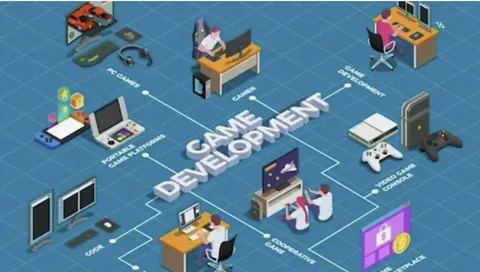
The gaming industry is evolving at an incredible pace. With millions of players joining mobile, PC, console, and cloud gaming platforms every year, businesses are increasingly investing in game development to capture new audiences and generate revenue. However, one of the first and most important decisions companies face is whether to build an in-house development team or partner with a professional game development company.
Both approaches have their own advantages and challenges. An in-house team offers greater control over the development process, while outsourcing to an experienced development company provides access to specialized expertise, faster project execution, and reduced operational costs. Choosing the right option depends on your project’s scope, budget, timeline, and long-term business goals.
In this blog, we’ll compare both development models to help you determine which one is the best fit for your next gaming project.
Understanding an In-House Game Development Team
An in-house game development team consists of professionals hired directly by your company. These employees work exclusively on your projects and become part of your organization. Depending on the complexity of the game, an in-house team may include game designers, developers, UI/UX designers, 2D and 3D artists, animators, quality assurance engineers, project managers, and sound designers.
Building an internal team gives businesses complete ownership of the development process. Team members collaborate closely, communicate easily, and align with the company’s vision and culture. This model works well for organizations planning to develop multiple games over the long term.
However, building an in-house team requires significant investment. Recruiting experienced developers, purchasing software licenses, maintaining office infrastructure, and providing employee benefits can substantially increase the overall cost of development.
What Is a Game Development Company?
A game development company is a specialized organization that provides end-to-end game development solutions for businesses, startups, and entrepreneurs. Instead of hiring a full internal team, clients collaborate with experienced professionals who already possess the technical expertise, tools, and workflows needed to deliver high-quality games.
Most development companies offer a wide range of services, including game design, programming, 2D and 3D art creation, multiplayer development, quality assurance, deployment, post-launch support, and mobile game development services for Android and iOS platforms. Partnering with an experienced company allows businesses to focus on strategy, marketing, and monetization while technical experts handle the development process.
Cost Comparison
Cost is one of the biggest factors influencing the decision between an in-house team and outsourcing. Hiring an internal team involves much more than paying salaries. Companies must also cover recruitment expenses, employee benefits, office equipment, software subscriptions, hardware upgrades, and ongoing training. These recurring costs can become significant, especially for startups and small businesses.
On the other hand, a game development company usually works on a project-based pricing model. Clients pay for the services they need without worrying about recruitment, infrastructure, or long-term employee expenses. This approach helps businesses manage budgets more efficiently while accessing experienced professionals. For organizations with limited financial resources, outsourcing is often the more cost-effective option.
Access to Skilled Professionals
Modern games require expertise across multiple disciplines. Developers need knowledge of engines like Unity or Unreal Engine, artists create engaging visuals, designers build immersive gameplay, and quality assurance teams ensure the game performs flawlessly. Finding professionals with all these skills internally can take months. Even after recruitment, businesses must invest time in onboarding and team coordination.
A reputable game development company already has multidisciplinary teams in place. Businesses gain immediate access to experienced developers, artists, designers, testers, and project managers without the lengthy hiring process. This is especially beneficial for projects requiring specialized technologies such as augmented reality, virtual reality, multiplayer networking, blockchain integration, or artificial intelligence.

Development Speed
Time-to-market plays a crucial role in today’s competitive gaming industry. Delays can increase development costs and reduce market opportunities. Building an in-house team takes time. Recruitment alone may take several months before development even begins. Once the team is assembled, onboarding and workflow setup add further delays.
A professional development company, however, is ready to start almost immediately. Established processes, experienced teams, and proven project management methodologies allow development to progress more efficiently. If launching your game quickly is a priority, outsourcing generally provides a faster path to market.
Communication and Project Control
One of the strongest advantages of an in-house team is direct communication. Team members work under the same organizational structure, making meetings, discussions, and decision-making much easier. Managers can monitor progress closely, make immediate changes, and ensure every department stays aligned with the company’s objectives.
When working with a game development company, communication usually happens through scheduled meetings, project management tools, and dedicated account managers. While reputable companies maintain transparent communication, businesses may have slightly less day-to-day control compared to managing an internal team. Choosing a development partner with clear communication practices can significantly reduce this challenge.
Scalability and Flexibility
Game development projects rarely remain the same throughout their lifecycle. A project may suddenly require additional developers, artists, or quality assurance engineers to meet deadlines or expand features. Scaling an internal team means recruiting more employees, which increases costs and extends project timelines.
In contrast, a game development company can quickly allocate additional resources when needed. This flexibility allows businesses to adapt to changing project requirements without the burden of permanent hiring. For startups and businesses managing fluctuating workloads, outsourcing offers greater scalability.
Technology and Development Tools
Professional game development requires advanced software, development platforms, testing devices, and cloud infrastructure. Maintaining these resources internally involves considerable investment and regular updates.
Established development companies already possess enterprise-grade tools and infrastructure, enabling them to deliver efficient workflows and maintain industry standards without requiring additional investment from clients. Businesses benefit from modern technology without bearing the responsibility of managing it.
Long-Term Business Goals
The right development model often depends on your company’s long-term objectives. If your organization plans to create multiple games over several years and wants to establish a dedicated gaming division, building an in-house team may be a worthwhile investment. Internal teams develop a deeper understanding of the company’s products and can support continuous innovation.
However, if your goal is to launch one or several games efficiently without expanding your workforce, partnering with a game development company is often the smarter business decision.
The Growing Importance of Mobile Game Development Services
Mobile gaming has become the largest segment of the global gaming industry. Millions of users download and play games daily, creating enormous opportunities for businesses entering the market. As player expectations continue to rise, companies increasingly seek professional mobile game development services to create engaging, high-performance games for Android and iOS devices.
These services typically include game design, cross-platform development, multiplayer functionality, in-app purchase integration, cloud synchronization, analytics implementation, performance optimization, and post-launch maintenance. Working with experienced mobile developers helps ensure games deliver smooth performance across different devices while providing a better user experience.
Which Option Is Better?
There is no one-size-fits-all answer. An in-house team is an excellent choice for businesses seeking complete control, long-term product ownership, and continuous game development. Although it requires significant investment, it can provide lasting value for organizations with ongoing development needs.
On the other hand, a game development company offers flexibility, faster project execution, specialized expertise, and cost efficiency. Businesses can access experienced professionals without the challenges of recruitment, infrastructure management, and employee retention. For startups, entrepreneurs, and companies entering the gaming industry for the first time, outsourcing often provides the ideal balance between quality, speed, and affordability.
Final Thoughts
Choosing between an in-house team and a game development company is a strategic decision that can significantly impact the success of your project. Before making your choice, evaluate your budget, project complexity, timeline, technical requirements, and long-term goals.
If your priority is building a permanent development department with complete operational control, investing in an internal team may be the right path. However, if you want to accelerate development, reduce costs, and access industry-leading expertise, partnering with an experienced game development company is often the more practical solution.
As the gaming market continues to expand, businesses that collaborate with the right development partner are better positioned to create innovative, engaging, and successful games. Whether you’re planning a mobile title, multiplayer experience, or cross-platform game, leveraging professional mobile game development services can help transform your vision into a high-quality product that stands out in a competitive marketplace.
Author



Choosing a hotel rarely begins with a booking. A traveler may first search for a destination, compare neighborhoods, look at nearby attractions, check hotel amenities, read guest reviews, and compare prices across several properties. By the time they reach a hotel’s website, they may already have a shortlist of places they are considering.
This makes the digital journey an important part of the guest experience.
hotel seo services can help properties become more visible during this journey while providing useful information that supports travelers as they evaluate their options. The goal is not simply to attract more clicks. It is to connect the right travelers with the right information at the right stage of their planning process.
For hotels, that means understanding what guests search for, what influences their decisions, and what can make one property feel like a better fit than another.
Travelers Have Different Reasons for Choosing a Hotel
There is no single hotel guest. A family may prioritize spacious rooms, nearby attractions, breakfast options, and convenient transportation. A business traveler may care more about Wi-Fi, meeting facilities, location, and flexible services. A couple planning a weekend getaway may look for dining, experiences, views, or wellness amenities. Even travelers visiting the same destination can have completely different expectations.
This is why hotel marketing should begin with the guest rather than a generic list of keywords. Understanding different guest profiles helps hotels create pages and content that answer specific questions. Instead of presenting the same message to everyone, a property can make it easier for different travelers to recognize why the hotel fits their particular trip.
Search Begins Long Before a Guest Searches for Your Hotel
Many travelers start with broad questions. They may search for the best area to stay, things to do near a destination, hotels close to an airport, family-friendly accommodations, romantic weekend destinations, or places near a convention center. At this stage, the traveler may not know which hotel they want.
This creates an opportunity for hotels to become part of the research process before a booking decision has been made. Destination guides, neighborhood resources, attraction pages, travel tips, itinerary suggestions, and informative FAQs can help answer these early questions. When a hotel provides useful information rather than immediately pushing a reservation, it can begin building familiarity and trust. That relationship may become valuable later when the traveler starts comparing specific properties.
Local Search Helps Guests Understand Location
Location can be one of the biggest factors in a hotel decision. A traveler may want to stay near a beach, airport, downtown area, business district, theme park, stadium, university, or popular attraction. They are not simply searching for a room—they are searching for convenience and access to the experiences that matter to their trip. This makes local seo for hotels an important part of the guest discovery journey.
A strong local strategy can include optimizing the hotel’s Google Business Profile, maintaining accurate property information, developing location-specific content, managing reviews, and creating useful resources about nearby places. However, local SEO should provide genuine information rather than simply repeating the destination name.
A hotel can explain approximate travel times, nearby attractions, transportation options, local dining, and other practical details that help travelers understand what staying at the property would actually be like. That information can make the hotel more useful during the planning stage.
Hotel Content Should Answer Real Guest Questions
Travelers often have practical concerns before booking. They may wonder whether breakfast is available, how far the hotel is from an attraction, whether parking is offered, what room types are available, whether the property accommodates families, or what experiences are nearby. These questions can become valuable content opportunities.
A hotel website can include detailed room information, amenity explanations, destination guides, FAQs, local recommendations, event-related resources, and seasonal travel content. The best content does not sound like an advertisement. It helps a traveler make a decision. This approach also supports topical authority. A hotel that consistently provides useful information about its property, destination, guest experience, and surrounding area demonstrates a deeper understanding of what travelers need.

Firsthand Hospitality Knowledge Makes Content More Valuable
Travel content is everywhere, but not all of it provides the same value. Hotels have an advantage that generic publishers often cannot replicate: firsthand local knowledge. Hotel staff may know which attractions are busiest at certain times, which restaurants are popular with guests, how travelers typically reach the property, which local experiences work well for families, or what visitors should know before arriving.
That experience can make website content more useful and authentic. From an E-E-A-T perspective, hotels should demonstrate experience rather than simply make broad claims. Original recommendations, accurate local information, practical guidance, and genuine guest insights can help establish credibility. The objective is to give travelers information they can actually use.
The Website Should Feel Like Part of the Guest Experience
A hotel website often becomes the place where a traveler decides whether a property is worth considering. If the website is difficult to navigate, slow on mobile, unclear about room options, or missing important information, the traveler may return to the search results. A guest-focused website should make planning easier.
Visitors should be able to explore rooms, amenities, dining, location, policies, photos, and booking information without unnecessary effort. Important details should be easy to understand, and the path toward making a reservation should be clear. Mobile usability is especially important because travelers frequently research accommodations while away from their desktops. The website should help them move from curiosity to confidence without creating unnecessary friction.
Reviews Help Travelers Picture the Experience
A hotel’s marketing message tells travelers what the property wants them to know. Reviews can show what previous guests actually experienced. That difference matters. Travelers may read reviews to understand the cleanliness of rooms, quality of service, location, staff responsiveness, amenities, or overall experience. They may also look at how the hotel responds when a guest has a concern.
This makes reputation management an important part of the search journey. Hotels should encourage authentic feedback, respond professionally, monitor recurring concerns, and keep information consistent across major platforms. Positive reviews can reinforce what travelers see elsewhere. If guests repeatedly praise the hotel’s location or service, those experiences can strengthen the property’s credibility.
Different Travelers Need Different Booking Information
A successful hotel website should recognize that guests do not all ask the same questions. A business traveler might want information about workspaces, Wi-Fi, transportation, and meeting facilities. A family may need details about room configurations, breakfast, parking, and nearby activities. A couple may care about dining, spa services, views, and local experiences.
This creates an opportunity for more targeted content. Instead of presenting every visitor with the same generic message, hotels can organize information around different guest needs. This can make the decision process easier because travelers can quickly identify the information most relevant to their trip.
Hospitality Marketing Should Support the Entire Journey
A Hospitality marketing agency should understand that travelers interact with a hotel through multiple channels before making a reservation. Someone might discover a destination guide through Google, see the hotel on social media, read reviews on a travel platform, visit the website, and return later to book.
Each interaction contributes to the overall impression. This is why Hospitality digital marketing works best when SEO, content, social media, reputation management, website optimization, and other digital activities support the same guest journey. The objective is not to make every channel produce an immediate booking. It is to create consistent opportunities for travelers to discover and understand the property.
Conclusion
The real value of hotel seo company strategies is not simply generating more website visits. It is helping the right travelers find information that makes their decision easier.
When a guest can discover a property through relevant search results, understand its location, explore its amenities, learn about the destination, see genuine reviews, and move smoothly toward booking, the digital experience becomes part of the hospitality experience.
That is what makes hotel seo services valuable. Hotels are not simply competing for clicks. They are competing for consideration. By creating useful content, strengthening local visibility, demonstrating firsthand expertise, improving the website experience, and responding to what travelers genuinely need, hotels can build stronger connections with potential guests.
The result is a digital presence that does more than promote rooms. It helps travelers understand why a property fits their trip—and gives them greater confidence when it is time to choose where they will stay.
Author



Cash Only A Modern Approach to Everyday Streetwear

Kentucky Bourbon Trail Tours What Is Included and How to Plan a Trip

Point Cloud to BIM for Renovation Projects: From 3D Scanning

Malware Protection Solutions for Business Data Security

Balance With Dedicated Oversight From the Best Virtual Psychiatrist

Make Gifts Memorable with Custom Shaped Rigid Boxes

Brooklyn Creativity, Streetwear, Art, and Fashion

CAD vs. BIM: Which Workflow Is Right for Your Project?

Top 25 Podcast Marketing Firms Based in the United States

QuickBooks Bank Feeds Not Working: Expert Fix Guide

Cybersecurity Consulting Company SequelNet Provides Critical IT Support Services to Medical Billing Firm, Medical Optimum

Meet the Megalodon: The Shark Star of ‘Meg 2’

Reduce Video Game Lag: Level Up Your Gaming Performance

Balancing India’s Entertainment: Cricket vs. Bollywood

Jetsetter’s Secrets: Unveiling Our Favorite Travel Hacks for a Seamless Adventure

The 5 Best Live Sports Streaming Sites: Legal and Exciting!

Hollywood Labor Unrest: The Impact of ‘What About Us?’ Strikes

Unveiling the Magic of Dream Fulfillment at the Late NBA Draft

Illuminate Your Skin: Dr. Axe Unveils Natural Remedies for Lightening Knees and Elbows

Bright Choices: Navigating the Pros and Cons of Skin Whitening Creams with Dr. Axe
-

 Business3 years ago
Cybersecurity Consulting Company SequelNet Provides Critical IT Support Services to Medical Billing Firm, Medical Optimum
-
Entertainment3 years ago
Meet the Megalodon: The Shark Star of ‘Meg 2’
-
Entertainment3 years ago
Reduce Video Game Lag: Level Up Your Gaming Performance
-
 Sports3 years ago
Balancing India’s Entertainment: Cricket vs. Bollywood
-
Entertainment3 years ago
Jetsetter’s Secrets: Unveiling Our Favorite Travel Hacks for a Seamless Adventure
-
Productivity3 years ago
The 5 Best Live Sports Streaming Sites: Legal and Exciting!
-
Art /Entertainment3 years ago
Hollywood Labor Unrest: The Impact of ‘What About Us?’ Strikes
-
Sports3 years ago
Unveiling the Magic of Dream Fulfillment at the Late NBA Draft






