
Accessories
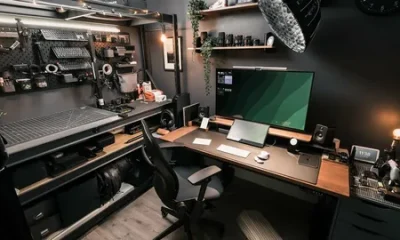
Modern Connected Workstation: A Productive Desk Setup 2026


The modern workstation has quietly become one of the most tech-dense corners of the home. A single desk now routinely hosts a multi-monitor display array, a mechanical keyboard, a wireless charging pad, a USB-C dock juggling six peripherals, and at least one device that somehow always runs low on battery. Technology has gotten much smarter over the last few years. However, the physical setups around it often have not kept pace.
Building a genuinely connected, efficient workstation does not require buying more gadgets. Instead, you must get the underlying structure right. This approach ensures the technology actually functions the way designers intended, rather than forcing you to fight cable clutter, poor sightlines, and ergonomic compromises that slow down your entire workflow.
Start with the Physical Foundation, Not the Accessories
It remains incredibly tempting to solve workstation inefficiency by purchasing another accessory. People constantly buy a better webcam, a faster dock, or a second monitor arm to fix their issues. However, most connectivity and efficiency problems trace back to the desk itself, not the devices sitting on top of it.
A surface that offers too little space forces tight cable routing and awkward peripheral placement. Likewise, a desk without built-in cable management tools turns every new device into another tangled mess.
Before adding new technology, you should assess whether the office desk at the center of your setup actually provides the necessary surface area. It must feature structural elements like grommet holes, under-desk trays, and sufficient edge depth for monitor arms. Without these features, your workstation will inevitably become a chaotic mess of cords and physical clutter.

Precision Alignment
A truly connected workstation usually requires more than one screen. Professionals regularly utilize a dual-monitor setup, an ultrawide display paired with a laptop, or a vertical second monitor for reference material. The single biggest upgrade most people overlook is a proper, heavy-duty monitor arm.
Clamp-mounted arms immediately free up valuable desk surface area. Furthermore, they allow precise height and angle adjustments for proper eye-level positioning. This flexibility makes it far easier to add or reposition a second screen without redesigning the entire desk layout.
When shopping, you must check the weight capacity and clamp compatibility against your desk’s edge thickness. Not every monitor arm fits every desktop design. Getting this calculation wrong remains one of the most common setup mistakes, and it almost always happens because buyers purchase the arm before checking the desk dimensions.

Cable Management Operates as an Efficiency Feature
Cable clutter does not just look visually messy. It actively slows down your daily work performance. A massive tangle of cords under a desk makes it harder to add or swap devices quickly. It also increases the chance of accidentally unplugging a crucial system mid-task. Finally, clutter makes troubleshooting a dead connection take twice as long as it should.
A few simple additions make a massive difference in your daily workflow:
-
Under-desk cable trays: These channels route power and data lines completely out of sight.
-
Adhesive clips: These small tools keep individual cables from sliding or tangling behind the desk.
-
Mounted power strips: Attaching a single accessible power strip to the desk frame prevents cords from floating on the floor.
None of these fixes require a full desk replacement. However, they do require a desk with the physical features that make cable routing possible in the first place.
Docking Stations and the Power of the One-Cable Workflow
The most efficient workstations utilize a streamlined, single-cable connection. Users run one USB-C or Thunderbolt cable from a laptop to a centralized docking station. The dock then handles power delivery, multiple display outputs, high-speed networking, and all peripheral connections simultaneously.
This smart setup turns sitting down to work into a simple, one-step process. It completely eliminates the need to plug in four or five separate cables every time you change locations.
To make this system work, you need dedicated desk space for the dock itself. Ideally, you place it within easy reach but completely outside your main work area. You also need enough surface clearance so the dock does not compete for space with your keyboard, mouse, and monitor arm base. The physical footprint of the desk ultimately determines how clean the rest of the setup can actually be.
Ergonomics and Tech Efficiency Form the Same Solution
People easily treat ergonomics and tech setups as separate concerns. They assume comfort represents one issue, while gear represents another. In practice, they form the exact same problem viewed from different angles.
A chair without proper height adjustability makes it incredibly hard to align your eye level with a monitor arm. If you cannot adjust the seat, even a perfectly positioned screen fails to deliver comfort. Furthermore, poor lumbar support leads to restless physical repositioning, which disrupts your mental focus just as much as a slow internet connection does.
A height-adjustable office chair with a wide physical range allows the rest of your tech setup to work flawlessly. It aligns your monitor height, keyboard angle, and webcam framing perfectly. Buying a precise monitor arm and pairing it with a rigid chair completely undermines the point of dialing in your workstation.
Securing System Power and Connection Redundancy
A connected workstation depends entirely on consistent power and a stable internet connection. Modern setups increasingly assume both systems will occasionally fail during the workday.
Placing a small uninterruptible power supply (UPS) under the desk protects your equipment against brief electrical outages. This backup system prevents dropped video calls and corrupted files. Additionally, running a wired ethernet cable as a backup to Wi-Fi removes the most common source of mid-meeting connectivity lag.
Neither addition requires massive amounts of desk space. However, both systems benefit significantly from a desk layout that already organizes cable management. Adding a heavy UPS and a long ethernet run to an already-tangled workspace simply compounds your clutter problem instead of solving it.
Building Your Workspace in the Right Order
Workstations that perform exceptionally well in daily use always follow a specific assembly sequence. You must establish the desk first because the surface determines what is physically possible in your space.
Next, install the monitor arm and the primary display to establish your main visual workspace. After that, implement the docking station and organize your cable management tools. Once the tech layout sits securely, introduce the ergonomic chair to align your body with the screens and input devices. Finally, integrate power redundancy and network backup systems last.
Purchasing gadgets in the reverse order leaves you with a workstation that looks impressive in pieces but fails to function as a coherent system. A genuinely efficient modern workstation does not depend on how much technology it contains. Instead, it depends on how invisibly that technology works once you build the correct physical foundation.
Author







Managing a smoke shop or specialty retail business requires careful purchasing decisions. Store owners must maintain a relevant product selection, control inventory costs, and work with suppliers that can support their business as demand changes. Buying products in bulk can help organize purchasing, but successful wholesale buying requires more than ordering large quantities at attractive prices.
For smoke shop owners, dispensary purchasing managers, and independent retailers, understanding how to source bulk smoking accessories for retail stores is an important step toward building a sustainable inventory strategy.
From rolling papers and pre-rolled cones to activated carbon filters, grinders, and rolling trays, retailers need to evaluate products according to customer demand, unit costs, storage capacity, and supplier reliability.
Why Bulk Purchasing Matters for Retail Businesses
Wholesale purchasing allows retailers to source products for resale through a structured ordering process. Depending on the supplier’s terms and order quantity, bulk purchasing may offer more favorable unit costs or reduce the frequency of replenishment orders.
However, the benefits depend on the products selected and how efficiently the business manages its inventory.
A large order can become a financial burden if products sell slowly or take up valuable storage space. Retailers should therefore base purchasing decisions on business requirements rather than assuming that a higher order quantity always delivers better value.
Before placing an order, consider the following questions:
- Which products generate consistent sales?
- How much stock is currently available?
- What are the supplier’s minimum order requirements?
- How quickly can the business replenish inventory?
- Will the order leave sufficient working capital for other expenses?
Answering these questions helps retailers determine whether a bulk purchase fits their actual needs.
Which Smoking Accessories Should Retailers Consider?
A well-planned accessory assortment should reflect the store’s customers, available shelf space, and purchasing budget. Different businesses may require different product combinations, so retailers should evaluate each category individually.
Rolling Papers
Rolling papers are a common category within smoking accessory retail. Buyers can compare available formats, pack configurations, packaging, and wholesale terms when deciding which products fit their assortment.
Rather than stocking every variation, retailers can begin with products that align with existing customer demand and expand when sales data supports additional options.
Pre-Rolled Cones
Pre-rolled cones offer another format for customers seeking ready-shaped rolling accessories. Retailers should verify available sizes, pack counts, and product specifications before adding new variations.
When evaluating these products, purchasing managers should also consider how they fit alongside the store’s existing rolling paper selection.
Activated Carbon Filters
Activated carbon filters represent a specialized accessory category. Buyers should review dimensions, materials, construction, packaging, and manufacturer documentation before comparing available options.
For retailers considering branded filters, the PURIZE® product category provides a starting point for exploring the brand’s available products.
Product descriptions should always reflect verified specifications. Retailers should avoid making unsupported claims about filtration performance or health benefits.
Grinders and Rolling Trays
Grinders and rolling trays expand the range of accessories a retailer can offer. These products may differ in size, material, design, and packaging.
Purchasing managers should assess product quality, shelf presentation, storage requirements, and the amount of capital required to maintain each variation.
The objective is to create a balanced assortment rather than maximizing the number of individual products.
How to Compare Wholesale Smoking Accessories Suppliers
Selecting a supplier is an important part of bulk purchasing. A low quoted price may appear attractive, but the overall value of an order also depends on authenticity, fulfillment, communication, and product availability.
Verify Product Information
Review product descriptions, specifications, brand information, and pack quantities before placing an order. Clear product data helps retailers compare options and reduces confusion when receiving inventory.
For branded products, buyers should also evaluate the supplier’s sourcing and distribution information.
Compare Total Acquisition Costs
The total cost of a purchase may include the product price, shipping, handling, and other applicable expenses.
Retailers can use this formula:
Unit acquisition cost = Total acquisition cost ÷ Number of sellable units received
For example, an order costing $900 in products and $100 in applicable shipping and handling expenses has a total acquisition cost of $1,000. If the order contains 500 sellable units, the acquisition cost is $2 per unit.
This example is illustrative and does not represent actual wholesale pricing.
Calculating unit costs makes it easier to compare different suppliers and pack configurations on a consistent basis.
Review Fulfillment and Reordering
Retailers should understand the supplier’s stated shipping options, order processing procedures, and stock availability.
Reliable replenishment is particularly important for products that sell consistently. Before making a large commitment, buyers should establish how repeat orders are handled and whether delivery arrangements meet their operational requirements.
How to Manage Inventory After a Bulk Order
Purchasing inventory is only the beginning. Retailers must also monitor sales, maintain appropriate stock levels, and decide when to reorder.
Track Sales by Product
Record sales for individual stock-keeping units, or SKUs. This helps identify products that move consistently and those that require more time to sell.
Use these records when deciding which products deserve larger future orders.
Establish Reorder Points
A reorder point is the stock level at which a new order should be initiated.
For example, if a product sells four units per day and supplier lead time is five days, expected demand during lead time is 20 units. The retailer may need additional safety stock depending on sales variability and the consequences of a stockout.
Regularly reviewing sales and delivery performance helps businesses adjust their reorder levels.
Avoid Excessive Inventory
Bulk purchasing can tie up working capital when order quantities exceed demand. Retailers should consider storage space, expected sales, product shelf life where relevant, and the time required to recover the purchasing investment.
A smaller, carefully planned order may be more appropriate than a large purchase when demand remains uncertain.
Understanding Retail Margins Before Buying in Bulk
Retail buyers should evaluate the relationship between acquisition costs and realistic selling prices.
The basic gross margin formula is:
Gross margin (%) = (Selling price − Unit cost) ÷ Selling price × 100
If a product costs $5 per unit and sells for $10, its gross margin is 50% before operating expenses and other selling costs.
This calculation is a starting point, not a guarantee of profitability. Actual results depend on the final purchase cost, selling price, discounts, overhead, and product demand.
Retailers should also consider how quickly inventory sells. A product with an attractive margin may still be an inefficient use of capital if it remains in storage for an extended period.
Combining margin analysis with sales data provides a more complete picture of purchasing performance.
Choosing a Wholesale Partner for Long-Term Growth
As a retail business develops, its purchasing requirements may change. Additional locations, new product categories, and changing customer preferences can create a need for more consistent supplier relationships.
Retailers should look for wholesale partners that offer relevant product categories, transparent purchasing terms, reliable communication, and clearly stated fulfillment options.
BGRM Supply serves U.S. wholesale buyers with branded smoking accessories, including PURIZE®, Snail Papers®, and Art Rolls®. Its catalog includes rolling papers, pre-rolled cones, activated carbon filters, grinders, rolling trays, and merchandise.
The business is based in Illinois and offers same-day delivery for eligible Chicagoland orders, along with domestic shipping options across the United States. Buyers should confirm current inventory, shipping eligibility, and applicable account terms before ordering.
Retail businesses can explore the BGRM Supply wholesale catalog to review available categories and learn about wholesale purchasing opportunities.
Final Thoughts
Buying bulk smoking accessories requires a balance between product selection, purchasing costs, stock availability, and customer demand.
Retailers can make better purchasing decisions by comparing total acquisition costs, evaluating suppliers carefully, tracking sales by SKU, and establishing practical reorder points.
Rather than buying the largest possible quantity, businesses should focus on maintaining the right products in quantities that match their needs.
A structured wholesale purchasing process helps smoke shops and specialty retailers manage inventory more effectively while preparing for future business growth.
For more business insights and retail industry resources, visit Contrank, where readers can explore additional online content and information.
Author



If you have received a diagnosis of Sleep Apnea, or you think you may have it, choosing the right equipment can feel confusing. You may come across machines, masks, hoses, humidifiers, filters, and other accessories. Each item has a different purpose, so knowing where to begin can save you time and frustration.
The right setup should make your nightly routine easier. It must also be comfortable enough for regular use. This guide explains the main types of equipment, how they work, and what you should consider before choosing your setup.
What Is Sleep Apnea Equipment?
Sleep apnea equipment includes the devices and accessories that support positive airway pressure therapy for obstructive. A typical setup contains several important components.
- CPAP machines provide a steady flow of pressurized air. This airflow helps keep the airway open while you sleep.
- CPAP masks connect you to the machine. You can choose from nasal masks, nasal pillow masks, and full-face masks. Every style provides varying degrees of comfort and coverage.
- Tubing and hoses transport air from the machine to your mask. Some models include heated tubing. This option can help reduce condensation and make the airflow more comfortable.
- Humidifiers add moisture to the air. They can help reduce common problems such as a dry mouth, dry nose, or irritated throat.
- Filters, cushions, and headgear also play an important role. These parts need regular cleaning or replacement to maintain comfort and proper performance.
You can also find batteries and travel accessories for people who travel frequently or need backup power during an outage.
Why Equipment Choice Matters
Many people underestimate how much equipment affects their experience with therapy. A machine may work effectively, but discomfort can make it difficult to use every night.
For example, a poorly fitted mask can leak air. Tight headgear can leave marks on your face. A noisy machine may disturb your sleep. Even a hose that gets tangled when you turn over can become a nightly annoyance.
These small problems can add up quickly. As a result, some people stop using their equipment before they have had enough time to adjust.
That is why choosing your equipment should not feel like an afterthought. Your comfort matters. Your sleeping position, breathing habits, facial structure, and personal preferences should all influence your choices.
Choosing a CPAP Machine
The Sleep Apnea machine sits at the center of your setup. Modern machines offer several features designed to make therapy easier than it was in the past.
Many current models operate quietly and provide useful therapy data. Some also connect with smartphone apps, allowing users and healthcare professionals to review information about their treatment.
When comparing different machines, look beyond appearance and price. Consider factors such as pressure adjustment, noise level, data tracking, portability, and available accessories.
Your prescribed pressure settings also matter. Never change pressure settings on your own without guidance from an appropriate healthcare professional. The goal is to find equipment that supports your prescribed treatment while fitting naturally into your nightly routine.
Finding the Right CPAP Mask
For many users, the mask becomes the most important comfort decision. Fortunately, you have several styles to consider.
- Nasal pillow masks rest around the nostrils. They have a lightweight design and leave most of the face uncovered. This style may appeal to people who prefer minimal facial contact.
- Nasal masks cover the nose. They offer more coverage than nasal pillows while still keeping the mouth uncovered. They can work well for people who primarily breathe through their nose.
- Full-face masks cover both the nose and mouth. They may suit people who breathe through their mouth during sleep or need a mask that accommodates both breathing routes.
There is no single mask that works perfectly for everyone. Your sleep position and breathing habits can influence your choice. You may also need to try more than one style before you find a comfortable fit. That process is normal.

Maintaining Your Equipment
Proper maintenance can help your equipment remain comfortable and functional. Start by following the cleaning and replacement instructions provided by the manufacturer.
Clean your tubing, mask components, and water chamber regularly. Regular cleaning can help reduce the buildup of dirt and other unwanted material.
Replace filters and mask cushions according to manufacturer recommendations. Worn cushions may affect the seal and create more leaks. A clogged filter can also interfere with airflow.
If you travel often, keep an eye on your backup power options. A suitable battery can provide extra peace of mind during travel or unexpected power interruptions.
You should also stay informed about manufacturer safety notices and recalls. If a manufacturer issues a recall for a particular machine or component, follow the recommended steps promptly.
Equipment Is Only One Part of Treatment
Buying a machine does not automatically solve every challenge. Successful therapy also depends on proper diagnosis, appropriate settings, mask fit, regular use, and ongoing support.
You may experience dryness, leaks, discomfort, or difficulty adjusting to the airflow. Instead of abandoning therapy, discuss these issues with a qualified healthcare professional or sleep specialist. Small adjustments can sometimes make a major difference. Personal guidance Sleep Apnea can also help you understand your equipment and develop a routine that feels manageable.
A More Personalized Approach to Equipment
At CPAP Rx, equipment does not have to feel like a simple product purchase. The company combines equipment recommendations with access to sleep coaching. This approach can help users understand their options and work through common comfort or adjustment concerns.
If you are unsure where to begin, resources such as a sleep quiz or AHI calculator may help you prepare questions for a healthcare professional. However, these tools should not replace professional diagnosis or medical advice.
The best setup is not necessarily the most expensive one. Instead, it should match your needs and make consistent therapy easier.
Choosing the right equipment can make your therapy more comfortable and manageable. Take time to understand your options and maintain your supplies properly. Also, seek professional guidance whenever you experience problems with your equipment or treatment.
Most importantly, focus on creating a setup that fits naturally into your lifestyle. When your mask feels comfortable, your machine suits your needs, and your routine feels manageable, you have a better chance of staying consistent with therapy. With the right equipment and appropriate support, nightly treatment can become a simpler part of your daily routine rather than another source of frustration.
Final Thoughts
Choosing the right equipment can make a significant difference in your therapy experience. You do not need to find the perfect setup on your first try. Instead, focus on comfort, proper fit, reliable performance, and equipment that suits your daily routine.
Start with the basics and give yourself time to adjust. If you notice mask leaks, dryness, discomfort, or other problems, do not ignore them. Speak with a qualified healthcare professional or sleep specialist who can help you find practical solutions.
Most importantly, remember that successful therapy involves more than simply owning a machine. Consistent use, proper maintenance, and ongoing support all matter. When your equipment fits your needs and feels comfortable, following your treatment routine can become much easier.
A thoughtful approach to choosing and maintaining your equipment can help you feel more confident about your nightly routine. Take the time to understand your options, ask questions, and choose equipment that works with your lifestyle rather than against it.
Author



Let’s be honest — buying electronics online sounds convenient until you actually need to buy something big. A washing machine. A refrigerator. A television for your living room. Suddenly you have a hundred questions. Will it fit in my kitchen corner? Is the sound quality actually good, or does it just look good in the photos? What happens if something goes wrong after a month?
This is exactly why so many people in the city still prefer walking into a proper store before spending their hard-earned money. And if you’re looking for a reliable place to do that, croma ahmedabad is worth your time.
Why a Physical Store Still Makes Sense in 2026
We live in a world where you can order almost anything with one tap. So why bother visiting a store at all?
Here’s the thing — screens can’t tell you everything. You can’t feel how heavy a mixer grinder is, or how a laptop keyboard actually types under your fingers, or how bright a TV screen really looks in daylight, just by scrolling through pictures. A store lets you touch, test, and compare products side by side, in real life, before you commit.
At croma ahmedabad, you get exactly this kind of hands-on experience. You can walk around, try out different models, ask a staff member “which one is better for my needs,” and actually get a real answer — not a generic chatbot reply.
What You’ll Actually Find There
Think of it less like a single-category shop and more like a one-stop destination for anything electronic or home-related. Here’s a quick sense of what’s usually available:
- Mobile phones and tablets — from budget-friendly options to the latest flagship models
- Laptops and computers — for work, gaming, or everyday browsing
- Televisions — different screen sizes and technologies to match your room and budget
- Home appliances — refrigerators, washing machines, microwaves, air conditioners, and more
- Small kitchen appliances — mixers, induction cooktops, air fryers, and other everyday helpers
- Audio devices — headphones, speakers, and soundbars for music lovers
Whether you’re setting up a new home, replacing an old appliance that’s finally given up, or just upgrading your phone, chances are it’s all under one roof.

The Part Everyone Loves: EMI Options
Now let’s talk about something that actually matters when you’re planning a big purchase — your budget.
Nobody wants to spend their entire month’s savings on one appliance in a single shot. That’s where buying croma products on emi becomes genuinely useful. Instead of paying the full amount upfront, you can split the cost into smaller, manageable monthly payments. This makes it much easier to bring home that new refrigerator or television without putting a dent in your monthly finances all at once.
If you’re someone who plans purchases carefully (and honestly, who doesn’t these days?), asking about EMI options when you visit is a smart move. It’s worth checking the store directly for current EMI plans, interest rates, and any ongoing offers, since these details tend to change from time to time.
Real Help From Real People
One thing that genuinely makes a difference is having someone knowledgeable to talk to. When you’re comparing two washing machines that look almost identical on paper, a store representative who actually understands the products can explain the real differences — energy efficiency, noise levels, durability, warranty coverage — things that aren’t always obvious from a spec sheet.
This kind of guidance is especially helpful for elderly family members or anyone who isn’t very comfortable with online shopping. Sometimes, just having a conversation with someone in person builds a level of trust that a website simply can’t.
A Few Tips Before You Go
If you’re planning your visit, here are a few small things that can make the trip smoother:
- Make a rough list beforehand — knowing what you need (like “a 6kg washing machine” instead of just “a washing machine”) saves time.
- Set a budget range — this helps the staff guide you better and avoids overspending.
- Ask about ongoing offers — festive seasons and weekends often bring extra discounts or exchange deals.
- Carry your ID and payment details — especially if you’re planning to go for croma products on emi, since documentation is usually required.
- Check warranty and after-sales service — this is easy to forget in the excitement of a new purchase, but it matters a lot later.
Final Thoughts
At the end of the day, shopping for electronics and home appliances isn’t just about the product — it’s about feeling confident in your choice. Whether you’re upgrading your kitchen, replacing an old TV, or buying your first smartphone for a family member, having a trusted store nearby makes the whole process a lot less stressful.
So, if you’ve been putting off that purchase because you weren’t sure where to go or how to manage the cost, this might be your sign. Visit croma ahmedabad, explore the options in person, ask all the questions you want, and if the budget feels tight, remember that croma products on emi can make it a whole lot easier to bring home what you actually need — without the financial stress.
Author



How Trusted Air Duct Cleaners Help Prevent Dangerous Blockages

How to Choose Quality Ayurvedic Herbal Products

Garage Door Repair Las Vegas: Red Flags When Hiring a Contractor

My Simple Snow Ride Turned Into Chaos

Herbal Ingredient Sourcing: From Farm to Formulation

How to Build a Low-Maintenance Balcony Garden

How to Buy Bulk Smoking Accessories for Retail Stores

Amazon Conversion Rate Optimization: 8 Ways to Get More Sales

Top 10 Psychology Conferences 2026 in the USA

Commercial Cabinet Shop Drawings: Key Details for Accurate Fabrication

Cybersecurity Consulting Company SequelNet Provides Critical IT Support Services to Medical Billing Firm, Medical Optimum

Meet the Megalodon: The Shark Star of ‘Meg 2’

Reduce Video Game Lag: Level Up Your Gaming Performance

Balancing India’s Entertainment: Cricket vs. Bollywood

Jetsetter’s Secrets: Unveiling Our Favorite Travel Hacks for a Seamless Adventure

The 5 Best Live Sports Streaming Sites: Legal and Exciting!

Hollywood Labor Unrest: The Impact of ‘What About Us?’ Strikes

Unveiling the Magic of Dream Fulfillment at the Late NBA Draft

Illuminate Your Skin: Dr. Axe Unveils Natural Remedies for Lightening Knees and Elbows

Bright Choices: Navigating the Pros and Cons of Skin Whitening Creams with Dr. Axe
-

 Business3 years ago
Cybersecurity Consulting Company SequelNet Provides Critical IT Support Services to Medical Billing Firm, Medical Optimum
-
Entertainment3 years ago
Meet the Megalodon: The Shark Star of ‘Meg 2’
-
Entertainment3 years ago
Reduce Video Game Lag: Level Up Your Gaming Performance
-
 Sports3 years ago
Balancing India’s Entertainment: Cricket vs. Bollywood
-
Entertainment3 years ago
Jetsetter’s Secrets: Unveiling Our Favorite Travel Hacks for a Seamless Adventure
-
Productivity3 years ago
The 5 Best Live Sports Streaming Sites: Legal and Exciting!
-
Art /Entertainment3 years ago
Hollywood Labor Unrest: The Impact of ‘What About Us?’ Strikes
-
Sports3 years ago
Unveiling the Magic of Dream Fulfillment at the Late NBA Draft






