
Game
Video Game Design Tips: Craft Engaging Worlds and Characters

By

Reviewed
By Katalina Alexis

Introduction
Creating a video game that players love starts with strong foundations. Video game design tips help you shape every aspect of your game. From building immersive lands to crafting heroes and villains, each choice matters. Great games draw players in with rich settings and keep them hooked with memorable characters. This guide covers simple yet powerful approaches to world building techniques, high quality character design for games, and more. You will learn how to blend story, art, and sound into one seamless experience. Use these ideas to make your next project shine.
What Makes an Engaging Game World?

Image by: Yandex.com
An engaging game world feels alive. Players sense a place that has history and rules. They spot small details—a worn sign, a distant mountain, or bustling market stalls that hint at stories beyond their journey.
First, define your world’s theme. Is it a dark fantasy kingdom or a bright sci-fi colony? Your theme guides architecture, clothing, and even color choices. Next, map your world. Mobile game Draw zones: towns, forests, caves, and landmarks. Each zone should serve a purpose. A village may offer quests, while a forest holds secrets and dangers.
Fill your world with lore. Write short notes or legends about key events—like a vanished empire or a hero’s fall. Scatter these in books, murals, and NPC dialogue. This world building technique deepens immersion.
Finally, create consistent rules. If magic exists, set limits on its use. If technology is advanced, define its scope. Consistency helps players predict how the world works and shapes their strategies.
Benefits of Crafting Engaging Worlds and Characters
When you build a world that feels alive, players want to stay and explore. Simple details—like a quirky shopkeeper’s backstory or rusted signs on old warehouses—make a setting feel lived-in. Memorable characters, even ones with just a few lines of dialogue, spark emotions in players. They laugh at a hero’s jokes, feel tension during a villain’s monologue, and cheer when a friend NPC rejoins the party. These bonds keep players invested, leading them to recommend the game to others. Better word of mouth means more downloads and higher review scores. Engaging worlds and characters turn a basic demo into a must-play title.

The Role of Sound and Music

Image by: Yandex.com
Audio brings worlds to life. Use game sound design to reinforce what players see and do. A creaking door hints at danger. A soft wind underlines a quiet meadow.
Compose or select music sound effects that fit each area. Fast beats for combat, ambient pads for exploration. Loop tracks subtly so they don’t become repetitive. Layer sounds: footsteps on gravel differ from those on wood.
Include voice snippets sparingly to keep performance smooth. A short “Hello, traveler” from an NPC can add warmth without full voice acting. Always mix audio levels so music, effects, and dialogue remain clear and balanced.
World Building Techniques That Work

Image by: Yandex.com
Use these proven methods to enrich your landscapes:
- Layered Maps: Sketch your world in layers geography, politics, and culture. Place resources like rivers or mineral deposits to justify settlements.
- Dynamic Environments: Let weather or time of day alter areas. A desert oasis may dry up at noon but thrive under moonlight.
- Interactive Props: Make objects clickable. A dusty tome reveals a puzzle. A broken robot plays a memory clip.
- Environmental Storytelling: Show past events through ruins or relics. A shattered monument hints at a fallen king.
- NPC Routines: Give non-player characters daily habits. A blacksmith works by day and rests by the inn at night.
These world building techniques help players feel they live in a real place.
Character Design for Games

Image by: Yandex.com
A game’s heart lies in its characters. Character design for 3D games, like 3D models, blends visual appeal with personality. Graphic Designers Start with silhouettes simple shapes that read at a glance. A tall, armored warrior differs from a lithe rogue.
Next, choose a color palette that fits your theme. Dark reds and blacks suit a brooding antihero. Bright blues and golds fit a noble paladin. Keep palettes limited to three to five colors to maintain clarity.
Design expressive faces and body language. In dialogue scenes, icons or small animations emphasize mood—raised eyebrows for surprise, a slumped posture for defeat.
Finally, tie game characters to the world. A desert nomad wears sandproof gear. A city thief dons muted clothing for stealth. These details ground characters in the engaging game worlds you build.
Blending Narrative and Gameplay

Image by: Yandex.com
An engaging narrative sustains player investment. Seamless narrative integration renders story and gameplay indivisible. Rather than relegating exposition to extensive cutscenes, players assimilate information through interactive engagement.
Utilize quests to disclose historical context. A retrieval quest for a researcher’s misplaced manuscripts exposes the world’s underlying mythos. A perilous rescue operation elucidates the protagonist’s valor and vulnerabilities. Permit dialogue choices to mold character trajectories. These junctures acquire greater weight when they impact gameplay—such as granting novel abilities or modifying NPC dispositions.
Embed narrative milestones within the environment. A derelict automaton recounting its final data log instructs as profoundly as spoken dialogue. This equilibrium guarantees continuous player engagement.
Developing a Cohesive Game Art Style

Image by: Yandex.com
An eye-catching video game art style sets your project apart. Game developers choose a visual direction early—pixel art, cel-shaded, or realistic textures. Consistency is key. Every asset, from trees to armor, must follow the same rules for light, texture, and line weight.
For pixel art, pick a limited tile set to maintain uniform block sizes. For 3D, use a shared shader or lighting setup across all models. A consistent style helps with performance too, as assets share materials and textures.
Art style also conveys mood. Soft edges and pastel tones create a calm, friendly world. Sharp lines and high contrast set a tense, action-packed scene. Remember to test assets together often to catch mismatches early.
Designing for Player Feedback

Image by: Yandex.com
Clear feedback helps players learn and enjoy your game. When a player swings a sword, add a quick flash or slight camera shake on hit. Earned gold should trigger a satisfying chime.
Use UI elements like health bars and quest markers sparingly. Keep screens clean and only show what’s necessary. For major events level ups, item finds use pop-up banners with sound and animation.
Good feedback ensures players know the impact of their actions. It makes challenges fair and progress rewarding.
Play-testing Methods for Better Design

Image by: Yandex.com
No game is perfect on the first try. Use playtesting methods to find issues and refine designs. Start with small focus tests: invite friends to try one level. Watch without explaining. Note where they get stuck or bored.
Next, run closed beta tests with a small group, tracking bugs and balance issues. Surveys after each session gather subjective feedback—what they loved or hated. Encourage testers to record gameplay, so you see their reactions in real time.
Finally, analyze data from live tests. Track metrics like completion times, choke points where many players die, and most-used abilities. Use this data to tweak level layouts, adjust enemy difficulty, or rework tutorials.
Challenges of Applying Video Game Design Tips
Even the best tips can feel hard to use at first. General advice may not fit your game’s unique style, forcing you to adapt or ignore parts of it. Some tutorials rely on paid plugins or complex software that take weeks to learn. Juggling art, code, writing, and sound design can leave you spread too thin. It’s easy to copy popular trends—like pixel art or battle royale modes—and lose your game’s original voice. Testing and feedback loops take time too, and without a team, you might not spot flaws until late. Overcoming these hurdles means picking the right tips for your goals and staying patient through trial and error.
Future of Video Game Design Insights

Image by: Yandex.com
Looking ahead, video game design advice will become more interactive and tailored. AI tools may soon suggest level layouts based on your genre or propose character traits that fit your story’s theme. Virtual reality editors could let you walk inside your world, placing objects with natural hand motions. Community platforms may offer live co-working spaces where you get instant feedback from peers around the globe. As cloud-based tools improve, sharing templates and assets will be as easy as clicking a link. These advances promise to make the process of crafting engaging in gaming industry worlds and characters faster, more intuitive, and more collaborative than ever before.
Comparative Table: Key Design Elements and Their Impact
| Design Element | Key Focus | Player Benefit |
|---|---|---|
| World Building | Theme consistency, lore | Deep immersion, player curiosity |
| Character Design | Silhouette, color, backstory | Memorable heroes and villains |
| Narrative Integration | Quests as story, environmental storytelling | Engaged play, seamless story flow |
| Art Style | Consistent textures, palette | Cohesive visual identity |
| Sound & Music | Ambient sounds, thematic tracks | Emotional resonance, clarity |
| Feedback & UI | Hit effects, clear HUD | Satisfying action, reduced confusion |
| Playtesting | Focus tests, data analysis | Polished gameplay, balanced challenges |
Use this table to prioritize your next design sprint and see where to focus your efforts.
Conclusion
Crafting a standout game starts with solid video game design tips. Focus on world building techniques, strong character design for games, and smooth narrative integration. Keep visuals consistent with a clear game art style, and use game sound design to deepen immersion. Provide crisp feedback, and rely on rigorous playtesting methods to polish every feature. By blending these elements, you build worlds players love and characters they remember.
Author

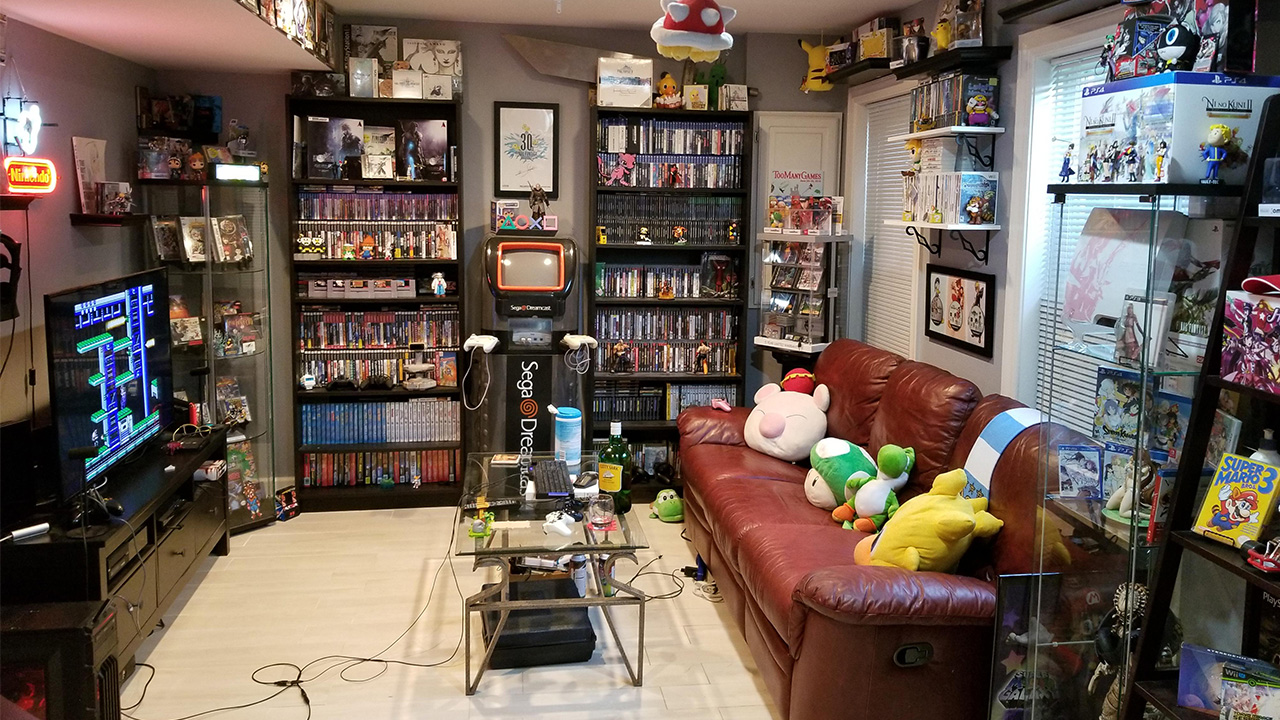
Classic gaming still attracts players who want simple controls, memorable characters, and enjoyable challenges. Modern games often deliver impressive graphics and huge worlds. However, older titles can offer something different. They usually let players understand the basics quickly and start playing without complicated instructions.
A carefully selected Retro Game collection can also create a stronger connection with gaming history. Players can revisit familiar favorites or discover titles they missed years ago. Moreover, a well-organized collection makes it easier to enjoy different genres whenever the mood changes.
Why Classic Games Still Matter
One major advantage of older games involves their straightforward design. Many classic titles introduce the controls within a few minutes. Players can then focus on the challenge instead of reading lengthy tutorials.
For example, a game may ask players to complete a level, beat an opponent, solve a puzzle, or achieve a high score. The goal often feels clear from the beginning. This simplicity makes classic games easy to share with friends and family.
Nostalgia also gives older games a special appeal. Familiar music, characters, sounds, and visual styles can remind players of earlier experiences. Those memories can make a simple gaming session feel surprisingly meaningful.
However, classic gaming does not only attract people who grew up with older consoles. Younger players also explore earlier titles to understand how the industry developed. They can experience design ideas that influenced many modern games.
Focus on Quality Instead of Quantity
A large collection may look impressive, but size does not always determine value. A smaller library can provide more enjoyment when it contains games that players genuinely want to experience.
Start by identifying favorite genres. Action games can deliver fast-paced challenges. Platformers can test timing and movement. Puzzle games encourage careful thinking. Racing games create competitive experiences.
Adventure games can provide exploration and storytelling. Sports titles can create quick multiplayer sessions. Role-playing games can offer deeper progression and longer playtime.
Therefore, variety can improve a collection. At the same time, players should avoid purchasing titles simply because they look rare or popular. Personal enjoyment should remain the main priority.
Choose Games Based on Your Experience
Different players have different preferences. Beginners may enjoy games with simple controls and short stages. Experienced players might prefer difficult titles that demand patience and practice.
Families can choose games that support easy multiplayer sessions. Competitive titles can create friendly challenges between siblings, friends, or parents and children.
Meanwhile, players who enjoy quieter experiences can explore puzzle, strategy, or adventure games. These titles often provide a slower pace and encourage thoughtful decisions.
Organizing games by difficulty can also help. Players can quickly choose an easy experience when they want to relax. They can then select a more demanding title when they want a challenge.
Keep Your Collection Organized
Good organization can make gaming more enjoyable. Physical games require proper storage because dust, moisture, heat, and sunlight can damage older media.
Choose a cool and dry storage area. Keep cartridges and discs away from direct sunlight. Also, store controllers and cables carefully to prevent unnecessary wear on Retro Game.
You can organize games alphabetically or by genre. Another option involves arranging them by console or release period. Choose the system that feels easiest to maintain.
Digital libraries also benefit from organization. Use folders, categories, and favorites to locate frequently played games quickly. This simple habit can save time and make the entire collection easier to manage.
Protect Older Hardware
Classic consoles and accessories need careful handling. Older hardware can develop problems as components age. However, regular cleaning and proper storage can help reduce unnecessary damage.
Check controllers before each extended gaming session. Look for worn cables, damaged connectors, or buttons that no longer respond correctly. Replace faulty accessories when necessary.
You should also handle physical media carefully. Avoid touching sensitive surfaces unnecessarily. Keep cartridges and discs clean and return them to their cases after use. These simple habits can extend the useful life of older equipment. More importantly, they help preserve games for future players.
Create a Better Gaming Environment
The environment can influence the overall experience. You do not need an elaborate gaming room to enjoy classic titles. A comfortable chair, suitable display, reliable controller, and organized game library can make a major difference. Lighting also matters. Avoid placing the screen where strong sunlight creates reflections. A comfortable viewing position can make longer sessions easier.
If you enjoy multiplayer games, create enough space for everyone to sit comfortably. Keep extra controllers nearby so players can switch quickly. Music can also add atmosphere. Some players prefer original game soundtracks, while others enjoy listening to background music between sessions.
Explore Games Outside Your Usual Favorites
A collection becomes more interesting when you explore unfamiliar genres. If you normally choose action games, try a puzzle title. If you enjoy racing games, consider an adventure or platforming experience.
Trying something different can reveal unexpected favorites. It also helps players understand the design choices that shaped different periods of gaming.
Furthermore, exploring different genres prevents the collection from becoming repetitive. You can choose a fast-paced game one evening and a slower experience the next.
Think Carefully Before Buying
Before purchasing another Retro Game, consider whether you will actually play it. Ask yourself whether the title fits your interests and whether you already own similar games.
Budget also matters. You do not need to build an entire collection immediately. Start with a few titles that appeal to you. Then expand gradually as you discover new favorites.
Condition deserves attention as well. Physical games can show different levels of wear. Examine cases, labels, cartridges, discs, and accessories before purchasing when possible.
If you collect physical games, storage space should also influence your decisions. A growing collection can quickly require more room than expected.
Appreciate Gaming History
Classic gaming offers more than entertainment. It provides a window into how developers worked with older technology and limited resources. Many designers created memorable experiences without the processing power available today. They relied on creative mechanics, strong level design, memorable sound, and clever visual techniques.
Exploring these games can therefore deepen your appreciation for modern gaming. You can recognize ideas that developers continue to use today.
A Retro Game collection can also introduce younger players to important moments in gaming history. Sharing these experiences creates an opportunity for different generations to connect through interactive entertainment.
Make Every Session Count
You do not need to spend hours gaming to enjoy classic titles. Short sessions can provide plenty of entertainment. You might complete several levels, attempt a new high score, or play a few multiplayer rounds.
Setting a simple goal can make each session more engaging. Try improving your previous score or completing a difficult section without losing a life. Most importantly, avoid turning collecting into a stressful competition. The purpose should remain enjoyment.
Final Thoughts
Classic games continue to attract players because they combine accessible gameplay, memorable design, and nostalgia. A thoughtful collection can provide entertainment while also preserving an important part of gaming history.
Choose titles that match your interests. Organize them carefully and protect your hardware. At the same time, give unfamiliar genres a chance.
Whether you return to childhood favorites or explore classic gaming for the first time, a carefully built collection can offer countless enjoyable moments. The best collections do not simply contain many games. They contain experiences that players genuinely want to revisit.
Author



Online slots have become a familiar part of digital casino platforms. Unlike traditional slot machines, these games run through software and work across computers, smartphones, and tablets. They also offer a much wider range of themes, features, graphics, and gameplay styles.
Despite their simple appearance, slot games use mathematical systems to determine outcomes. Understanding these systems can help readers make informed choices and recognize the risks involved. Most importantly, players should remember that slots rely on chance. No method can guarantee a win, and every wager carries a risk of losing money.
What Are Online Slots?
Slots are digital games that use reels, symbols, and predetermined rules to produce game outcomes. A player selects a game and chooses a wager before starting a spin. The software then generates an outcome and displays the result through the game’s reels.
Different games can use different numbers of reels, paylines, symbols, and bonus features. Some titles keep the design simple, while others include animated themes, special symbols, free-spin features, or interactive bonus rounds. The basic concept remains similar across most games. Players make a wager, start a spin, and wait for the software to determine the result.
How Have Slot Games Changed?
Traditional slot machines used physical reels and mechanical components. Early machines usually featured simple symbols and limited gameplay options. Electronic technology later introduced more reels, paylines, sound effects, and additional features.
The internet created another major change. Developers could move slot games into digital environments and create more complex designs. They could also introduce themes based on popular entertainment, fantasy, adventure, sports, history, and other subjects.
Mobile devices pushed the format even further. Today, many games use responsive designs that work across different screen sizes. As a result, users can access digital casino games through various devices where online gambling remains legal.
How Does the Random Number Generator Work?
A Random Number Generator, commonly called an RNG, plays an important role in regulated digital slot games. The system generates numerical sequences that help determine game outcomes.
The software then connects those results with symbols shown on the reels. This process happens extremely quickly, so players normally see only the final combination.
Each spin generally represents a separate event. A previous loss does not make a future win more likely. Likewise, a recent win does not automatically make the next spin less likely.
This point matters because players sometimes assume that a game becomes “due” after several unsuccessful spins. Random outcomes do not work that way.
What Does RTP Mean?
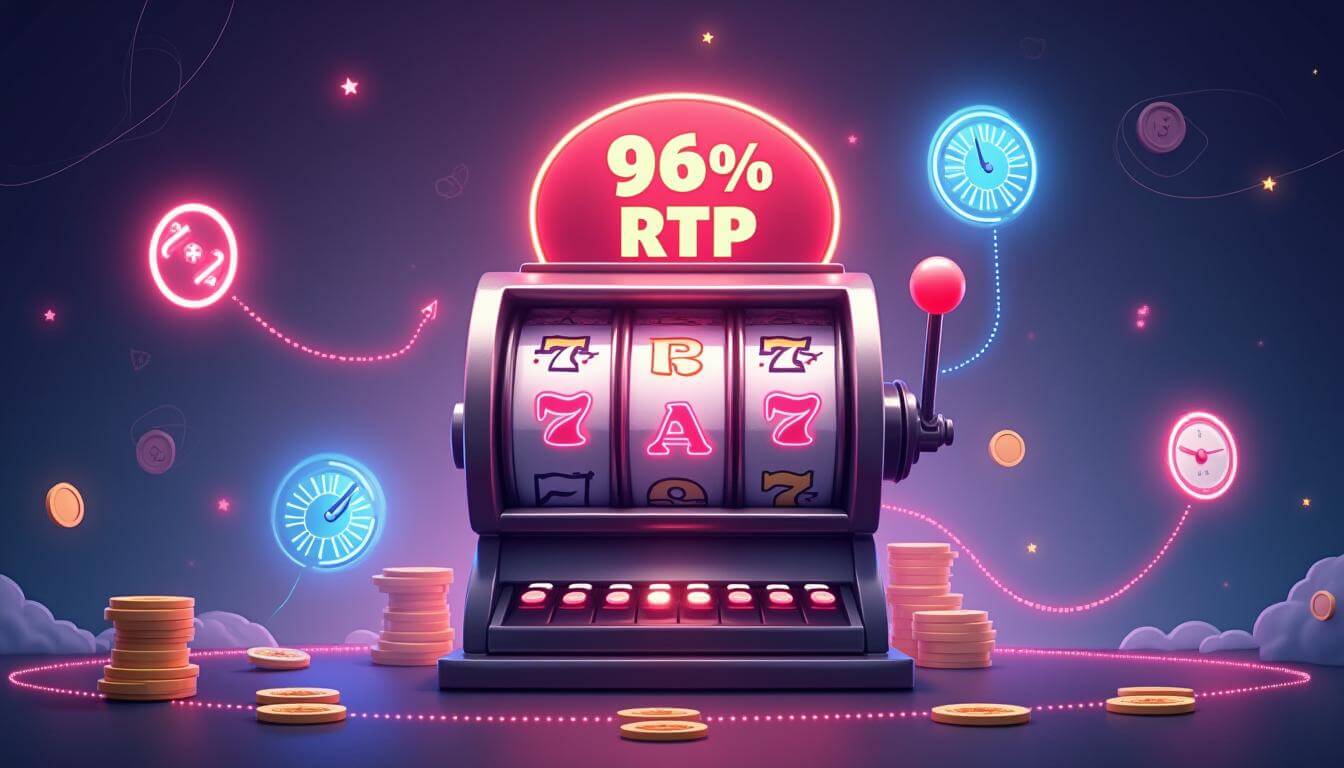
RTP stands for Return to Player. It represents the theoretical percentage of wagers that a particular game would return over a very large number of plays. For example, a game with a theoretical RTP of 96% would return about $96 for every $100 wagered over an extremely large sample under its mathematical model. It does not mean that an individual player will receive $96 after wagering $100.
Short-term results can vary significantly. A player might experience several wins, several losses, or a combination of both. RTP describes long-term mathematical expectations rather than guaranteed individual results. Therefore, players should never treat RTP as a promise of profit.
Understanding Slot Volatility
Volatility describes how frequently a game may produce wins and how large those wins may be relative to the game’s wager. Lower-volatility games may produce smaller outcomes more frequently. Higher-volatility games may produce larger outcomes less often. However, actual results still depend on chance.
Understanding volatility can provide useful context when comparing different games. It does not provide a method for predicting the next result. Players should also read the game’s rules and paytable before playing. These details explain how symbols, paylines, bonuses, and other features work.
Why Do Modern Slots Have So Many Features?
Developers use different mechanics to create variety. Some games include wild symbols that can substitute for other symbols. Others use scatter symbols, expanding reels, multipliers, cascading symbols, or bonus rounds.
Graphics and sound also contribute to the overall experience. A themed game may use animated backgrounds, music, characters, and visual effects to create a particular atmosphere.
These features can make games more engaging. However, they do not change the fundamental fact that the outcome depends on chance. Understanding the difference between entertainment features and actual winning probabilities can help users maintain realistic expectations.
Why Is Responsible Play Important?
Gambling can become risky when people spend more money or time than they originally intended. Because slot games provide rapid results, players can complete many spins within a short period.
Setting limits can help reduce this risk. Players can decide how much money and time they are comfortable spending before starting. They should also avoid using money needed for essential expenses.
Another useful approach involves avoiding attempts to recover previous losses. Increasing wagers after losing does not guarantee a reversal of results. Instead, it can increase financial losses.
Anyone who finds gambling difficult to control should consider seeking professional support or using available gambling-management tools by online slots.
What Should Players Check Before Using a Platform?
Anyone considering an online gambling service should first check whether the service operates legally in their location. Licensing requirements differ between jurisdictions, so local rules matter.
Users should also review the platform’s terms, age requirements, payment conditions, withdrawal rules, and responsible-gambling tools.
Security also deserves attention. Avoid sharing sensitive information with suspicious websites or unknown individuals. A legitimate operator should clearly explain its policies and provide appropriate customer-support channels.
Mobile Access and Modern Gameplay
Smartphones have changed how people interact with digital entertainment. Many casino platforms now offer mobile-friendly interfaces that adjust to smaller screens.
Mobile access provides convenience, but it can also make gambling easier to access throughout the day. Therefore, users should pay particular attention to time and spending limits. Convenience should never replace responsible decision-making.
Common Myths About Slot Games
Several misconceptions continue to surround slot games. One common belief suggests that a machine becomes more likely to win after a long losing streak. RNG-based games do not work according to that assumption.
Another myth claims that changing the wager or pressing a button at a specific moment can influence the outcome. In regulated digital games, the software determines the result through its underlying mathematical system.
Some players also believe that certain times of day produce better results. Without evidence from the game’s actual mathematical model, such claims should not receive much weight.
Final Thoughts
Online slots combine digital technology, visual design, mathematical systems, and chance-based gameplay. Understanding concepts such as RNG, RTP, volatility, paylines, and bonus mechanics can help users approach these games with more realistic expectations.
However, knowledge cannot remove the financial risk. No strategy can guarantee a winning result, and past outcomes cannot reliably predict future spins.
For anyone who chooses to participate where gambling remains legal, responsible limits should remain a priority. Treat gambling as paid entertainment rather than a dependable way to make money. Most importantly, never spend more than you can comfortably afford to lose.
Author



Cricket fans have plenty to look forward to from August 4 to August 6, 2026. During these three days, international cricket will unfold across the Caribbean, Europe, and South America. Matches will include Test cricket, One Day Internationals, World Cup qualification games, and T20I championship action. As a result, Cricket Around the world will offer something for almost every type of fan.
The schedule also creates an interesting challenge. Several matches take place at the same time, so fans need a simple way to follow the action. A reliable cricket platform can help supporters keep track of scores, match updates, and important developments across multiple venues.
Tuesday, August 4: Test Cricket Takes Center Stage
Tuesday brings a single international fixture, but it offers plenty of drama. Queen’s Park Oval in Port of Spain, Trinidad, will host the third day of the second Test between West Indies and Pakistan. Play is scheduled to begin at 7:30 PM local time.
Day 3 often becomes an important turning point in a Test match. By this stage, the pitch has already experienced significant wear. As a result, bowlers may find more assistance from the surface, particularly spinners. Batters also need to adjust their approach as conditions change.
The first two days usually establish the basic direction of a Test. However, Day 3 can change everything. One strong batting partnership can put a team in control. Likewise, a sudden collapse can completely shift the balance.
Fans following Cricket Around the Caribbean should therefore pay close attention to every session. The morning, afternoon, and evening periods can produce very different conditions. Each session also provides clues about how the final two days might develop.
For West Indies and Pakistan, the third day will also test their ability to adapt. Both teams must make decisions based on the pitch, weather, and match situation. Those choices could eventually determine whether the contest ends with a win, loss, or draw.
Wednesday, August 5: A Packed Day of International Cricket
Wednesday becomes the busiest day of this short cricket schedule. Three international matches will take place across Northern Ireland, Scotland, and Trinidad.
At 3:15 PM, Bready Cricket Club in Northern Ireland will host Ireland against Afghanistan in the first ODI of their series. Half an hour later, at 3:30 PM, Forthfill Cricket Ground in Dundee will host the UAE against Canada in the 123rd match of the ICC World Cup League Two.
Later that evening, Queen’s Park Oval will stage Day 4 of the West Indies versus Pakistan Test. That match begins at 7:30 PM local time.
This combination gives fans three very different cricket stories to follow. The Ireland-Afghanistan ODI offers limited-overs excitement. The UAE-Canada encounter carries World Cup qualification importance. Meanwhile, the West Indies-Pakistan Test continues its longer tactical battle.
For Cricket Around fans, Wednesday will require some careful planning. Supporters who follow all three matches may need to switch between score updates and live coverage throughout the day. Notifications can also help fans avoid missing major moments when matches overlap.
The Ireland-Afghanistan ODI deserves particular attention. Both sides have built interesting cricket programs, and their meeting offers another opportunity for players to strengthen their international credentials. The Bready venue can also create a distinctive atmosphere that adds character to the contest.
The UAE versus Canada match carries a different kind of pressure. League Two games can have major consequences for teams chasing qualification goals. Therefore, every run, wicket, and point can matter.

Thursday, August 6: Two Different Cricket Worlds
Thursday brings another fascinating combination. The West Indies versus Pakistan Test reaches its fifth and final day at Queen’s Park Oval. Play begins at 7:30 PM local time. By the final day, both teams should have a clear understanding of what they need. One side may chase a target, while the other tries to take the remaining wickets. If the match stays closely balanced, the possibility of a draw can add another layer of tension.
At the same time, Los Pinos Polo Club in Bogota, Colombia, will host Brazil against Peru in the opening match of the South American Men’s T20I Championship. That game starts at 8:00 PM local time.
This creates a remarkable contrast. One match represents the traditional five-day Test format. The other introduces fans to fast-paced T20I competition within a developing regional cricket environment.
Cricket Around South America continues to attract attention as the sport expands into new territories. Matches involving teams such as Brazil and Peru provide players with valuable international experience. They also help build stronger cricket communities outside the sport’s traditional strongholds.
The Bogota setting adds another interesting element. Playing at altitude can influence conditions and may require teams to make tactical adjustments. Players and coaches must consider how the environment affects batting, bowling, and fielding throughout a short T20 contest.
How to Follow the Three-Day Cricket Schedule
This three-day period demonstrates just how broad international cricket has become. Fans can watch a Test match in the Caribbean, an ODI in Northern Ireland, a qualification game in Scotland, and a T20I championship match in South America within a short period.
For anyone tracking Cricket Around different regions, organization becomes especially important. Start by checking the local start times for each fixture. Then, identify the matches that matter most to you. Finally, use reliable score and match-update services to stay informed when two games overlap.
The schedule also highlights the different paths international cricket can take. Test cricket focuses on patience, strategy, and endurance. ODIs combine longer innings with controlled aggression. T20Is demand quick decisions and constant pressure.
Together, these matches provide a complete picture of the modern game. They show established teams competing at major venues while emerging cricket nations continue developing their international identity.
Ultimately, Cricket Around the world remains exciting because the sport continues to offer different experiences in different places. From the historic rivalry between West Indies and Pakistan to the developing contests in Europe and South America, August 4–6 promises three days of varied international action. Fans who plan ahead can enjoy every major storyline without losing track of the bigger picture.
Final Thoughts
The cricket schedule from August 4 to August 6, 2026, offers a great mix of formats, teams, and venues. From the pressure of a Test match in Trinidad to ODI action in Northern Ireland and World Cup qualification in Scotland, every day brings a different story. South American T20I cricket adds even more variety to the schedule.
For fans who enjoy Cricket Around the world, these three days provide a chance to explore both established cricketing nations and developing teams. Each match carries its own importance, whether it involves a Test result, qualification points, or valuable international experience.
The biggest attraction is the variety. Test cricket rewards patience, while ODIs demand balance and T20Is create fast-paced entertainment. Following all three formats also gives fans a broader understanding of how international cricket continues to evolve.
So, mark the dates, check the match timings, and follow the action closely. With several international contests taking place across different regions, Cricket the world will have plenty of exciting moments to offer.
Author



How Trusted Air Duct Cleaners Help Prevent Dangerous Blockages

How to Choose Quality Ayurvedic Herbal Products

Garage Door Repair Las Vegas: Red Flags When Hiring a Contractor

My Simple Snow Ride Turned Into Chaos

Herbal Ingredient Sourcing: From Farm to Formulation

How to Build a Low-Maintenance Balcony Garden

How to Buy Bulk Smoking Accessories for Retail Stores

Amazon Conversion Rate Optimization: 8 Ways to Get More Sales

Top 10 Psychology Conferences 2026 in the USA

Commercial Cabinet Shop Drawings: Key Details for Accurate Fabrication

Cybersecurity Consulting Company SequelNet Provides Critical IT Support Services to Medical Billing Firm, Medical Optimum

Meet the Megalodon: The Shark Star of ‘Meg 2’

Reduce Video Game Lag: Level Up Your Gaming Performance

Balancing India’s Entertainment: Cricket vs. Bollywood

Jetsetter’s Secrets: Unveiling Our Favorite Travel Hacks for a Seamless Adventure

The 5 Best Live Sports Streaming Sites: Legal and Exciting!

Hollywood Labor Unrest: The Impact of ‘What About Us?’ Strikes

Unveiling the Magic of Dream Fulfillment at the Late NBA Draft

Illuminate Your Skin: Dr. Axe Unveils Natural Remedies for Lightening Knees and Elbows

Bright Choices: Navigating the Pros and Cons of Skin Whitening Creams with Dr. Axe
-

 Business3 years ago
Cybersecurity Consulting Company SequelNet Provides Critical IT Support Services to Medical Billing Firm, Medical Optimum
-
Entertainment3 years ago
Meet the Megalodon: The Shark Star of ‘Meg 2’
-
Entertainment3 years ago
Reduce Video Game Lag: Level Up Your Gaming Performance
-
 Sports3 years ago
Balancing India’s Entertainment: Cricket vs. Bollywood
-
Entertainment3 years ago
Jetsetter’s Secrets: Unveiling Our Favorite Travel Hacks for a Seamless Adventure
-
Productivity3 years ago
The 5 Best Live Sports Streaming Sites: Legal and Exciting!
-
Art /Entertainment3 years ago
Hollywood Labor Unrest: The Impact of ‘What About Us?’ Strikes
-
Sports3 years ago
Unveiling the Magic of Dream Fulfillment at the Late NBA Draft






