
Technology Explained
Shure AONIC 50 Second-Gen: Unveiling the Future of Premium Headphones at IFA 2023


Shure AONIC 50 Second-Gen
The world of premium headphones is about to be shaken once again as Shure, a renowned name in audio technology, takes a bold step forward. The second-generation Shure AONIC 50 headphones have been unveiled at IFA 2023, promising an array of exciting upgrades that redefine the listening experience. In this article, we’ll delve deep into the realm of these headphones, exploring their innovative features, exceptional sound quality, and why they matter to the discerning audiophile.
The Legacy Continues: Shure AONIC 50’s Remarkable Journey
When the original Shure AONIC 50 headphones made their debut in 2020, they received widespread acclaim for their crystal-clear sound and comfortable design. These initial successes laid the foundation for Shure’s foray into wireless ANC (Active Noise-Canceling) headphones.
Now, the second-generation Shure AONIC 50 has arrived, building upon its predecessor’s excellence with a host of upgrades that will undoubtedly set new standards in the headphone industry.

Image by https://www.makeuseof.com/
Unveiling the Upgrades: AONIC 50’s Quantum Leap
Enhanced Hybrid ANC
The most significant leap forward comes in the form of the AONIC 50’s ANC technology. This time, it’s a fully hybrid system with four distinct settings, including the intriguing “MaxAware.” MaxAware blends noise canceling with transparency, ensuring you stay connected with your surroundings while enjoying immersive sound.
Extended Battery Life
Battery life has always been a crucial factor in headphone performance. The original AONIC 50 offered a respectable 20 hours of playback on a single charge. However, the second-gen AONIC 50 now boasts a whopping 45 hours of playback time, a monumental improvement that caters to extended listening sessions. Plus, with fast charging, you can gain up to five hours of playback in just 15 minutes—ideal for those on the move.

Image by https://www.makeuseof.com/
Snapdragon Sound and Spatial Audio
Shure has not only focused on enhancing hardware but also on delivering superior audio quality. The inclusion of Qualcomm’s Snapdragon Sound ensures high-res audio streaming with support for LDAC and aptX Adaptive codecs. While Snapdragon Sound’s compatibility is currently limited, having this technology onboard opens up future possibilities for audiophiles.
Moreover, the AONIC 50 introduces spatial audio with three captivating modes:

- Music: Transport yourself to a world where music resonates as if from high-end speakers.
- Cinema: Immerse in cinematic soundscapes reminiscent of theater subwoofers and crystal-clear dialogues.
- Podcast: Experience podcasts like never before, with enhanced clarity and a closer connection to the host’s voice.

Image by https://www.makeuseof.com/

Anticipating the Release: What to Expect
As of now, Shure has unveiled the second-generation AONIC 50 headphones at IFA 2023, but the specific launch date remains a mystery. You can anticipate these marvels hitting the shelves in September 2023, with an estimated price of £349 (USD price to be confirmed).
The AONIC 50 second-gen will initially launch in a sleek black design, with brown and white variants expected shortly after, akin to the first-generation models.
In conclusion, the Shure AONIC 50 second-generation headphones are poised to reshape your auditory world. With an array of groundbreaking features, improved battery life, and a focus on delivering exceptional audio quality, they are the ultimate choice for those seeking the pinnacle of headphone technology. Stay tuned for their official release and be ready to immerse yourself in audio nirvana.
Knowledge Source:
Gavin Phillips is a seasoned technology writer and audiophile enthusiast. With a deep passion for audio gear and a knack for unraveling intricate tech details, he has been a go-to source for tech enthusiasts seeking informed advice on audio equipment. His extensive experience in the field makes him a credible authority in the world of premium headphones.
Key Features of Shure AONIC 50 Second-Gen
| Feature | Description |
|---|---|
| Spatial Audio Modes | Music, Cinema, Podcast |
| Battery Life | Up to 45 hours of playback |
| ANC Technology | Fully hybrid with MaxAware setting |
| Qualcomm’s Snapdragon Sound | High-res audio streaming support |
| Customizable EQ | Tailor your sound to your preference |
Shure AONIC 50 Second-Gen vs. First-Gen: A Quick Comparison
| Feature | Second-Gen | First-Gen |
|---|---|---|
| Battery Life | Up to 45 hours | Approx. 20 hours |
| Spatial Audio | Yes (Music, Cinema, Podcast) | No |
| Snapdragon Sound | Yes | No |
| Custom EQ | Yes | No |
| Hybrid ANC | Yes | Yes (Limited modes in first-gen) |
Author

Slow Load Times on Mobile Devices
Ohio State’s primary website loads in just 2.3 seconds on a mobile device. Conversely, Columbus State’s website loads in 8.7 seconds. Given that 73% of prospective students use smartphones to browse, that’s not just slow, it’s a death sentence for admissions.
The Solution: Any reputable web design company in Columbus will tell you that mobile-first design is no longer up for discussion. Pages should be designed to load in 3 seconds or less, forms should be usable with a thumb, and navigation should be designed to be thumb-friendly. CCAD (Columbus College of Art and Design) just redesigned their web site using all of these principal’s and their applications started increasing 34% since the redesign.
Invisible in local search results
If you enter “colleges around Columbus” on a search engine (Google), you will see Ohio State as the only college that shows up. However, when searching for community colleges and other specialised institutions, you will find these institutions ranking around page 3 or lower for their named programs.
The problem: No GMB (Google My Business) optimization. Franklin University even fails to fully claim their GMB listing. Their address is commonly listed as “temporarily closed.”
The Solution: Create and then optimize all campus addresses through both Google and business directory listings. Include photographs, create labels to respond to people reviewing your school, and post recent updates relating to the available enrollment periods. You want colleges to be able to locate you locally first when a prospective student types in “nursing programs Columbus” and you are visible in the map section.
Content That Converts Students
Most institutions write their college websites in an academic style. They use high-density paragraphs about “excellence of the institution” and “a transformative learning experience.” When students are looking for information, they are looking for answers to questions such as how long it will take to complete the program, how much it will cost, and will there be any job opportunities upon completion.
For example, Otterbein University’s nursing website includes 847 words of content; however, it does not include the starting salary for a graduate until paragraph six. A competing institution’s website leads with, “96% job placement rate with an average starting salary of $65,000.”
Solution: answer the money questions up front and create program pages that convert:
- Job placement rates (with 3rd party sources).
- Graduate’s average starting salaries.
- Total program cost (not just tuition).
- Time to complete the program.
- Prerequisite information listed in plain English

Technical SEO Disasters
Most of the Columbus, Ohio college websites fail to meet the industry’s minimum criteria for Search Engine Optimization (SEO), which lead to decreased rankings in all search engines.
The common issues we found include:
1. Broken internal links.
2. Missing alt tags on images.
3. Duplicate content across program pages (Capital University has 23 pages with the same meta description).
Some additional key technical issues that hamper the rankings on all college websites include:
1. No schema markup for either program or location.
2. Slow server response times.
3. Missing SSL certificate on multiple application forms.
4. Broken mobile navigation for multiple programs.
5. No local business structured data to support citation and rankings.
These common technical issues are far more than technical; they are also killing your rankings. Google cannot recommend college’s websites to its visitors if those sites are not accessible to Google through its crawler or can be understood once crawled.
The Death of Enrollment Forms
67% of potential students who fill out inquiry forms at Columbus colleges are lost at the inquiry stage. Why does this happen? Schools are using inquiry forms that require up to 15 fields when 4 would suffice, not having mobile-optimized inquiries, and having broken “Submit” buttons. Delaware County Community College cut their inquiry form from 12 fields down to only 3 fields, resulting in an 89% increase in inquiries over 2 months.
Successful Examples of Results
Columbus State Community College worked with an SEO Services Columbus that specializes in local search engine optimization and experienced the benefits:
- 156% more traffic through organic search
- 43% additional program inquiries
- Increased performance in local search results for targeted programs
Their formula for success: a mobile-first redesign, aggressive optimization of their Google My Business profile across their campuses, and totally answering students’ questions using quality content.
To sum it up
Ohio colleges have to compete against Arizona and Florida Colleges’ web-based programs with better web pages and better collegiate leads search engine optimization, so there’s no longer a local marketplace for Columbus schools to get their students from.
It’s really easy to fix the problem. You’ll need to work with a web design company who understands education marketing, and to do that, you need to optimize the site for local search and generate content that gets visitors to apply. Your competitors are already doing this, and if you wait to make decisions about how many more students you will lose to your competitors.
If you are ready to improve your school’s web presence, do a technical audit, make your mobile experience priority, and claim local search results. In a competitive educational environment, your website is more than marketing, it’s your enrollment engine!
Author


Author


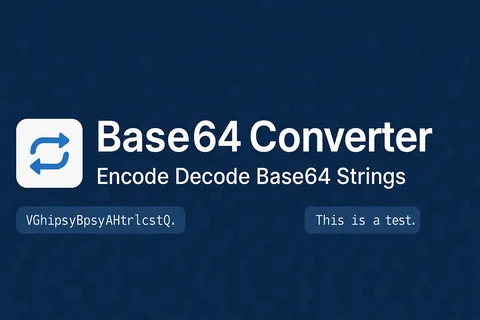
Whether you are a developer handling API payloads or someone embedding images in HTML, knowing how to base64 encode decode online is an essential skill in today’s web-driven world. Base64 is a widely used encoding scheme that converts binary data into a text-safe format, making it easier to transmit across systems that only support plain text. This guide answers the most common questions about Base64, from how it works to the safest tools you can use right now.
Understanding Base64 The Fundamentals
What is Base64 encoding?
Base64 encoding is a method of converting binary data — such as images, files, or raw bytes — into a string of ASCII characters using a set of 64 printable characters (A–Z, a–z, 0–9, +, and /). This transformation ensures that the data remains intact during transfer through systems that might misinterpret raw binary. Every 3 bytes of input are converted into 4 Base64 characters, making the output roughly 33% larger than the original.
What is Base64 decoding?
Base64 decoding is simply the reverse process taking a Base64-encoded string and converting it back into its original binary or text form. When you receive a Base64 string from an API response or email attachment, a decoder reconstructs the original data precisely. Without decoding, the encoded string is unreadable to both humans and most applications.
How does Base64 encoding work internally?
The algorithm groups your input into 3-byte (24-bit) chunks, then splits each chunk into four 6-bit values. Each 6-bit value maps to one of 64 printable characters in the Base64 alphabet. If the input length is not divisible by 3, padding characters (=) are added to complete the final group.
Is Base64 a form of encryption?
Base64 is absolutely not encryption it offers zero security or confidentiality. Anyone who has a Base64-encoded string can instantly decode base64 encode decode online it without any key or password. It is purely an encoding format designed for safe data transport, not for hiding or protecting information.

Practical Use and Applications
Why is Base64 used in web development?
Base64 is used primarily because many communication protocols — such as HTTP, SMTP, and XML are built to handle text, not raw binary data. Encoding binary content into Base64 ensures it passes through these channels without corruption or data loss. It also allows binary data to be embedded directly inside text-based files like JSON, HTML, or CSS.
What are the most common real-world use cases?
The most frequent applications include embedding images directly into HTML or CSS as Data URIs, transmitting binary files through JSON APIs, encoding email attachments in MIME format, and storing small media assets in databases as text strings. Developers also use it to encode authentication credentials in Basic Auth headers for HTTP requests.
What file types can be Base64 encoded?
Virtually any file type can be Base64 encoded images (PNG, JPEG, GIF, SVG), PDFs, audio files, fonts, and even entire binary executables. The encoding process treats all input as raw bytes, so the file format is irrelevant. Keep in mind that very large files will produce very large encoded strings, which can affect performance if embedded directly in web pages.
Using Online Tools for Base64 Conversion
How do I base64 encode decode online quickly?
To base64 encode decode online, simply visit a reliable web tool, paste your text or upload your file, and click the encode or decode button. The outcome is produced immediately in your browser with no need for software installation or technical expertise. Tools like the one available at multiconverters.net make this process seamless for both beginners and experienced developers.
What should I look for in a good online Base64 tool?
A trustworthy Base64 tool should process your data entirely in the browser without sending it to a remote server, support both text and file input, and handle URL-safe Base64 variants (which replace + with – and / with _). It should also provide a clean copy-to-clipboard function and give meaningful error messages when the input is invalid or malformed.
Are online Base64 converters safe to use for sensitive data?
For non-sensitive data, reputable online tools are perfectly safe and convenient. However, if your content contains passwords, private keys, personal user data, or confidential business information, you should use a locally installed tool or a browser-based tool that explicitly processes everything client-side. Always check whether the tool sends data to a server before encoding anything sensitive.
Conclusion
Understanding how to base64 encode decode online is a practical skill that saves time across dozens of everyday developer and web tasks. From embedding images in emails to decoding API responses, Base64 bridges the gap between binary data and text-based systems reliably.
Head over to multiconverters.net to try a fast, free, and browser-based Base64 encoder and decoder — no sign-up required. Whether you’re a developer debugging API responses, a designer embedding image data directly into HTML or CSS, or just someone who needs to quickly decode a string from an email. Or configuration file, this tool is built for you. It processes everything locally in your browser, meaning your sensitive data never leaves your device.
No uploads, no server logs, no privacy concerns. You can convert between text and Base64 instantly, with support for both standard and URL-safe variants. The interface is clean, works on any device, and gives you one-click copy functionality. Skip the complicated software installations and subscription fees. Just paste, click, and get your result in milliseconds — completely free, forever.
Author



Essentials Hoodie Australia: Summer Sale & Style Guide

Stussy Streetwear: Origins, Iconic Hoodies & Cultural Legacy

New IPO Guide: Trends, Risks and Investment Insights India

Grand Watches: Heritage, Craftsmanship & Mechanical Mastery

Fear of God Essentials Hoodie: Luxury Streetwear Guide

Chrome Hearts Clothing, Jewelry & Luxury Fashion Guide

Spirit Airlines IAD Terminal Guide: Terminal 1 Services & Tips

Labubu Original: Unique Fashion & Beauty Online Store

Kaftan Sets for Women: Stylish and Comfortable Summer Fashion

Korean Co Ord Sets: Celebrity-Inspired Fashion Trends Guide

Cybersecurity Consulting Company SequelNet Provides Critical IT Support Services to Medical Billing Firm, Medical Optimum

Team Communication Software Transforms Operations at Finance Innovate

Project Management Tool Transforms Long Island Business

How Alleviate Poverty Utilized IPPBX’s All-in-One Solution to Transform Lives in New York City

Breast Cancer: The Imperative Role of Mammograms in Screening and Early Detection

Unstoppable Collaboration: D.C.’s Citi Open and Silicon Valley Classic Unite to Propel Women’s Tennis to New Heights

Embracing Renewal: Sizdabedar Celebrations Unite Iranians in New York’s Eisenhower Park

The Benefits of Starting a Side Hustle for Financial Freedom

New Blood Donation Screening Questions What You Need to Know

Stylishly Timeless: The 5 Types of Sandals You Need in Your Closet
-

 Business3 years ago
Cybersecurity Consulting Company SequelNet Provides Critical IT Support Services to Medical Billing Firm, Medical Optimum
-
Business3 years ago
Team Communication Software Transforms Operations at Finance Innovate
-
Business3 years ago
Project Management Tool Transforms Long Island Business
-
Business3 years ago
How Alleviate Poverty Utilized IPPBX’s All-in-One Solution to Transform Lives in New York City
-
health3 years ago
Breast Cancer: The Imperative Role of Mammograms in Screening and Early Detection
-
Sports3 years ago
Unstoppable Collaboration: D.C.’s Citi Open and Silicon Valley Classic Unite to Propel Women’s Tennis to New Heights
-
Art /Entertainment3 years ago
Embracing Renewal: Sizdabedar Celebrations Unite Iranians in New York’s Eisenhower Park
-
Finance3 years ago
The Benefits of Starting a Side Hustle for Financial Freedom







