
Security
IT Asset Disposition Services for Secure Data: Equipment Recovery


Technology is constantly evolving, and organizations regularly replace computers, servers, networking equipment, mobile devices, and data center hardware to maintain security, performance, and productivity. While purchasing new equipment often receives the most attention, disposing of retired technology is equally important. Improper disposal can expose sensitive information, create compliance risks, and result in unnecessary financial losses.
Professional IT asset disposition (ITAD) services provide organizations with a secure, documented, and environmentally responsible way to retire IT equipment while maximizing its remaining value. Rather than viewing outdated technology as waste, IT asset disposition transforms retired assets into opportunities for cost recovery, regulatory compliance and sustainable business practices.
What Are IT Asset Disposition Services?
IT asset disposition refers to the complete process of securely retiring, remarketing, recycling, or destroying information technology equipment after it reaches the end of its useful life within an organization. Rather than focusing on a single service such as recycling or data destruction, professional ITAD encompasses every stage of the retirement process. This includes equipment collection, transportation, inventory management, secure data sanitization, value recovery, recycling, compliance reporting and detailed chain-of-custody documentation.
A comprehensive ITAD strategy ensures every device follows a secure, traceable path from decommissioning through its final disposition.
Why Proper IT Asset Disposition Matters
Organizations today manage enormous amounts of sensitive information across thousands of devices. Even equipment that appears obsolete may still contain confidential business data, customer records, financial information, intellectual property, employee files, or regulated healthcare information. Simply deleting files or formatting hard drives does not permanently erase stored data. Professional IT asset disposition protects organizations by ensuring all storage media undergo certified data destruction before equipment is resold, recycled or destroyed. Beyond security, ITAD also helps businesses:

- Reduce cybersecurity risks
- Meet industry compliance requirements
- Recover value from retired equipment
- Support sustainability initiatives
- Simplify large-scale technology refreshes
- Maintain detailed audit documentation
An organized disposition process protects both the organization’s reputation and its financial investment.
Recovering Value Through IT Asset Buyback
Many retired devices continue to retain market value long after they’ve been replaced internally. Laptops, desktops, servers, networking hardware, tablets, mobile devices, storage arrays, and enterprise equipment may all be suitable for refurbishment and resale. Rather than allowing equipment to sit unused in storage rooms or warehouses, organizations can recover a portion of their original investment through structured asset buyback or remarketing programs.
Each device is evaluated according to factors such as age, condition, specifications, market demand, and functionality. For organizations with ongoing equipment refreshes, remarketing programs provide an alternative approach where assets are sold on the organization’s behalf rather than purchased outright. This creates additional flexibility while still ensuring secure data destruction and complete documentation. Recovering value helps offset future technology investments while reducing unnecessary electronic waste.
Supporting Corporate Technology Refresh Programs
Replacing hundreds or even thousands of devices across multiple offices requires careful planning. Corporate refresh programs streamline large-scale technology transitions by coordinating every aspect of the retirement process. This typically includes:
- Device inventory and tracking
- Equipment collection
- Multi-site logistics
- Secure packaging
- Data destruction
- Asset evaluation
- Remarketing
- Recycling
- Final reporting
Instead of managing multiple vendors for transportation, recycling, and data destruction, organizations benefit from a coordinated process that reduces administrative complexity while maintaining consistent documentation throughout the project. Whether replacing employee laptops, upgrading workstations, or modernizing entire data centers, structured refresh programs help organizations complete projects efficiently while minimizing disruption.

Secure Data Destruction Protects Sensitive Information
Data security remains one of the most important components of any IT asset disposition program. Retired devices frequently contain recoverable information unless specialized sanitization procedures are performed. Professional data destruction typically includes multiple approved methods depending on the device and organizational requirements. Logical data sanitization permanently overwrites storage media using industry-recognized standards such as NIST SP 800-88, making previously stored information unrecoverable. When physical destruction is required, hard drives, solid-state drives, backup media and other storage devices may be shredded to ensure complete destruction. Every sanitization process should generate detailed records that document:
- Device identification
- Serial numbers
- Sanitization method
- Completion date
- Verification results
- Technician records
These records provide organizations with documented proof that sensitive information has been permanently destroyed.
Certified Electronics Recycling
Not every piece of retired technology retains resale value. Older, damaged or obsolete equipment often reaches the end of its usable life and requires responsible recycling. Certified electronics recycling ensures valuable materials such as aluminum, copper, steel, plastics and precious metals are recovered while hazardous materials remain out of landfills. Responsible recycling also reduces environmental impact by minimizing the need for raw material extraction and supporting the circular economy. Every recycled device should remain traceable through documented chain-of-custody records until final processing has been completed. This documentation provides transparency while helping organizations demonstrate responsible environmental stewardship.
Logistics That Simplify Asset Collection
Managing equipment across multiple locations can become one of the largest challenges during technology retirement projects. Professional IT asset disposition services often include logistics solutions designed to simplify collection regardless of organization size. These services may include white glove packing, secure transportation, palletization, equipment removal, prepaid shipping labels for smaller quantities, and coordinated pickups across multiple facilities.
For organizations operating regional offices, schools, healthcare facilities or distributed workforces, centralized logistics eliminate the need to coordinate multiple transportation vendors. Every shipment remains documented throughout transit to preserve an unbroken chain of custody.
Maintaining Compliance and Documentation
Many industries operate under strict regulations governing how sensitive information must be protected and destroyed. Organizations in healthcare, financial services, education, legal services, government, and technology often require detailed audit records demonstrating compliance with applicable security standards. Professional IT asset disposition programs generate documentation that supports internal governance and regulatory requirements. Typical records include asset inventories, serial number tracking, certificates of data destruction, recycling documentation, logistics records and complete chain-of-custody reporting. Having organized documentation simplifies audits while reducing compliance risks during inspections or regulatory reviews.
Who Benefits from IT Asset Disposition Services?
IT asset disposition services support organizations of every size, particularly those retiring technology in larger quantities. Common users include:
Businesses replacing employee computers during hardware refreshes, school districts cycling student devices, healthcare organizations upgrading workstations, government agencies retiring secure equipment, financial institutions replacing infrastructure, leasing companies processing end-of-term returns and data centers decommissioning servers and networking hardware. While larger projects often involve dozens or hundreds of devices, many providers also evaluate smaller equipment lots based on overall asset value rather than quantity alone.
Choosing the Right ITAD Partner
Selecting an IT asset disposition provider involves much more than finding someone to collect old computers. Organizations should evaluate providers based on their security procedures, documented chain of custody, data destruction standards, environmental certifications, logistics capabilities, reporting quality and experience managing enterprise-scale projects. A strong ITAD program combines secure data destruction, value recovery, responsible recycling and complete documentation into one coordinated process. When every stage is handled professionally, organizations reduce risk, improve operational efficiency, recover value from retired technology and demonstrate responsible environmental practices.
Conclusion
IT asset disposition services play a critical role in modern IT lifecycle management. By combining secure data destruction, equipment remarketing, certified recycling, logistics management and detailed compliance documentation, organizations can retire technology confidently while protecting sensitive information and maximizing the remaining value of their assets. As technology refresh cycles continue to accelerate, a well-planned ITAD strategy helps businesses reduce security risks, support sustainability goals, simplify large-scale equipment retirements and maintain complete visibility from initial collection through final disposition.
Author


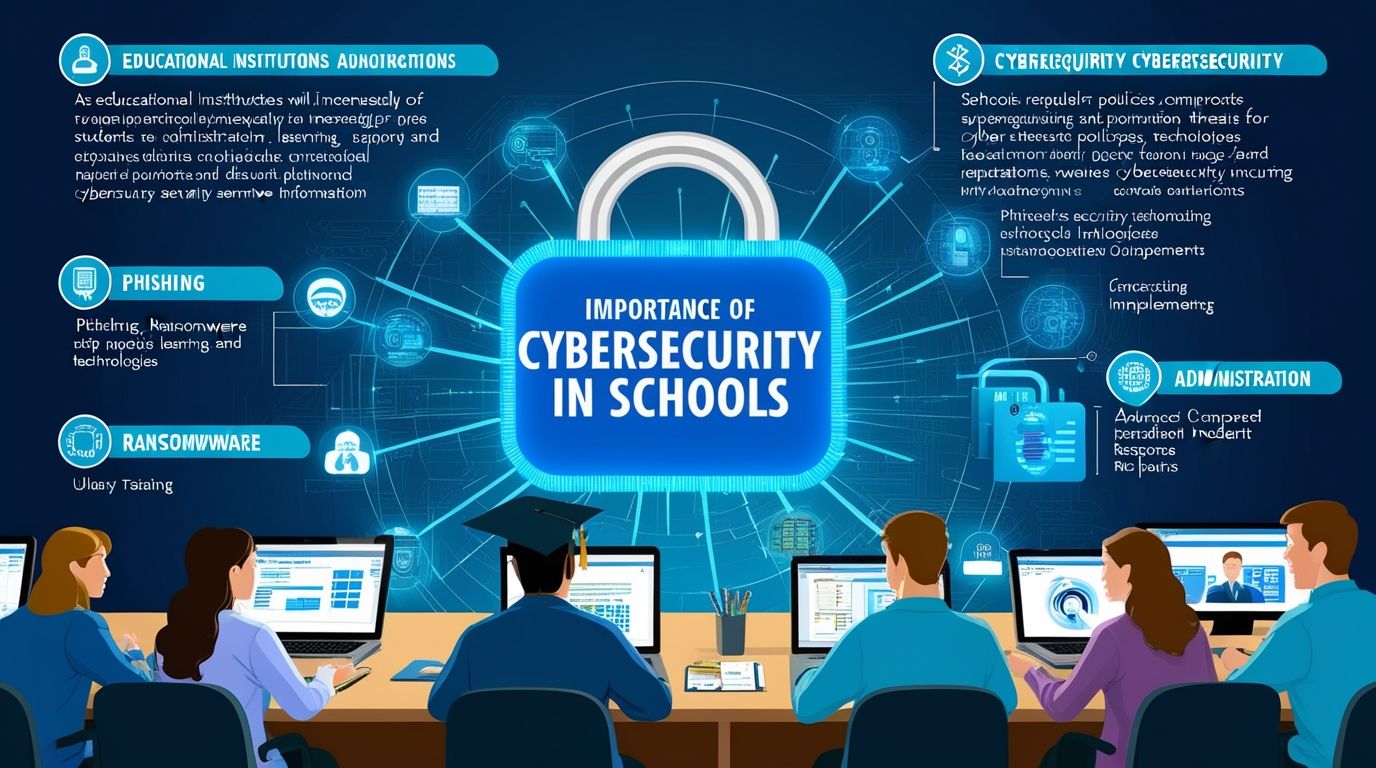
Cyberattacks on schools are no longer unusual. They have become a growing concern across the education sector. Perth schools manage large amounts of sensitive information every day. This includes student records, staff details, financial information, health records, and payroll data. As a result, schools can attract phishing scams, ransomware attacks, and data breaches.
Many schools also face another challenge. Their internal IT teams often have limited time and resources. They must support teachers, students, devices, networks, and daily technical issues while also dealing with new online threats. For that reason, schools need a practical approach to cybersecurity that focuses on prevention, awareness, and fast response.
Here are ten effective ways Perth schools can improve their security and reduce avoidable risks.
Carry Out Regular Security Audits
Regular security audits help schools identify weaknesses before attackers find them. An audit can uncover outdated software, weak passwords, unnecessary user permissions, and poorly configured systems.
Schools should schedule these checks throughout the year. They should not wait until an incident exposes a problem. Regular reviews help IT teams understand current risks and take action before those risks become serious.
Create Strong Password Policies
Weak and reused passwords still create major problems for organizations. Attackers can use stolen credentials to access email accounts, school systems, and sensitive information.
Schools should require staff and students to create strong, unique passwords. They should also introduce multi-factor authentication wherever possible. This extra verification step makes it much harder for attackers to enter an account with a stolen password.
Update Software and Devices
Obsolete software may allow recognized security vulnerabilities to remain accessible to intruders. Schools use many different systems and devices, so IT teams need to manage updates across the entire environment.
This includes computers, laptops, servers, applications, routers, and other connected devices. A consistent patching process reduces unnecessary exposure and helps schools maintain more secure systems.
Teach Staff and Students About Phishing
People often play an important role in stopping cyberattacks. A single click on a malicious link can give an attacker an opportunity to steal credentials or install harmful software.
Schools should provide regular phishing awareness training. The training should use simple, realistic examples. Staff and students need to know how to spot suspicious emails, unusual requests, fake login pages, and unexpected attachments.
Most importantly, schools should encourage people to report suspicious messages without fear of blame. Early reporting can give IT teams valuable time to respond.

Separate School Networks
Network segmentation can limit the damage caused by a security incident. Schools can separate student devices, staff computers, administrative systems, and other critical resources into different network areas.
If an attacker compromises one section, segmentation can prevent them from moving freely through the rest of the network. This approach adds another layer of protection and makes it easier for IT teams to contain an incident.
Protect BYOD and Classroom Devices
Bring-your-own-device programs create flexibility for students and teachers. However, personal devices can also introduce security risks when they connect to school networks.
Schools should create clear BYOD policies and define which devices can access specific resources. Endpoint protection can also help identify suspicious activity. These measures give schools better control over the many devices that connect to their systems each day.
Create Reliable Data Backups
A strong backup strategy can reduce the impact of ransomware, accidental deletion, hardware failure, and other incidents. However, simply creating backups does not provide enough protection.
Schools should store backups securely and keep copies away from the main network. They should also test those backups regularly. A backup only helps when the school can successfully restore its important information after an incident.
Monitor Networks Continuously
Cyber threats can appear at any time. Attackers do not limit their activity to school hours, so schools need visibility beyond the normal working day.
Continuous network monitoring can identify unusual logins, unexpected data transfers, suspicious device activity, and other warning signs. Early detection allows IT teams to investigate problems before they grow into larger incidents.
Prepare an Incident Response Plan
No school wants to experience a major attack. However, every school should prepare for that possibility. An incident response plan gives staff clear instructions about what to do when something goes wrong.
The plan should identify key responsibilities and communication channels. It should also explain how the school will isolate affected devices, protect important information, contact relevant parties, and restore services.
Schools should rehearse the plan as well. Practice helps staff respond with confidence instead of making decisions under pressure.
Follow Privacy and Compliance Requirements
Schools handle personal information that deserves careful protection. They need to understand the privacy and compliance requirements that apply to their operations.
Compliance involves more than avoiding penalties. It also helps schools build trust with students, parents, teachers, and staff. Strong information-handling practices show families that the school takes their personal data seriously.
How Managed IT Services Can Help
Managing all these areas can place considerable pressure on an internal school IT team. Managed IT services can provide additional expertise without requiring a school to build a large security department from scratch.
A managed provider can support areas such as network monitoring, security audits, patch management, backup systems, and incident response. Providers can also help schools deliver staff awareness training and maintain appropriate security policies.
This support allows schools to take a proactive approach to cybersecurity. Instead of waiting for a problem to disrupt classes, IT specialists can identify risks and address them earlier.
Managed services can also make technology costs easier to plan. Schools gain access to specialized expertise while their internal teams can focus on everyday technology needs. Teachers and students benefit too because IT staff can spend more time supporting learning rather than constantly responding to emergencies.
Final Thoughts
Cybersecurity requires ongoing attention. Schools cannot rely on a single software solution or one annual security check to protect their systems. Threats continue to change, and schools need to adapt their security practices along with them.
For Perth schools, a combination of strong policies, regular training, reliable backups, network monitoring, and professional IT support can create a stronger defense. With the right strategy and ongoing support, schools can protect sensitive information while keeping classrooms, staff, and essential services running smoothly.
Author



Window Boxes give businesses a practical way to display products while keeping them protected. Their clear windows let customers see the product without opening the package. This simple feature can build trust and make shopping more convenient. It also gives products a stronger presence on crowded retail shelves.
Businesses can use window packaging for many products, including cosmetics, bakery items, candles, toys, gifts, apparel accessories, and handmade goods. A thoughtful design can protect the product and support the brand at the same time. For this reason, many companies look for packaging that combines appearance, strength, and Secure Packaging.
Boxo Packaging offers customizable packaging solutions for businesses with different product and branding needs. From material selection to printing and finishing, each detail can help create a polished customer experience.
Why Product Visibility Matters
Customers often want to inspect a product before buying it. A transparent window gives them that opportunity without requiring them to open the package. They can view the product’s color, shape, texture, and overall appearance before making a decision.
This visibility can reduce hesitation and create a stronger sense of trust. It can also encourage impulse purchases when customers notice an attractive product on a shelf. Moreover, window packaging can make premium products look more appealing and carefully presented.
At the same time, businesses can use Secure Packaging to keep products protected while maintaining clear product visibility. This balance helps companies improve presentation without overlooking practical protection.
Materials That Support Product Protection
The right material plays an important role in packaging performance. Businesses should consider the product’s weight, size, fragility, and shipping requirements before selecting a material.
Kraft paper offers a natural appearance and works well for brands that want an environmentally conscious look. Cardboard provides a lightweight option for many retail products. Corrugated board offers additional strength for items that need extra protection during transportation.
Rigid stock can create a premium appearance for luxury collections and high-end products. Businesses can also choose recyclable window films to maintain visibility while supporting more responsible packaging practices.
When businesses combine suitable materials with Secure Packaging, they can reduce the risk of damage during handling, storage, and transportation.
Custom Designs Strengthen Brand Recognition
Packaging does more than hold a product. It also communicates a brand’s personality. Custom printing allows businesses to add logos, brand colors, product details, graphics, and other visual elements that make their packaging recognizable.
Companies can also select different box shapes, dimensions, window styles, inserts, coatings, and finishes. These choices help businesses create packaging that matches their products and target customers.
For example, a bakery may prefer a warm and simple design, while a cosmetics brand may choose a sleek and premium appearance. In both cases, customized packaging can create a consistent brand experience.
Where Window Boxes Work Best
Many industries use window packaging because product visibility can influence purchasing decisions. Bakeries often use these boxes for cookies, cupcakes, chocolates, and other treats. Candle brands can display their designs and colors without exposing the product to unnecessary handling.
Cosmetics companies can showcase attractive containers, while gift businesses can use windows to highlight carefully arranged products. Retailers can also use this style for stationery, accessories, handmade products, toys, and promotional merchandise.
Each industry can adjust the design according to its product. This flexibility makes window boxes suitable for both small businesses and established brands.
Printing and Finishing Options
Modern printing techniques allow brands to create colorful and detailed packaging designs. Businesses can use high-quality graphics to communicate their identity and attract attention.
Matte coatings create a smooth and understated appearance. Gloss finishes provide a brighter look and can make colors stand out. Meanwhile, foil stamping can add an elegant metallic effect. Embossing can give logos and patterns a raised appearance, while soft-touch finishes create a refined surface.
These finishing choices can make packaging more memorable. They can also complement Secure Packaging by creating a professional package that supports both presentation and practical use.

Mailer Packaging for Online Businesses
As eCommerce continues to grow, businesses need packaging that can handle shipping while creating a positive unboxing experience. Mailer Packaging offers a convenient solution for many online retailers. It works well for clothing, books, cosmetics, subscription products, accessories, and other lightweight items.
A well-designed mailer can protect the product while giving customers a strong first impression. It can also make packing easier for warehouse and fulfillment teams. Lightweight construction helps businesses manage storage and shipping costs more efficiently.
Brands can customize mailers with printed logos, colors, messages, and graphics. As a result, the package becomes another opportunity to strengthen brand recognition.
Features That Improve Shipping Performance
Shipping exposes packages to handling, movement, stacking, and changing conditions. Therefore, businesses need materials that can withstand everyday transportation challenges.
Corrugated board provides additional strength for products that require more protection. Kraft materials offer a practical option for brands that value a natural appearance. Cardboard works well for lightweight products, while protective inserts can help keep delicate items in place.
Businesses should select packaging according to the product rather than choosing a one-size-fits-all option. Proper sizing can reduce unnecessary movement inside the box and support Secure Packaging during delivery.
Sustainability and Modern Packaging
Customers increasingly pay attention to how brands handle packaging waste. Businesses can respond by choosing recyclable materials and reducing unnecessary packaging components.
Lightweight designs can also reduce shipping weight. At the same time, recyclable materials can help businesses support more responsible packaging practices without sacrificing quality.
Sustainable packaging does not need to look plain. Brands can combine eco-conscious materials with attractive printing and thoughtful design. This approach can improve the customer experience while supporting long-term environmental goals.
Choosing the Right Packaging Supplier
The right packaging partner can make a major difference in product presentation and protection. Businesses should consider material quality, customization options, printing capabilities, sizing accuracy, and manufacturing consistency before choosing a supplier.
A reliable provider should understand the product’s requirements and recommend suitable packaging solutions. Boxo Packaging helps businesses develop customized options that balance appearance, durability, and Secure Packaging.
Whether a company needs attractive window boxes or dependable mailers, the packaging should support both the product and the brand. With the right materials, design, printing, and protection, businesses can create packaging that attracts customers and delivers a better overall experience.
Final Thoughts
Effective packaging can do much more than protect a product. It can attract attention, communicate brand value, and create a positive impression before customers even use the product. Window Boxes help businesses showcase their products clearly, while Mailer Packaging supports safe and convenient shipping for online orders.
Choosing the right materials, design, printing, and finishing can make packaging more useful and memorable. At the same time, Secure Packaging helps businesses protect products during storage, handling, and transportation.
For brands that want to stand out in competitive markets, customized packaging offers a valuable advantage. It combines functionality with visual appeal and gives customers a better experience from the shelf to the doorstep. With the right packaging partner, businesses can create solutions that support product safety, brand recognition, sustainability, and long-term customer satisfaction.
Author



Containers have changed the way companies develop, deliver, and manage applications. They allow teams to package applications with all required dependencies, which makes deployment faster and more consistent. Developers can build an application in one environment and run it smoothly across testing and production systems.
Technologies like Docker and Kubernetes have become essential parts of modern software development. They help organizations improve scalability, increase efficiency, and release new features faster.
However, containers also create new security challenges. A vulnerable container image, weak access controls, exposed credentials, or a poorly configured Kubernetes cluster can create opportunities for cyber attackers. As organizations depend more on containerized applications, they need strong protection strategies to reduce risks.
This is where Container Security becomes important. Security should not be something teams consider only after deployment. Instead, organizations need to include security practices throughout the entire container lifecycle. From creating images to monitoring applications in production, every step requires careful attention.
What is Container Security?
Security refers to the process of protecting container applications, images, runtimes, orchestration platforms, and the infrastructure that supports them.
Unlike traditional virtual machines, containers share the host operating system. This design improves performance and resource usage. However, it also means that a weakness in one area can potentially impact other workloads.
A secure container environment requires multiple layers of protection. Organizations need to secure the software inside containers, control user permissions, monitor activity, and maintain proper configurations.
Instead of depending on a single security solution, businesses should create a complete strategy that covers every stage of the container lifecycle.
Why Container Security Matters
Containers allow teams to create and deploy applications quickly. While this speed improves productivity, it can also create security gaps if teams ignore proper controls.
Modern development teams often release updates frequently. Because of this, manually reviewing every application change becomes difficult. A small mistake, such as using an outdated image or exposing sensitive information, can lead to serious security problems.
Attackers often search for weak points in container environments. They may target vulnerable software packages, stolen credentials, or misconfigured systems. Since many organizations use containers for important business applications, these risks can affect operations, customer data, and overall business performance.
By following strong Security practices, organizations can reduce vulnerabilities while maintaining the speed and flexibility that containers provide.
Best Practices for Securing Container Environments
Use trusted container images
Every container begins with an image, so image security plays a major role in protecting applications. Teams should use trusted images from reliable sources and avoid downloading unknown images that may contain harmful code.
Organizations should also create approved image repositories and maintain control over the images developers use. Removing unnecessary software packages can reduce the attack surface and make containers easier to manage.
A smaller and cleaner image usually creates fewer opportunities for attackers.
Scan container images regularly
Container images can contain outdated libraries, vulnerable dependencies, or insecure software components. These issues may remain hidden until attackers discover and exploit them. Regular image scanning helps teams identify security weaknesses before deployment. Security teams and developers should scan images during the build process and continue checking them after updates. Automated scanning tools make it easier to detect problems early and fix them before they affect production environments.
Follow the principle of least privilege
Containers should only receive the permissions they need to perform their tasks. Giving unnecessary access increases the potential damage if an attacker compromises a container. Avoid running containers with root privileges unless absolutely necessary. Limit access to system resources and restrict privileged operations. When organizations reduce unnecessary permissions, they create stronger barriers against unauthorized activity.
Protect sensitive information
Secrets such as passwords, API keys, database credentials, and encryption keys require strong protection. Storing these details directly inside container images creates serious security risks. Instead, teams should use dedicated secret management solutions. These tools help store, control, and rotate sensitive information safely. Regularly updating credentials and limiting access further reduces the chances of unauthorized use.

Keep images updated
Security threats continue to evolve. An image that appears safe today may contain vulnerabilities tomorrow. Organizations should regularly update container images, replace outdated components, and remove unsupported software. Maintaining updated images improves both security and application reliability.
Secure Kubernetes environments
Kubernetes helps organizations manage containers at scale, but incorrect configurations can expose systems to threats. Teams should review Kubernetes permissions, network policies, access controls, and security settings regularly. They should also limit administrative access and disable unnecessary features. Strong Kubernetes management supports effective Container Security by protecting workloads and reducing configuration risks.
Monitor container activity
Continuous monitoring helps organizations understand what happens inside their container environments. Security teams should track unusual network connections, unexpected processes, and changes in container behavior. These signals can reveal possible attacks or unauthorized access attempts. Early detection allows teams to respond quickly and prevent small issues from becoming major security incidents.
Add security to CI/CD pipelines
Security should become part of the software development process. Waiting until deployment to check for vulnerabilities creates unnecessary risks. By adding automated security checks to CI/CD pipelines, teams can identify issues during development. Image scanning, dependency checks, and configuration reviews help create safer applications without slowing down delivery.
Integrating security tools into CI/CD workflows allows developers to fix problems at an early stage. Finding vulnerabilities during development is usually faster and more cost-effective than addressing security issues after an application reaches production. This approach also encourages collaboration between development and security teams.
Additionally, automated security testing creates a consistent process for every release. Teams can apply security policies automatically, reduce human errors, and maintain better visibility into application risks. As a result, organizations can deliver reliable software while maintaining strong protection against potential threats.
Common Security Mistakes
Many container security problems happen because of simple mistakes. Organizations often use outdated images, store secrets inside containers, allow excessive permissions, or skip security testing.
Another common mistake involves assuming that Kubernetes or a container platform automatically handles all security responsibilities. These platforms provide useful security features, but organizations still need to protect applications, identities, configurations, and data.
Avoiding these mistakes helps businesses build stronger and more reliable container environments.
Conclusion
Containers provide powerful benefits for modern application development, but they require careful protection. Organizations must secure images, control access, monitor workloads, and maintain strong configurations.
Effective Container Security is not a one-time activity. It requires continuous improvement throughout the application lifecycle.
By adopting proven security practices, businesses can reduce vulnerabilities, protect cloud-based applications, and support faster innovation. When security becomes part of everyday container management, organizations can confidently use containers while keeping their systems and data safer.
Author



How Trusted Air Duct Cleaners Help Prevent Dangerous Blockages

How to Choose Quality Ayurvedic Herbal Products

Garage Door Repair Las Vegas: Red Flags When Hiring a Contractor

My Simple Snow Ride Turned Into Chaos

Herbal Ingredient Sourcing: From Farm to Formulation

How to Build a Low-Maintenance Balcony Garden

How to Buy Bulk Smoking Accessories for Retail Stores

Amazon Conversion Rate Optimization: 8 Ways to Get More Sales

Top 10 Psychology Conferences 2026 in the USA

Commercial Cabinet Shop Drawings: Key Details for Accurate Fabrication

Cybersecurity Consulting Company SequelNet Provides Critical IT Support Services to Medical Billing Firm, Medical Optimum

Meet the Megalodon: The Shark Star of ‘Meg 2’

Reduce Video Game Lag: Level Up Your Gaming Performance

Balancing India’s Entertainment: Cricket vs. Bollywood

Jetsetter’s Secrets: Unveiling Our Favorite Travel Hacks for a Seamless Adventure

The 5 Best Live Sports Streaming Sites: Legal and Exciting!

Hollywood Labor Unrest: The Impact of ‘What About Us?’ Strikes

Unveiling the Magic of Dream Fulfillment at the Late NBA Draft

Illuminate Your Skin: Dr. Axe Unveils Natural Remedies for Lightening Knees and Elbows

Bright Choices: Navigating the Pros and Cons of Skin Whitening Creams with Dr. Axe
-

 Business3 years ago
Cybersecurity Consulting Company SequelNet Provides Critical IT Support Services to Medical Billing Firm, Medical Optimum
-
Entertainment3 years ago
Meet the Megalodon: The Shark Star of ‘Meg 2’
-
Entertainment3 years ago
Reduce Video Game Lag: Level Up Your Gaming Performance
-
 Sports3 years ago
Balancing India’s Entertainment: Cricket vs. Bollywood
-
Entertainment3 years ago
Jetsetter’s Secrets: Unveiling Our Favorite Travel Hacks for a Seamless Adventure
-
Productivity3 years ago
The 5 Best Live Sports Streaming Sites: Legal and Exciting!
-
Art /Entertainment3 years ago
Hollywood Labor Unrest: The Impact of ‘What About Us?’ Strikes
-
Sports3 years ago
Unveiling the Magic of Dream Fulfillment at the Late NBA Draft






