
Technology
Industry 4.0 Certification Course Lead to a Path to Career Growth

By

Reviewed
By Caroline Parker

Introduction
You’re scrolling through job postings and something feels off. Positions you should be qualified for are suddenly asking for things like “IoT integration experience” and “familiarity with predictive analytics platforms.” When did all this become standard?
Or maybe you’re in a meeting and someone half your age is talking confidently about digital twins and sensor networks while you’re trying to figure out what any of that means. That sinking feeling, it’s not pleasant.
Here’s the thing, though: you haven’t fallen behind because you’re not capable. Your industry just transformed faster than anyone expected. The skills that made you excellent five years ago are still valuable. They just need updating.
That’s where professionals are finding their footing again, through an Industry 4.0 certification course that bridges traditional expertise with what workplaces actually need now.
What’s Actually Changing?
Let’s skip the corporate jargon and talk about what’s really different.

Your equipment doesn’t just run anymore; it talks. Sensors monitor everything: temperature, vibration, power consumption, performance patterns. When a motor starts showing early warning signs of failure, the system knows weeks before it actually breaks down. Maintenance shifts from emergency repairs to planned interventions.
Production lines adjust themselves based on real-time quality data. The tweaks happen continuously, faster than any human could manage, keeping output consistent without constant manual oversight.
And here’s what stings: if you don’t understand these systems, you’re increasingly left out of important conversations. Decisions get made by people who speak both languages, operations, and technology. Know only one? Your influence shrinks.
This isn’t some distant future. Walk into progressive facilities right now, and this is already standard. The gap between what you know and what your workplace expects won’t close by itself.
Making Sense of the Tech Talk
The terminology makes this harder than it should be. Let me simplify.
- IoT means your equipment can communicate now: Sensors report status constantly: “I’m running hot,” “my vibration changed,” “power draw increased.” Instead of waiting for breakdowns, the equipment tells you when something’s off. Not complicated, just connectivity applied to machines.
- Cloud computing is basically Google Drive for operations: Data doesn’t sit on one office computer anymore. It’s accessible to anyone with permission, from anywhere. Your quality team and engineering team can analyze the same production data simultaneously. Simple as that.
- AI is pattern recognition at scale: Thousands of variables affect your production, material quality, temperature, equipment age, and operator shifts. Machine learning spots connections you’d never find manually. Like: defects spike when these three conditions combine. Once you know that, you fix it before problems happen. You’re not building AI, you’re using what it finds.
- Predictive maintenance is just an advanced warning: Equipment shows signs before failing. Always has. Now we’ve got systems watching 24/7 and flagging issues early. Schedule repairs during planned downtime instead of scrambling mid-production.
- Digital twins are virtual versions of real assets: Test process changes on the digital copy first. See results without risking actual production.
None of this requires programming skills. You’re learning what’s possible and how to apply it to problems you already understand.
The Learning Part (Less Scary Than You Think)
This is where an Industry 4.0 certification course enters, and where most fears live. Being a student again. Not understanding things immediately. Looking behind.
- But here’s reality: these programs are built for professionals feeling exactly like you do right now. Uncertain. Intimidated. Worried they’re starting too late.
- The structure reflects this: You don’t jump into deep technical material on day one. It starts with context, why Industry 4.0 emerged, what problems it solves, and how industries evolved here. Understanding the “why” makes the “how” less overwhelming.
- Then each technology gets broken down separately: One module on IoT basics. Another on data analytics fundamentals. Then how do they connect? Programs assume intelligence and work ethic, not prior IT knowledge.
- Most courses lean on real scenarios, case studies of actual implementations, what worked, and what flopped: Capstone projects typically involve designing solutions for realistic operational challenges, forcing you to connect concepts to practical application.
Expect 10-15 hours weekly for 3-6 months. That’s the time you don’t have, pulled from evenings and weekends. Genuinely hard when you’re already working full-time. But compared to watching career options narrow over the next few years? Worth it.
What Actually Changes After?
Let’s get specific about “career growth” because that phrase is too vague.
- You become visible differently: When your company discusses digital transformation, and they will eventually, you can contribute meaningfully instead of just listening. That puts you in strategic conversations you weren’t part of before. Proximity to decisions matters.
- New roles open up: Positions like Digital Manufacturing Coordinator or Operations Technology Manager need someone who knows operations deeply but also understands tech. These didn’t exist a decade ago. They pay 30-50% more because that skill combination is rare. Your experience becomes relevant again, just in an expanded context.
- You see solutions differently: Is that efficiency problem eating productivity? With new knowledge, you might recognize it as something sensor data could diagnose. Or predictive analytics could prevent. Your problem-solving toolkit expands, making you more valuable regardless of your specific role.
- Job security improves:Companies hesitate to eliminate people who understand both how things have always worked and how new systems function. You become the bridge during transitions, and bridges are worth protecting.
Professionals typically see 25-40% salary increases within two years through promotion or strategic job changes. Beyond money, though, there’s the psychological shift. That anxiety about becoming obsolete? It fades when you understand what’s happening and can actively participate.
The Investment That Makes You Pause
Programs cost ₹40,000 to ₹1,50,000. The time commitment, 120 to 360 hours across months, means weekends you won’t relax, evenings without decompressing, and maybe family time you’ll negotiate.
These costs are real. But consider the alternative: your industry keeps moving toward automation whether you participate or not. Job postings keep adding requirements you don’t meet. Your skillset becomes less aligned with what employers need.
Meanwhile, people who invested in learning two years ago are now doing work you wish you were doing, at compensation you haven’t reached.
The question isn’t whether an Industry 4.0 certification course guarantees anything. Nothing does. The question is whether investing in yourself now gives you better odds than hoping things work out without action.
Most people who’ve made this investment wish they’d started sooner, not skipped it.
The Real Decision Point
You’re here because something’s been nagging at you. That feeling you’re falling behind, that opportunities are slipping past, that the industry is moving without you.
That feeling is information. Your instinct knows what your mind is still debating; something needs to change.
The professionals advancing now aren’t smarter or more talented than you. They just recognized this moment earlier and acted. They felt uncertain too. They worried about time and cost and whether they could learn this stuff. They did it anyway.
An Industry 4.0 certification course won’t fix everything automatically. But it gives you what you’re missing: technological fluency that makes your operational expertise relevant to where your industry is headed. Your years of experience aren’t worthless; they’re your foundation. You just need the current layer built on top.
The gap between where you are and where you need to be is bridgeable. It requires accepting discomfort, investing resources, and trusting that your capacity to learn hasn’t disappeared just because you’ve been working for years.
A year from now, you’ll either be having this same conversation with yourself, still anxious, still stuck, or you’ll be applying new capabilities to opportunities that don’t exist for you yet. The difference is what you decide to do next.
Author


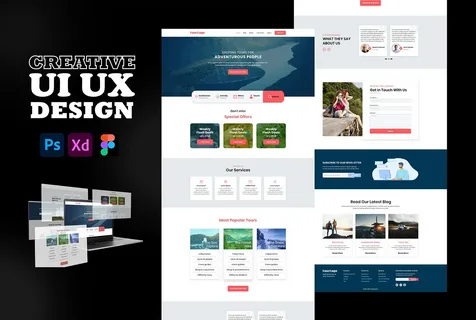
Creating a user interface design can initially seem like a lot of fun. You get the full range of creative control and the ability to create something completely original. In actual projects, however, time is of the essence. Other people’s deadlines, constant revision requests, and high stakeholder expectations create pressure. In these situations, UI design templates become more than time savers—they become an efficient design tool.
Templates save significant time because they provide the basic design and include tools to enhance your development. You can move your ideas to a finished product quicker. You don’t have to sacrifice your creativity; spending a little extra time on customization keeps your design unique.
What are UI Design Templates?
UI Design Templates are tools that designers use to create digital products, applications, websites, and control dashboards. These templates provide necessary design elements, including buttons, navigation bars, and data sections. Think of a UI app design template as your base design.
You can use these templates as starting points while retaining full design control. You can customize every element, including colors, typography, and brand assets.
Most designers build templates for programs like Figma, Sketch, and Adobe XD. While starting from scratch is one way to design, using a foundation often yields faster results.
The Importance of UI Templates
The design industry changes continuously. Designers can no longer focus solely on making products attractive; they must produce results quickly and provide a positive user experience. This is why designers worldwide now lean toward using templates.
Increase Design Speed Building a design from the ground up consumes time and effort. Design templates greatly reduce the time you spend on these tasks. You can bypass time-consuming foundational work and start immediately on the core design.
Uniformity on All Screens Achieving cohesive, uniform styling is one of the hardest accomplishments in design, especially in large-scale projects. Templates eliminate the challenge of uniformity because they establish consistent foundational elements across all screens.
Templates for Collaborative Work Creators build templates with collaboration in mind. Team members can work on designs easily without fearing complications from mismatched systems.
Template Studio: Powering Modern Design
Quality templates are scarce. The web is full of poorly designed, virtually useless files, but Template Studio is different. It is exceptional.
We incorporate real-world usability into templates that we design and organize at a professional level. Unlike other sites, we don’t give the user random layouts. Instead, we provide organized systems rooted in modern design fundamentals.
Template Studio enables designers and developers to:
-
Optimize project schedules
-
Ensure design uniformity
-
Utilize pre-assembled UI kits
-
Streamline the entire process
Whether you are a novice or a veteran, Template Studio helps you achieve more without sacrificing quality.
Categories of UI Design Templates
Typically, each template targets specific goals. Therefore, you must select your template based on your project objectives.
-
Mobile App Templates: These cater to mobile devices and include elements for onboarding, login screens, user profiles, and navigation flows. A well-designed mobile template facilitates a great user experience by supporting a smooth user journey.
-
Website UI Templates: These range from single landing pages to full websites. They offer high value for portfolios, business sites, and marketing pages.
-
Dashboard Templates: These suit SaaS products and admin panels. Designers build these with an emphasis on functionality, usability, and data organization.
-
Component Libraries: These templates offer reusable design “capsules” like buttons, input forms, and user cards. Instead of a full page, these libraries give you the parts to build anything.
-
UX-Focused Templates: Unlike purely visual templates, these prioritize the user experience. They incorporate behavior patterns and usability flows to achieve specific results.
Tips for Selecting the Best UI Template
Choosing the right template is critical. Selecting the wrong one can hinder your productivity more than starting from scratch.
Pay attention to these factors:
-
Design and Usability: Watch for heavy animations that might slow down your performance. Functional templates allow you to add your own content easily.
-
Ease of Editing: Choose a template that lets you easily edit layouts, palettes, and elements.
-
Device Flexibility: Good templates ensure your design remains responsive across all devices.
-
Compatibility: Ensure the template works with your preferred design tools.
Avoiding Common Mistakes
When used correctly, templates enhance your design. However, many designers make errors that limit their potential:
-
Excessive Customization: Rebuilding a template completely defeats its purpose. Refine what is there rather than trying to replace everything.
-
Ignoring User Experience: A template can look stunning but function poorly. Always test the user flow.
-
Uninspired Copy-Pasting: If you avoid creative tweaks, your project will look generic. Use templates as inspiration, not just a final product.
Professional Tips for UI Templates
-
Set a goal before picking a template.
-
Customize the elements to fit your brand.
-
Keep the design straightforward.
-
Test the design thoroughly.
-
Refine based on feedback.
UI Design Templates: What to Expect
Templates will evolve alongside technology. As AI tools and design systems become more common, templates will transform from simple files into “living systems.”
The future holds:
-
AI-adjustable designs.
-
Templates that integrate directly with development tools.
-
Design systems tailored to specific users.
Conclusion
Using UI templates is about working smarter. Effective use saves time and allows you to focus on creating a seamless user experience.
The right UI and UX templates make a world of difference, whether you are working on a simple layout or an intricate project. Designing efficiently is the future. If you want to be a leading digital designer, include Template Studio in your workflow to achieve both speed and quality.
Author



Author


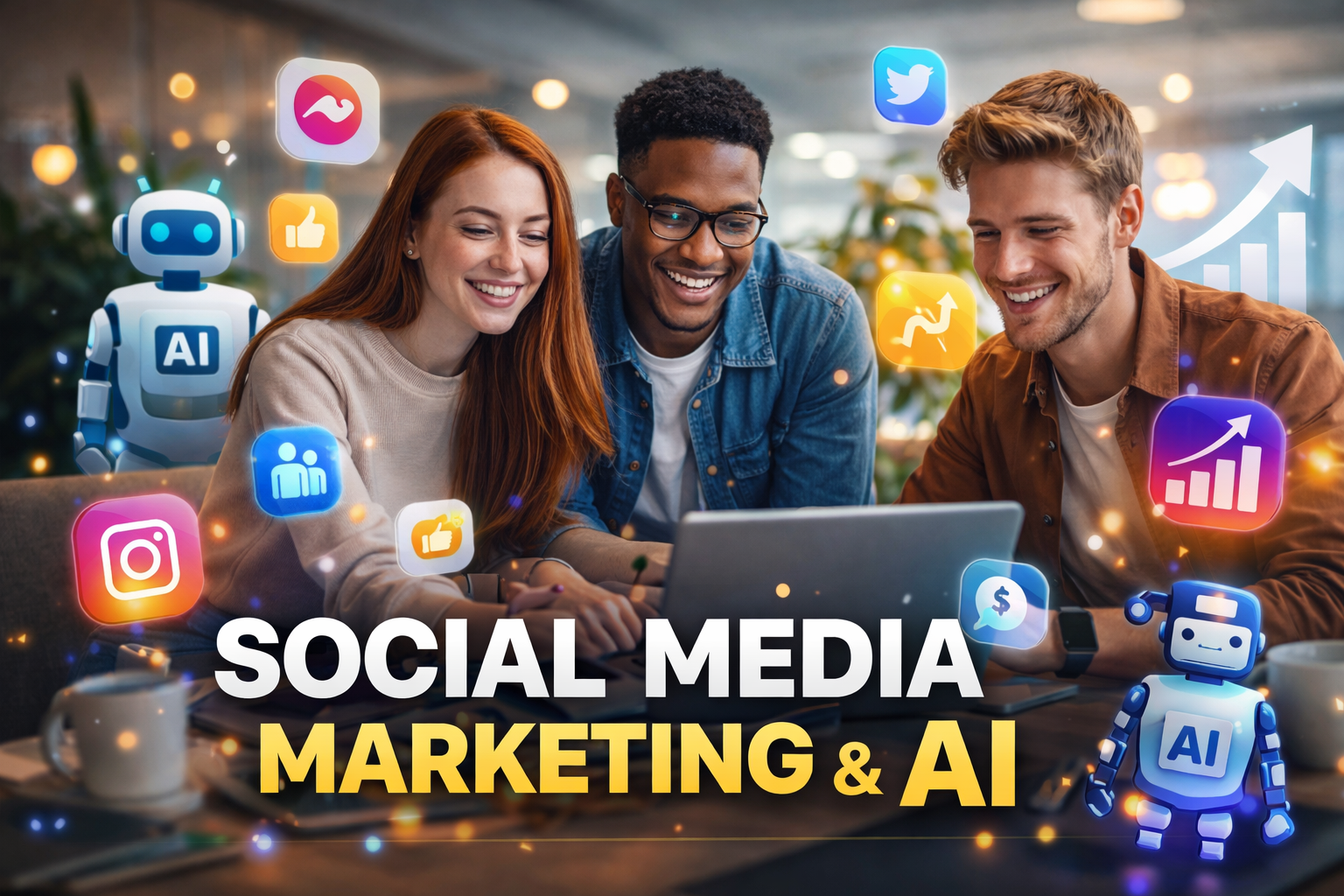
In today’s fast-moving digital world, businesses can no longer rely on traditional methods to capture attention. Social media marketing has evolved into one of the most powerful tools for reaching audiences, building relationships, and driving business growth. However, what truly sets the modern era apart is the integration of artificial intelligence into marketing strategies.
AI has completely changed how brands create content, target users, and measure success. Instead of guessing what might work, businesses now rely on data-driven insights to make smarter decisions. From automated content creation to predictive analytics, Social media marketing powered by AI is more efficient, personalized, and impactful than ever before.
This article explores how AI is shaping Social media marketing, what strategies work today, and how businesses can stay ahead in an increasingly competitive landscape.
Understanding the New Age of Social Media Marketing
At its foundation, Social media marketing involves using platforms like Facebook, Instagram, LinkedIn, and TikTok to connect with audiences. But the approach has shifted dramatically over the years. It is no longer just about posting content; it’s about creating meaningful interactions and delivering value to users.
In the past, marketers focused on posting regularly and hoping for engagement. Today, AI tools analyze user behavior, preferences, and trends to guide content creation. This means every post can be optimized for maximum impact.
Social media marketing has become a balance between creativity and technology. Brands that combine storytelling with data insights are the ones that succeed in building loyal communities and achieving long-term growth.

The Function of Artificial Intelligence in Social Media Advertising
One of the most powerful aspects of AI is predictive analytics. By analyzing past behavior, AI can forecast future trends and help brands create content before it becomes popular. This gives companies a significant advantage in staying relevant.
Additionally, AI improves ad performance by optimizing targeting and budget allocation in real time. Campaigns can be adjusted automatically based on performance data, ensuring better results without constant manual intervention.
Building a Strong Social Media Marketing Strategy with AI
A successful Social media marketing strategy requires careful planning and execution. With AI, this process becomes more efficient and effective.
Defining Clear Goals
Every campaign should start with a clear objective. Whether the goal is to increase brand awareness, generate leads, or boost sales, having a defined purpose ensures that all efforts are aligned.
AI tools can help track progress toward these goals by analyzing performance metrics and identifying areas for improvement.
Understanding Your Audience
Knowing your audience is essential. AI tools can analyze demographics, interests, and behavior patterns to create detailed audience profiles. This allows businesses to deliver content that resonates with specific groups.
Instead of targeting broad audiences, marketers can focus on niche segments, increasing the chances of engagement and conversion.
Selecting the Right Platforms
Different platforms serve different purposes. Instagram and TikTok are ideal for visual content, while LinkedIn is more suited for professional networking. AI can analyze platform performance and recommend where to focus efforts.
Choosing the right platform ensures that your Social media marketing strategy is both efficient and effective.
Content Creation in the Era of AI
Content remains the heart of Social media marketing, but the way it is created has changed significantly with AI.
AI-Generated Content
AI tools can generate captions, blog posts, and even video scripts. While human creativity is still essential, AI helps speed up the process and maintain consistency.
For example, a business can use AI to create multiple variations of a post and test which one performs best.
Visual Content and Engagement
Visual content is more important than ever. Images, videos, and infographics attract attention quickly and encourage interaction. AI tools can suggest design elements, color schemes, and layouts that resonate with audiences.
Short-form videos, in particular, have become a dominant format in Social media marketing. AI can analyze trends and recommend video topics that are likely to go viral.
Personalization at Scale
One of the biggest advantages of AI is personalization. Instead of creating generic content, businesses can tailor messages to individual users. This makes content more relevant and increases engagement.
Personalized content creates a stronger connection with the audience, leading to higher loyalty and better results.
Social Media Advertising with AI Optimization
Paid advertising is a crucial part of Social media marketing, and AI has made it more effective than ever.
AI-powered ad platforms analyze user data to target the right audience. They can adjust bids, optimize creatives, and allocate budgets automatically to maximize performance.
Retargeting campaigns are particularly powerful. They allow businesses to reconnect with users who have shown interest in their products or services. AI ensures that these ads are delivered at the right time to the right people.
This level of precision reduces wasted spending and increases return on investment, making advertising more efficient and profitable.
Influencer Marketing in the AI Era
Influencer marketing has become a key strategy in Social media marketing. Collaborating with influencers allows brands to reach established audiences and build trust quickly.
AI tools help identify the right influencers by analyzing their audience demographics, engagement rates, and content quality. This ensures that partnerships are effective and aligned with brand goals.
Micro-influencers are particularly valuable. They often have smaller but highly engaged audiences, making their recommendations more authentic and impactful.
By combining influencer marketing with AI insights, businesses can create campaigns that feel genuine and deliver strong results.
Measuring Performance and Analytics
Tracking performance is essential in Social media marketing. Without data, it is impossible to know what works and what doesn’t.
AI-powered analytics tools provide detailed insights into metrics such as engagement, reach, impressions, and conversions. They can identify patterns and suggest improvements.
Real-time analytics allow businesses to adjust their strategies quickly. If a campaign is not performing well, changes can be made immediately to improve results.
Continuous monitoring and optimization are key to long-term success in Social media marketing.
Challenges in Social Media Marketing and AI Solutions
Despite its advantages, Social media marketing comes with challenges. One of the biggest issues is keeping up with constantly changing algorithms.
Another challenge is content saturation. With so much content being published ежедневно, standing out can be difficult.
AI helps overcome these challenges by providing insights into trends and user behavior. It allows businesses to create unique, relevant content that captures attention.
Consistency is another challenge. Maintaining a regular posting schedule can be time-consuming, but AI tools can automate scheduling and content management.
Future Trends in Social Media Marketing
The future of Social media marketing is closely tied to technological advancements. AI will continue to play a major role, offering more advanced tools for automation and personalization.
Augmented reality and virtual reality are expected to become more common, providing immersive experiences for users. Brands will be able to create interactive campaigns that engage audiences in new ways.
Voice search and conversational AI will also influence Social media marketing. Businesses will need to adapt their strategies to accommodate these changes.
Staying ahead of these trends will be essential for success in the evolving digital landscape.
Practical Tips to Improve Social Media Marketing Results
To achieve success in Social media marketing, businesses should focus on practical strategies that deliver real results.
First, consistency is crucial. Posting regularly helps maintain visibility and keeps the audience engaged. Second, engagement matters. Responding to comments and messages builds trust and strengthens relationships.
Experimentation is also important. Trying different content formats and strategies helps identify what works best. AI tools can provide valuable insights to guide these decisions.
Finally, focusing on quality over quantity ensures that every piece of content adds value to the audience.
Conclusion: Embracing AI for Social Media Marketing Success
In the modern digital world, Social media marketing has become an essential tool for businesses of all sizes. The integration of AI has transformed how campaigns are created, managed, and optimized.
By leveraging AI tools, businesses can create personalized experiences, improve efficiency, and achieve better results. However, success still depends on understanding the audience, creating valuable content, and maintaining consistency.
The future of Social media marketing is bright, with endless opportunities for growth and innovation. Businesses that embrace AI and adapt to changing trends will be well-positioned to succeed in the competitive digital landscape.
Author



Metal Roof Tiles vs Concrete Tiles: Cost & Roofing Choice

Custom Packaging Boxes USA – Elevate Your Brand with Artsy Packaging

Warehouse Management System for Real-Time Control

Ammonia Price Forecast 2026 Signals Key Global Trends

Shilajit Resin Brands in India (2026): Top 7 Authentic Options

Drop Tester: Features, Benefits & Best Quality Testing Solutions

Quick Easy Personal Loan Without PAN Card: Options & Tips

Skin Whitening Treatment: Safe Options for Radiant Skin

Can a Cosmetic Dentist North York Boost Your Confidence?

Restaurant SEO Agency: Boost Visibility, Orders & Bookings

Cybersecurity Consulting Company SequelNet Provides Critical IT Support Services to Medical Billing Firm, Medical Optimum

Team Communication Software Transforms Operations at Finance Innovate

Project Management Tool Transforms Long Island Business

How Alleviate Poverty Utilized IPPBX’s All-in-One Solution to Transform Lives in New York City

Breast Cancer: The Imperative Role of Mammograms in Screening and Early Detection

Unstoppable Collaboration: D.C.’s Citi Open and Silicon Valley Classic Unite to Propel Women’s Tennis to New Heights

Embracing Renewal: Sizdabedar Celebrations Unite Iranians in New York’s Eisenhower Park

The Benefits of Starting a Side Hustle for Financial Freedom

New Blood Donation Screening Questions What You Need to Know

Stylishly Timeless: The 5 Types of Sandals You Need in Your Closet
-

 Business3 years ago
Cybersecurity Consulting Company SequelNet Provides Critical IT Support Services to Medical Billing Firm, Medical Optimum
-
Business3 years ago
Team Communication Software Transforms Operations at Finance Innovate
-
Business3 years ago
Project Management Tool Transforms Long Island Business
-
Business3 years ago
How Alleviate Poverty Utilized IPPBX’s All-in-One Solution to Transform Lives in New York City
-
health3 years ago
Breast Cancer: The Imperative Role of Mammograms in Screening and Early Detection
-
Sports3 years ago
Unstoppable Collaboration: D.C.’s Citi Open and Silicon Valley Classic Unite to Propel Women’s Tennis to New Heights
-
Art /Entertainment3 years ago
Embracing Renewal: Sizdabedar Celebrations Unite Iranians in New York’s Eisenhower Park
-
Finance3 years ago
The Benefits of Starting a Side Hustle for Financial Freedom







