
calculation
FSW Points Calculator: Complete Guide to Canada PR Eligibility


The Federal Skilled Worker program is Canada’s most competitive immigration pathway. Before you apply, one number decides everything: your FSW Points Calculator selection factor score. This guide breaks down exactly how it is calculated, what pushes your score higher, and why this keyword attracts some of the most qualified backlinks in the immigration niche.
The Big Picture
What is the FSW Points Calculator?
Canada’s Federal Skilled Worker program uses a points-based selection system to rank economic immigrants. An FSW points calculator is a tool that scores your profile across six official selection factors: age, education, language skills, work experience, adaptability, and arranged employment.
Each factor carries a maximum point value. Your total out of 100 determines whether you meet the 67-point threshold required to be eligible for the Express Entry pool. From there, your Comprehensive Ranking System (CRS) score determines when you receive an Invitation to Apply (ITA).
Important distinction: The FSW selection grid (out of 100) determines eligibility. The CRS score (out of 1,200) determines your rank in the Express Entry draw pool. A good FSW calculator helps you understand both.

Points Breakdown
The 6 selection factors and their maximum scores
Every FSW applicant is assessed on the same six criteria. Understanding the weight of each factor is the first step to knowing where to invest your time before applying.

| Selection factor | What it measures | Max points |
|---|---|---|
| Language skills | English or French proficiency (IELTS, CELPIP, TEF) | 28 |
| Education | Highest credential, Canadian equivalency | 25 |
| Work experience | Skilled work in NOC 0, A, or B roles | 15 |
| Age | Optimal range is 18 to 35 years | 12 |
| Arranged employment | Valid job offer in Canada | 10 |
| Adaptability | Spouse, past study/work in Canada, relatives | 10 |
Where most points are lost: Language is the largest single factor at 28 points. Applicants who score below CLB 9 in all four abilities (reading, writing, listening, speaking) leave 8 to 12 points on the table, which frequently pushes otherwise strong profiles below the 67-point threshold.
Language Deep Dive
How language points are calculated
Language carries more weight than any other category. Points are awarded per ability (reading, writing, listening, speaking) and converted to Canadian Language Benchmark (CLB) levels. The table below shows the scoring pattern for first official language.
| CLB level | Points per ability | Points for 4 abilities |
|---|---|---|
| CLB 4 or below | 0 | 0 (may disqualify) |
| CLB 5 to 6 | 1 | 4 |
| CLB 7 | 2 | 8 (minimum for FSW) |
| CLB 8 | 3 | 12 |
| CLB 9 | 4 | 16 |
| CLB 10 or above | 6 | 24 |
A second official language (French for English speakers, English for French speakers) adds up to 4 bonus points. This is an often-overlooked opportunity that can make a meaningful difference when your core score is close to the 67-point threshold.
Step by Step
How to use an FSW points calculator correctly
Score Boosters
Proven ways to raise your FSW score
- Retake your language test. A jump from CLB 8 to CLB 9 adds 4 points across a single language. That single improvement moves many borderline applicants above 67.
- Add a second language. French skills are increasingly valuable with IRCC’s Francophone immigration targets. Even a basic TEF score in the CLB 5 to 6 range adds points.
- Include spouse or common-law partner factors. A spouse’s language score, Canadian work experience, or Canadian education all count toward your adaptability points.
- Secure a valid job offer. A qualifying offer in NOC TEER 0, 1, 2, or 3 from a Canadian employer adds 10 points instantly, though the offer must meet LMIA or exempt criteria.
- Study or work in Canada first. Past Canadian study of at least two academic years adds 5 adaptability points. Past Canadian work experience adds another 5.
- Optimize your application timing. Age points peak between 18 and 35. Submitting sooner in this period secures greater age points before they drop by 2 each year after age 35.
Common Pitfalls
Mistakes that lower your calculated score
- Using overall IELTS band instead of individual scores. The FSW system scores each of the four abilities separately. An overall 7.5 with a 6.5 in writing is not the same as four 7.5s.
- Counting self-employment as skilled work experience. Self-employment does not count toward the one-year minimum skilled work experience requirement under FSW rules.
- Ignoring part-time work conversions. Part-time hours count but must be converted to full-time equivalents (30 hours per week) before entering them into the calculator.
- Skipping the ECA for foreign degrees. Without a valid ECA, IRCC defaults your education to the lowest recognized category, significantly cutting your education points.
- Not updating scores after a retake. Many applicants calculate their score once with old test results. Always recalculate after any new test or changed circumstance.
Long-tail keyword opportunities
Related searches that drive backlink-worthy traffic
Pages targeting the FSW points calculator naturally attract links from immigration blogs, law firm resources, settlement agencies, and study abroad platforms. These long-tail variations expand topical coverage and increase the chances of ranking in featured snippet positions.
A resource page that embeds a live calculator, contains a detailed scoring table, and covers these topical clusters in one place earns links organically from anyone writing about Canadian immigration. Suppliers of language courses, credential assessment services, and immigration lawyers are natural link partners for this keyword.
Author


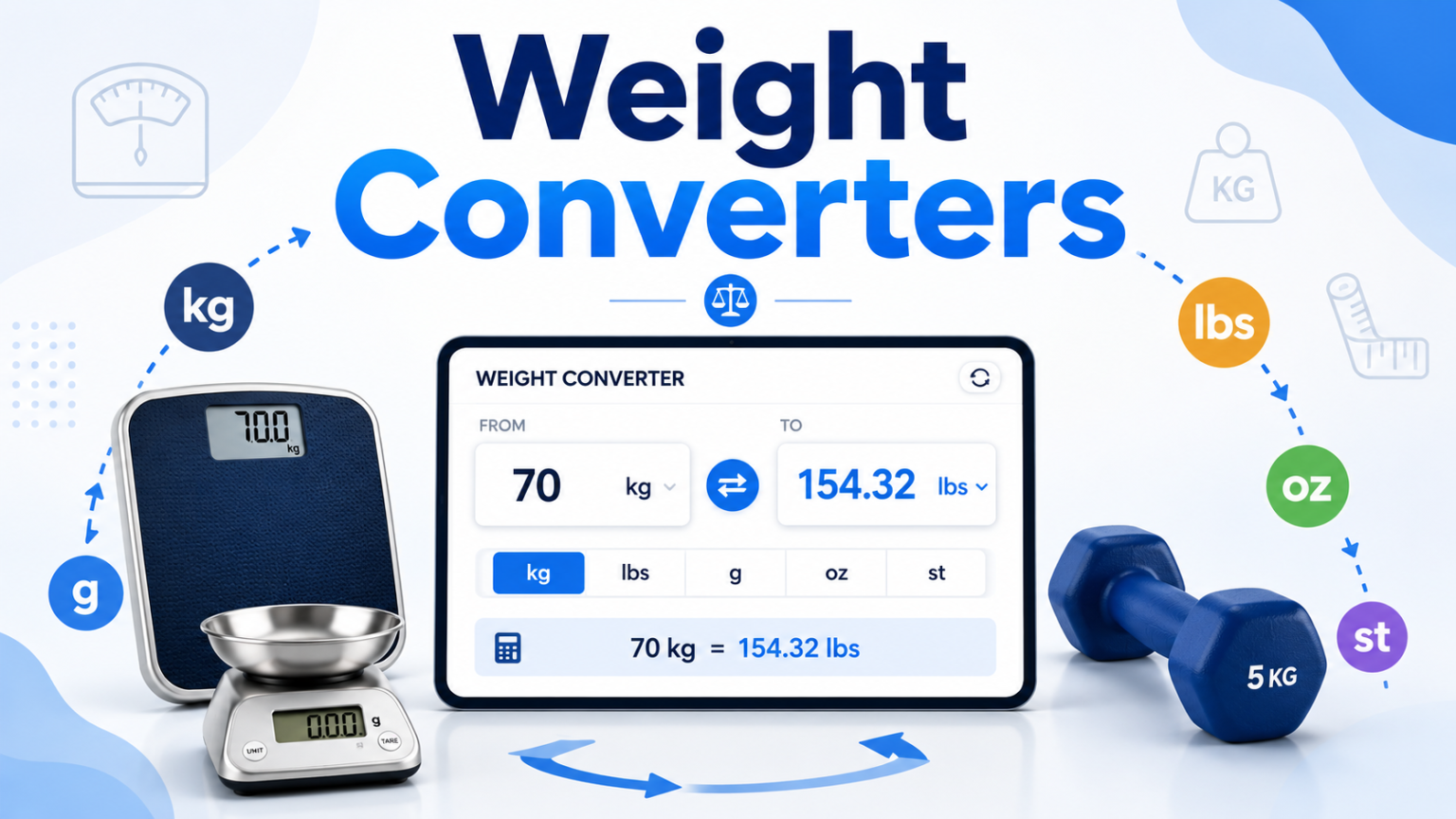
Converting weight from one unit to another may seem like a simple task. However, it can become confusing when you work with different measurement systems. A recipe may use grams, while your kitchen scale shows ounces. Similarly, a shipping company may list a package in kilograms, while the delivery calculator asks for pounds. These small differences can create unnecessary confusion.
A Weight Converter makes this process much easier. Instead of searching for conversion formulas or calculating numbers manually, you can enter the value, select the units, and get the result almost instantly. This approach saves time and reduces the risk of common calculation mistakes. It also helps people handle different measurement systems without needing to memorize complicated conversion factors.
Why Is Weight Conversion Important?
Weight conversion plays a role in many everyday activities. You may need it while cooking, shopping online, exercising, studying, or sending a package. International websites often use metric measurements, while many American websites continue to use pounds and ounces.
For example, a product might weigh 5 kilograms, but you may want to know its weight in pounds before purchasing it. A simple conversion can provide the information you need. The same principle applies when you follow a recipe from another country or compare product specifications from different manufacturers.
Manual calculations can also become difficult when you work with unfamiliar units. Therefore, using a Weight Converter gives you a convenient way to handle these situations without unnecessary effort.
What Weight Units Can You Convert?
Weight measurement includes many units. Some appear in everyday situations, while others have specific uses in particular industries.
Kilograms and grams are among the most common metric units. People use them for groceries, food ingredients, body weight, and product measurements. Milligrams are useful when measuring very small quantities, particularly in scientific and pharmaceutical settings.
The imperial system includes pounds and ounces. These units appear frequently in the United States and remain common in cooking, fitness, retail, and shipping. Stones also remain familiar in the United Kingdom and Ireland, especially when people discuss body weight.
Other units have more specialized purposes. Metric tons and short tons help businesses measure large quantities of materials. Precious metal markets often use troy ounces instead of standard ounces. Meanwhile, jewelers use carats when measuring gemstones.
A good Weight Converter should make it easy to move between both common and less familiar units. This saves you from searching for separate conversion formulas whenever you encounter an unfamiliar measurement.
Why Is Manual Conversion Difficult?
Manual conversion does not always produce reliable results. Even when you know the correct formula, you can make a mistake while entering or multiplying the numbers. A misplaced decimal point can change the final answer considerably.
The problem becomes greater when you need several conversions. Suppose you start with stones and pounds and want the final result in kilograms. You may need to complete more than one calculation. Each additional step creates another opportunity for an error.
People also tend to rely on rounded conversion factors. While approximations work for quick estimates, they may not provide enough accuracy for professional tasks. Shipping calculations, scientific measurements, and commercial transactions often require more precise results.
A digital tool removes much of this uncertainty. It performs the calculation consistently and provides the result without requiring you to remember the formula.

How Accurate Is an Online Weight Converter?
Accuracy depends on the conversion standards and formulas used by the tool. Reliable converters use established relationships between measurement units. For example, one kilogram equals approximately 2.20462 pounds.
The number of decimal places also matters. Everyday tasks usually do not require extreme precision. However, scientific work, jewelry measurements, and other specialized applications may require additional decimal places.
A useful Weight Converter should display enough digits to support the purpose of the calculation. At the same time, users should understand that displayed values may involve rounding. The tool may calculate a highly precise result internally but show only a selected number of decimal places.
For ordinary tasks, this rounding rarely creates a meaningful problem. However, professionals who work with strict measurement requirements should always check the precision they need before using the result.
Who Can Benefit From Weight Conversion Tools?
Almost anyone can benefit from quick weight conversions. However, some users need them more frequently than others. A simple conversion tool can save time and make everyday tasks much easier. It also helps users avoid common mistakes when working with unfamiliar measurement units.
Home Cooks and Bakers
Cooking often involves measurements from different countries. An American recipe may use ounces and pounds, while a European recipe may list ingredients in grams. Bakers especially need accurate measurements because small changes in ingredient quantities can affect the final result.
A converter helps cooks translate measurements quickly. As a result, they can follow international recipes without constantly searching for conversion formulas.
Fitness Enthusiasts
People who track their body weight or workout progress may encounter different measurement systems. One fitness app might use kilograms, while another uses pounds. A converter makes it easier to maintain consistent records.
It can also help when users compare fitness programs, equipment specifications, or international training resources.
Online Shoppers
Product descriptions do not always use the same units. A website may list a product in kilograms, while a buyer thinks in pounds. Converting the measurement gives shoppers a clearer idea of the item’s actual weight.
This information can also help when estimating shipping requirements or comparing similar products.
Businesses and Logistics Professionals
Weight conversions play an important role in shipping and international trade. Businesses often move products between countries that use different measurement systems. Accurate figures can help companies calculate shipping costs and communicate product specifications clearly.
A reliable converter also reduces the time employees spend performing repetitive calculations. Therefore, it can support smoother day-to-day operations.
Make Weight Conversion Faster and Easier
Weight conversion does not need to involve complicated formulas or repeated calculations. With the right online tool, you can convert measurements quickly and focus on the task that actually matters.
Whether you are preparing an international recipe, checking your fitness progress, comparing products, or managing shipping information, a Weight Converter can simplify the process. It reduces manual work, limits common calculation errors, and provides convenient access to multiple measurement units.
For quick and dependable conversions, you can use a free converter and get your results within seconds. Instead of worrying about conversion factors, you can spend your time on the task itself. Accurate measurement starts with using the right units, and a reliable conversion tool makes that process much easier.
Final Thoughts
Weight conversion has become a simple part of many everyday tasks. From cooking and fitness tracking to online shopping and business shipping, people often need to switch between different measurement units. Doing these calculations manually can take time and may lead to avoidable mistakes.
A reliable Weight Converter offers a faster and more convenient solution. It lets you convert measurements without memorizing formulas or performing complicated calculations. Most importantly, it helps you work confidently with both metric and imperial units.
Whether you need to convert grams to ounces, kilograms to pounds, or tons to another measurement, an online converter can make the process easier. With accurate results available within seconds, you can save time and focus on what matters most. Therefore, keeping a dependable conversion tool within reach can make everyday measurement tasks much simpler.
Author


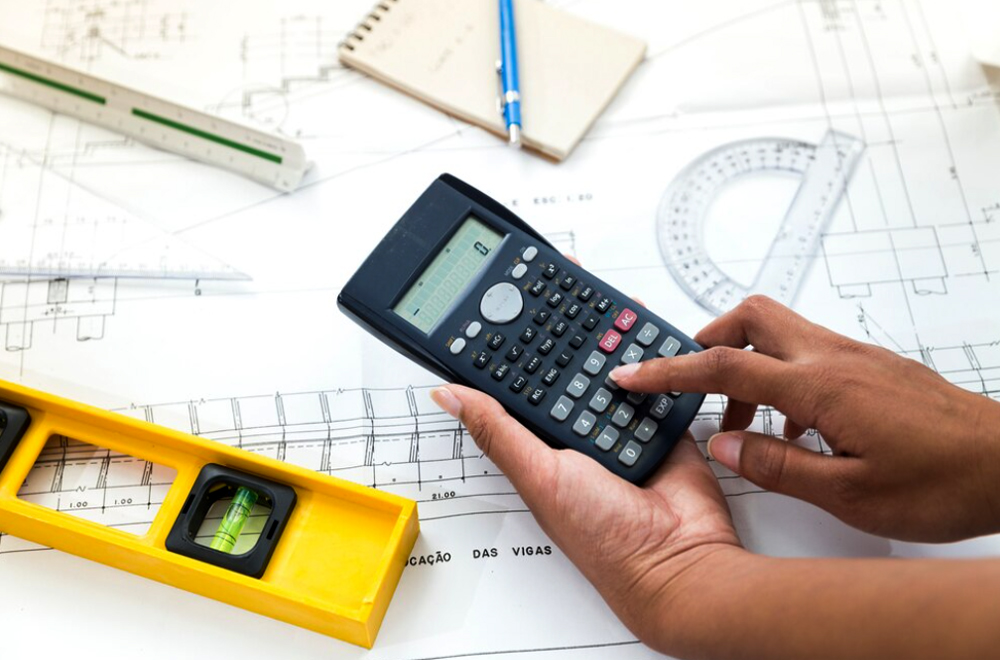
An 8-by-8 space may look simple, but it appears in many everyday projects. You might use these dimensions for a garden bed, storage shed, bedroom, patio, deck, or small office. Before starting a project, you need accurate measurements to estimate materials and costs. A free 8×8 Calculator can make this process much easier. It can help you determine area, perimeter, flooring needs, paint coverage, concrete volume, and other measurements without relying on manual calculations.
Whether you are planning a home improvement project or checking measurements for a small outdoor space, understanding the basic calculations can help you avoid waste and unexpected expenses.
What Does 8×8 Mean?
The term “8×8” usually describes a space that measures 8 feet by 8 feet. However, the same dimensions can use inches, meters, yards, or another measurement unit. Therefore, always confirm the unit before starting your calculation.
For example, an 8-by-8-foot room has a much smaller footprint than an 8-by-8-meter room. The numbers look identical, but the actual area differs considerably.
When you enter the correct measurements into an 8×8 Calculator, you can quickly determine the size of the space and use that information for the next stage of your project.
How Much Area Does an 8×8 Space Cover?
Calculating the area requires a simple multiplication:
Length × Width = Area
For an 8-by-8-foot space:
8 × 8 = 64 square feet
So, an 8-by-8-foot area covers 64 square feet. This measurement can help you estimate flooring, carpeting, tiles, turf, decking, mulch, or other materials that cover a surface. The calculation remains the same when you change the unit. An 8-by-8-meter area covers 64 square meters. The important point is to keep the same unit for both length and width.
What Is the Perimeter of an 8×8 Space?
The perimeter tells you the total distance around the outside of the space. You can calculate it by adding all four sides. For an 8-by-8-foot area:
8 + 8 + 8 + 8 = 32 feet
Therefore, the perimeter equals 32 feet. This measurement becomes useful when you plan fencing, trim, baseboards, edging, or other materials sold by linear feet. An 8×8 Calculator can also make this calculation faster when you need to compare several measurements.
Flooring Requirements for an 8×8 Room
An 8-by-8-foot floor contains 64 square feet. However, you should not order exactly 64 square feet of flooring. Most flooring projects require additional material because of cutting, mistakes, damaged pieces, and pattern matching. A common approach involves adding around 5% to 10% for waste. That puts your estimated requirement at roughly 67 to 71 square feet.
If the flooring comes in boxes, check how many square feet each box covers. Then round your purchase up to the next complete box. This approach helps prevent shortages during installation.
Estimating Paint for an 8×8 Space
Paint calculations require more than the floor dimensions. You also need the height of the walls, the number of doors and windows, and the number of coats you plan to apply.
For example, if the room has 8-foot walls, each wall measures 8 feet by 8 feet. Four walls would therefore provide approximately 256 square feet of wall surface before subtracting doors and windows.
Most interior paints cover roughly 350 to 400 square feet per gallon for one coat, although coverage varies by product and surface. For two coats, you may need more paint. For a more precise estimate, use an 8×8 Calculator along with your actual wall height and openings.
Calculating Tiles for an 8×8 Area
Tile quantity depends on the size of each tile. A 12-by-12-inch tile covers one square foot. Therefore, covering a 64-square-foot area would require about 64 tiles.
However, you should purchase extra tiles. Cuts around corners and edges can create waste. Breakage can also occur during installation.
If you use 6-by-6-inch tiles, each tile covers one-quarter of a square foot. As a result, you would need approximately 256 tiles for the same 64-square-foot surface before accounting for waste.
Concrete for an 8×8 Slab
The required concrete depends on the slab’s thickness. An 8-by-8-foot slab covers 64 square feet.
For a 4-inch-thick slab, convert the thickness to feet first. Four inches equals one-third of a foot. Multiply 64 square feet by one-third of a foot, and you get about 21.3 cubic feet of concrete. That equals approximately 0.79 cubic yards.
A 6-inch slab would require about 1.19 cubic yards. Always confirm the required thickness and consider ordering a small amount of extra concrete to account for variations and spillage.
Pavers, Mulch, and Soil
An 8-by-8 patio covers 64 square feet. If you use 12-by-12-inch pavers, you would need approximately 64 pavers to cover the surface. Add extra pieces when your layout requires cuts or when the pavers may break.
Garden projects require a depth measurement as well. For example, a 64-square-foot garden bed with a 3-inch layer of mulch needs about 16 cubic feet, or 0.59 cubic yards, of material.
If you increase the depth to 12 inches, the requirement rises to 64 cubic feet, or about 2.37 cubic yards. This difference shows why depth matters when ordering bulk materials.
Estimating the Cost of an 8×8 Project
Once you know the area, estimating material costs becomes easier. Simply multiply the square footage by the price per square foot.
For example, if decking costs $8 per square foot, a 64-square-foot deck would have a basic material-and-labor estimate of $512. However, your final budget may include fasteners, supports, delivery, finishing products, permits, and waste. Using an 8×8 Calculator can help you organize these basic measurements before you contact suppliers or contractors.
Is an 8×8 Space Large Enough?
A 64-square-foot space can work well for several purposes. It may serve as a compact office, storage shed, small bedroom, craft room, or walk-in closet. However, the space can feel limited if you add large furniture or need generous walking areas. Before choosing an 8-by-8 layout, consider doors, windows, furniture, storage, and traffic flow. A simple floor sketch can also help you decide whether the dimensions meet your needs.
You should also think about how you plan to use the space every day. For example, a home office may need a desk, chair, shelves, and enough room to move comfortably. A storage shed may require more open floor space for tools, equipment, or seasonal items. Lighting and ventilation also matter, especially when you plan to use the space as a bedroom, office, or hobby area. Try different furniture arrangements before making a final decision. This small step can help you make better use of every available square foot.
Finally, check local building requirements if you plan to construct a permanent structure. Rules may apply to setbacks, electrical work, ventilation, or minimum room sizes. Careful planning can help you turn an 8-by-8 space into a practical and comfortable area without wasting valuable room.
Final Thoughts
An 8-by-8 space provides a straightforward starting point for many construction, gardening, and home improvement projects. At 64 square feet, it offers enough room for practical uses while remaining easy to measure and plan.
An 8×8 Calculator can simplify the math and help you estimate area, perimeter, material quantities, and basic project costs. Still, always verify your measurements and check the manufacturer’s coverage recommendations before purchasing materials. With accurate numbers and a little planning, you can reduce waste, control your budget, and approach your next project with greater confidence.
Author


Wallpaper is one of the easiest ways to transform the look and feel of a room. Whether you want to create a bold feature wall or refresh an entire living space, choosing the right wallpaper can completely change your interior. However, before you begin your project, one important question needs an accurate answer: How many wallpaper rolls do you need?
Ordering too few rolls can delay your project, especially if the design becomes unavailable or comes from a different production batch. On the other hand, purchasing too many rolls increases your overall costs and leaves you with unused material.
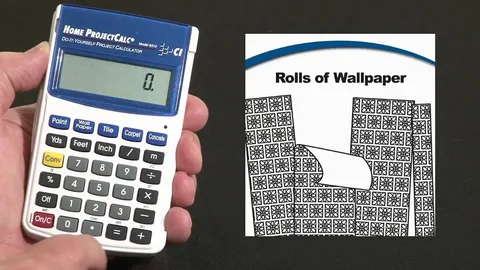
Fortunately, a Wallpaper Calculator removes the guesswork from the process. It quickly estimates the number of rolls required by considering your room dimensions, wallpaper size, and pattern repeat. As a result, you can purchase the correct quantity with greater confidence while avoiding unnecessary waste.
What Is a Wallpaper Calculator?
A wallpaper calculator is an online tool designed to estimate the number of wallpaper rolls needed for a specific room or wall. Instead of performing multiple manual calculations, you simply enter the required measurements, and the calculator provides an accurate estimate within seconds.
Most wallpaper calculators require information such as:
- Wall height
- Wall width
- Number of walls
- Wallpaper roll dimensions
- Pattern repeat
- Doors and windows (optional)
Once you provide these details, the calculator automatically determines the total wallpaper requirement.
This makes the tool valuable for homeowners, interior designers, decorators, contractors, and anyone planning a wallpaper installation project.
Why Accurate Wallpaper Calculations Matter
Accurate planning saves both time and money. Even small measuring mistakes can affect the final result, particularly when working with patterned wallpaper.
A reliable wallpaper estimate helps you:
- Avoid ordering too few rolls
- Prevent unnecessary material waste
- Reduce overall project costs
- Complete installation without delays
- Ensure all rolls come from the same production batch
Because wallpaper production batches can vary slightly in color, ordering the correct quantity at the beginning helps maintain a consistent appearance throughout the room.
Common Factors That Affect Wallpaper Requirements
Many people assume wallpaper calculations involve only measuring wall dimensions. In reality, several additional factors influence the total number of rolls required.
Pattern Repeat
Pattern repeat refers to the distance between identical points within the wallpaper design. Wallpapers with larger patterns require installers to align each strip carefully.
This matching process creates additional trimming waste, increasing the amount of wallpaper needed.
For example:
- Small or random patterns require minimal extra material.
- Medium patterns require moderate trimming.
- Large geometric or decorative patterns generate more waste.
A quality wallpaper calculator automatically accounts for this additional material.
Ceiling Height
Higher ceilings require longer wallpaper strips. Although the floor area remains the same, taller walls reduce the number of strips available from each roll.
As ceiling height increases, so does the total wallpaper requirement.
Doors and Windows
Doors, windows, and built-in features reduce the amount of wall surface requiring wallpaper.
However, installers cannot always reuse leftover material efficiently because pattern matching often limits usable offcuts.
Most wallpaper calculators allow users to subtract these openings while still accounting for practical installation waste.
Room Shape
Standard square or rectangular rooms are generally easy to calculate.
However, rooms containing alcoves, angled walls, bay windows, fireplaces, or architectural features require more detailed measurements. Fortunately, modern wallpaper calculators handle these variations much more accurately than manual estimates.

How a Wallpaper Calculator Works
Although online calculators simplify the process, understanding the basic calculation helps you verify your results.
Step 1: Measure Wall Dimensions
Begin by measuring the height and width of every wall that will receive wallpaper.
Multiply each wall’s height by its width to determine its surface area.
For example:
- Wall Height × Wall Width = Wall Area
Repeat this calculation for every wall before adding the totals together.
Step 2: Calculate Total Wall Area
Add the surface area of every wall to determine the total wallpapering area.
For example:
- Wall 1 Area
- Wall 2 Area
- Wall 3 Area
- Wall 4 Area
Adding these measurements gives the total wall surface.
Step 3: Subtract Doors and Windows
Measure any doors, windows, or permanent openings that will not receive wallpaper.
Calculate their surface area and subtract it from the total wall area.
Although this reduces the wallpaper requirement, remember that some waste remains unavoidable because installers must still align wallpaper patterns correctly.
Step 4: Determine Wallpaper Roll Coverage
Different wallpaper manufacturers produce rolls in varying sizes.
A standard wallpaper roll generally covers between 25 and 30 square feet of usable wall space. However, actual coverage depends on:
- Roll length
- Roll width
- Pattern repeat
- Installation method
Always verify the manufacturer’s specifications before purchasing.
Step 5: Allow for Pattern Waste
Pattern matching often increases wallpaper consumption.
Depending on the design, installers typically allow an additional 10% to 25% material for trimming and alignment.
Large floral, geometric, or decorative patterns generally require the highest allowance.
Step 6: Divide by Roll Coverage
Finally, divide the adjusted wall area by the usable coverage provided by one wallpaper roll.
Always round the result upward to the nearest whole roll.
Ordering one extra roll remains the safest option, particularly for expensive or discontinued wallpaper collections.
Why Pattern Repeat Makes Such a Difference
Pattern repeat remains one of the most overlooked aspects of wallpaper estimation.
When installers align repeating designs, they often trim away perfectly usable wallpaper simply to maintain visual consistency across adjoining strips.
The larger the pattern, the greater the trimming loss.
For example:
- Plain wallpaper produces minimal waste.
- Textured wallpaper requires slightly more trimming.
- Large floral designs require additional material.
- Bold geometric patterns often create the highest level of waste.
A wallpaper calculator automatically incorporates these adjustments, making the estimate much more accurate than basic square-foot calculations.
Tips for Ordering the Right Amount of Wallpaper
Proper planning helps prevent delays and unnecessary expenses.
Measure Carefully
Always measure every wall individually rather than assuming opposite walls have identical dimensions.
Even small differences can affect the total roll count.
Round Up Instead of Down
Ordering one additional roll costs far less than interrupting the installation while waiting for replacement material.
Extra wallpaper also proves useful for future repairs.
Purchase All Rolls Together
Wallpaper manufactured in different production runs may display slight variations in color or finish.
Buying every roll at the same time helps ensure consistent appearance across all walls.
Keep One Spare Roll
Saving one unopened roll allows you to replace damaged sections years later without struggling to find matching wallpaper.
This recommendation becomes especially valuable for custom or limited-edition designs.
Confirm Roll Dimensions
Not every wallpaper roll uses the same measurements.
Some manufacturers sell single rolls, while others package wallpaper as double rolls.
Always check the product specifications before relying on standard coverage estimates.
Benefits of Using an Online Wallpaper Calculator
Manual calculations become increasingly complicated as room layouts grow more complex.
An online Wallpaper Calculator offers several important advantages.
Faster Results
Instead of performing multiple mathematical calculations, you simply enter your room dimensions and receive an instant estimate.
Improved Accuracy
Professional calculators consider variables such as roll size, wall height, and pattern repeat, producing more reliable estimates.
Reduced Material Waste
Accurate planning helps prevent unnecessary over-ordering while ensuring sufficient wallpaper for the entire project.
Better Budget Planning
Knowing the exact number of wallpaper rolls needed allows homeowners and contractors to estimate project costs more accurately before placing an order.
Suitable for Every Project
Wallpaper calculators work equally well for:
- Accent walls
- Bedrooms
- Living rooms
- Hallways
- Dining rooms
- Offices
- Commercial interiors
Whether the project involves one wall or an entire property, the calculation process remains simple.
When Should You Use a Wallpaper Calculator?
A wallpaper calculator proves useful whenever you plan to install wallpaper, regardless of project size.
It becomes especially valuable when:
- Using expensive wallpaper
- Installing large-pattern designs
- Decorating irregularly shaped rooms
- Purchasing imported wallpaper
- Ordering custom wallpaper
- Working with limited production collections
In these situations, accurate estimates help avoid costly mistakes and unnecessary delays.
Final Thoughts
Wallpaper installation begins long before the first strip reaches the wall. Accurate measurements form the foundation of every successful decorating project.
A Wallpaper Calculator simplifies what would otherwise be a time-consuming process. Instead of estimating manually, you receive a reliable roll count based on your room dimensions, wallpaper specifications, and pattern repeat. This accuracy helps reduce waste, control costs, and ensure your project progresses without interruptions.
Whether you’re updating a single feature wall or decorating an entire home, taking a few minutes to calculate your wallpaper requirements can save significant time, money, and frustration. Using a dependable wallpaper calculator ensures you purchase the right amount of wallpaper the first time, making your decorating project smoother, more efficient, and far more enjoyable.
Author



Cash Only A Modern Approach to Everyday Streetwear

Kentucky Bourbon Trail Tours What Is Included and How to Plan a Trip

Point Cloud to BIM for Renovation Projects: From 3D Scanning

Malware Protection Solutions for Business Data Security

Balance With Dedicated Oversight From the Best Virtual Psychiatrist

Make Gifts Memorable with Custom Shaped Rigid Boxes

Brooklyn Creativity, Streetwear, Art, and Fashion

CAD vs. BIM: Which Workflow Is Right for Your Project?

Top 25 Podcast Marketing Firms Based in the United States

QuickBooks Bank Feeds Not Working: Expert Fix Guide

Cybersecurity Consulting Company SequelNet Provides Critical IT Support Services to Medical Billing Firm, Medical Optimum

Meet the Megalodon: The Shark Star of ‘Meg 2’

Reduce Video Game Lag: Level Up Your Gaming Performance

Balancing India’s Entertainment: Cricket vs. Bollywood

Jetsetter’s Secrets: Unveiling Our Favorite Travel Hacks for a Seamless Adventure

The 5 Best Live Sports Streaming Sites: Legal and Exciting!

Hollywood Labor Unrest: The Impact of ‘What About Us?’ Strikes

Unveiling the Magic of Dream Fulfillment at the Late NBA Draft

Illuminate Your Skin: Dr. Axe Unveils Natural Remedies for Lightening Knees and Elbows

Bright Choices: Navigating the Pros and Cons of Skin Whitening Creams with Dr. Axe
-

 Business3 years ago
Cybersecurity Consulting Company SequelNet Provides Critical IT Support Services to Medical Billing Firm, Medical Optimum
-
Entertainment3 years ago
Meet the Megalodon: The Shark Star of ‘Meg 2’
-
Entertainment3 years ago
Reduce Video Game Lag: Level Up Your Gaming Performance
-
 Sports3 years ago
Balancing India’s Entertainment: Cricket vs. Bollywood
-
Entertainment3 years ago
Jetsetter’s Secrets: Unveiling Our Favorite Travel Hacks for a Seamless Adventure
-
Productivity3 years ago
The 5 Best Live Sports Streaming Sites: Legal and Exciting!
-
Art /Entertainment3 years ago
Hollywood Labor Unrest: The Impact of ‘What About Us?’ Strikes
-
Sports3 years ago
Unveiling the Magic of Dream Fulfillment at the Late NBA Draft






