
Computer Electronic
Electronic Waste Recycling in Bangladesh: Safe E-Waste Solutions

By

Reviewed
By Ajay ghosh
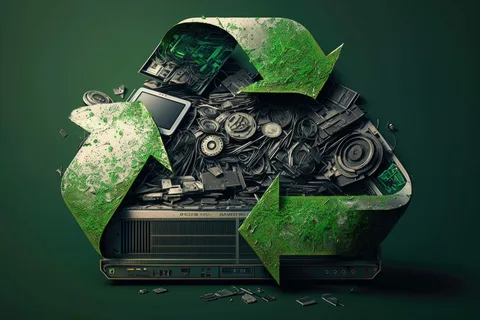
Have you ever wondered what to do with your old mobile phone? Perhaps you have a broken laptop or a dusty television sitting in a corner. If so, this article is written exactly for you. Electronic waste is currently one of the fastest-growing environmental crises in the entire world. Unfortunately, Bangladesh now finds itself at the very center of this massive problem.
Every single year, citizens across the country discard millions of electronic devices. Most of these items eventually end up in local landfills or open fires. Alternatively, they fall into the hands of informal recyclers. These workers usually do not understand how dangerous these devices truly are. Consequently, the negative impacts on our health, our clean water, and our future are incredibly serious.
However, there is good news to share. This massive environmental problem is completely solvable. We just need the right information and the right partners to handle the waste. Let us start right from the beginning to understand the issue clearly.
What Exactly is E-Waste?
A Simple Definition
The term e-waste is short for electronic waste. In simple words, it refers to any discarded electrical or electronic device that is no longer useful. It also applies to items that owners simply do not want anymore. The term covers a massive range of daily products. For example, it includes everything from basic smartphones to complex medical equipment.
To put it in the simplest terms possible, if an item runs on electricity or batteries and you are throwing it away, it counts as electronic waste.

The Hidden Value and Danger
The true meaning of electronic waste goes far beyond just old gadgets. These devices actually contain a highly complex mixture of physical materials. On one hand, they hold valuable precious metals like gold, silver, and copper. On the other hand, they contain highly toxic substances such as lead, mercury, and cadmium. This unique combination creates a major economic opportunity. However, it also creates a severe environmental emergency when people handle the items incorrectly.
Common Everyday Examples
You probably have electronic waste sitting inside your home right now. Many people store these items without even realizing it. Here are the most common examples:
-
Old mobile phones, tablets, and modern smartphones.
-
Laptops, desktop computers, and external hard drives.
-
Office printers, scanners, and digital photocopiers.
-
Televisions, computer monitors, and gaming consoles.
-
Large appliances like refrigerators, washing machines, and air conditioners.
-
Small kitchen tools like electric kettles, irons, and household fans.
-
Discarded batteries, charging cables, and portable power banks.
-
Advanced medical devices like X-ray machines and health monitors.
If an item uses a plug, contains a battery, or relies on a circuit board, it officially qualifies.

The Four Major Categories of Electronic Waste
Understanding the different types of electronic waste helps us realize the true scale of the problem. Expert organizations like the Global E-Waste Monitor classify this waste into several primary categories.
Category 1: Large Household Appliances
This category includes bulky items like refrigerators, washing machines, and microwaves. Air conditioners and dishwashers also belong here. People frequently leave these heavy items on the street. Alternatively, they sell them to local scrap dealers. This happens because citizens do not know the underlying risks. These large appliances often contain harmful refrigerants and insulating foam. These materials can release damaging greenhouse gases into the atmosphere if workers dismantle them incorrectly.
Category 2: IT and Telecommunications Equipment
This is currently the fastest-growing category of waste in Bangladesh. It includes laptops, desktop computers, routers, and modems. Mobile phones and servers also fall into this group. These devices are uniquely dangerous. They hold your private personal and business data long after you stop using them.
Category 3: Consumer Electronics
This group covers everyday entertainment items like televisions, digital cameras, and audio equipment. Older televisions are particularly hazardous to human health. In fact, a single old screen can contain up to four kilograms of toxic lead inside the glass.
Category 4: Industrial and Medical Equipment
This category includes large factory machinery, hospital devices, and laboratory instruments. People often overlook these items during environmental discussions. However, they can cause extreme harm if workers dispose of them improperly.
Why Electronic Waste Poses a Direct Threat
Harmful Effects on Human Health
The negative effects of electronic waste on human health are well-documented by global experts. According to official reports from the World Health Organization, exposure to these toxic substances causes severe medical issues.
For instance, lead poisoning directly causes brain damage and kidney failure. It also creates severe developmental issues in young children. Mercury exposure heavily damages the human nervous system. Cadmium acts as a toxic heavy metal that ruins kidney function over time. Furthermore, brominated flame retardants disrupt normal hormone functions and can cause cancer. Arsenic exposure leads to painful skin lesions and multiple types of tumors.
Informal workers are always at the highest risk. They routinely burn electronics or use dangerous acid-stripping methods to recover precious metals. However, nearby communities also suffer immensely. Children face constant exposure through contaminated soil, polluted air, and poisoned water networks. The toxins simply do not stay in one place. They leach into groundwater and enter our food chain easily.
Severe Environmental Destruction
The environmental impact of electronic waste is wide-ranging and lasts for decades. Heavy metals seep deep into the ground. They destroy soil fertility for generations. Electronic waste also contaminates local rivers. This ruins the water that communities use for drinking and farming.
Additionally, burning plastic wires releases highly toxic chemicals into the air, such as dioxins and furans. This practice causes intense air pollution. Finally, this contamination destroys local ecosystems. It directly harms fish, birds, and plant life. The toxic materials do not disappear when we throw them away. Instead, they transform into invisible poisons that ruin our natural world.
The Hidden Danger: Data Security Risks
Here is a major issue that most people in Bangladesh completely overlook. Your old phone or laptop still contains your private data.
You might sell your old device to a roadside dealer. You might hand it over to an informal recycler. In both cases, your private photos and account passwords remain vulnerable. Bad actors can easily recover your bank details, contact lists, and business files. A basic factory reset is simply not enough to erase this data safely.
For modern businesses, this issue creates a massive legal and financial risk. Third parties can extract customer data and corporate records from old hard drives. Therefore, certified data destruction is a critical part of responsible disposal.
The Escalating Crisis in Bangladesh
The electronic waste problem in Bangladesh is expanding at an alarming rate. According to recent data from the Global E-Waste Monitor, the country now generates approximately 400,000 metric tons of electronic waste every year. Despite this massive number, formal recycling rates remain critically low. Experts estimate that we formally recycle less than 3% of the total waste generated.
The rapid growth of the middle class drives this volume higher. Increasing smartphone usage and quick technology upgrades also accelerate the crisis. Devices are becoming cheaper and more accessible. Consequently, people discard them much faster than before.
The Bangladesh Department of Environment acknowledges this crisis as a major threat. The government previously introduced the Hazardous Waste Management Rules to control the issue. However, enforcing these rules and building proper infrastructure remain massive challenges on the ground.
Right now, most electronic waste ends up in unsafe locations. Street scrap dealers buy old devices solely for their metal weight. They operate with absolutely no environmental controls. Other items pile up in open landfills where toxins leach freely.
A large portion goes to informal recycling hubs in cities like Dhaka and Chattogram. Workers manually smash devices and burn cables to extract copper. These workers use no protective equipment. They handle toxic chemicals with their bare hands in areas with zero ventilation. This crude process creates a highly dangerous environment for nearby neighborhoods.
Transitioning to Safe Disposal Methods
Making the switch to responsible disposal methods protects everyone. It is important to understand the massive difference between safe and unsafe paths.
For example, throwing electronics into your regular household trash causes severe landfill pollution. Instead, you should always use authorized electronic waste collection points. Selling items to roadside scrap dealers fuels the dangerous informal recycling system. The right choice is to hand your devices over to certified corporate recyclers.
Furthermore, informal workers regularly burn cables to recover valuable metal. This releases toxic smoke into the air. Professional recycling companies use safe disassembly methods and clean material separation. They ensure a 100% landfill-free process. Finally, businesses must avoid leaving old computers in storage indefinitely. They should schedule a corporate pickup with a licensed company. This ensures certified data destruction instead of a basic factory reset.
Crucial Steps to Take Before Recycling Your Device
Before you hand over any electronic device to a recycling center, you must protect your privacy. Follow these simple steps carefully:
-
Back up your data: Save all your important files to a secure cloud storage account or an external hard drive.
-
Log out of all profiles: Disconnect from your Gmail, Facebook, and personal banking applications.
-
Remove physical cards: Always take out your SIM card and external memory cards from the device.
-
Perform a factory reset: This step helps clear the system, but it is not completely secure on its own.
-
Obtain a data destruction certificate: Request an official certificate from your recycling partner. This step is completely mandatory for businesses to ensure data security.
JSM Recycling Ltd: Leading the Change in Bangladesh
Fortunately, JSM Recycling Ltd is actively working to solve this massive crisis. They stand out as Bangladesh’s leading government-authorized electronic waste recycling firm. The company has achieved over eight years of completely landfill-free operations. JSM Recycling Ltd ensures that every single collected device undergoes responsible processing. They focus heavily on zero toxic dumping and complete material recovery.
Their specialized facility follows strict certified processes for dismantling and separating materials. This clean system dramatically reduces the need to mine new raw materials. Most importantly, it keeps dangerous toxins entirely out of our local environment.
The company operates with full authorization from the Bangladesh Department of Environment. This status allows them to issue official environmental compliance documentation to corporate clients. For local businesses that need to prove their environmental responsibility, this documentation is absolutely essential.
Furthermore, their certified data destruction service guarantees that old hard drives are completely wiped or physically destroyed. The process is fully verifiable. Clients receive an official document confirming that their private data no longer exists.
To make the process as easy as possible, JSM Recycling Ltd provides two convenient programs. First, they offer a free corporate pickup service. Businesses, factories, and educational institutions can schedule a bulk collection from their office at absolutely no cost. Second, they host community drop-off events. The company has organized over 130 events across Bangladesh. These events allow regular households to dispose of their old electronics safely and easily near their homes.
Final Thoughts
Electronic waste is far more than just a collection of old gadgets. It represents a major environmental emergency, a direct threat to human health, and a massive data security risk. Bangladesh faces an urgent version of this problem every day.
The solution always begins with personal awareness. Your next step must be direct action. Whether you are a student, a homeowner, or a corporate leader, you have the power to make a better choice. Do not throw your old gadgets into the trash. Avoid handing them to unverified roadside dealers. Choose certified, safe, and entirely responsible recycling to protect our country’s future.
Author


Microsoft Outlook is a widely used email client for both personal and business communication. It supports multiple data formats i.e. OST and PST. However, there are instances when users need to convert OST files into PST files, especially when migrating to a new computer, or if they need to import emails into a new Outlook profile. This article explores the best methods to convert OST to PST file for Microsoft Outlook.
Why Convert OST File to PST?
Before delving into the conversion process, it is essential to understand why converting an OST file to a PST file might be necessary. Here are a few scenarios:
Corruption of OST File: If an OST file becomes corrupted or inaccessible due to system errors or other issues, converting it to PST can help recover the data.
Account Disconnection: When a user’s Exchange account is deleted, or if they need to move data from one Outlook profile to another, converting the OST file to a PST file becomes essential.
Backup and Archiving: Some users prefer to back up their emails and other Outlook data in the PST format for offline access or long-term storage.
Method1: Manual Methods to Convert OST to PST
There are two primary manual methods that users can utilize to convert OST files to PST. Although these methods can be effective, they may be time-consuming and require technical knowledge.
Using Outlook Export Feature:
Microsoft Outlook has an in-built feature to export mailbox data to a PST file. This is a straightforward method for users who still have access to their Outlook profile and account.
- Open Outlook and go to the File tab.
- Select Open & Export from the menu.
- Click on Import/Export.
- Choose Export to a file and click Next.
- Select Outlook Data File (.pst) and click Next.
- Choose the mailbox folder that you want to export, including subfolders.
- Choose a location to save the PST file and set options for duplicates.
- Click Finish, and Outlook will generate the PST file.
Note: This method works only if the OST file is still connected to a working Outlook profile and an active email account. Some users may seam this task little bit difficult or time consuming. This method may not work for large OST files or users who have already lost access to their Exchange account.
Method2: Professional Solution to Convert OST to PST
For users who face issues with manual methods or need to convert large OST files efficiently, utilizing third-party tool like EmailsGuru OST to PST converter tool is a reliable option. It user-friendly tool that can convert OST files to PST while preserving email folders, attachments, and metadata. This tool offer advanced features that automate the conversion process.
It is known for its powerful recovery and conversion features. It recovers corrupted or inaccessible OST files and convert them into PST format seamlessly. This tool typically provide free trial version to all users without investing in it.
Why Choose the OST to PST Converter?
Easy OST to PST Conversion: One of the primary benefits of EmailsGuru OST to PST Converter is its user-friendly interface. Users can follow a straightforward process to load an OST file, scan its contents, and convert the required mailbox data into PST format. This can be helpful for users who want a simpler alternative to complex manual procedures.
Supports Inaccessible OST Files: OST files may become inaccessible due to profile deletion, account disconnection, or other Outlook-related issues. Specialized conversion software can help users extract recoverable mailbox data from supported OST files without relying on the original Outlook profile. The success of recovery depends on the file’s condition, encryption, and software compatibility.
Preserves Email Attachments and Information: Email attachments and message details are important for professional communication and recordkeeping. A reliable OST to PST conversion process should preserve email content, sender and recipient details, dates, and supported attachments. This helps users maintain important business correspondence during migration or recovery.
Maintains Folder Structure: Managing a large mailbox becomes easier when emails remain organized. A suitable OST to PST converter can retain the original folder hierarchy, including folders such as Inbox, Sent Items, Drafts, and other supported mailbox folders.
Convenient for Large Mailboxes: Businesses and individual users may have OST files containing thousands of emails and numerous attachments. Dedicated conversion software can make bulk mailbox processing more convenient than manually transferring messages.
Helps Migrate Outlook Data: PST files are commonly used for Outlook data storage, archiving, and transferring mailbox information. Converting OST data into PST format can help users move supported email data into another Outlook environment or maintain a separate archive for future reference.
Saves Time and Effort: Manual recovery and mailbox migration can involve several technical steps. EmailsGuru OST to PST Converter aims to simplify the process by providing a dedicated conversion workflow. This can reduce repetitive work and make mailbox management more convenient for users with limited technical experience.
Conclusion
Converting OST file to a PST file in Microsoft Outlook is a common task that users may face due to various reasons, such as data corruption, account disconnection or backup purposes. While manual methods, such as using the Export feature is available but using third-party OST to PST converter software is often the best solution, especially for handling large or corrupted files.
Frequently Asked Question
Q1. Is EmailsGuru OST to PST Converter suitable for beginners?
Answer: A user-friendly interface and step-by-step conversion workflow can help beginners convert OST files without extensive technical knowledge.
Q2. Is it necessary to back up an OST file before conversion?
Answer: Yes. Keeping a backup of the original OST file is recommended to protect important mailbox data if the conversion process encounters an error.
Q3. How do I verify the converted PST file?
Answer: After conversion, open the PST file in a compatible Outlook environment and check emails, attachments, dates, and folder structure to confirm that the expected data has been transferred successfully.
Author


 Buying a laptop does not always mean spending a large amount on a brand-new device. A professionally refurbished or second-hand laptop can be a practical option for people who want reliable computing within a planned budget. Whether you are a student, working professional, freelancer, or business owner, choosing the right second hand laptop in Delhi can help you meet your everyday technology needs without stretching your budget.
EazyPC offers new and professionally refurbished laptops from trusted brands, giving buyers different options based on their requirements and preferences. Before purchasing, it is important to understand the laptop’s specifications, physical condition, and performance. This guide explains what to consider when looking for a second-hand laptop and how to make a suitable choice.
Why Consider a Second Hand Laptop in Delhi?
Delhi has a wide range of laptop buyers, including students, office professionals, entrepreneurs, freelancers, and home users. Their computing requirements can vary, but many people look for a device that offers useful features at a reasonable price.
A second-hand laptop can be worth considering for several reasons:
- Budget-conscious purchase: It may provide access to useful laptop configurations at a lower purchase cost than a comparable new model.
- Business and office work: Many business-oriented laptops are suitable for documents, spreadsheets, presentations, emails, and routine office applications.
- Study and online learning: Students can explore suitable models for research, assignments, online classes, and browsing.
- Everyday computing: A suitable laptop can support entertainment, internet browsing, communication, and personal tasks.
- More configuration choices: Buyers can compare different brands, processor generations, RAM capacities, and storage options.
The best choice depends on the device’s actual condition and specifications rather than its price or brand name alone.
Who Can Benefit from a Second-Hand Laptop?
A second-hand laptop in Delhi can be suitable for different types of users. Understanding your daily requirements will help you select a device with the right configuration.
1. Students
Students often need laptops for online classes, assignments, presentations, research, and educational software. A suitable second-hand laptop can support these activities while helping students manage their technology budget.
Before purchasing, check the processor, RAM, storage, webcam, keyboard, and battery condition. These features can make a difference during regular study sessions.
2. Working Professionals
Office professionals commonly use laptops for emails, spreadsheets, document editing, video meetings, presentations, and business applications. A refurbished business laptop may be a practical option for these tasks.
Models from established business laptop ranges can be worth comparing because their configurations are often designed around workplace productivity.
3. Freelancers
Freelancers may need a laptop for communication, research, project management, content writing, browsing, and other professional tasks. The ideal configuration depends on the type of work.
For example, basic office tasks may require different specifications from graphic design, programming, or video editing. Consider your software requirements before selecting a model.
4. Small Businesses
Small businesses may need multiple laptops for employees, administrative work, customer communication, and everyday operations. Comparing professionally refurbished devices can help businesses explore different configurations within their equipment budgets.
Important Things to Check Before Buying a Second Hand Laptop
Choosing a second-hand laptop requires more attention than simply comparing prices. The following points can help you evaluate a device before making a purchase.
Processor
The processor affects how a laptop handles applications and everyday workloads. Check the processor brand, model, and generation before buying.
Intel Core i3, i5, and i7 processors are available across different generations and performance levels. Do not judge a laptop only by the processor name. Compare the complete processor model and its suitability for your intended tasks.
RAM
RAM helps a laptop manage running applications and multitasking. If you regularly work with multiple browser tabs, office applications, or other software, consider a configuration that can handle your workload comfortably.
Check the installed RAM capacity and whether the laptop supports future upgrades.
Storage Capacity
Storage determines how much space is available for documents, applications, photographs, videos, and other files.
Many buyers prefer SSD storage because it generally offers faster boot times and application loading than traditional HDD storage. Check the storage type, capacity, and overall condition before purchasing.
Battery Condition
Battery performance is an important consideration, especially if you travel or work away from a power outlet.
Ask about the battery’s condition and test how long it lasts during normal use. Battery backup can vary depending on the laptop model, age, configuration, and usage history.
Display and Keyboard
Inspect the display for visible marks, flickering, dead pixels, or unusual colour changes. Test the keyboard keys and touchpad to make sure they respond properly.
Also check the hinges, ports, speakers, webcam, Wi-Fi connectivity, and charging connection.
Physical Condition
Examine the laptop body for cracks, dents, loose hinges, damaged corners, or signs of improper handling. A clean appearance is useful, but functional testing is equally important.
Professionally Refurbished vs. Ordinary Used Laptops
The terms second-hand and refurbished are sometimes used interchangeably, but they do not always describe the same process.
A second-hand laptop generally refers to a device that has been previously owned and is being sold again. The level of inspection and preparation may differ from one seller to another.
A professionally refurbished laptop typically goes through a preparation process before resale. This may include inspection, testing, cleaning, and quality checks to assess its condition and functionality.
At EazyPC, refurbished laptops are inspected, tested, cleaned, and quality-checked before sale. This process helps buyers explore devices that have undergone checks rather than selecting a laptop based only on its appearance.
Always confirm the condition, included accessories, warranty terms, and available support before completing a purchase.
Which Laptop Configuration Should You Choose?
There is no single configuration that suits every buyer. Your choice should depend on how you plan to use the laptop.
| Usage | What to consider |
|---|---|
| Online classes and study | Suitable processor, sufficient RAM, SSD storage, webcam |
| Office applications | Reliable processor, adequate RAM, comfortable keyboard |
| Browsing and everyday use | SSD storage, suitable RAM, good battery condition |
| Programming | Processor performance, RAM, storage, software compatibility |
| Graphic design | Compatible processor, RAM, display quality, graphics capability |
| Business operations | Suitable configuration, connectivity, reliability, support |
For demanding applications, check the software’s recommended system requirements before selecting a laptop. A configuration suitable for browsing and documents may not be ideal for professional video editing or advanced design work.
Why Explore Second Hand Laptops at EazyPC?
Finding a suitable second hand laptop in Delhi involves comparing more than the model name and listed price. Buyers should consider product condition, specifications, intended use, and the seller’s preparation process.
EazyPC offers new and professionally refurbished laptops from trusted brands. Refurbished devices are inspected, tested, cleaned, and quality-checked before sale.
Buyers can explore different laptop options based on their computing requirements, whether they need a device for education, office productivity, freelancing, business activities, or everyday use.
When comparing available models, review the processor generation, RAM, storage, display size, battery condition, and other specifications. These details can help you understand whether a particular laptop is suitable for your needs.
Tips to Make a Better Buying Decision
Before finalising your purchase, keep these practical suggestions in mind:
- Set a budget: Decide how much you want to spend before comparing models.
- Identify your requirements: Make a list of the applications and tasks you regularly use.
- Compare specifications: Check the processor, RAM, storage, display, and connectivity.
- Inspect the device: Review its physical condition and test important components.
- Check battery performance: Understand the available battery backup.
- Ask about warranty: Confirm the applicable warranty coverage and conditions.
- Review the final configuration: Make sure the listed specifications match the device being offered.
Taking time to compare these details can help you avoid choosing a laptop that does not meet your expectations.
Conclusion
Finding the right second hand laptop in Delhi becomes easier when you understand your requirements and compare devices carefully. A professionally refurbished laptop can be a practical choice for students, professionals, freelancers, and businesses looking for everyday computing at a planned budget.
Before purchasing, pay attention to the processor, RAM, SSD storage, battery condition, display, and overall physical condition. Also review the inspection process and warranty details to understand what you are buying.
EazyPC provides new and professionally refurbished laptops from trusted brands, with refurbished devices inspected, tested, cleaned, and quality-checked before sale. By comparing specifications and selecting a laptop that matches your daily workload, you can make a more informed technology purchase.
Author



Getting help with a Microsoft product can feel confusing when you do not know which support channel to use. Microsoft offers several ways to contact its support team. The right option depends on the product, the type of problem, your location, and whether you use a personal or business account.
Microsoft also changes its support process from time to time. Therefore, users should check the official Microsoft support website before calling a number found elsewhere. This simple step can help you avoid outdated or incorrect contact information.
Whether you need help with Windows, Microsoft 365, Xbox, Azure, advertising, or a Microsoft Store purchase, there are several ways to get assistance. Here are the main options you can consider.
Check Microsoft’s Official Support Page First
The safest place to begin is Microsoft’s official support website. It provides information based on your country and the product you use. You can select the relevant service and view the support options available for your situation. This approach matters because Microsoft does not use one universal phone number for every customer. Support options can vary by region and product. Some users may see a phone option, while others may receive an online chat or callback option. The official support pages can also guide you toward troubleshooting articles. These resources often solve common problems without requiring you to contact an agent.
Contact Microsoft Through Online Chat
Online chat offers a convenient alternative when you do not want to wait on the phone. Microsoft’s Get Help experience can connect you with a virtual agent. The system first asks you to describe the issue.
For example, you could type “I cannot sign in to my account” or “My Microsoft 365 subscription is not working.” The virtual agent then provides relevant troubleshooting steps.
Follow the prompts and review the suggested solutions. If those steps do not solve the problem, the system may provide additional contact options. Depending on your account and issue, you may receive an option to request a callback or connect with a support representative.
For many users, this method provides a faster way to reach customer service because the system identifies the issue before connecting you with an agent.
Support for Microsoft Store Purchases
If your problem involves a Microsoft Store purchase, you may need a dedicated support channel. Store support can help with questions about purchases, orders, refunds, sales, and other shopping-related concerns.
Before contacting an agent, keep your order information nearby. Details such as the purchase date, order number, and account email can help the representative understand your situation.
However, technical problems may require a different support route. If an application fails to install or a device has a technical issue, use the appropriate Microsoft support page instead of treating the problem as a Store issue.
Xbox Support for Console and Account Problems
Xbox users have separate support options for gaming-related problems. You can visit Xbox Support and select the product or service that needs attention. The support process usually asks you to choose the specific issue. You might need help with your account, console, subscriptions, purchases, or another Xbox service.
After selecting the problem, Xbox may provide troubleshooting instructions. In some cases, you can also use online chat or request a phone call back. Sign in to your Xbox account before starting the support process. Your account information can help Microsoft identify your services and provide more relevant assistance.

Microsoft 365 Business and Admin Support
Business users have different support requirements from personal users. Microsoft 365 administrators can access support through the Microsoft 365 admin center. After signing in, open the Help and Support section. Depending on your subscription and issue, you may see options for chat, phone support, or a callback.
Business support may also require additional verification. Microsoft can ask for account details, tenant information, or other identification before connecting you with an agent.
Technical support may operate around the clock for eligible business customers. Billing support can follow different operating hours. Therefore, check the current support hours for your region before contacting customer service.
Advertising Support for Microsoft Ads
Businesses that advertise through Microsoft platforms can use dedicated advertising support. This option can help with advertising accounts, campaigns, billing questions, and other issues related to Microsoft advertising services. Depending on the issue, you may have access to online chat or phone assistance. Before contacting support, collect information about your advertising account and the campaign involved. Providing accurate details can reduce the time needed to identify the problem. It also helps the representative understand what happened and suggest the appropriate solution.
Azure and Developer Support
Azure users have access to support options designed specifically for cloud services. If you experience an Azure billing or subscription issue, you can use the Azure support portal to create a support request.
Technical assistance can depend on the support plan attached to your account. Check your subscription before submitting a technical request. Developers can also use Microsoft’s developer support resources. These services provide documentation, troubleshooting information, and options for submitting technical incidents.
When you submit a request, describe the problem clearly. Include relevant error messages, the affected service, and the steps that caused the issue. Clear information can help the support team investigate the problem more efficiently.
Be Careful With Unofficial Phone Numbers
You may find Microsoft phone numbers on forums, social media posts, blogs, or third-party directories. Some of these numbers may be outdated or incorrect.
Do not assume that a number is legitimate simply because it appears in a search result. Instead, verify the contact information through Microsoft’s official website.
This is especially important when someone asks for passwords, security codes, payment information, or remote access to your computer. A legitimate support process should follow appropriate security procedures. Using official channels gives you a safer way to reach customer service and reduces the risk of dealing with an impersonator.
Choose the Right Support Method
The best support method depends on your situation. Personal users can start with Microsoft’s Get Help or Contact Us pages. These tools can provide troubleshooting steps, chat, or callback options.
Microsoft 365 administrators should use the admin center. Xbox users should begin with Xbox Support. Azure customers should use the Azure portal and select the appropriate support option.
For purchases, use Microsoft Store support. For advertising problems, use Microsoft Ads support. Developers should use the dedicated developer resources. Most importantly, keep your account and product information ready. This can make the support conversation much smoother.
Final Thoughts
Microsoft provides several support channels instead of relying on one universal contact method. Phone support, online chat, callbacks, help articles, and specialized portals can all play a role.
Start with the official Microsoft website and select the product that matches your problem. Avoid relying on random phone numbers from third-party websites. If you need customer service, use the support route connected to your account and region whenever possible.
A little preparation can also save time. Keep your order number, account details, error messages, or subscription information available before contacting support. With the right channel and accurate information, you can reach the appropriate team and work toward resolving your issue more efficiently.
Author



QuickBooks Error H505: 9 Ways to Fix It

QuickBooks Migration Failed Unexpectedly: 9 Fixes That Work

Marriage Green Card Denied? What Happens Next and Can You Reapply?

Phantom Stock in India: Meaning, Benefits, Taxation, and How It Works

How to Choose Sweatpants: A Practical Guide

Are Chrome Hearts Tshirt Still Worth Buying in 2026?

Comme Des Garcons Converse Outfits That Make a Statement

Are Chrome Hearts Hoodies Still Worth Buying in 2026?

The New Parke Hoodie Looks Changing Everyday Streetwear

The Texas Guide to Booking Wellness and Longevity Care Online

Cybersecurity Consulting Company SequelNet Provides Critical IT Support Services to Medical Billing Firm, Medical Optimum

Meet the Megalodon: The Shark Star of ‘Meg 2’

Reduce Video Game Lag: Level Up Your Gaming Performance

Balancing India’s Entertainment: Cricket vs. Bollywood

Jetsetter’s Secrets: Unveiling Our Favorite Travel Hacks for a Seamless Adventure

The 5 Best Live Sports Streaming Sites: Legal and Exciting!

Hollywood Labor Unrest: The Impact of ‘What About Us?’ Strikes

Unveiling the Magic of Dream Fulfillment at the Late NBA Draft

Illuminate Your Skin: Dr. Axe Unveils Natural Remedies for Lightening Knees and Elbows

Bright Choices: Navigating the Pros and Cons of Skin Whitening Creams with Dr. Axe
-

 Business3 years ago
Cybersecurity Consulting Company SequelNet Provides Critical IT Support Services to Medical Billing Firm, Medical Optimum
-
Entertainment3 years ago
Meet the Megalodon: The Shark Star of ‘Meg 2’
-
Entertainment3 years ago
Reduce Video Game Lag: Level Up Your Gaming Performance
-
 Sports3 years ago
Balancing India’s Entertainment: Cricket vs. Bollywood
-
Entertainment3 years ago
Jetsetter’s Secrets: Unveiling Our Favorite Travel Hacks for a Seamless Adventure
-
Productivity3 years ago
The 5 Best Live Sports Streaming Sites: Legal and Exciting!
-
Art /Entertainment3 years ago
Hollywood Labor Unrest: The Impact of ‘What About Us?’ Strikes
-
Sports3 years ago
Unveiling the Magic of Dream Fulfillment at the Late NBA Draft