
Technology
SoftBank Readies to Cash Out on Alibaba Investment After Long Wait


SoftBank Group Corp, the Japanese conglomerate, is finally looking to cash out on its Alibaba investment after holding onto the shares for over two decades. SoftBank has been holding a significant stake in the Chinese e-commerce giant since 2000, when Alibaba was still a start-up. The investment has proven to be one of the most profitable in history, but SoftBank has been reluctant to sell until now.
The move comes at a time when SoftBank has been looking to sell some of its assets to raise cash for new investments. According to reports, SoftBank is planning to sell its remaining stake in Alibaba, worth about $11 billion, through a secondary offering. The move is expected to be completed by the end of the year.
SoftBank’s decision to sell its stake in Alibaba has been driven by several factors. First, SoftBank has been looking to reduce its exposure to Chinese assets amid regulatory crackdowns in the country. In recent years, China has been clamping down on technology companies, and SoftBank has been caught up in the regulatory storm.
Second, SoftBank is under pressure to raise cash after making several large investments in recent years. The company has invested heavily in start-ups such as Uber, We Work, and Door Dash, among others. While some of these investments have paid off, others have not, putting pressure on SoftBank’s balance sheet.
Finally, SoftBank may be looking to capitalize on the current bull market. Alibaba’s stock has been on an upward trajectory in recent months, and SoftBank may be looking to take advantage of the rally to sell its stake.

SoftBank’s decision to sell its stake in Alibaba is not without risks. The Chinese government has been tightening its grip on technology companies, and SoftBank’s move may be seen as a sign of weakness. Moreover, Alibaba’s stock price is heavily influenced by the Chinese government’s policies, and any changes in regulations could lead to a drop in the stock price.
In addition, SoftBank’s decision to sell its stake in Alibaba may have an impact on the company’s relationship with Alibaba’s founder, Jack Ma. SoftBank and Jack Ma have had a long-standing relationship, and SoftBank has been one of Alibaba’s most important investors. However, the relationship between the two companies has been strained in recent years, with Jack Ma leaving his position as Alibaba’s chairman and SoftBank facing regulatory hurdles in China.
In conclusion, SoftBank’s decision to sell its stake in Alibaba is a significant move that comes amid regulatory pressures, financial constraints, and a bull market. The move is not without risks, but SoftBank may be looking to capitalize on the current market conditions to raise cash for new investments. The sale of SoftBank’s Alibaba stake will be closely watched by investors, as it could have significant implications for the future of the company and its relationship with China’s technology sector.
Author




Author


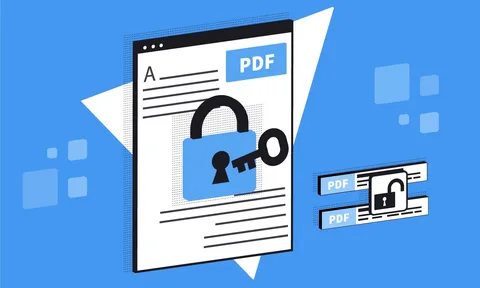
Whether you’re sharing a contract, a business proposal, or a personal document, knowing how to protect PDF online free is one of the smartest digital habits you can build. PDF protection keeps your content safe from unauthorized editing, copying, and distribution all without spending a single cent when you use the right tools. It also ensures document integrity, enhances privacy, and allows users to securely share files across different platforms while maintaining full control over access and permissions.
Understanding PDF Protection Basics
What does it mean to protect a PDF file?
Protecting a PDF means applying security restrictions to the document so that only authorized users can open, edit, copy, or print it. There are two primary Protect PDF Online Free layers: password protection, which locks the file entirely, and permission restrictions, which allow viewing but block specific actions like copying text or printing pages.
Open password and a Permissions password
An open password (also called a user password) prevents anyone from viewing the file without entering the correct credentials. A permissions password (or owner password) allows the file to be opened freely but restricts what viewers can do with it, such as editing content, extracting images, or printing at high resolution.
Protect PDF online using web-based tools
Add Password Protection to a PDF
Add a password to a PDF
You can protect PDF online free using tools available directly in your browser no installation required. Simply visit a reliable online PDF tool, upload your file, set your desired password, and download the secured version. The entire process typically takes under a minute.
Can I protect a PDF on my phone or tablet?
Yes, most browser-based PDF protection tools are mobile-friendly and work seamlessly on smartphones and tablets. As long as you have a stable internet connection and a modern browser, you can secure a PDF from any device without needing to install an app.
What password strength should I use for a protected PDF?
A strong PDF password should be at least 8–12 characters long and combine uppercase and lowercase letters, numbers, and symbols. Avoid using birthdays, names, or common words, as these are easily guessed. The stronger your password, the harder it is for unauthorized users to break the encryption.

PDF Permission Restrictions and Encryption
What permissions can I restrict when I protect a PDF?
When you protect PDF online free, most tools let you restrict a range of actions, including printing, copying text, editing content, adding annotations, and filling in forms. You can apply all restrictions at once or selectively allow certain actions while blocking others, giving you granular control over how recipients interact with your document.
What encryption level is used to protect PDFs?
Modern PDF protection tools typically use 128-bit or 256-bit AES (Advanced Encryption Standard) encryption. Financial institutions and government agencies use the 256-bit AES standard to protect sensitive data, and experts consider it highly secure.
Is it possible to lift PDF restrictions if I’ve lost the password
If you set the protection yourself and remember your password, you can remove restrictions by re-opening the file and using an online tool to decrypt it. However, if you genuinely lose the password, recovery is extremely difficult by design which is exactly why strong PDF encryption works so effectively as a security measure.
Choosing the Right Online PDF Protection Tool
What should I look for in a free online PDF protection tool?
Look for a tool that supports strong AES encryption, processes files over a secure HTTPS connection, and has a clear data retention policy that states files are deleted after processing. Tools that don’t require account registration are also preferable when handling sensitive documents, since they minimize the digital footprint of your file.
Are there any limitations to using free online PDF protection tools?
Free tools often have file size limits typically ranging from 5 MB to 100 MB per upload and may restrict the number of files you can process per day. For occasional use, these limits are rarely a problem. If you regularly work with large or numerous files, a premium plan or a dedicated desktop tool may better suit your needs.
Conclusion
Taking a few moments to protect PDF online free is a simple yet powerful way to keep your documents out of the wrong hands. Whether you’re locking down a single file or building a habit of securing every document you share, the tools available today make PDF protection fast, accessible, and completely free. Head over to multiconverters.net to protect your PDFs instantly no downloads, no fuss, just reliable security at your fingertips.
Author



Author



STD Test in Dubai: Safety Standards & Confidential Care

Kaftan Sets for Women: Celebrity Style with Comfort and Elegance

Commercial Ice Cream Machine for Sale: Boost Dessert Sales

Synthetic Acrylic Flooring: Sports Surfaces for High-Performance

Fishing Netting: Landing Nets, Carp Nets & Fish-Friendly Mesh

Mold and Die Manufacturing with CNC Cutting Tools

BC.Game Clone: Performance Metrics for iGaming Platforms

Kaftan Sets for Women: Effortless Fashion & Modern Style

Kaftan Sets for Women: Stylish, Comfortable & Designer Fashion

Feeler Gauge in Engine Tuning: Uses, Benefits, and Measurement

Cybersecurity Consulting Company SequelNet Provides Critical IT Support Services to Medical Billing Firm, Medical Optimum

Team Communication Software Transforms Operations at Finance Innovate

Project Management Tool Transforms Long Island Business

How Alleviate Poverty Utilized IPPBX’s All-in-One Solution to Transform Lives in New York City

Breast Cancer: The Imperative Role of Mammograms in Screening and Early Detection

Unstoppable Collaboration: D.C.’s Citi Open and Silicon Valley Classic Unite to Propel Women’s Tennis to New Heights

Embracing Renewal: Sizdabedar Celebrations Unite Iranians in New York’s Eisenhower Park

The Benefits of Starting a Side Hustle for Financial Freedom

New Blood Donation Screening Questions What You Need to Know

Stylishly Timeless: The 5 Types of Sandals You Need in Your Closet
-

 Business3 years ago
Cybersecurity Consulting Company SequelNet Provides Critical IT Support Services to Medical Billing Firm, Medical Optimum
-
Business3 years ago
Team Communication Software Transforms Operations at Finance Innovate
-
Business3 years ago
Project Management Tool Transforms Long Island Business
-
Business3 years ago
How Alleviate Poverty Utilized IPPBX’s All-in-One Solution to Transform Lives in New York City
-
health3 years ago
Breast Cancer: The Imperative Role of Mammograms in Screening and Early Detection
-
Sports3 years ago
Unstoppable Collaboration: D.C.’s Citi Open and Silicon Valley Classic Unite to Propel Women’s Tennis to New Heights
-
Art /Entertainment3 years ago
Embracing Renewal: Sizdabedar Celebrations Unite Iranians in New York’s Eisenhower Park
-
Finance3 years ago
The Benefits of Starting a Side Hustle for Financial Freedom







