
Computer Electronic
Ultra Low-Cost BLE SoC: Power Efficiency for Compact Devices

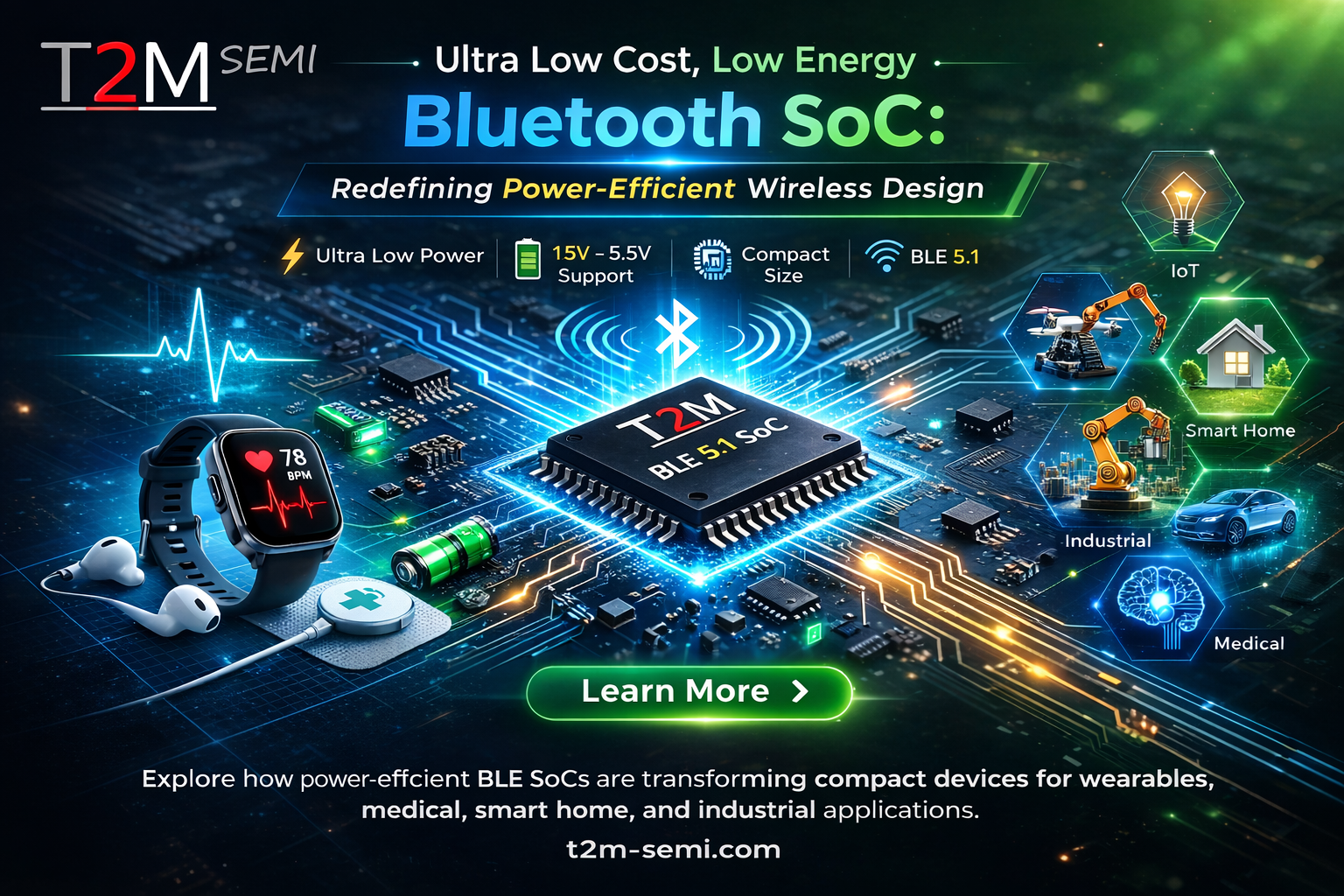
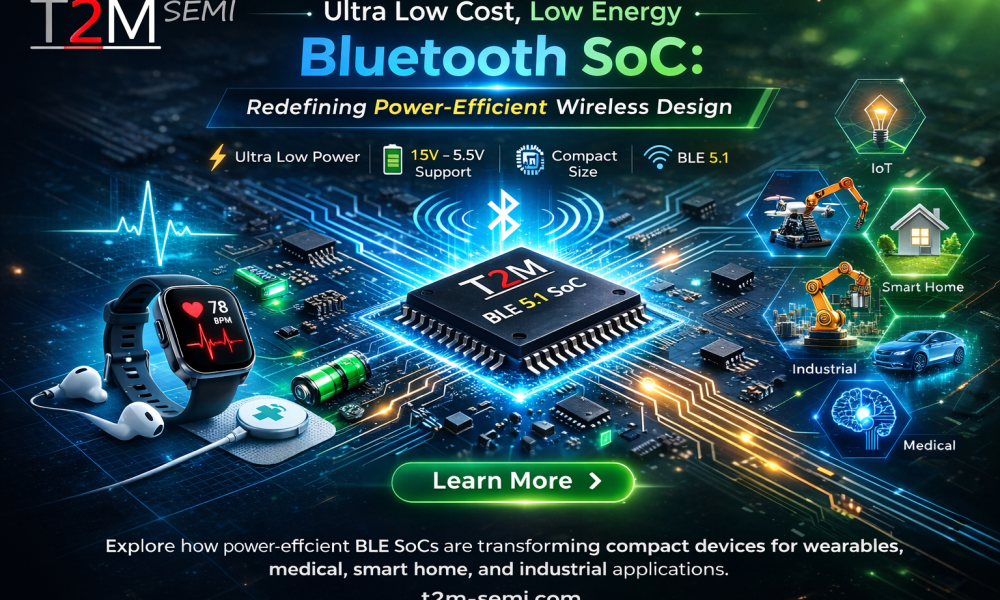
In today’s hyper-connected world, wireless connectivity is no longer a luxury. It has become a basic expectation. Compact connected devices are shaping the future of digital infrastructure. These include wearable health sensors, smart lighting systems, industrial control nodes, and logistics trackers.
However, engineers face several challenges when designing small, battery-powered devices. They must balance power consumption, cost, board space, certification, and system complexity. Each of these factors directly affects product feasibility.
A low-energy Bluetooth SoC solves many of these challenges. It integrates wireless communication, processing, memory, power management, and peripheral interfaces into a single chip. This approach reduces complexity and improves efficiency.
The SoC supports Bluetooth Low Energy (BLE) up to version 5.1. It also includes advanced power optimization features. These capabilities allow developers to build cost-effective and energy-efficient products for medical, consumer, industrial, and smart infrastructure applications.
Built for Extreme Power Efficiency
This SoC runs directly on a single 1.5V battery cell. This design eliminates the need for multi-cell battery configurations. As a result, it reduces system complexity and saves space.

In low-power devices like remote controls and wearable trackers, battery life matters more than processing power. The SoC addresses this need with an efficient power management system. It operates with input voltages between 1.8V and 3.6V. It also supports USB input ranging from 4.5V to 5.5V.
The built-in battery monitor detects low-voltage conditions. It identifies brownout situations and ensures stable operation. The integrated LDO and DC-DC regulators optimize voltage levels across different operating modes.
The SoC consumes about 5mA in active mode at 3V. In sleep mode with SRAM retention, it uses around 1µA. Under external wake-up conditions, it reduces consumption to as low as 0.4µA. These low power levels allow devices to run for months or even years on a small coin cell battery.
Compact Design for Small Devices
Modern IoT and wearable devices demand compact designs. This SoC comes in extremely small package options. These include a 1.6 × 2.0 × 0.5 mm WLCSP and a 3 × 3 × 0.55 mm QFN24.
The WLCSP package suits ultra-small applications like medical patches, smart rings, and sensor nodes. Even in its smallest version, the SoC includes five GPIO pins. The QFN version supports up to twelve GPIOs for expanded functionality.
This high level of integration reduces the bill of materials. It also simplifies PCB layout. The embedded RF matching circuit removes the need for many external components. Designers can even eliminate inductors in some cases, which further lowers system cost.
Reliable Wireless Performance
The SoC supports Bluetooth Low Energy up to version 5.1. It works seamlessly with modern smartphones, tablets, and medical devices. BLE 5.x improves range, speed, and coexistence. These improvements enhance performance in different environments.
The transceiver operates at 1 Mbps and 2 Mbps. It also supports Long Range mode and 250 kbps under IEEE 802.15.4. In addition, it supports ANT and ANT+ protocols. These features make it suitable for fitness and health applications.
The receiver achieves high sensitivity levels. It reaches about -97 dBm for BLE and -100 dBm for IEEE 802.15.4. The transmitter delivers up to +10 dBm output power. This combination ensures strong and stable communication over longer distances.
Because of this performance, the SoC works well in smart homes, industrial networks, and transportation systems.
Integrated Processing and Memory
The SoC includes a built-in microcontroller with a 32-bit processor. It operates at speeds up to 48 MHz. The design focuses on energy efficiency while maintaining strong performance.
The memory system includes 64 kB of Flash and 32 kB of SRAM. The SRAM supports retention, which helps preserve data during low-power modes. This setup allows developers to run BLE stacks, applications, and peripheral controls efficiently.
The chip also includes one-time programmable memory. Developers can use it for secure configuration storage. By combining processing, memory, and RF functions into one chip, the SoC reduces the need for external components and simplifies development.
Advanced Power Management
Efficient energy use remains critical for battery-powered devices. This SoC provides multiple power-saving modes, including active, idle, and sleep states.
It supports fast wake-up while maintaining SRAM data. External triggers can also activate the system when needed. This feature works well for sensor-based applications.
The integrated DC-DC converter improves efficiency during high-current operation. The LDO regulator maintains stable power during low-power modes. Together, these features create a flexible and efficient power system.
Battery monitoring and brownout protection further improve reliability. These features ensure consistent performance in medical and industrial applications.
Flexible Interfaces for System Design
The SoC supports a wide range of digital and analog interfaces. Developers can configure GPIO pins for different applications. The built-in 16-bit PWM supports motor control, LED dimming, and waveform generation.
Communication interfaces include SPI, I2C, UART, and USB 2.0. These allow easy integration with sensors, displays, and external processors. The USB interface also supports firmware updates and diagnostics.
On the analog side, the SoC includes a 14-bit ADC and an internal temperature sensor. These features support environmental monitoring, battery management, and wearable diagnostics without extra components.
Simplified RF Design
RF design often adds complexity and cost. This SoC simplifies the process by integrating the RF matching circuit. Designers no longer need large external matching networks.
The chip supports inductor-free operation in some designs. This reduces the number of passive components and lowers assembly costs.
Developers can also use an optional 32 kHz crystal for precise timing. Alternatively, they can rely on internal resources depending on application needs.
This level of integration reduces development time and accelerates product launches.
Certification and Compliance
Manufacturers must meet regional standards when launching wireless products. This SoC meets major global certifications, including ETSI, FCC, and ARIB.
These certifications simplify product approval. They reduce both time and cost during regulatory processes. The SoC also complies with RoHS standards and uses a lead-free design.
This built-in compliance supports companies that target global markets.
Wide Range of Applications
This SoC supports a variety of applications due to its low power, compact size, and strong performance.
It enables small Bluetooth accessories for smartphones and tablets. It also powers RF remote controls with long battery life. In fitness and health devices, it supports BLE and ANT connectivity.
Wearable devices benefit from its lightweight and efficient design. Smart home systems use it for automation and mesh networking. Industrial systems rely on its RF performance and sensor capabilities.
Healthcare applications use it for remote monitoring and portable diagnostics. Consumer electronics manufacturers value its low cost and easy integration.
Driving Future IoT Innovation
As IoT continues to grow, developers must balance performance, cost, and power efficiency. This SoC helps achieve that balance.
It combines wireless communication, processing, memory, and power management into one compact solution. This allows developers to focus on innovation instead of hardware complexity.
Its low power consumption, multi-protocol support, and reduced component count make it ideal for scalable IoT systems.
Conclusion
The ultra-low-cost BLE SoC offers a practical and forward-looking solution for wireless design. It combines BLE 5.1 support, compact size, efficient power management, and flexible interfaces in a single chip.
Manufacturers can use it to build medical devices, wearables, smart infrastructure, and consumer electronics. It delivers strong performance while keeping costs and power usage low.
As connected devices become smaller and more efficient, integrated SoC platforms like this will play a key role in shaping the future of IoT innovation.
Author




Getting help with a Microsoft product can feel confusing when you do not know which support channel to use. Microsoft offers several ways to contact its support team. The right option depends on the product, the type of problem, your location, and whether you use a personal or business account.
Microsoft also changes its support process from time to time. Therefore, users should check the official Microsoft support website before calling a number found elsewhere. This simple step can help you avoid outdated or incorrect contact information.
Whether you need help with Windows, Microsoft 365, Xbox, Azure, advertising, or a Microsoft Store purchase, there are several ways to get assistance. Here are the main options you can consider.
Check Microsoft’s Official Support Page First
The safest place to begin is Microsoft’s official support website. It provides information based on your country and the product you use. You can select the relevant service and view the support options available for your situation. This approach matters because Microsoft does not use one universal phone number for every customer. Support options can vary by region and product. Some users may see a phone option, while others may receive an online chat or callback option. The official support pages can also guide you toward troubleshooting articles. These resources often solve common problems without requiring you to contact an agent.
Contact Microsoft Through Online Chat
Online chat offers a convenient alternative when you do not want to wait on the phone. Microsoft’s Get Help experience can connect you with a virtual agent. The system first asks you to describe the issue.
For example, you could type “I cannot sign in to my account” or “My Microsoft 365 subscription is not working.” The virtual agent then provides relevant troubleshooting steps.
Follow the prompts and review the suggested solutions. If those steps do not solve the problem, the system may provide additional contact options. Depending on your account and issue, you may receive an option to request a callback or connect with a support representative.
For many users, this method provides a faster way to reach customer service because the system identifies the issue before connecting you with an agent.
Support for Microsoft Store Purchases
If your problem involves a Microsoft Store purchase, you may need a dedicated support channel. Store support can help with questions about purchases, orders, refunds, sales, and other shopping-related concerns.
Before contacting an agent, keep your order information nearby. Details such as the purchase date, order number, and account email can help the representative understand your situation.
However, technical problems may require a different support route. If an application fails to install or a device has a technical issue, use the appropriate Microsoft support page instead of treating the problem as a Store issue.
Xbox Support for Console and Account Problems
Xbox users have separate support options for gaming-related problems. You can visit Xbox Support and select the product or service that needs attention. The support process usually asks you to choose the specific issue. You might need help with your account, console, subscriptions, purchases, or another Xbox service.
After selecting the problem, Xbox may provide troubleshooting instructions. In some cases, you can also use online chat or request a phone call back. Sign in to your Xbox account before starting the support process. Your account information can help Microsoft identify your services and provide more relevant assistance.

Microsoft 365 Business and Admin Support
Business users have different support requirements from personal users. Microsoft 365 administrators can access support through the Microsoft 365 admin center. After signing in, open the Help and Support section. Depending on your subscription and issue, you may see options for chat, phone support, or a callback.
Business support may also require additional verification. Microsoft can ask for account details, tenant information, or other identification before connecting you with an agent.
Technical support may operate around the clock for eligible business customers. Billing support can follow different operating hours. Therefore, check the current support hours for your region before contacting customer service.
Advertising Support for Microsoft Ads
Businesses that advertise through Microsoft platforms can use dedicated advertising support. This option can help with advertising accounts, campaigns, billing questions, and other issues related to Microsoft advertising services. Depending on the issue, you may have access to online chat or phone assistance. Before contacting support, collect information about your advertising account and the campaign involved. Providing accurate details can reduce the time needed to identify the problem. It also helps the representative understand what happened and suggest the appropriate solution.
Azure and Developer Support
Azure users have access to support options designed specifically for cloud services. If you experience an Azure billing or subscription issue, you can use the Azure support portal to create a support request.
Technical assistance can depend on the support plan attached to your account. Check your subscription before submitting a technical request. Developers can also use Microsoft’s developer support resources. These services provide documentation, troubleshooting information, and options for submitting technical incidents.
When you submit a request, describe the problem clearly. Include relevant error messages, the affected service, and the steps that caused the issue. Clear information can help the support team investigate the problem more efficiently.
Be Careful With Unofficial Phone Numbers
You may find Microsoft phone numbers on forums, social media posts, blogs, or third-party directories. Some of these numbers may be outdated or incorrect.
Do not assume that a number is legitimate simply because it appears in a search result. Instead, verify the contact information through Microsoft’s official website.
This is especially important when someone asks for passwords, security codes, payment information, or remote access to your computer. A legitimate support process should follow appropriate security procedures. Using official channels gives you a safer way to reach customer service and reduces the risk of dealing with an impersonator.
Choose the Right Support Method
The best support method depends on your situation. Personal users can start with Microsoft’s Get Help or Contact Us pages. These tools can provide troubleshooting steps, chat, or callback options.
Microsoft 365 administrators should use the admin center. Xbox users should begin with Xbox Support. Azure customers should use the Azure portal and select the appropriate support option.
For purchases, use Microsoft Store support. For advertising problems, use Microsoft Ads support. Developers should use the dedicated developer resources. Most importantly, keep your account and product information ready. This can make the support conversation much smoother.
Final Thoughts
Microsoft provides several support channels instead of relying on one universal contact method. Phone support, online chat, callbacks, help articles, and specialized portals can all play a role.
Start with the official Microsoft website and select the product that matches your problem. Avoid relying on random phone numbers from third-party websites. If you need customer service, use the support route connected to your account and region whenever possible.
A little preparation can also save time. Keep your order number, account details, error messages, or subscription information available before contacting support. With the right channel and accurate information, you can reach the appropriate team and work toward resolving your issue more efficiently.
Author


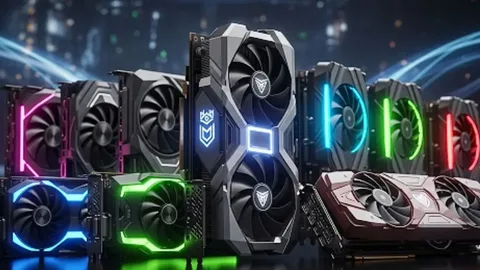
A graphics card is one of the most essential parts of a modern computer system. It plays a major role in delivering smooth visuals, faster processing, and improved performance across different applications. Whether you are a gamer who wants high frame rates, a video editor working with 4K content, an architect creating complex 3D designs or a business using artificial intelligence tools, selecting the right GPU can make a significant difference.
The demand for powerful graphics solutions continues to grow as software applications become more advanced. Integrated graphics are suitable for basic tasks, but they often struggle with heavy workloads. A dedicated graphics card provides better performance, faster rendering, improved multitasking, and support for advanced features such as ray tracing, AI acceleration and high-resolution displays.
Understanding a Graphics Card
A graphics card, also known as a GPU (Graphics Processing Unit), is a dedicated component that manages visual processing. Instead of depending completely on the computer’s main processor, the graphics card handles demanding graphical tasks separately. A modern GPU contains thousands of processing cores that complete multiple calculations at the same time. As a result, users experience smoother animations, faster rendering, realistic graphics, and improved application performance. Unlike integrated graphics, dedicated graphics cards include their own VRAM. This dedicated memory allows the GPU to store and process graphical data more efficiently. Therefore, computers with dedicated graphics cards perform much better when handling demanding software, games and creative applications.
Why a Graphics Card Is Important
Many people associate graphics cards only with gaming. However, GPUs now support a wide range of professional and personal activities. A powerful graphics card improves performance in video editing, 3D designs, artificial intelligence, engineering software, live streaming, virtual reality and high-resolution productivity setups. Professionals who use applications such as Adobe Premiere Pro, Blender, AutoCAD, SolidWorks, DaVinci Resolve, Photoshop and After Effects depend heavily on GPU power. A capable graphics card reduces processing time and helps users’ complete projects more efficiently.
Choosing the Right Graphics Card for Laptop
Laptops have become powerful alternatives to traditional desktop computers. However, choosing the correct graphics card for laptop remains important because laptop GPUs must balance performance with power efficiency. Unlike desktop graphics cards, laptop GPUs operate within limited space. Manufacturers design them to manage heat, battery consumption, and portability while still delivering strong performance. A suitable laptop graphics card allows users to edit videos while travelling, create professional designs on-site, develop AI models or play demanding games without needing a desktop setup.
Desktop Graphics Card vs Graphics Card for Laptop
Desktop and laptop graphics cards perform similar functions, but they have different designs and capabilities. Desktop graphics cards usually provide higher performance because they have larger cooling systems, higher power limits, and better upgrade flexibility. They are ideal for gaming computers, professional workstations and heavy enterprise workloads.
On the other hand, a graphics card for laptop focuses on efficiency and mobility. Modern laptop GPUs support features like ray tracing, AI processing, and high-refresh-rate gaming while maintaining a compact design. If maximum performance and future upgrades are your main priorities, desktop graphics cards are usually the better choice. However, if portability and convenience matter more, a high-performance laptop GPU offers an excellent solution.
Different Types of Graphics Cards
Graphics cards are available in different performance levels to meet various user requirements. Entry-level graphics cards are suitable for everyday activities such as office work, browsing, online learning, video playback, and basic photo editing. They provide reliable performance while consuming less power.
Mid-range graphics cards offer a balance between price and performance. They work well for casual gaming, graphic design, Full HD video editing, programming, streaming and regular productivity tasks. High-end graphics cards are designed for demanding workloads. They are ideal for AAA gaming, 4K video editing, professional rendering, engineering simulations, AI development, virtual reality and advanced data processing.
Key Features to Consider Before Buying a Graphics Card
Before purchasing a GPU, users should understand important specifications that affect performance. VRAM is one of the most important factors because it stores textures, images, and graphical information. Basic users can work comfortably with 4GB VRAM, while gamers and creators often need 8GB or more. Professionals involved in AI, machine learning, or advanced rendering may require significantly higher memory capacity. GPU architecture also affects performance. Newer architectures provide better efficiency, improved AI capabilities, enhanced ray tracing and lower power consumption.

Advanced GPU Features
Ray tracing support has become increasingly popular because it creates realistic lighting, reflections, and shadows. Gamers and designers benefit from improved visual quality when applications support this technology. Modern graphics cards also include AI-focused processing features. These capabilities help accelerate tasks such as image enhancement, video upscaling, noise reduction, AI rendering and machine learning workloads. Cooling is another important consideration. Efficient cooling systems prevent overheating, maintain stable performance and increase the lifespan of the graphics card.
Selecting a Graphics Card for Gaming and Content Creation
Gamers should consider factors such as resolution, frame rate requirements, game compatibility, VRAM capacity, and support for technologies like ray tracing and AI upscaling. A suitable graphics card delivers smoother gameplay, faster response times and consistent performance in modern games.
Content creators also benefit greatly from powerful GPUs. Video editors, designers, photographers and animators experience faster exports, smoother previews, quicker rendering and improved workflow efficiency with the right graphics solution.
Graphics Cards for Business
Businesses increasingly depend on GPU acceleration for advanced operations. Industries such as healthcare, engineering, finance, research, and artificial intelligence require powerful graphics solutions to process large amounts of data efficiently. Enterprise graphics cards provide reliable performance, professional support, certified drivers and long-term stability. At itch Devices UAE, businesses can access professional hardware solutions designed for demanding environments.
When Should You Upgrade Your Graphics Card?
You may need to upgrade your graphics card if you experience slow application performance, low gaming frame rates, frequent crashes, overheating, display problems, longer rendering times or difficulty running newer software. A GPU upgrade can significantly improve overall system performance and extend the useful life of your computer.
Maintaining Your Graphics Card
Proper maintenance helps your graphics card perform efficiently for many years. Regularly cleaning dust, improving airflow, updating drivers, monitoring temperatures and using a reliable power supply can prevent performance issues. Avoiding unnecessary overclocking also helps maintain stability and reduces the risk of hardware damage.
Why Choose itch Devices UAE?
Selecting a trusted supplier is important when purchasing graphics hardware. itch Devices UAE provides genuine products, competitive pricing, professional IT solutions, business-grade hardware, technical support and reliable customer service. Whether you need a desktop GPU, a powerful graphics card for laptop or complete IT infrastructure solutions, itch Devices UAE offers dependable products from trusted brands.
Quick GPU Answers
A graphics card processes images, videos, animations and complex visual data to improve computer performance. While basic tasks such as browsing and office work can run on integrated graphics, demanding applications perform much better with a dedicated GPU. Most laptop graphics cards cannot be upgraded because they are integrated into the motherboard. However, some compatible laptops support external GPU solutions. The amount of VRAM required depends on your workload. Everyday users usually need around 4GB to 6GB, gamers often benefit from 8GB or more and professionals working with AI, 3D rendering or advanced editing may require higher memory capacity.
GPU Selection Tips
Dedicated graphics cards are generally better than integrated graphics because they provide faster processing, smoother visuals, improved multitasking and better support for demanding software. A quality graphics card can last around five to eight years depending on usage, maintenance and technological changes. Before buying a GPU, users should check compatibility, power requirements, monitor resolution, cooling options and performance needs.
Upgrade Your System with the Right Graphics Card
Investing in the right graphics card or graphics card for laptop is one of the best ways to improve computing performance. A powerful GPU enhances gaming, content creation, engineering, AI applications and professional workloads. Whether you are upgrading your existing system or building a new workstation, choosing the right graphics solution ensures better performance and long-term reliability. itch Devices UAE provides genuine graphics cards, enterprise hardware and expert guidance to help users find the perfect solution for their requirements.
Author


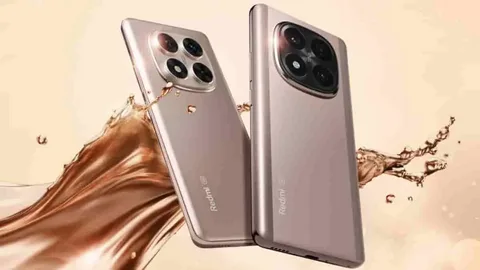
Buying a new smartphone is no longer just about choosing a popular brand. Most people want a phone that offers smooth performance, reliable cameras, long battery life, and good value for money. Redmi has become one of the most trusted smartphone brands in Pakistan because it delivers these features across different price ranges.
Whether you are a student attending online classes, a professional handling daily work, or someone who simply wants a dependable phone for social media and entertainment, Redmi offers several models designed for different needs.
The Pakistani smartphone market changes quickly, with new Redmi devices launching throughout the year. Some models focus on gaming performance, while others offer premium cameras, larger displays, or better battery efficiency. Understanding these differences makes it much easier to choose the right device instead of buying only based on appearance.
If you are searching for the Redmi Mobile Price in Pakistan, it is important to compare specifications, storage variants, warranty options, and overall value instead of looking only at the price tag. This guide will help you understand the latest Redmi models, their features, and what to consider before making your purchase.
Why Redmi Phones Are Popular in Pakistan
Redmi has built a strong reputation by offering quality smartphones at competitive prices. Instead of paying extra for premium branding, buyers receive practical features that improve daily use.
Many Pakistani users prefer Redmi because the phones usually include powerful processors, bright displays, dependable batteries, and attractive designs. The software experience has also improved over time, making navigation smoother and more user-friendly. Another advantage is the wide variety of models. Whether your budget is limited or you want a premium flagship experience, there is usually a Redmi phone that fits your requirements.
Choosing the Right Redmi Phone
Every buyer has different priorities, which is why understanding your daily usage is more important than selecting the newest model. A student who mainly attends online classes, uses WhatsApp, YouTube, and social media may not require a flagship device. A Redmi A Series phone can easily handle these tasks.
Someone who enjoys mobile gaming or edits videos regularly will benefit from the Redmi Note Series because of its stronger processor and improved graphics performance. For users who frequently capture photos and videos, higher-end Redmi models provide better image processing, improved night photography, and more camera features.
Display Quality Makes Daily Use Better
The display is one of the first things you notice while using a smartphone. Budget Redmi phones generally feature HD+ displays that offer comfortable viewing for browsing and watching videos. Mid-range models often include Full HD+ panels with sharper images and better color reproduction. Premium Redmi devices feature AMOLED displays with higher refresh rates, making scrolling smoother and improving the overall viewing experience. If you spend several hours each day using your phone, investing in a better display can make a noticeable difference.
Performance for Everyday Tasks
Performance depends largely on the processor and RAM. Recent Redmi smartphones use processors from Qualcomm Snapdragon and MediaTek, both of which provide reliable performance for different usage levels. For basic users, standard processors handle calling, messaging, web browsing, and social media comfortably.
Users who frequently switch between multiple applications or play demanding games should consider models with larger RAM and stronger chipsets. Having additional storage is also useful because modern apps, videos, and photos consume significant space over time.
Camera Features That Matter
Many buyers now consider the camera before anything else. Redmi phones offer camera systems suitable for casual photography as well as content creation. Modern Redmi devices typically include AI-powered photography, portrait mode, HDR, night photography, and video stabilization.
Instead of focusing only on megapixels, consider image processing, sensor quality, and software optimization. For example, two phones may advertise similar camera resolutions, yet one produces noticeably better colors and sharper images because of superior image processing.
Battery Life for Busy Days
Battery performance has become one of Redmi’s strongest features. Most recent Redmi smartphones include large batteries capable of lasting an entire day under normal usage. Fast charging support also reduces waiting time when your battery runs low. People who travel frequently or work outdoors especially appreciate dependable battery life because they cannot always charge their phones during the day.
Storage Options
Choosing the correct storage capacity prevents future problems. Users who mostly make calls and use messaging apps may find moderate storage sufficient. However, if you regularly download videos, install games, or record high-quality videos, larger storage options provide a much better experience. Many Redmi phones also support memory expansion, giving users additional flexibility.
Practical Buying Tips
Before purchasing a Redmi phone, compare more than just the specifications sheet. Always check whether the device includes an official warranty. A genuine warranty provides peace of mind if repairs become necessary. Compare available storage variants because sometimes spending a little more provides significantly better long-term value.
If photography matters, look at real-world camera samples rather than marketing images. Reading verified customer experiences can also help you understand battery performance, software updates, and daily reliability.
Why Buy From a Trusted Seller
Buying from a trusted retailer is just as important as selecting the right smartphone. A reliable seller helps customers receive genuine products, official warranty support, and complete device information. Some buyers are tempted by unusually low prices, but unofficial devices may lack warranty coverage or local support. Choosing a trusted platform reduces these risks and gives buyers greater confidence throughout the purchasing process.
Redmi Software Experience
Recent Redmi smartphones offer an improved software experience with smoother animations, better security features, and enhanced customization. Users can personalize themes, wallpapers, widgets, and system settings according to their preferences.
Regular software updates also improve stability while introducing useful features over time. A clean and responsive interface contributes to a more enjoyable daily experience.
Which Redmi Phone Is Right for You?
There is no single Redmi phone that suits everyone. If affordability is your priority, entry-level Redmi models provide dependable everyday performance. If you need a balance between performance, cameras, and battery life, the Redmi 13 Series offers excellent overall value. Photography enthusiasts and gamers often prefer the Redmi Note lineup because it combines strong hardware with premium features.
Power users who demand flagship performance should consider Redmi’s higher-end devices, which offer faster processors, advanced displays, and superior camera systems. Choosing according to your lifestyle rather than simply buying the latest model usually results in better satisfaction.
Conclusion
Redmi continues to be one of the most trusted smartphone brands in Pakistan by offering reliable performance, attractive designs, quality cameras, and impressive battery life across different budget categories.
If you are planning to purchase a genuine Redmi smartphone, Wise Market Pakistan is a trusted platform where you can explore the latest Redmi models, compare specifications, and choose the device that best matches your needs with confidence.
Frequently Asked Questions
Q: Which Redmi phone is best for students?
A: The Redmi A Series and selected Redmi 13 Series models are excellent choices for students because they provide dependable performance for study, communication, and entertainment.
Q: Are Redmi phones good for gaming?
A: Yes. The Redmi Note Series and higher-end Redmi models offer capable processors, sufficient RAM, and smooth displays suitable for gaming.
Q: How much storage should I choose?
A: For regular users, 128GB is generally sufficient. Those who install many games or record videos may benefit from 256GB or higher storage.
Q: Do Redmi phones receive software updates?
A: Most recent Redmi smartphones receive security updates and software improvements, although the update schedule may vary by model.
Q: Where can I buy genuine Redmi phones in Pakistan?
A: Purchasing from trusted retailers such as Wise Market Pakistan helps ensure you receive an original device with official warranty support and reliable customer service.
Author



Car Maintenance: 7 Essential Summer Checks for Safer Driving

Digital Marketing Launceston: Grow Your Business Online

Drafting Services: Accurate CAD Solutions for Construction

Ghostwriter Cost 2026: Pricing, Services and Hiring

Carsicko Hoodie’s: Modern Streetwear Styling and Outfit Ideas

Business Opportunities in Brazil 2026: Ideas & Investment Tips

Best Cashback Mortgages UK: Compare Deals & Savings

Loan Settlement: Process, Credit Score Impact & Repayment Tips

Everyday Style: Common Projects Sneakers UK Styling Tips

Commercial Truck Financing Options for Business Owners

Cybersecurity Consulting Company SequelNet Provides Critical IT Support Services to Medical Billing Firm, Medical Optimum

Meet the Megalodon: The Shark Star of ‘Meg 2’

Reduce Video Game Lag: Level Up Your Gaming Performance

Balancing India’s Entertainment: Cricket vs. Bollywood

Jetsetter’s Secrets: Unveiling Our Favorite Travel Hacks for a Seamless Adventure

The 5 Best Live Sports Streaming Sites: Legal and Exciting!

Hollywood Labor Unrest: The Impact of ‘What About Us?’ Strikes

Unveiling the Magic of Dream Fulfillment at the Late NBA Draft

Illuminate Your Skin: Dr. Axe Unveils Natural Remedies for Lightening Knees and Elbows

Bright Choices: Navigating the Pros and Cons of Skin Whitening Creams with Dr. Axe
-

 Business3 years ago
Cybersecurity Consulting Company SequelNet Provides Critical IT Support Services to Medical Billing Firm, Medical Optimum
-
Entertainment3 years ago
Meet the Megalodon: The Shark Star of ‘Meg 2’
-
Entertainment3 years ago
Reduce Video Game Lag: Level Up Your Gaming Performance
-
 Sports3 years ago
Balancing India’s Entertainment: Cricket vs. Bollywood
-
Entertainment3 years ago
Jetsetter’s Secrets: Unveiling Our Favorite Travel Hacks for a Seamless Adventure
-
Productivity3 years ago
The 5 Best Live Sports Streaming Sites: Legal and Exciting!
-
Art /Entertainment3 years ago
Hollywood Labor Unrest: The Impact of ‘What About Us?’ Strikes
-
Sports3 years ago
Unveiling the Magic of Dream Fulfillment at the Late NBA Draft






