
Technology
How AS400 Migration to Azure Ensures Business Continuity

By

Reviewed
By Nora Parker

Introduction
AS400 systems (now known as IBM Power Systems) have quietly powered critical industries like banking, insurance, manufacturing, and healthcare for more than three decades. While their legendary reliability once set the standard, in today’s digital-first world, that same stability has become a modernization challenge.
IBM i licensing fees, proprietary hardware, and specialist support staff make legacy AS400 environments costly to maintain. These systems can’t handle real-time analytics, AI integration, and mobile accessibility, which substantially limits enterprise agility. Companies can now move their AS400 to Azure quickly. This migration helps them use cloud services while keeping operations running smoothly.
Azure migration services provide better scalability, lower maintenance costs, and access to state-of-the-art technologies. The iSeries migration strengthens security and improves disaster recovery options. Companies that implement iSeries migration services properly save money compared to traditional hardware setups.
This piece shows how businesses can move from legacy AS400 systems to Microsoft Azure without disrupting their operations.
Limitations of AS400 That Disrupt Business Continuity
AS400 systems have proven reliable over time. However, they are faced with many challenges nowadays that seriously jeopardize business continuity. Business leaders should understand these limitations before they decide to go for AS400 migration services.

1. Aging Hardware and Maintenance Overheads
AS400 hardware failures become more common as these systems age, which leads to unexpected outages and operational risks. Meanwhile, support contracts for IBM Power Systems and DB2 on IBM i rank among the most expensive enterprise software options.
Replacement parts are increasingly difficult to source, especially for IBM Power9 and older systems. The aging infrastructure needs heavy investment in hardware and software. You also need to pay for energy, cooling, and physical space. These costs add up to an unsustainable total, which iSeries migration can help reduce.
2. Inflexibility in Scaling and Integration
The original design of AS400 systems focused on standalone solutions. They weren’t built to handle the elasticity, automation, or live demands that cloud-first businesses need. Their proprietary architecture doesn’t work well with modern integration protocols without specialized tools.
AS400’s use of DB2 for data storage creates major transformation challenges due to incompatibility with modern relational databases. Companies often resort to custom connectors or manual exports because AS400 systems don’t deal very well with modern analytics, cloud services, and APIs. These limitations make a strong case to migrate AS400 to Azure for better integration options.
3. Security Gaps in Legacy Systems
AS400’s reputation for strong security doesn’t tell the whole story. The 2024 State of IBM i Security Study shows some worrying vulnerabilities. In a typical IBM i setup, hundreds of users hold All Object (ALLOBJ) authority. This means they can view, change, and delete every file and program on the system without restrictions.
More than half of the objects on typical IBM i systems have a PUBLIC authority of CHANGE, which lets any user modify library characteristics. AS400 systems might not catch computer viruses directly, but they make excellent “carriers”. They can store infected files that spread malware across networks. Traditional file transfer methods like FTP lack security and are outdated. This makes iSeries migration to modern platforms necessary.
4. Talent Shortage for RPG and COBOL
The shrinking pool of AS400 experts poses an immediate threat to business continuity. Most AS400 applications use RPG, COBOL, or CL languages. These face a growing talent shortage as experienced developers retire. Modern universities rarely teach these languages, which creates a widening skills gap. Without proper knowledge transfer and documentation, even minor issues can result in extended downtime when key staff depart.
Why Azure Is a Strategic Fit for AS400 Migration

Microsoft Azure offers organizations key advantages when they migrate their AS400 systems. Azure’s strong infrastructure provides a smooth business transition. The platform tackles legacy system migration challenges head-on while delivering better performance and reliability.
1. Built-in High Availability Zones in Azure
Azure’s availability zones are the foundations of resilient AS400 migration. Each zone has its own data center in a region with separate power, cooling, and network setup. This setup removes any single point of failure and delivers a 99.95% uptime SLA for virtual machines. The zones communicate with each other with less than 2 milliseconds of delay, which allows for high-performance operations and data copying between zones. This means companies migrating their iSeries get better protection against outages without losing speed.
2. Azure Power Virtual Servers for IBM i Workloads
Companies can move their AS400 systems using IBM Power Virtual Server on Azure. The service lets you set up multi-tenant virtual IBM Power servers that work with IBM Cloud services. By running IBM Power9 systems, companies can host their IBM i logical partitions (LPARs) without modifying existing applications.
Workloads continue to function in the same way, with familiar screens, while also offering the option to modernize with web‑based interfaces. The move also gives you flexible, pay-as-you-go pricing that reduces the burden of traditional IBM licensing and maintenance costs.
3. Compliance-Ready Infrastructure for Regulated Industries
Azure has the biggest compliance portfolio in the industry. It covers:
- Formal certifications and third-party audits
- Contractual amendments and self-assessments
- Customer guidance documents
This makes Azure perfect for regulated industries that want to migrate from AS400. With over 60 regions worldwide, companies can choose where their customer data lives to meet compliance requirements. Azure follows global rules, US government standards, industry-specific mandates, and local country laws. Microsoft Defender for Cloud further simplifies compliance by providing a dashboard that continuously evaluates hybrid environments against potential risks.
Ensuring Business Continuity During and After Migration

Ensuring business operations and service continuity are top priorities during AS400 migration to Azure. Companies need strong strategies to protect their operations and avoid any service disruptions during this experience.
Zero-Downtime Cutover with Azure Migrate
Azure Migrate provides a complete AS400 workload assessment. It scans existing environments to find applications, dependencies, and system configurations. The solution reviews performance metrics, compatibility, and cloud readiness to build foundations for a smooth transition.
Companies moving to iSeries can operate both legacy and new systems in parallel. This enables real‑time validation while staff adapt gradually. Modern migration methods now allow zero-downtime cutover with automated data validation. This allows projects to be completed in weeks rather than months.
Disaster Recovery with Azure Backup and ASR
Azure’s backup and disaster recovery solutions are easy to design yet highly resilient. These built-in features help companies restore their business services quickly after any disruption. Azure Site Recovery removes the overhead of managing scaling and reliability for iSeries migration projects. The platform delivers impressive recovery-point objective (RPO) and recovery-time objective (RTO) targets for critical workloads.
Companies no longer need to build or maintain secondary datacenters. With automated backup routines configured during initial provisioning, Azure provides a cost‑effective disaster recovery strategy backed by enterprise‑grade infrastructure.
Role-Based Access and Identity Management in Azure AD
Azure role-based access control (Azure RBAC) provides strong security governance during AS400 migration. System administrators give specific roles to users, groups, service principals, or managed identities at defined scopes. This ensures proper authorization.
Unlike legacy AS400 environments, Azure enforces least privilege principles. This protects companies from security issues common in IBM i systems. Users can choose between eligible assignments that need multi-factor authentication or active assignments based on their security needs.
Monitoring and Alerts with Azure Monitor
Azure Monitor streamlines post‑migration monitoring by supporting AIX, IBM i, Linux, and Windows workloads without requiring agents on logical partitions (LPARs). The tool creates charts and builds dashboards for more than 40 performance metrics across AIX and IBM i systems. This enables active performance management.
Most organizations set up automated alerts for threshold breaches, unauthorized access attempts, and performance issues to keep the systems healthy. These features enable the detection of problems well in advance without adding extra load to the migrated systems.
Conclusion
Migrating AS400 systems to Azure provides organizations with a clear path from aging legacy infrastructure to modern cloud capabilities. Companies face significant challenges with traditional IBM Power Systems. These include rising maintenance costs, integration limitations, security vulnerabilities, and a shrinking talent pool. Thus, migration becomes essential to stay competitive.
Azure offers solutions that directly tackle these challenges. The platform’s availability zones guarantee high uptime. Azure Power Virtual Servers handle native IBM i workloads without major refactoring. Also, Azure’s comprehensive compliance framework works well for regulated industries that need strict data governance.
Business continuity stays crucial during migration. Zero-downtime cutover features keep operations running smoothly. The platform’s resilient disaster recovery protects against service disruptions. Role-based access controls and monitoring tools keep your system secure after the move.
AS400 migration services deliver more than technical improvements. They unlock critical business benefits such as reduced operational costs, improved scalability, enhanced security, and access to cutting‑edge technologies. Companies that accept new ideas set themselves up for lasting success in our cloud-driven world.
Author



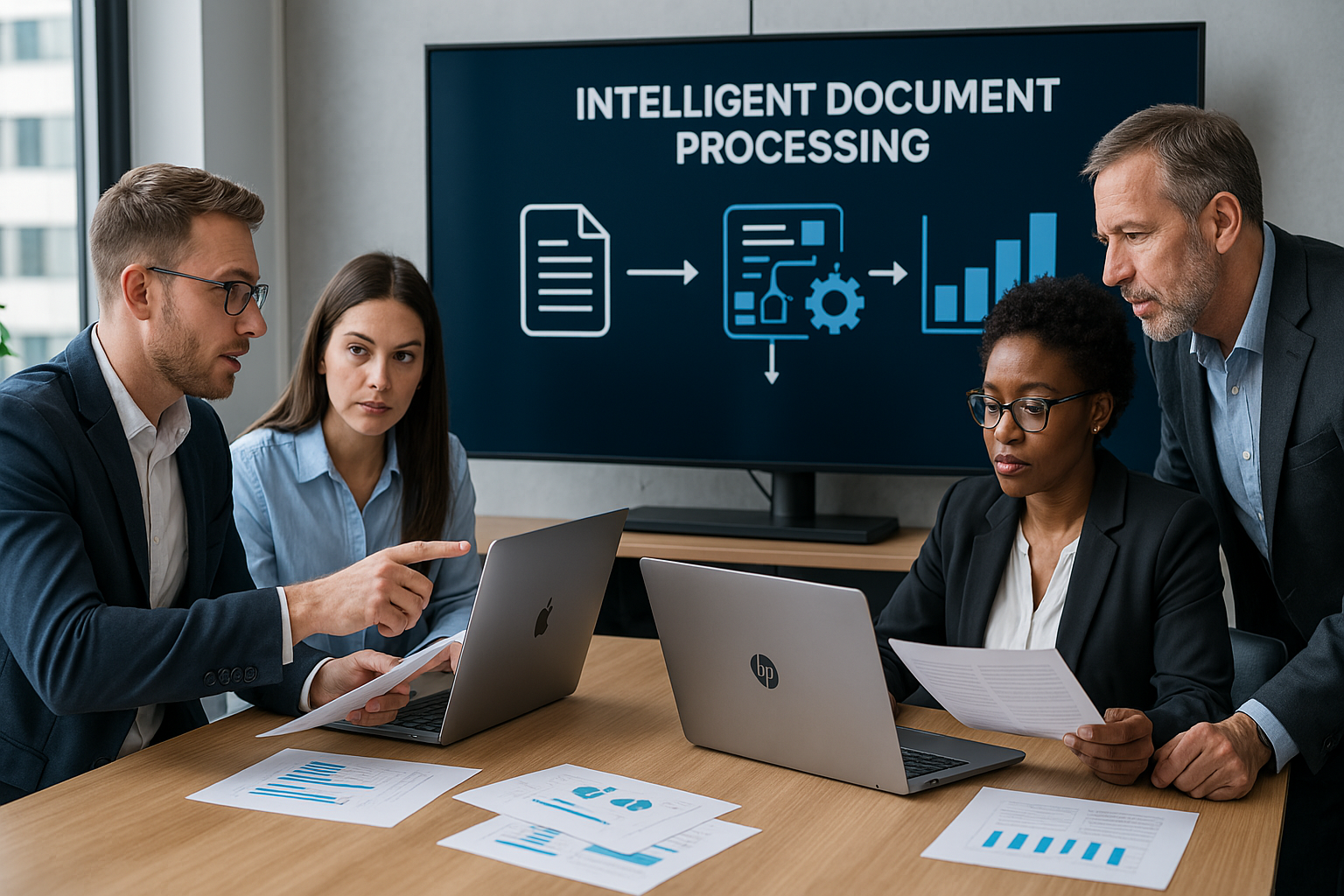
The US Intelligent document processing market continues to gain momentum as businesses look for faster and smarter ways to manage large volumes of information. Companies across banking, insurance, healthcare, government, retail, and other industries handle thousands of invoices, contracts, claims, forms, and records every day. Managing these documents manually can consume valuable time and create avoidable errors.
Intelligent document processing, or IDP, helps organizations overcome these challenges. The technology combines artificial intelligence, machine learning, natural language processing, optical character recognition, and computer vision. Together, these tools can capture information, understand document content, extract relevant data, and send it into business workflows.
Market Growth Outlook Through 2035
According to Dimension Market Research, the US market holds a value of USD 2.47 billion in 2026. Analysts expect the market to reach approximately USD 11.86 billion by 2035. This growth represents a projected compound annual growth rate of 19.02% between 2026 and 2035.
Several factors support this expansion. Businesses continue to increase their use of cloud platforms and enterprise automation. At the same time, growing document volumes create pressure to process information more efficiently.
Traditional OCR can recognize printed or scanned text. However, modern IDP platforms go much further. They can identify document types, understand context, extract specific information, validate results, and connect the output with enterprise applications. As a result, organizations increasingly view document processing as part of a broader automation strategy rather than as a simple scanning function.
What Is Driving Market Demand?
Businesses want to reduce repetitive work while improving accuracy and response times. Manual document handling often requires employees to enter information into multiple systems. This approach can slow operations and increase the possibility of mistakes.
IDP addresses this problem by automating several stages of the process. For example, a company can use the technology to capture invoice information, identify important fields, check the extracted data, and send it into an accounting platform.
Furthermore, cloud technology makes these solutions easier to scale. Organizations can expand document processing capacity without building large infrastructure environments. Subscription-based models and prebuilt integrations can also make adoption more practical for smaller and mid-sized businesses.
Another important driver involves artificial intelligence. Newer AI models can understand documents with greater context. Therefore, they can support more complicated workflows involving contracts, claims, correspondence, financial statements, and other business records.
Key Trends Shaping the Market
One major trend involves end-to-end automation. Businesses no longer want technology that simply extracts text. Instead, they want systems that can validate information, identify exceptions, trigger workflows, and transfer results into other applications.
Generative AI also creates new possibilities. It can help organizations interpret complex documents, summarize lengthy content, and identify important information. These capabilities can reduce the time employees spend reviewing large document collections.
Cloud deployment represents another major trend. Cloud platforms provide flexibility and centralized management. They also make it easier for organizations to access newer AI capabilities as vendors continue to improve their platforms.
Meanwhile, industry-specific solutions are gaining attention. A bank may need tools for financial documents and customer onboarding. An insurance company may focus on claims and policy records. Healthcare organizations may prioritize patient documentation and administrative records. This growing specialization gives technology providers opportunities to develop workflows around specific industry requirements.
Emerging Opportunities
Generative AI-based document understanding represents an important opportunity for the US Intelligent document processing market. Conventional OCR works well with straightforward text recognition. However, complex documents often require deeper contextual understanding.
Contracts provide a good example. A contract may contain dates, obligations, conditions, financial terms, and exceptions across multiple sections. Advanced AI can help identify these details and organize them into useful outputs.
Healthcare records, insurance claims, financial statements, and government documents can benefit from similar capabilities.
Mid-sized companies also offer significant growth potential. Cloud delivery, low-code configuration, subscription pricing, and ready-made connectors can lower technical barriers. Consequently, more organizations can adopt document intelligence without creating large internal technology teams.
Market Segmentation
The market covers several important categories. By component, it includes software solutions and services. Software can cover document capture, classification, data extraction, workflow automation, AI models, and related capabilities. Services can include consulting, implementation, managed services, training, and support.
Deployment options include cloud, on-premises, and hybrid environments. Cloud solutions currently lead the deployment segment, accounting for 61.7% of the market in 2026.
Technology categories include OCR, natural language processing, machine learning, computer vision, robotic process automation, deep learning, and generative AI extraction.
Large enterprises represent an important customer group. However, small and medium-sized businesses increasingly have access to these technologies through flexible cloud offerings.
Major end-user industries include banking and financial services, insurance, healthcare and life sciences, government, IT and telecommunications, manufacturing, retail, transportation, logistics, and legal services.
Leading Companies
The competitive landscape includes several established technology providers and specialized IDP companies. Key names include ABBYY, AntWorks, Appian, Automation Anywhere, AWS, Datamatics, Google Cloud, HCLTech, Hypatos, Hyperscience, IBM, Infrrd, Microsoft, Nanonets, OpenText, Rossum, SS&C Blue Prism, Tungsten Automation, UiPath, and WorkFusion.
These companies compete through AI capabilities, automation features, cloud platforms, industry solutions, integrations, security, and ease of deployment.
Recent Market Development
In July 2026, Microsoft expanded its partnership with Mistral and introduced Mistral Document AI with OCR 4 to Microsoft Foundry. The development supports structured document processing and agentic enterprise workflows.
Such developments show how quickly the market continues to evolve. Vendors increasingly combine document intelligence with broader AI and automation platforms.
Key Market Numbers
The market offers several notable figures for 2026. Its estimated value stands at USD 2.47 billion, while analysts project a value of USD 11.86 billion by 2035. The expected CAGR stands at 19.02% during the forecast period.
Software solutions hold a 68.4% share, while cloud-based solutions account for 61.7%. Banking and financial services represent 19.4% of the market. Together, these figures highlight the strong demand for intelligent document technologies across major business sectors.
Future Outlook
The US Intelligent document processing market should continue expanding as organizations connect document automation with wider business processes. Future solutions will likely focus on contextual understanding, validation, summarization, exception management, workflow orchestration, and automated actions.
Generative AI will remain an important area of development. At the same time, businesses will continue to prioritize security, compliance, integration, and governance.
Organizations also want measurable results. Therefore, vendors that can demonstrate lower processing costs, faster turnaround times, better data quality, and improved employee productivity may gain a competitive advantage.
Ultimately, the market is moving beyond basic document digitization. Modern platforms aim to turn unstructured information into useful business intelligence and automated actions.
Conclusion
The US Intelligent document processing market is moving toward a more connected and automated future. Organizations increasingly want to replace repetitive manual tasks with intelligent workflows that deliver faster and more accurate results.
As AI, cloud computing, and automation continue to advance, IDP will likely become an increasingly important part of enterprise technology strategies. Companies that combine intelligent document processing with strong security, reliable integration, and measurable business outcomes can build more efficient operations and respond more effectively to changing market demands.
Author



Managing commercial, industrial, and institutional buildings with outdated 2D drawings can create unnecessary challenges. Facility teams often spend valuable time searching through old files, checking measurements, and confirming whether drawings still match the actual building. These tasks can slow maintenance, increase operating costs, and make renovation projects more difficult.
CAD to BIM technology offers a practical way to modernize this process. It transforms traditional 2D drawings into intelligent 3D models that contain useful building information. As a result, facility managers can access accurate spatial data, understand building components, and make better decisions throughout the property lifecycle.
Why Traditional 2D Drawings Create Problems
Many buildings still depend on paper plans, scanned documents, or basic CAD files. These resources can show walls, doors, rooms, and other elements. However, they rarely provide enough information for efficient facility management.
For example, a maintenance team may need to locate a specific air-handling unit or electrical panel. Staff might have to search through several drawing sets before finding the right information. Even then, the drawing may not reflect later renovations or equipment changes.
This creates uncertainty. It can also increase the risk of incorrect decisions. A digital building model can solve many of these issues. Instead of relying only on lines and labels, facility teams can work with intelligent objects that contain information about individual components.
Turning Old Drawings Into Intelligent Building Information
A successful digital conversion begins with an assessment of the available documentation. Specialists review existing CAD files, architectural plans, structural drawings, and other records. They then determine the information required for the final model.
During CAD to BIM development, modelers convert flat drawing elements into intelligent 3D components. Walls, doors, windows, columns, mechanical equipment, and other assets can receive useful information.
This information may include dimensions, materials, equipment specifications, manufacturer details, installation dates, and maintenance information. The exact data depends on the project’s goals.
The result gives facility teams a centralized digital reference. Instead of searching through disconnected documents, managers can review building information within one coordinated environment.
Improving Accuracy With Reality Capture
Old drawings do not always represent current building conditions. Tenants may have changed layouts. Contractors may have installed new equipment. Renovation projects may also have modified structural or mechanical systems. Reality capture can help address these gaps.
Laser scanners can record existing conditions and collect millions of spatial points. Specialists then process this information to create a detailed digital representation of the property.
Point cloud modeling can support accurate as-built documentation. It can reveal deviations between original drawings and current conditions. Consequently, design and facility teams gain a clearer understanding of the building before they plan modifications. This approach proves especially valuable for older properties with incomplete records.
Supporting Architectural and Structural Planning
A detailed digital model can help architects and engineers work more confidently. They can review room layouts, building dimensions, structural elements, and other important components within one environment.
Architectural teams can use the model to study available space and plan renovations. They can also evaluate circulation areas, room configurations, and building envelopes.
Structural professionals can review columns, beams, foundations, and framing systems. This information can support renovation planning and reduce the need for assumptions.
Furthermore, combining architectural and structural information improves coordination. Teams can identify potential conflicts earlier and discuss solutions before construction begins.
Making Maintenance More Efficient
Facility management teams handle countless maintenance tasks every year. Finding the right information quickly can make a significant difference. An intelligent model can help staff identify equipment locations and review related information. For example, a manager may locate an air-conditioning unit and review its specifications without searching through several folders.
The model can also support maintenance planning. Teams can connect equipment information with service schedules, warranties, and replacement plans when the project includes those details. As a result, managers can organize maintenance work more effectively. They can also reduce unnecessary delays caused by missing or outdated information.
Improving Space Management
Large organizations often manage extensive properties with constantly changing space requirements. Departments move. Tenants change. Workspaces evolve. Facility teams therefore need accurate information about available areas. A digital model can make space planning easier. Managers can review room dimensions, floor areas, and building layouts from a centralized source.
This information can support office planning, tenant coordination, renovation studies, and space allocation. It can also help organizations understand how they currently use their buildings. Therefore, digital modeling does more than improve visualization. It can support practical decisions about real estate and workplace management.

Supporting Renovation and Capital Projects
Renovation projects often become complicated when teams lack reliable existing-condition information. Contractors may discover unexpected conditions after work begins. These discoveries can lead to delays, additional costs, and design changes.
Accurate digital documentation can reduce this uncertainty.
Before a renovation starts, project teams can review the existing model and compare it with proposed designs. They can identify potential conflicts and determine whether new systems will fit within the available space.
4D BIM can add another layer of value by connecting model elements with project schedules. Managers can then visualize construction sequences and coordinate different phases more effectively.
Connecting BIM With Facility Management Systems
Modern facility teams often use CAFM, IWMS, and other digital management platforms. A well-structured BIM model can support these systems by providing organized building information.
This connection creates a stronger digital foundation for property management. Facility teams can move from isolated drawings toward a more connected information environment.
However, the model must match the organization’s actual needs. Adding excessive information can increase complexity without providing meaningful value. Therefore, project teams should define data requirements before modeling begins.
Choosing the Right Level of Detail
Not every facility project requires the same modeling depth. A simple space-planning project may need basic geometry. A complex renovation may require detailed architectural, structural, and MEP information.
The team should establish the required Level of Development or Level of Detail at the beginning. Clear requirements help control project costs and prevent unnecessary modeling work.
Similarly, teams should identify which assets require detailed information. Focusing on important equipment and systems can create a more useful model without adding unnecessary complexity.
Benefits of Professional BIM Conversion
Working with experienced modeling specialists can help organizations manage large conversion projects more efficiently. Professionals can review legacy drawings, identify inconsistencies, coordinate disciplines, and structure model data according to project requirements.
Professional CAD to BIM services can also support scalable workflows for large property portfolios. Organizations can establish consistent modeling standards across multiple buildings. This consistency makes future updates easier. It also gives different teams a common framework for managing building information.
Preparing Buildings for the Digital Future
Facility management continues to move toward connected digital environments. Digital twins, smart building systems, predictive maintenance, and automated asset management all depend on reliable building information.
Accurate BIM models can provide an important foundation for these technologies. They help organizations understand physical assets and connect building data with digital management tools. As technology develops, property owners can build on this foundation rather than starting from outdated documentation.
Final Thoughts
Modern facility management requires accurate information, efficient workflows, and reliable documentation. Traditional 2D drawings can provide useful historical records, but they often lack the intelligence needed for today’s complex property operations.
CAD to BIM creates a bridge between legacy documentation and modern digital facility management. It gives organizations a clearer view of their buildings, supports maintenance planning, improves renovation coordination, and strengthens long-term asset management.
For property owners and facility managers, the real value comes from using digital models as practical management tools. With accurate data, thoughtful modeling standards, and regular updates, organizations can make smarter decisions and manage their buildings with greater confidence.
Author




Author



TMS Software: Building a More Connected Transportation Operation

CAD Shop Drawings Services for Precise Fabrication and Installation

What Parents Should Look for in a Quality Tennis Camp

Clothing Fashion: Express Your Personality Through Personal Style

Essentials Tracksuit: How to Style It for Modern Streetwear

Perfume Ingredients: What Makes a Fragrance Smell So Amazing

US Intelligent Document Processing Market Outlook Through 2035

Retro Game Collection: How to Build and Enjoy Classic Gaming

CAD to BIM: Modernizing Facility Management for Better Efficiency

Marketing Agency: How to Choose the Right Partner in Miami

Cybersecurity Consulting Company SequelNet Provides Critical IT Support Services to Medical Billing Firm, Medical Optimum

Meet the Megalodon: The Shark Star of ‘Meg 2’

Reduce Video Game Lag: Level Up Your Gaming Performance

Balancing India’s Entertainment: Cricket vs. Bollywood

Jetsetter’s Secrets: Unveiling Our Favorite Travel Hacks for a Seamless Adventure

The 5 Best Live Sports Streaming Sites: Legal and Exciting!

Hollywood Labor Unrest: The Impact of ‘What About Us?’ Strikes

Unveiling the Magic of Dream Fulfillment at the Late NBA Draft

Illuminate Your Skin: Dr. Axe Unveils Natural Remedies for Lightening Knees and Elbows

Bright Choices: Navigating the Pros and Cons of Skin Whitening Creams with Dr. Axe
-

 Business3 years ago
Cybersecurity Consulting Company SequelNet Provides Critical IT Support Services to Medical Billing Firm, Medical Optimum
-
Entertainment3 years ago
Meet the Megalodon: The Shark Star of ‘Meg 2’
-
Entertainment3 years ago
Reduce Video Game Lag: Level Up Your Gaming Performance
-
 Sports3 years ago
Balancing India’s Entertainment: Cricket vs. Bollywood
-
Entertainment3 years ago
Jetsetter’s Secrets: Unveiling Our Favorite Travel Hacks for a Seamless Adventure
-
Productivity3 years ago
The 5 Best Live Sports Streaming Sites: Legal and Exciting!
-
Art /Entertainment3 years ago
Hollywood Labor Unrest: The Impact of ‘What About Us?’ Strikes
-
Sports3 years ago
Unveiling the Magic of Dream Fulfillment at the Late NBA Draft






