
Computer Electronic
Second Hand Laptop in Delhi: Complete Buying Guide | EazyPC


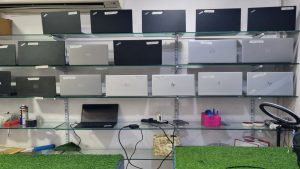 Buying a laptop does not always mean spending a large amount on a brand-new device. A professionally refurbished or second-hand laptop can be a practical option for people who want reliable computing within a planned budget. Whether you are a student, working professional, freelancer, or business owner, choosing the right second hand laptop in Delhi can help you meet your everyday technology needs without stretching your budget.
EazyPC offers new and professionally refurbished laptops from trusted brands, giving buyers different options based on their requirements and preferences. Before purchasing, it is important to understand the laptop’s specifications, physical condition, and performance. This guide explains what to consider when looking for a second-hand laptop and how to make a suitable choice.
Why Consider a Second Hand Laptop in Delhi?
Delhi has a wide range of laptop buyers, including students, office professionals, entrepreneurs, freelancers, and home users. Their computing requirements can vary, but many people look for a device that offers useful features at a reasonable price.
A second-hand laptop can be worth considering for several reasons:
- Budget-conscious purchase: It may provide access to useful laptop configurations at a lower purchase cost than a comparable new model.
- Business and office work: Many business-oriented laptops are suitable for documents, spreadsheets, presentations, emails, and routine office applications.
- Study and online learning: Students can explore suitable models for research, assignments, online classes, and browsing.
- Everyday computing: A suitable laptop can support entertainment, internet browsing, communication, and personal tasks.
- More configuration choices: Buyers can compare different brands, processor generations, RAM capacities, and storage options.
The best choice depends on the device’s actual condition and specifications rather than its price or brand name alone.
Who Can Benefit from a Second-Hand Laptop?
A second-hand laptop in Delhi can be suitable for different types of users. Understanding your daily requirements will help you select a device with the right configuration.
1. Students
Students often need laptops for online classes, assignments, presentations, research, and educational software. A suitable second-hand laptop can support these activities while helping students manage their technology budget.

Before purchasing, check the processor, RAM, storage, webcam, keyboard, and battery condition. These features can make a difference during regular study sessions.
2. Working Professionals
Office professionals commonly use laptops for emails, spreadsheets, document editing, video meetings, presentations, and business applications. A refurbished business laptop may be a practical option for these tasks.
Models from established business laptop ranges can be worth comparing because their configurations are often designed around workplace productivity.
3. Freelancers
Freelancers may need a laptop for communication, research, project management, content writing, browsing, and other professional tasks. The ideal configuration depends on the type of work.
For example, basic office tasks may require different specifications from graphic design, programming, or video editing. Consider your software requirements before selecting a model.
4. Small Businesses
Small businesses may need multiple laptops for employees, administrative work, customer communication, and everyday operations. Comparing professionally refurbished devices can help businesses explore different configurations within their equipment budgets.
Important Things to Check Before Buying a Second Hand Laptop
Choosing a second-hand laptop requires more attention than simply comparing prices. The following points can help you evaluate a device before making a purchase.
Processor
The processor affects how a laptop handles applications and everyday workloads. Check the processor brand, model, and generation before buying.
Intel Core i3, i5, and i7 processors are available across different generations and performance levels. Do not judge a laptop only by the processor name. Compare the complete processor model and its suitability for your intended tasks.
RAM
RAM helps a laptop manage running applications and multitasking. If you regularly work with multiple browser tabs, office applications, or other software, consider a configuration that can handle your workload comfortably.
Check the installed RAM capacity and whether the laptop supports future upgrades.
Storage Capacity
Storage determines how much space is available for documents, applications, photographs, videos, and other files.
Many buyers prefer SSD storage because it generally offers faster boot times and application loading than traditional HDD storage. Check the storage type, capacity, and overall condition before purchasing.
Battery Condition
Battery performance is an important consideration, especially if you travel or work away from a power outlet.
Ask about the battery’s condition and test how long it lasts during normal use. Battery backup can vary depending on the laptop model, age, configuration, and usage history.
Display and Keyboard
Inspect the display for visible marks, flickering, dead pixels, or unusual colour changes. Test the keyboard keys and touchpad to make sure they respond properly.
Also check the hinges, ports, speakers, webcam, Wi-Fi connectivity, and charging connection.
Physical Condition
Examine the laptop body for cracks, dents, loose hinges, damaged corners, or signs of improper handling. A clean appearance is useful, but functional testing is equally important.
Professionally Refurbished vs. Ordinary Used Laptops
The terms second-hand and refurbished are sometimes used interchangeably, but they do not always describe the same process.
A second-hand laptop generally refers to a device that has been previously owned and is being sold again. The level of inspection and preparation may differ from one seller to another.
A professionally refurbished laptop typically goes through a preparation process before resale. This may include inspection, testing, cleaning, and quality checks to assess its condition and functionality.
At EazyPC, refurbished laptops are inspected, tested, cleaned, and quality-checked before sale. This process helps buyers explore devices that have undergone checks rather than selecting a laptop based only on its appearance.
Always confirm the condition, included accessories, warranty terms, and available support before completing a purchase.
Which Laptop Configuration Should You Choose?
There is no single configuration that suits every buyer. Your choice should depend on how you plan to use the laptop.
| Usage | What to consider |
|---|---|
| Online classes and study | Suitable processor, sufficient RAM, SSD storage, webcam |
| Office applications | Reliable processor, adequate RAM, comfortable keyboard |
| Browsing and everyday use | SSD storage, suitable RAM, good battery condition |
| Programming | Processor performance, RAM, storage, software compatibility |
| Graphic design | Compatible processor, RAM, display quality, graphics capability |
| Business operations | Suitable configuration, connectivity, reliability, support |
For demanding applications, check the software’s recommended system requirements before selecting a laptop. A configuration suitable for browsing and documents may not be ideal for professional video editing or advanced design work.
Why Explore Second Hand Laptops at EazyPC?
Finding a suitable second hand laptop in Delhi involves comparing more than the model name and listed price. Buyers should consider product condition, specifications, intended use, and the seller’s preparation process.
EazyPC offers new and professionally refurbished laptops from trusted brands. Refurbished devices are inspected, tested, cleaned, and quality-checked before sale.
Buyers can explore different laptop options based on their computing requirements, whether they need a device for education, office productivity, freelancing, business activities, or everyday use.
When comparing available models, review the processor generation, RAM, storage, display size, battery condition, and other specifications. These details can help you understand whether a particular laptop is suitable for your needs.
Tips to Make a Better Buying Decision
Before finalising your purchase, keep these practical suggestions in mind:
- Set a budget: Decide how much you want to spend before comparing models.
- Identify your requirements: Make a list of the applications and tasks you regularly use.
- Compare specifications: Check the processor, RAM, storage, display, and connectivity.
- Inspect the device: Review its physical condition and test important components.
- Check battery performance: Understand the available battery backup.
- Ask about warranty: Confirm the applicable warranty coverage and conditions.
- Review the final configuration: Make sure the listed specifications match the device being offered.
Taking time to compare these details can help you avoid choosing a laptop that does not meet your expectations.
Conclusion
Finding the right second hand laptop in Delhi becomes easier when you understand your requirements and compare devices carefully. A professionally refurbished laptop can be a practical choice for students, professionals, freelancers, and businesses looking for everyday computing at a planned budget.
Before purchasing, pay attention to the processor, RAM, SSD storage, battery condition, display, and overall physical condition. Also review the inspection process and warranty details to understand what you are buying.
EazyPC provides new and professionally refurbished laptops from trusted brands, with refurbished devices inspected, tested, cleaned, and quality-checked before sale. By comparing specifications and selecting a laptop that matches your daily workload, you can make a more informed technology purchase.
Author


Microsoft Outlook is a widely used email client for both personal and business communication. It supports multiple data formats i.e. OST and PST. However, there are instances when users need to convert OST files into PST files, especially when migrating to a new computer, or if they need to import emails into a new Outlook profile. This article explores the best methods to convert OST to PST file for Microsoft Outlook.
Why Convert OST File to PST?
Before delving into the conversion process, it is essential to understand why converting an OST file to a PST file might be necessary. Here are a few scenarios:
Corruption of OST File: If an OST file becomes corrupted or inaccessible due to system errors or other issues, converting it to PST can help recover the data.
Account Disconnection: When a user’s Exchange account is deleted, or if they need to move data from one Outlook profile to another, converting the OST file to a PST file becomes essential.
Backup and Archiving: Some users prefer to back up their emails and other Outlook data in the PST format for offline access or long-term storage.
Method1: Manual Methods to Convert OST to PST
There are two primary manual methods that users can utilize to convert OST files to PST. Although these methods can be effective, they may be time-consuming and require technical knowledge.
Using Outlook Export Feature:
Microsoft Outlook has an in-built feature to export mailbox data to a PST file. This is a straightforward method for users who still have access to their Outlook profile and account.
- Open Outlook and go to the File tab.
- Select Open & Export from the menu.
- Click on Import/Export.
- Choose Export to a file and click Next.
- Select Outlook Data File (.pst) and click Next.
- Choose the mailbox folder that you want to export, including subfolders.
- Choose a location to save the PST file and set options for duplicates.
- Click Finish, and Outlook will generate the PST file.
Note: This method works only if the OST file is still connected to a working Outlook profile and an active email account. Some users may seam this task little bit difficult or time consuming. This method may not work for large OST files or users who have already lost access to their Exchange account.
Method2: Professional Solution to Convert OST to PST
For users who face issues with manual methods or need to convert large OST files efficiently, utilizing third-party tool like EmailsGuru OST to PST converter tool is a reliable option. It user-friendly tool that can convert OST files to PST while preserving email folders, attachments, and metadata. This tool offer advanced features that automate the conversion process.
It is known for its powerful recovery and conversion features. It recovers corrupted or inaccessible OST files and convert them into PST format seamlessly. This tool typically provide free trial version to all users without investing in it.
Why Choose the OST to PST Converter?
Easy OST to PST Conversion: One of the primary benefits of EmailsGuru OST to PST Converter is its user-friendly interface. Users can follow a straightforward process to load an OST file, scan its contents, and convert the required mailbox data into PST format. This can be helpful for users who want a simpler alternative to complex manual procedures.
Supports Inaccessible OST Files: OST files may become inaccessible due to profile deletion, account disconnection, or other Outlook-related issues. Specialized conversion software can help users extract recoverable mailbox data from supported OST files without relying on the original Outlook profile. The success of recovery depends on the file’s condition, encryption, and software compatibility.
Preserves Email Attachments and Information: Email attachments and message details are important for professional communication and recordkeeping. A reliable OST to PST conversion process should preserve email content, sender and recipient details, dates, and supported attachments. This helps users maintain important business correspondence during migration or recovery.
Maintains Folder Structure: Managing a large mailbox becomes easier when emails remain organized. A suitable OST to PST converter can retain the original folder hierarchy, including folders such as Inbox, Sent Items, Drafts, and other supported mailbox folders.
Convenient for Large Mailboxes: Businesses and individual users may have OST files containing thousands of emails and numerous attachments. Dedicated conversion software can make bulk mailbox processing more convenient than manually transferring messages.
Helps Migrate Outlook Data: PST files are commonly used for Outlook data storage, archiving, and transferring mailbox information. Converting OST data into PST format can help users move supported email data into another Outlook environment or maintain a separate archive for future reference.
Saves Time and Effort: Manual recovery and mailbox migration can involve several technical steps. EmailsGuru OST to PST Converter aims to simplify the process by providing a dedicated conversion workflow. This can reduce repetitive work and make mailbox management more convenient for users with limited technical experience.
Conclusion
Converting OST file to a PST file in Microsoft Outlook is a common task that users may face due to various reasons, such as data corruption, account disconnection or backup purposes. While manual methods, such as using the Export feature is available but using third-party OST to PST converter software is often the best solution, especially for handling large or corrupted files.
Frequently Asked Question
Q1. Is EmailsGuru OST to PST Converter suitable for beginners?
Answer: A user-friendly interface and step-by-step conversion workflow can help beginners convert OST files without extensive technical knowledge.
Q2. Is it necessary to back up an OST file before conversion?
Answer: Yes. Keeping a backup of the original OST file is recommended to protect important mailbox data if the conversion process encounters an error.
Q3. How do I verify the converted PST file?
Answer: After conversion, open the PST file in a compatible Outlook environment and check emails, attachments, dates, and folder structure to confirm that the expected data has been transferred successfully.
Author



Getting help with a Microsoft product can feel confusing when you do not know which support channel to use. Microsoft offers several ways to contact its support team. The right option depends on the product, the type of problem, your location, and whether you use a personal or business account.
Microsoft also changes its support process from time to time. Therefore, users should check the official Microsoft support website before calling a number found elsewhere. This simple step can help you avoid outdated or incorrect contact information.
Whether you need help with Windows, Microsoft 365, Xbox, Azure, advertising, or a Microsoft Store purchase, there are several ways to get assistance. Here are the main options you can consider.
Check Microsoft’s Official Support Page First
The safest place to begin is Microsoft’s official support website. It provides information based on your country and the product you use. You can select the relevant service and view the support options available for your situation. This approach matters because Microsoft does not use one universal phone number for every customer. Support options can vary by region and product. Some users may see a phone option, while others may receive an online chat or callback option. The official support pages can also guide you toward troubleshooting articles. These resources often solve common problems without requiring you to contact an agent.
Contact Microsoft Through Online Chat
Online chat offers a convenient alternative when you do not want to wait on the phone. Microsoft’s Get Help experience can connect you with a virtual agent. The system first asks you to describe the issue.
For example, you could type “I cannot sign in to my account” or “My Microsoft 365 subscription is not working.” The virtual agent then provides relevant troubleshooting steps.
Follow the prompts and review the suggested solutions. If those steps do not solve the problem, the system may provide additional contact options. Depending on your account and issue, you may receive an option to request a callback or connect with a support representative.
For many users, this method provides a faster way to reach customer service because the system identifies the issue before connecting you with an agent.
Support for Microsoft Store Purchases
If your problem involves a Microsoft Store purchase, you may need a dedicated support channel. Store support can help with questions about purchases, orders, refunds, sales, and other shopping-related concerns.
Before contacting an agent, keep your order information nearby. Details such as the purchase date, order number, and account email can help the representative understand your situation.
However, technical problems may require a different support route. If an application fails to install or a device has a technical issue, use the appropriate Microsoft support page instead of treating the problem as a Store issue.
Xbox Support for Console and Account Problems
Xbox users have separate support options for gaming-related problems. You can visit Xbox Support and select the product or service that needs attention. The support process usually asks you to choose the specific issue. You might need help with your account, console, subscriptions, purchases, or another Xbox service.
After selecting the problem, Xbox may provide troubleshooting instructions. In some cases, you can also use online chat or request a phone call back. Sign in to your Xbox account before starting the support process. Your account information can help Microsoft identify your services and provide more relevant assistance.

Microsoft 365 Business and Admin Support
Business users have different support requirements from personal users. Microsoft 365 administrators can access support through the Microsoft 365 admin center. After signing in, open the Help and Support section. Depending on your subscription and issue, you may see options for chat, phone support, or a callback.
Business support may also require additional verification. Microsoft can ask for account details, tenant information, or other identification before connecting you with an agent.
Technical support may operate around the clock for eligible business customers. Billing support can follow different operating hours. Therefore, check the current support hours for your region before contacting customer service.
Advertising Support for Microsoft Ads
Businesses that advertise through Microsoft platforms can use dedicated advertising support. This option can help with advertising accounts, campaigns, billing questions, and other issues related to Microsoft advertising services. Depending on the issue, you may have access to online chat or phone assistance. Before contacting support, collect information about your advertising account and the campaign involved. Providing accurate details can reduce the time needed to identify the problem. It also helps the representative understand what happened and suggest the appropriate solution.
Azure and Developer Support
Azure users have access to support options designed specifically for cloud services. If you experience an Azure billing or subscription issue, you can use the Azure support portal to create a support request.
Technical assistance can depend on the support plan attached to your account. Check your subscription before submitting a technical request. Developers can also use Microsoft’s developer support resources. These services provide documentation, troubleshooting information, and options for submitting technical incidents.
When you submit a request, describe the problem clearly. Include relevant error messages, the affected service, and the steps that caused the issue. Clear information can help the support team investigate the problem more efficiently.
Be Careful With Unofficial Phone Numbers
You may find Microsoft phone numbers on forums, social media posts, blogs, or third-party directories. Some of these numbers may be outdated or incorrect.
Do not assume that a number is legitimate simply because it appears in a search result. Instead, verify the contact information through Microsoft’s official website.
This is especially important when someone asks for passwords, security codes, payment information, or remote access to your computer. A legitimate support process should follow appropriate security procedures. Using official channels gives you a safer way to reach customer service and reduces the risk of dealing with an impersonator.
Choose the Right Support Method
The best support method depends on your situation. Personal users can start with Microsoft’s Get Help or Contact Us pages. These tools can provide troubleshooting steps, chat, or callback options.
Microsoft 365 administrators should use the admin center. Xbox users should begin with Xbox Support. Azure customers should use the Azure portal and select the appropriate support option.
For purchases, use Microsoft Store support. For advertising problems, use Microsoft Ads support. Developers should use the dedicated developer resources. Most importantly, keep your account and product information ready. This can make the support conversation much smoother.
Final Thoughts
Microsoft provides several support channels instead of relying on one universal contact method. Phone support, online chat, callbacks, help articles, and specialized portals can all play a role.
Start with the official Microsoft website and select the product that matches your problem. Avoid relying on random phone numbers from third-party websites. If you need customer service, use the support route connected to your account and region whenever possible.
A little preparation can also save time. Keep your order number, account details, error messages, or subscription information available before contacting support. With the right channel and accurate information, you can reach the appropriate team and work toward resolving your issue more efficiently.
Author


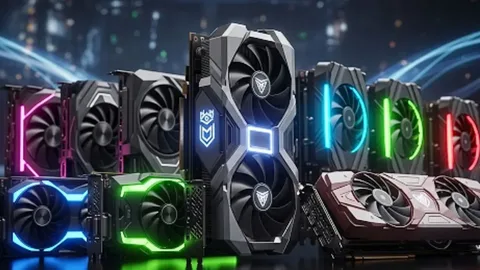
A graphics card is one of the most essential parts of a modern computer system. It plays a major role in delivering smooth visuals, faster processing, and improved performance across different applications. Whether you are a gamer who wants high frame rates, a video editor working with 4K content, an architect creating complex 3D designs or a business using artificial intelligence tools, selecting the right GPU can make a significant difference.
The demand for powerful graphics solutions continues to grow as software applications become more advanced. Integrated graphics are suitable for basic tasks, but they often struggle with heavy workloads. A dedicated graphics card provides better performance, faster rendering, improved multitasking, and support for advanced features such as ray tracing, AI acceleration and high-resolution displays.
Understanding a Graphics Card
A graphics card, also known as a GPU (Graphics Processing Unit), is a dedicated component that manages visual processing. Instead of depending completely on the computer’s main processor, the graphics card handles demanding graphical tasks separately. A modern GPU contains thousands of processing cores that complete multiple calculations at the same time. As a result, users experience smoother animations, faster rendering, realistic graphics, and improved application performance. Unlike integrated graphics, dedicated graphics cards include their own VRAM. This dedicated memory allows the GPU to store and process graphical data more efficiently. Therefore, computers with dedicated graphics cards perform much better when handling demanding software, games and creative applications.
Why a Graphics Card Is Important
Many people associate graphics cards only with gaming. However, GPUs now support a wide range of professional and personal activities. A powerful graphics card improves performance in video editing, 3D designs, artificial intelligence, engineering software, live streaming, virtual reality and high-resolution productivity setups. Professionals who use applications such as Adobe Premiere Pro, Blender, AutoCAD, SolidWorks, DaVinci Resolve, Photoshop and After Effects depend heavily on GPU power. A capable graphics card reduces processing time and helps users’ complete projects more efficiently.
Choosing the Right Graphics Card for Laptop
Laptops have become powerful alternatives to traditional desktop computers. However, choosing the correct graphics card for laptop remains important because laptop GPUs must balance performance with power efficiency. Unlike desktop graphics cards, laptop GPUs operate within limited space. Manufacturers design them to manage heat, battery consumption, and portability while still delivering strong performance. A suitable laptop graphics card allows users to edit videos while travelling, create professional designs on-site, develop AI models or play demanding games without needing a desktop setup.
Desktop Graphics Card vs Graphics Card for Laptop
Desktop and laptop graphics cards perform similar functions, but they have different designs and capabilities. Desktop graphics cards usually provide higher performance because they have larger cooling systems, higher power limits, and better upgrade flexibility. They are ideal for gaming computers, professional workstations and heavy enterprise workloads.
On the other hand, a graphics card for laptop focuses on efficiency and mobility. Modern laptop GPUs support features like ray tracing, AI processing, and high-refresh-rate gaming while maintaining a compact design. If maximum performance and future upgrades are your main priorities, desktop graphics cards are usually the better choice. However, if portability and convenience matter more, a high-performance laptop GPU offers an excellent solution.
Different Types of Graphics Cards
Graphics cards are available in different performance levels to meet various user requirements. Entry-level graphics cards are suitable for everyday activities such as office work, browsing, online learning, video playback, and basic photo editing. They provide reliable performance while consuming less power.
Mid-range graphics cards offer a balance between price and performance. They work well for casual gaming, graphic design, Full HD video editing, programming, streaming and regular productivity tasks. High-end graphics cards are designed for demanding workloads. They are ideal for AAA gaming, 4K video editing, professional rendering, engineering simulations, AI development, virtual reality and advanced data processing.
Key Features to Consider Before Buying a Graphics Card
Before purchasing a GPU, users should understand important specifications that affect performance. VRAM is one of the most important factors because it stores textures, images, and graphical information. Basic users can work comfortably with 4GB VRAM, while gamers and creators often need 8GB or more. Professionals involved in AI, machine learning, or advanced rendering may require significantly higher memory capacity. GPU architecture also affects performance. Newer architectures provide better efficiency, improved AI capabilities, enhanced ray tracing and lower power consumption.

Advanced GPU Features
Ray tracing support has become increasingly popular because it creates realistic lighting, reflections, and shadows. Gamers and designers benefit from improved visual quality when applications support this technology. Modern graphics cards also include AI-focused processing features. These capabilities help accelerate tasks such as image enhancement, video upscaling, noise reduction, AI rendering and machine learning workloads. Cooling is another important consideration. Efficient cooling systems prevent overheating, maintain stable performance and increase the lifespan of the graphics card.
Selecting a Graphics Card for Gaming and Content Creation
Gamers should consider factors such as resolution, frame rate requirements, game compatibility, VRAM capacity, and support for technologies like ray tracing and AI upscaling. A suitable graphics card delivers smoother gameplay, faster response times and consistent performance in modern games.
Content creators also benefit greatly from powerful GPUs. Video editors, designers, photographers and animators experience faster exports, smoother previews, quicker rendering and improved workflow efficiency with the right graphics solution.
Graphics Cards for Business
Businesses increasingly depend on GPU acceleration for advanced operations. Industries such as healthcare, engineering, finance, research, and artificial intelligence require powerful graphics solutions to process large amounts of data efficiently. Enterprise graphics cards provide reliable performance, professional support, certified drivers and long-term stability. At itch Devices UAE, businesses can access professional hardware solutions designed for demanding environments.
When Should You Upgrade Your Graphics Card?
You may need to upgrade your graphics card if you experience slow application performance, low gaming frame rates, frequent crashes, overheating, display problems, longer rendering times or difficulty running newer software. A GPU upgrade can significantly improve overall system performance and extend the useful life of your computer.
Maintaining Your Graphics Card
Proper maintenance helps your graphics card perform efficiently for many years. Regularly cleaning dust, improving airflow, updating drivers, monitoring temperatures and using a reliable power supply can prevent performance issues. Avoiding unnecessary overclocking also helps maintain stability and reduces the risk of hardware damage.
Why Choose itch Devices UAE?
Selecting a trusted supplier is important when purchasing graphics hardware. itch Devices UAE provides genuine products, competitive pricing, professional IT solutions, business-grade hardware, technical support and reliable customer service. Whether you need a desktop GPU, a powerful graphics card for laptop or complete IT infrastructure solutions, itch Devices UAE offers dependable products from trusted brands.
Quick GPU Answers
A graphics card processes images, videos, animations and complex visual data to improve computer performance. While basic tasks such as browsing and office work can run on integrated graphics, demanding applications perform much better with a dedicated GPU. Most laptop graphics cards cannot be upgraded because they are integrated into the motherboard. However, some compatible laptops support external GPU solutions. The amount of VRAM required depends on your workload. Everyday users usually need around 4GB to 6GB, gamers often benefit from 8GB or more and professionals working with AI, 3D rendering or advanced editing may require higher memory capacity.
GPU Selection Tips
Dedicated graphics cards are generally better than integrated graphics because they provide faster processing, smoother visuals, improved multitasking and better support for demanding software. A quality graphics card can last around five to eight years depending on usage, maintenance and technological changes. Before buying a GPU, users should check compatibility, power requirements, monitor resolution, cooling options and performance needs.
Upgrade Your System with the Right Graphics Card
Investing in the right graphics card or graphics card for laptop is one of the best ways to improve computing performance. A powerful GPU enhances gaming, content creation, engineering, AI applications and professional workloads. Whether you are upgrading your existing system or building a new workstation, choosing the right graphics solution ensures better performance and long-term reliability. itch Devices UAE provides genuine graphics cards, enterprise hardware and expert guidance to help users find the perfect solution for their requirements.
Author



Medical Scrubs in South Africa

Why Architecture Firms Outsource CAD Drafting Services

How Custom Android Apps Help Restaurants Increase Online Orders

ParagooseStore – New Official Brand and Modern Fashion Collection

Custom Packaging Manufacturer: Best Materials for Every Need

3D Exterior Rendering for Commercial Buildings: Design & Materials

Who Are the Main Customers for Businesses in Dubai?

Black Friday Lowrance Fish Finder Deals

Electric Deep Fryer

How to Style a Jacquard Blouse for Weddings and Festive Occasions

Cybersecurity Consulting Company SequelNet Provides Critical IT Support Services to Medical Billing Firm, Medical Optimum

Meet the Megalodon: The Shark Star of ‘Meg 2’

Reduce Video Game Lag: Level Up Your Gaming Performance

Balancing India’s Entertainment: Cricket vs. Bollywood

Jetsetter’s Secrets: Unveiling Our Favorite Travel Hacks for a Seamless Adventure

The 5 Best Live Sports Streaming Sites: Legal and Exciting!

Hollywood Labor Unrest: The Impact of ‘What About Us?’ Strikes

Unveiling the Magic of Dream Fulfillment at the Late NBA Draft

Illuminate Your Skin: Dr. Axe Unveils Natural Remedies for Lightening Knees and Elbows

Bright Choices: Navigating the Pros and Cons of Skin Whitening Creams with Dr. Axe
-

 Business3 years ago
Cybersecurity Consulting Company SequelNet Provides Critical IT Support Services to Medical Billing Firm, Medical Optimum
-
Entertainment3 years ago
Meet the Megalodon: The Shark Star of ‘Meg 2’
-
Entertainment3 years ago
Reduce Video Game Lag: Level Up Your Gaming Performance
-
 Sports3 years ago
Balancing India’s Entertainment: Cricket vs. Bollywood
-
Entertainment3 years ago
Jetsetter’s Secrets: Unveiling Our Favorite Travel Hacks for a Seamless Adventure
-
Productivity3 years ago
The 5 Best Live Sports Streaming Sites: Legal and Exciting!
-
Art /Entertainment3 years ago
Hollywood Labor Unrest: The Impact of ‘What About Us?’ Strikes
-
Sports3 years ago
Unveiling the Magic of Dream Fulfillment at the Late NBA Draft