
Business
QuickBooks Canada ProAdvisor Services for Business Accounting

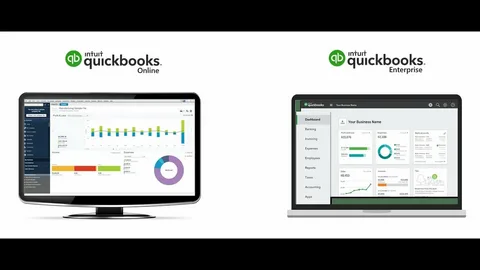
Managing business finances requires accuracy, organization, and the right guidance. Many business owners spend valuable time handling invoices, expenses, payroll tasks and financial records. Without proper systems, small mistakes can create bigger problems and affect important business decisions.
The right accounting partner can make financial management easier. Minding My Books CA helps Canadian businesses organize their financial operations with professional bookkeeping, payroll support, accounting solutions, and expert guidance. As a trusted QuickBooks Canada ProAdvisor, the company helps businesses improve accuracy, save time and maintain better control over their financial activities.
Why Expert Accounting Support Matters
Every business needs reliable financial information to grow successfully. However, managing accounts without professional assistance can become stressful. Business owners often face challenges with tracking expenses, preparing reports, and keeping records updated. Businesses across Canada use QuickBooks because it offers helpful features for invoicing, expense tracking, payroll management, reporting, and financial organization. However, software alone cannot solve every accounting challenge. Companies need proper setup, training, and support to achieve the best results.
Minding My Books CA provides customized accounting assistance based on each client’s goals. The team understands that every business works differently. Therefore, they create solutions that match specific requirements instead of offering generic services.
Professional Setup and Configuration
A strong accounting system begins with correct setup. Incorrect settings can create confusion and lead to inaccurate records. Minding My Books CA helps businesses complete their QuickBooks setup with careful attention to important details. The setup process may include organizing the chart of accounts, configuring sales tax settings, connecting bank accounts, creating customer and vendor profiles, and preparing reporting preferences. A properly organized system helps businesses track financial activities more efficiently. It also creates a reliable foundation for future growth.

Smooth Data Migration Services
Changing accounting systems can feel overwhelming, especially when a company has years of financial information. Losing important records or transferring incorrect data can create unnecessary challenges. Minding My Books CA helps businesses move their financial information safely to QuickBooks. The process includes transferring important details such as customer records, vendor information, transaction history, account balances, and other financial data.
With professional migration support, businesses can continue daily operations without major disruptions. They also gain confidence knowing their records remain organized and accurate.
Reliable Bookkeeping Solutions
Bookkeeping plays a major role in understanding business performance. Updated financial records allow owners to monitor income, expenses, cash flow, and overall profitability. Minding My Books CA provides complete bookkeeping support to help businesses stay organized. Services include recording transactions, reconciling bank and credit card accounts, managing accounts payable and receivable, categorizing expenses and preparing financial reports. When businesses connect QuickBooks with professional bookkeeping services, they can maintain cleaner records and access important financial information more easily.

Expert Consulting and Training
Many businesses purchase accounting software but do not use all its available features. Professional consulting helps companies improve their workflow and understand how to manage their financial processes more effectively. With QuickBooks consulting services, Minding My Books CA helps businesses solve technical issues, improve reporting, customize workflows, and train users. The goal is to make accounting tasks simpler and more efficient. Whether a company recently started using accounting software or wants to improve its current system, expert guidance can provide valuable support.
Efficient Payroll Management
Payroll requires careful attention because employees depend on accurate payments. Mistakes in calculations, tax information, or reporting can create problems for both businesses and workers.
Minding My Books CA offers payroll assistance that helps businesses manage employee payments, tax calculations, payroll records, and government requirements. Reliable payroll support reduces administrative pressure and allows business owners to focus on daily operations.
Benefits of Cloud-Based Accounting
Modern businesses need flexible tools that allow access from anywhere. Cloud accounting gives business owners the ability to review financial information remotely and collaborate with accounting professionals. Using QuickBooks Online, companies can benefit from real-time updates, secure storage, easy document sharing, automatic updates, and improved teamwork. Cloud solutions help businesses work faster while maintaining better organization. They also support remote operations and improve communication between owners and accounting experts.
Why Choose Minding My Books CA?
Choosing the right accounting partner provides more than basic financial support. It gives businesses access to knowledge, experience and reliable solutions. Minding My Books CA offers several advantages, including:
- Professional accounting expertise
- Personalized financial solutions
- Accurate record management
- Time-saving services
- Better financial reporting
- Ongoing business support
Certified QuickBooks expertise allows the team to provide effective assistance based on current accounting practices. Their customized approach helps businesses manage finances with greater confidence.
Supporting Different Industries
Minding My Books CA works with businesses from various industries, including professional services, construction, retail, ecommerce, healthcare, real estate, hospitality, consulting and nonprofit organizations. Each industry has different financial requirements. However, proper accounting support helps every business improve organization and efficiency. Companies in different sectors can benefit from QuickBooks solutions that simplify financial tasks and provide clearer insights.
Build a Strong Financial Future
Strong financial management helps businesses make better decisions and prepare for long-term success. Accurate records, organized processes, and expert support allow owners to focus on growth instead of spending excessive time on accounting tasks. Minding My Books CA provides dependable financial services designed around each business’s needs. From bookkeeping and payroll assistance to consulting and system support, the company helps Canadian businesses improve their financial operations. By choosing professional guidance, businesses can reduce errors, increase efficiency and create a stronger foundation for future opportunities.
Conclusion
Managing finances becomes easier when businesses have the right support system. Minding My Books CA combines accounting knowledge, personalized service and QuickBooks solutions to help companies achieve better financial control. Professional assistance allows businesses to stay organized, improve accuracy and make informed decisions. With reliable accounting support, companies can spend less time worrying about financial tasks and more time focusing on growth and success.
Author













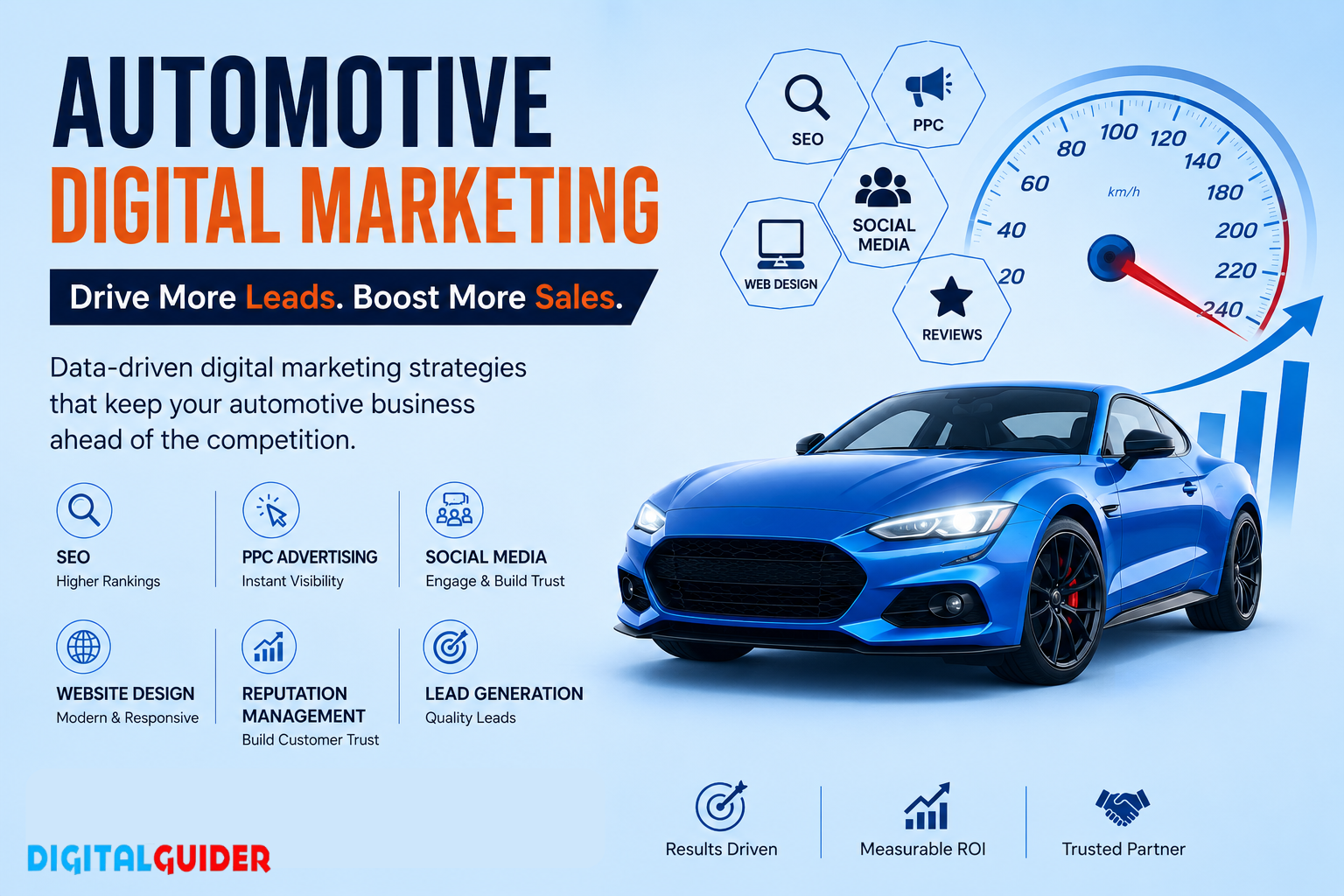
People no longer rely only on word-of-mouth recommendations when choosing an auto repair shop. They search online for nearby mechanics, compare services, read reviews, check websites, and often look for immediate answers when their vehicle needs attention. This makes online visibility an important part of attracting new customers and keeping existing ones engaged.
A strong auto repair digital marketing strategy helps repair shops connect with customers at the right time. By combining SEO, local search, content, social media, paid advertising, reputation management, and website optimization, automotive businesses can build visibility and turn online searches into real service opportunities.
Why Automotive Businesses Need Digital Marketing
The automotive industry includes dealerships, repair shops, service centers, parts businesses, detailers, and other specialized providers. Each business competes for customers who are increasingly using digital channels to research their options.
For an auto repair shop, this could mean someone searching for brake repair, oil changes, tire services, engine diagnostics, or emergency vehicle repairs. If your business does not appear when customers are actively looking for these services, a competitor may receive the call instead.
Digital marketing for automotive businesses should therefore focus on visibility, trust, convenience, and conversions rather than simply generating website traffic.
Key Digital Marketing Strategies for Auto Repair Shops
Local SEO
Local SEO is one of the most important strategies for repair shops because customers usually want a service provider within a convenient distance.
Optimizing your Google Business Profile, maintaining accurate business information, collecting genuine customer reviews, creating location-focused service pages, and building relevant local citations can help improve your presence in local searches.
When someone searches for an auto repair service nearby, strong local visibility can make it easier for them to discover and contact your shop.
Automotive SEO
SEO helps automotive businesses appear for relevant searches across Google and other search platforms. A well-optimized website should cover important services, vehicle-related problems, frequently searched questions, and locations served.
Useful content such as brake repair guides, maintenance tips, warning-sign articles, and service explanations can attract potential customers while demonstrating industry knowledge.
Paid Advertising
Paid advertising can help repair shops reach customers who are actively searching for automotive services. Search campaigns can target specific services, locations, and high-intent queries.
However, getting clicks is only one part of the process. Ads should lead to relevant landing pages with clear service information, strong calls to action, phone numbers, booking options, and other easy ways to contact the business.
Social Media Marketing
Social media can help automotive businesses build familiarity and trust. Repair shops can share maintenance tips, before-and-after work, customer experiences, service reminders, team introductions, and educational videos.
Consistent content gives potential customers more reasons to recognize and remember your business when they eventually need automotive services.
Reputation Management
Trust is especially important when customers are choosing someone to work on their vehicle. Reviews can influence how potential customers perceive a repair shop before they make contact.
A reputation management strategy can encourage satisfied customers to leave genuine feedback while helping businesses respond professionally to both positive and negative reviews.
Website and Conversion Optimization
A website should make it easy for visitors to understand what you offer and what they should do next. Mobile-friendly design, fast-loading pages, clear service descriptions, visible contact information, online booking options, and strong calls to action can improve the customer experience.
The objective is not just to attract visitors but to turn relevant visitors into calls, appointments, and service bookings.
Build Digital Marketing Around Customer Intent
Automotive customers have different levels of urgency. Someone researching routine maintenance may take weeks before booking, while a driver experiencing a vehicle problem may need a repair immediately.
Understanding these differences allows businesses to create content and campaigns for different stages of the customer journey. Informational content can build awareness, service pages can capture high-intent searches, and targeted advertising can reach customers who are ready to take action.
Tracking calls, bookings, form submissions, and qualified leads can also provide a clearer picture of which marketing activities are contributing to business growth.
DigitalGuider: Automotive Digital Marketing Partner
DigitalGuider provides customized digital marketing solutions for businesses looking to improve their online visibility and attract more relevant customers. Its approach combines SEO, local search, content, paid marketing, social media, website optimization, and other digital strategies based on individual business goals.
For automotive businesses, a focused strategy can help strengthen visibility for service-related searches, improve local presence, build customer trust, and create better opportunities for inquiries and bookings.
DigitalGuider can also incorporate modern SEO and AI search strategies to help automotive businesses adapt as customers increasingly discover information through search engines and AI-powered platforms.
Choose the Right Automotive Marketing Strategy
The right digital marketing approach depends on your business type, service area, target customers, competition, and growth goals. A dealership may prioritize vehicle searches and test-drive leads, while an auto repair shop may focus more heavily on local SEO, service keywords, reviews, and appointment bookings.
A reliable marketing partner should understand these differences and create a strategy around measurable business outcomes.
With the right combination of digital marketing automotive strategies, local SEO, useful content, paid campaigns, social media, reputation management, and conversion optimization, automotive businesses can improve their online presence and create a stronger pipeline of potential customers.
Author



A good mobile app starts with a good idea, but turning that idea into a successful product takes the right development team. Whether you are planning an app for customers, employees, or a new business venture, the people building it can have a major impact on its performance, usability, security, and future growth.
Dubai has become an attractive market for companies investing in digital products. Businesses in retail, logistics, real estate, healthcare, finance, hospitality, food delivery, and other sectors are adopting mobile applications to connect with customers and improve everyday operations.
This has also increased the number of companies offering mobile development services. While having more choices can be helpful, it can make the hiring process confusing. Every company may claim to have experienced developers, but not every team will be the right fit for your project.
If you are planning to hire mobile app developers in Dubai, you need to look beyond promotional claims. Their previous work, technical knowledge, communication style, development process, and ability to understand your business all deserve attention.
Here is a practical guide to help you make a better decision.
Hire Mobile App Developers in Dubai for Custom Business Applications
The first thing to consider is whether the development team can understand your business instead of simply following a predefined development process.
A good mobile app development company in Dubai will normally start by discussing your idea, target users, business model, required features, and expected outcomes. This initial conversation helps developers understand what you actually need before suggesting a technical solution.
For example, an online retailer may need product browsing, shopping carts, payments, order tracking, and customer accounts. A logistics company might need driver management, GPS tracking, delivery scheduling, and real-time updates.
The requirements are different, so the development approach should be different too.
Choose Dubai App Developers with Relevant Industry Experience
Previous experience can make a considerable difference when selecting a development team. Look through the company’s portfolio and see whether it has built applications with functionality related to your project.
You don’t necessarily need a developer who has worked exclusively in your industry. What matters is whether the team has solved similar technical and business problems before.
Ask about the challenges they faced on previous projects and how they solved them. A developer who can explain the reasoning behind past decisions is often more valuable than someone who simply lists technologies.
Find a Development Team That Understands Your Business Goals
Your app should have a purpose beyond simply being available on an app store.
Before choosing an app development company in Dubai, explain what you want the application to achieve. Perhaps you want to increase sales, make bookings easier, improve customer service, automate an internal process, or introduce an entirely new digital service.
The development team should understand these goals and use them to guide decisions about features and technology.
Choose an Android App Development Company in Dubai for Scalable Apps
Android gives businesses access to a broad range of users, but developing a quality Android application requires consideration of many different devices and configurations.
When evaluating an Android app development company in Dubai, ask about its experience with different screen sizes, operating-system versions, hardware specifications, and device capabilities.
A developer who understands these differences can make better decisions about compatibility and performance from the beginning.
Check Android Development Experience in Dubai
Take some time to explore previous Android projects completed by the development team.
Look at more than screenshots. If possible, try the applications yourself. Pay attention to how quickly screens load, how easy the navigation feels, and whether the application behaves smoothly.
You can also ask the developers which technologies they typically use and why they would choose a particular approach for your project.
Hire Android Developers for Feature-Rich Applications
Modern Android applications can include much more than basic screens and forms.
Depending on your business, you may need location services, payment gateways, push notifications, cloud functionality, social login, real-time communication, or connections with external systems.
Before hiring Android app developers in Dubai, make sure they have experience handling the features that matter to your application. More importantly, ask how those features will affect development time, performance, security, and maintenance.
Hire iOS App Developers in Dubai for Premium Mobile Experiences
If Apple users are part of your target market, finding experienced iOS app developers in Dubai should be another priority.
iOS development has its own technical requirements and platform guidelines. Developers need to understand Apple’s ecosystem and create an experience that feels natural to iPhone and iPad users.
Review Previous iOS App Development Projects
A company’s iOS portfolio can give you a useful idea of its capabilities.
Look for applications with clean interfaces, straightforward navigation, responsive interactions, and reliable performance. If a portfolio contains projects similar to yours, ask the team about the role it played in those projects.
Don’t hesitate to ask for details about the development process. A reputable iOS app development company in Dubai should be comfortable explaining how it approaches design, development, testing, and deployment.
Choose Developers Familiar with App Store Requirements
Getting an app ready for launch involves more than finishing the code.
The application needs to be prepared properly for App Store submission and should meet the relevant requirements. Experienced iOS developers can help with the technical preparation, testing, submission process, and future updates.
This kind of experience can save businesses from unnecessary delays close to launch.
Get Custom Mobile App Development Services in Dubai for Unique Requirements
Off-the-shelf software can be useful for certain business needs, but it cannot always accommodate a unique workflow or customer experience.
That’s where custom mobile app development in Dubai can be useful. Instead of adjusting your business to fit a ready-made application, you can create a product around your actual requirements.
Build Applications Around Your Business Model
A custom app can include only the functionality your customers or employees actually need.
Depending on your project, this could include:
- User registration and secure login
- Product or service catalogs
- Online payments
- Booking and scheduling
- Order management
- Location tracking
- Customer support
- Loyalty programs
- Admin dashboards
- Reports and analytics
- Push notifications
- Third-party integrations
The important part is prioritizing features. Adding every possible function at launch can increase both cost and complexity.
An experienced custom mobile app development company in Dubai can help you decide which features are essential for the first release and which can be introduced later.
Choose a Dubai Development Partner for Flexible Solutions
Your first version may not be your final product.
As customers start using the application, you may discover new requirements, request additional features, or expand into new markets. The technical foundation should therefore be flexible enough to accommodate these changes.
Discuss your long-term plans with potential developers before development begins. This gives them an opportunity to build an architecture that can support future improvements.
Find Cross-Platform App Developers in Dubai for Android and iOS
If you want to launch on both Android and iOS, cross-platform development may be an option worth discussing.
With cross-platform app development in Dubai, developers can use a shared development approach for applications targeting multiple operating systems. For certain projects, this can simplify development and make ongoing updates easier.
However, it isn’t automatically the best choice for every application.
Compare Native and Cross-Platform Development
Native development can be useful when an application requires highly platform-specific functionality or maximum control over performance.
Cross-platform development can make sense when the business wants to reach both platforms efficiently and the application’s requirements are compatible with that approach.
Ask your mobile app developers in Dubai to compare both options based on your actual requirements. The decision should consider performance, functionality, budget, timeline, and future maintenance.
Choose Technology Based on Business Requirements
Technology should serve the product, not the other way around.
A reliable mobile application development company in Dubai should be able to explain why a particular framework or development approach makes sense for your project.
If a developer recommends a technology without first asking about your requirements, consider that a reason to investigate further.
Compare Mobile App Development Companies in Dubai Before Hiring
There is no shortage of development providers in the Dubai market. Taking time to compare them can help you avoid choosing a company simply because it appears first in search results.
Evaluate Portfolios of Dubai Mobile App Development Companies
Start with the portfolio.
Look for real applications rather than generic concept designs. Try to understand what the company actually delivered and whether those projects demonstrate the technical skills your application requires.
You can also ask about the size of the development teams, project timelines, and the company’s role in each project.
Compare Services, Pricing, and Project Timelines
When comparing mobile app development services in Dubai, don’t focus on the price alone.
One company may provide design, development, testing, deployment, and maintenance within its quotation, while another may charge separately for each stage.
Ask for a clear proposal that outlines:
- Project scope
- Features and functionality
- Technology stack
- Development milestones
- Estimated timeline
- Testing
- Deployment
- Maintenance
- Payment terms
A transparent proposal makes comparisons much easier.
Find Affordable Mobile App Development Services in Dubai Without Cutting Quality
Every business has a budget, and mobile development can become expensive if the scope isn’t managed carefully.
That doesn’t mean you should automatically select the cheapest developer. A low initial quote may exclude important work or result in additional expenses later.
Understand What Determines App Development Cost in Dubai
Several factors influence the final cost of a mobile application.
These include the number of platforms, application complexity, UI/UX requirements, backend functionality, integrations, security, testing, and development timeline.
For instance, a simple booking application will have very different requirements from a marketplace or logistics platform with real-time tracking.
When discussing costs with mobile app developers in Dubai, provide as much information about your project as possible. More accurate requirements generally lead to more realistic estimates.
Request a Detailed Development Proposal
Before agreeing to a quotation, ask exactly what you’re receiving for the stated price.
A good proposal should explain the deliverables and identify anything that is not included.
This can help you avoid situations where additional charges appear later because certain features or services were not part of the original agreement.
Choose a UI/UX Design Company in Dubai for Better App Experiences
Users rarely care about the technology behind an application. They care about whether the app is easy to use.
That makes UI/UX an important part of the hiring decision.
Hire Dubai App Designers for User-Friendly Interfaces
A good design should make the application feel natural from the first interaction.
Designers should think about navigation, screen hierarchy, buttons, forms, onboarding, accessibility, and the steps users need to complete important actions.
When reviewing the work of a UI/UX design company in Dubai, don’t just judge whether the screens look attractive. Ask whether the design actually makes the product easier to use.
Create Consistent Android and iOS Experiences
If you’re launching on both platforms, your branding and core experience should remain consistent.
At the same time, Android and iOS users have different platform expectations. A good team should know how to maintain your brand identity without making the application feel awkward on either platform.
Read More: https://contrank.com/commercial-truck-financing/
Hire Scalable Mobile Application Developers in Dubai for Growing Businesses
It’s easy to focus entirely on launch day. However, your application needs to work just as well when your user base grows.
This is why scalability should be discussed before development begins.
Build a Mobile App Ready for Future Expansion
Developers should think about how the backend, database, APIs, cloud infrastructure, and authentication systems will handle growth.
You may start with a limited number of users, but a successful product could eventually handle thousands or even millions of transactions.
Planning for that possibility early can prevent major technical changes later.
Choose Dubai Developers with Long-Term Technical Expertise
Your relationship with a development company shouldn’t necessarily end once the app reaches the stores.
As your business grows, you may need new integrations, additional features, improved performance, or changes to existing functionality.
A development team that understands your product can make those changes more efficiently.
Hire Secure Mobile App Developers in Dubai for Business Data Protection
Security shouldn’t be treated as something to add just before launch.
Applications often handle personal information, account credentials, payment details, location information, and confidential business data. Protecting this information should be part of the development process from the beginning.
Ask About Mobile App Security Practices
Before hiring secure mobile app developers in Dubai, ask how they approach authentication, authorization, API protection, data storage, encryption, and access management.
Also ask how security issues are identified and handled during testing.
A developer should be able to explain these practices in clear language rather than simply saying that the application will be “secure.”
Protect Customer and Business Information
The level of security required depends on the type of application and the data it handles.
If your business operates in a regulated industry, discuss relevant security and compliance requirements with your development partner before work begins.
Choose Full-Service Mobile App Developers in Dubai for End-to-End Solutions
Some businesses prefer to work with separate specialists for design, development, testing, and deployment. Others prefer having everything managed by one team.
For many projects, a full-service development partner can simplify communication.
Get Complete Mobile App Development Services
Depending on the provider, a full-service team may handle:
- Product planning
- Business analysis
- UI/UX design
- Android development
- iOS development
- Backend development
- API integration
- Quality assurance
- Deployment
- Maintenance
- Technical support
Having multiple capabilities under one roof can make project management more straightforward.
Work with One Team from Concept to Launch
When the same team remains involved throughout the project, developers and designers can maintain a better understanding of the product.
It can also reduce the communication gaps that sometimes occur when work is passed between different vendors.
Find Mobile App Developers in Dubai with Reliable Testing and QA
Even a well-designed application can contain bugs. Thorough testing is what helps identify those problems before users encounter them.
When evaluating mobile app developers in Dubai, ask them to explain their testing process rather than assuming testing is included.
Check the Company’s Mobile App Testing Process
A complete QA process may include:
- Functional testing
- Performance testing
- Security testing
- Compatibility testing
- Usability testing
- Regression testing
- API testing
- Device testing
Testing should be carried out throughout development, not just during the final days before launch.
Choose Developers Who Fix Issues Before Launch
Regular testing gives developers an opportunity to identify and fix problems while the relevant part of the application is still being developed.
This can reduce the risk of serious issues appearing after launch and create a smoother experience for early users.
Hire Mobile App Maintenance Services in Dubai for Long-Term Support
The work doesn’t stop when an application is published.
Android and iOS operating systems are updated regularly. APIs change, security issues emerge, devices evolve, and users may request new functionality.
This is why mobile app maintenance services in Dubai should be considered when selecting your development partner.
Get Post-Launch App Support in Dubai
Post-launch support can include:
- Bug fixing
- Performance improvements
- Security updates
- OS compatibility updates
- API changes
- New features
- Technical assistance
- Application monitoring
Discuss these services before signing your contract so you know what support will be available after launch.
Choose a Long-Term Mobile App Development Partner
A long-term relationship with a development team can be valuable when the application becomes an important part of your business.
Instead of explaining the entire product to a new company every time you need an update, an existing partner already understands the architecture and development history.
Find the Best Mobile App Development Team in Dubai for Your Project
The “best” developer isn’t necessarily the company with the biggest portfolio or the lowest quotation. The right choice depends on your specific requirements.
Shortlist Developers Based on Your Requirements
Create a shortlist and compare each company based on:
- Relevant experience
- Portfolio quality
- Android expertise
- iOS expertise
- UI/UX capabilities
- Technical approach
- Communication
- Project management
- Pricing
- Testing
- Security
- Post-launch support
This gives you a much clearer picture than comparing companies based on price alone.
Discuss Your Project Before Signing a Contract
A detailed discussion before hiring can reveal a lot about a development company.
Explain your idea and ask how the team would approach it. Pay attention to the questions they ask you.
If developers are interested in understanding your users, business model, challenges, and long-term plans, that’s generally a positive sign.
They should also be comfortable discussing potential risks rather than promising that everything will be quick, easy, and inexpensive.
Final Thoughts on Hiring Mobile App Developers in Dubai
Finding experienced mobile app developers in Dubai takes some research, but the effort can pay off throughout the life of your application.
Start by understanding what your business actually needs. Then compare development companies based on relevant experience, portfolio quality, Android and iOS expertise, design capabilities, technical approach, pricing, communication, testing, security, and ongoing support.
Don’t make the decision based on a single factor. A low quotation may not provide the services your project requires, while a large portfolio doesn’t automatically mean a company is the right fit for your business.
The ideal mobile app development company in Dubai should take time to understand your goals, recommend technology based on your requirements, communicate clearly, and remain capable of supporting the application after launch.
Whether you are developing a startup MVP, an e-commerce platform, a logistics application, or an enterprise solution, choosing the right development partner can give your product a stronger technical foundation and a better chance of delivering lasting value to your users.
Author



A well-designed jacket starts with a clear purpose, then turns practical details into visual character. In everyday outerwear, strong designs protect the wearer without feeling overly technical or looking purely utilitarian. An IDA Jacket achieves that balance when its silhouette, fabric weight, closure system, and proportions work together rather than compete. Comfort depends on movement, while function depends on useful construction and dependable coverage. Style then gives the piece personality through shape, branding, color, and finishing. This approach reflects a broader outerwear principle: materials and fit influence warmth, mobility, durability, and appearance, so thoughtful design must consider every element today.
Fit Creates Everyday Comfort
Fit creates the foundation for comfortable outerwear because even premium fabric cannot rescue an awkward silhouette. A well-proportioned IDA Jacket can leave enough room for movement while maintaining a clean modern streetwear profile. Shoulder placement matters because poor alignment can restrict the arms or create unwanted bulk. Sleeve length also affects practicality, especially when the wearer reaches, drives, or layers beneath the garment. A balanced body width prevents the jacket from appearing shapeless while preserving ease through the chest and waist. This careful proportion helps the garment feel relaxed without losing definition, making everyday styling easier across outfits and settings.
Fabric Connects Performance With Style
Fabric selection quietly determines how an outer layer performs throughout the entire day. Designers must consider weight, texture, breathability, flexibility, and resistance to wear before choosing a material. An IDA Jacket feels more versatile when its fabric supports the intended season without creating unnecessary bulk. A lighter shell can work effectively for transitional weather, while a denser construction may provide stronger protection during cooler conditions. Blended textiles can combine useful qualities, such as durability and flexibility, while soft linings can improve interior comfort. The right material connects practical performance with visual appeal, giving the finished garment substance without sacrificing wearability.
Zippers Add Practical Design Value
Closure details can influence both convenience and personality of outerwear. A carefully placed zipper allows quick adjustment, while quality hardware can reinforce everyday practicality. An IDA Jacket using a well-integrated IDA Zip can create a streamlined front without making the closure dominate the design. The quality of the zipper also matters because repeated opening and closing places stress on components. Smooth movement, dependable fastening, and sensible placement improve the user experience during commuting or changing temperatures. When hardware matches the garment’s proportions, it becomes part of the visual language rather than an afterthought, strengthening both function and contemporary streetwear style.
Layering Improves Seasonal Versatility
Layering changes how a jacket should be designed because the wearer rarely uses outerwear in isolation. A thoughtful silhouette leaves enough space for a T-shirt, sweatshirt, or lightweight knit without becoming excessively loose. An IDA Jacket can support this versatility by combining a practical fit with proportions that remain controlled over different base layers. The lining also affects how easily another garment slides underneath, while sleeve construction influences freedom of movement. This makes layering more than a seasonal trick; it becomes a design requirement for modern wardrobes. Flexible proportions help one outer layer adapt to changing temperatures, outfits, routines, and preferences.
Functional Details Stay Visually Controlled
Functional details become valuable when they solve everyday problems without making the garment visually complicated. Pockets, cuffs, hems, collars, and internal finishes can each improve the wearing experience when designers place them thoughtfully. An IDA Jacket benefits from practical storage that remains accessible while preserving a smooth silhouette. Pocket depth, opening position, and reinforcement influence usability, especially when carrying small essentials. Adjustable cuffs can help manage airflow and sleeve placement, while a considered collar can add protection around the neck. These details demonstrate how practical construction can support style quietly, allowing useful features to enhance the garment instead of overwhelming its appearance.
Color and Branding Build Identity
Color and branding give functional outerwear an emotional dimension because people choose garments partly for taste. An IDA Jacket can maintain a distinctive identity through controlled graphics, tonal details, contrasting panels, or restrained branding. The strongest approach avoids adding decoration for attention; instead, each visual element should support the garment’s proportions and intended character. IDA Supply can use this principle to create pieces that feel recognizable without becoming difficult to style. Neutral shades can increase outfit flexibility, while stronger colors can establish a focal point. Thoughtful visual balance allows practical outerwear to become an expressive part of everyday streetwear.
Durability Supports Long-Term Wear
Durability matters because a jacket earns value through repeated use rather than a single impressive appearance. Strong seams, reliable hardware, suitable fabrics, and careful finishing can help an IDA Jacket remain useful across changing routines. Durability does not require heavy or rigid construction; designers can reinforce areas that experience greater stress while keeping the garment comfortable. Care requirements also influence satisfaction, since materials should match realistic care habits. When construction supports regular wear, the jacket becomes easier to rely on season after season. This relationship between resilience and comfort strengthens the practical appeal of modern fashion without losing visual character.
Versatility Expands Styling Possibilities
Versatility often separates a memorable jacket from a piece that only works for one occasion. A strong design should transition naturally between casual plans, city movement, travel, and relaxed social settings. An IDA Jacket can achieve that range when its silhouette remains distinctive yet easy to combine with denim, trousers, sneakers, hoodies, or simple tops. The IDA Zip detail can reinforce a contemporary finish while preserving straightforward styling. This adaptability reduces the need for multiple specialized layers and gives the wearer more freedom when building outfits. Versatility becomes a functional feature, not merely a fashion advantage, because it increases practical value.
Bringing Function, Comfort, and Style Together
The best outerwear design feels effortless because its priorities have been resolved before the garment reaches the wardrobe. An IDA Jacket brings together fit, fabric, construction, hardware, layering room, and visual identity so each element supports the others. Comfort encourages longer wear, function makes the garment dependable, and style gives it relevance beyond one season. IDA Supply can strengthen this balance by treating everyday usability as part of the aesthetic rather than separating performance from appearance. When those decisions align, the result feels natural on the body and adaptable in life. That harmony explains why jacket design remains central to modern streetwear.
Author



Cylinder Volume: The Complete Guide to Calculating Volume Accurately

Best Bourbon Tours in Kentucky: Choosing the Right Tour for You

Cabinet Shop Drawings for Precise Fabrication and Installation

Auto Repair Digital Marketing: Grow Your Automotive Business Online

Residential Drafting Services for Remodeling and Renovation Plans

Raised Bed Soil Calculator: How Much Soil Do You Really Need?

3 Best Rhude Hoodies for UK Style 2026

Revit Drafting Solutions for Accurate BIM Projects

How to Find Mobile App Developers in Dubai for Android & iOS Apps

How Do IDA Jacket Designs Balance Function, Comfort, and Style?

Cybersecurity Consulting Company SequelNet Provides Critical IT Support Services to Medical Billing Firm, Medical Optimum

Meet the Megalodon: The Shark Star of ‘Meg 2’

Reduce Video Game Lag: Level Up Your Gaming Performance

Balancing India’s Entertainment: Cricket vs. Bollywood

Jetsetter’s Secrets: Unveiling Our Favorite Travel Hacks for a Seamless Adventure

The 5 Best Live Sports Streaming Sites: Legal and Exciting!

Hollywood Labor Unrest: The Impact of ‘What About Us?’ Strikes

Unveiling the Magic of Dream Fulfillment at the Late NBA Draft

Illuminate Your Skin: Dr. Axe Unveils Natural Remedies for Lightening Knees and Elbows

Bright Choices: Navigating the Pros and Cons of Skin Whitening Creams with Dr. Axe
-

 Business3 years ago
Cybersecurity Consulting Company SequelNet Provides Critical IT Support Services to Medical Billing Firm, Medical Optimum
-
Entertainment3 years ago
Meet the Megalodon: The Shark Star of ‘Meg 2’
-
Entertainment3 years ago
Reduce Video Game Lag: Level Up Your Gaming Performance
-
 Sports3 years ago
Balancing India’s Entertainment: Cricket vs. Bollywood
-
Entertainment3 years ago
Jetsetter’s Secrets: Unveiling Our Favorite Travel Hacks for a Seamless Adventure
-
Productivity3 years ago
The 5 Best Live Sports Streaming Sites: Legal and Exciting!
-
Art /Entertainment3 years ago
Hollywood Labor Unrest: The Impact of ‘What About Us?’ Strikes
-
Sports3 years ago
Unveiling the Magic of Dream Fulfillment at the Late NBA Draft






