
Technology Explained
7 Weird and Wonderful Tech Finds at IFA 2023


7 Weird and Wonderful Tech Finds at IFA 2023
Welcome to the world of IFA 2023, where innovation knows no bounds. This year’s event showcased a plethora of impressive technological marvels, but hidden among them were the truly unusual and imaginative creations that left us in awe. In this article, we’ll take you on a journey through the seven weirdest and most wonderful products that caught our attention at IFA 2023.
1. LG StandbyME GO: A Portable TV Like No Other
LG StandbyME GO at IFA 2023 LG made waves at IFA 2023 with the StandbyME GO, a portable 27-inch TV encased in a sleek metal shell. What sets it apart? Its 1080p LCD touchscreen, a versatile 20W speaker system, and the ability to switch between portrait and landscape mode. But the real charm lies in its wireless capabilities, perfect for travelers, outdoor enthusiasts, and tech aficionados.

Image by https://www.makeuseof.com/
Key Features:
- 1080p LCD touchscreen
- 20W speaker system
- Wireless functionality
- Three-hour battery life
- Wi-Fi connectivity for streaming
Priced at $999.99, it may seem steep for a 1080p display, but the portability and unique design make it an attractive option for on-the-go entertainment.
2. SwitchBot S10: The Robotic Floor Mop Revolution
SwitchBot S10 – The Automated Floor Mop Meet the SwitchBot S10, a groundbreaking robotic floor mop that does more than just clean. This innovative cleaner can refill and empty itself, eliminating the hassle of constant maintenance. It utilizes clean water from your household appliances, ensuring spotless floors without liquid stains. Plus, it can dry its mop and even handle carpets, making it a versatile cleaning companion.
Key Features:
- Self-refilling and emptying
- Use of clean water from appliances
- Mop drying capability
- Carpet cleaning
3. Honor V Purse: Where Fashion Meets Technology
Honor V Purse – A Stylish Tech Concept The Honor V Purse is a fashion-forward tech concept that combines wearable and foldable technology. This stylish clutch bag is also a smartphone, with an always-on display for customization. With numerous strap options, it seamlessly integrates fashion into tech. While currently a concept, it hints at the future of high-fashion wearable tech.

Image by https://www.makeuseof.com/
Key Features:
- Stylish designer-level clutch bag
- Always-on display for customization
- Potential for fashion-forward wearable tech

Image by https://www.makeuseof.com/

4. Enabot Ebo X: The Pet and Home Guardian
Enabot Ebo X – Your Home and Pet’s Watchful Guardian If you worry about your pets or home when you’re away, the Enabot Ebo X is the perfect solution. This adorable robot features a 4K stabilized camera, smart mapping, edge detection, and sound source detection. It’s not just for pets; it can also keep an eye on elderly family members and notify you of accidents. With Alexa integration, it’s a comprehensive home and pet monitoring system.

Image by https://www.makeuseof.com/
Key Features:
- 4K stabilized camera
- Smart mapping
- Sound source detection
- Alexa integration
Available for pre-order at $999, it offers peace of mind for pet owners and caregivers.
5. Ambient Photonics’ No-Charge Wireless Keyboard: Sustainable Typing
Ambient Photonics Green Solar Powered Keyboard Sustainability meets technology with Ambient Photonics’ battery-less wireless keyboard. It harnesses low-light solar photovoltaic cells, working even with indoor lighting. Say goodbye to disposable batteries and embrace an eco-friendly typing experience. Made from recycled materials, it reduces its carbon footprint.

Image by https://www.makeuseof.com/
Key Features:
- Battery-less and wireless
- Low-light solar photovoltaic cells
- Made from recycled materials
Expected to hit the market in early 2024, it’s a must-have for tech enthusiasts with an eco-conscious mindset.
6. Robosen’s Robotics Range: Playful Tech
Robosen’s Toy Robotic Models at IFA 2023 IFA 2023 featured not just serious tech but also playful robotics. Robosen’s Grimlock robot, a dinosaur that transforms into a humanoid Autobot, stole the show. It boasts Bluetooth BLE 5.0, SOC chip technology, authentic G1 sounds, and wearable accessories. Plus, the Interstellar Scout: the K1 Pro offers voice control and Bluetooth 4.2 connection for endless entertainment.


Image by https://www.makeuseof.com/
7. EEVE Willow: Your Garden’s Personal Assistant
EEVE Willow – The Garden Helper Maintaining your garden is effortless with the EEVE Willow. This personal robot assistant mows the lawn, eradicates weeds with stored weed-killing chemicals, and even shreds and collects leaves. With built-in AI and a user-friendly Control Room app, you can monitor and control it remotely.
Key Features:
- Lawn mowing and weed control
- Leaf shredding and collection
- AI functionality
- Remote monitoring via app
The EEVE Willow is priced just under $3,000, while the Pro version costs around $3,700, making it a valuable addition to any garden.
In Conclusion
IFA 2023 showcased the quirky and innovative side of technology, reminding us that the future is filled with surprises. From portable TVs to robotic gardeners, these weird and wonderful products offer a glimpse into the limitless possibilities of tech. Who knows, one day, these marvels might find their way into your home, making life more exciting and convenient than ever before. Embrace the future of tech, one oddity at a time.
Author


Slow Load Times on Mobile Devices
Ohio State’s primary website loads in just 2.3 seconds on a mobile device. Conversely, Columbus State’s website loads in 8.7 seconds. Given that 73% of prospective students use smartphones to browse, that’s not just slow, it’s a death sentence for admissions.
The Solution: Any reputable web design company in Columbus will tell you that mobile-first design is no longer up for discussion. Pages should be designed to load in 3 seconds or less, forms should be usable with a thumb, and navigation should be designed to be thumb-friendly. CCAD (Columbus College of Art and Design) just redesigned their web site using all of these principal’s and their applications started increasing 34% since the redesign.
Invisible in local search results
If you enter “colleges around Columbus” on a search engine (Google), you will see Ohio State as the only college that shows up. However, when searching for community colleges and other specialised institutions, you will find these institutions ranking around page 3 or lower for their named programs.
The problem: No GMB (Google My Business) optimization. Franklin University even fails to fully claim their GMB listing. Their address is commonly listed as “temporarily closed.”
The Solution: Create and then optimize all campus addresses through both Google and business directory listings. Include photographs, create labels to respond to people reviewing your school, and post recent updates relating to the available enrollment periods. You want colleges to be able to locate you locally first when a prospective student types in “nursing programs Columbus” and you are visible in the map section.
Content That Converts Students
Most institutions write their college websites in an academic style. They use high-density paragraphs about “excellence of the institution” and “a transformative learning experience.” When students are looking for information, they are looking for answers to questions such as how long it will take to complete the program, how much it will cost, and will there be any job opportunities upon completion.
For example, Otterbein University’s nursing website includes 847 words of content; however, it does not include the starting salary for a graduate until paragraph six. A competing institution’s website leads with, “96% job placement rate with an average starting salary of $65,000.”
Solution: answer the money questions up front and create program pages that convert:
- Job placement rates (with 3rd party sources).
- Graduate’s average starting salaries.
- Total program cost (not just tuition).
- Time to complete the program.
- Prerequisite information listed in plain English

Technical SEO Disasters
Most of the Columbus, Ohio college websites fail to meet the industry’s minimum criteria for Search Engine Optimization (SEO), which lead to decreased rankings in all search engines.
The common issues we found include:
1. Broken internal links.
2. Missing alt tags on images.
3. Duplicate content across program pages (Capital University has 23 pages with the same meta description).
Some additional key technical issues that hamper the rankings on all college websites include:
1. No schema markup for either program or location.
2. Slow server response times.
3. Missing SSL certificate on multiple application forms.
4. Broken mobile navigation for multiple programs.
5. No local business structured data to support citation and rankings.
These common technical issues are far more than technical; they are also killing your rankings. Google cannot recommend college’s websites to its visitors if those sites are not accessible to Google through its crawler or can be understood once crawled.
The Death of Enrollment Forms
67% of potential students who fill out inquiry forms at Columbus colleges are lost at the inquiry stage. Why does this happen? Schools are using inquiry forms that require up to 15 fields when 4 would suffice, not having mobile-optimized inquiries, and having broken “Submit” buttons. Delaware County Community College cut their inquiry form from 12 fields down to only 3 fields, resulting in an 89% increase in inquiries over 2 months.
Successful Examples of Results
Columbus State Community College worked with an SEO Services Columbus that specializes in local search engine optimization and experienced the benefits:
- 156% more traffic through organic search
- 43% additional program inquiries
- Increased performance in local search results for targeted programs
Their formula for success: a mobile-first redesign, aggressive optimization of their Google My Business profile across their campuses, and totally answering students’ questions using quality content.
To sum it up
Ohio colleges have to compete against Arizona and Florida Colleges’ web-based programs with better web pages and better collegiate leads search engine optimization, so there’s no longer a local marketplace for Columbus schools to get their students from.
It’s really easy to fix the problem. You’ll need to work with a web design company who understands education marketing, and to do that, you need to optimize the site for local search and generate content that gets visitors to apply. Your competitors are already doing this, and if you wait to make decisions about how many more students you will lose to your competitors.
If you are ready to improve your school’s web presence, do a technical audit, make your mobile experience priority, and claim local search results. In a competitive educational environment, your website is more than marketing, it’s your enrollment engine!
Author




Author


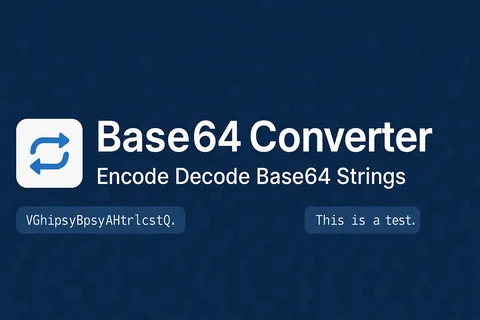
Whether you are a developer handling API payloads or someone embedding images in HTML, knowing how to base64 encode decode online is an essential skill in today’s web-driven world. Base64 is a widely used encoding scheme that converts binary data into a text-safe format, making it easier to transmit across systems that only support plain text. This guide answers the most common questions about Base64, from how it works to the safest tools you can use right now.
Understanding Base64 The Fundamentals
What is Base64 encoding?
Base64 encoding is a method of converting binary data — such as images, files, or raw bytes — into a string of ASCII characters using a set of 64 printable characters (A–Z, a–z, 0–9, +, and /). This transformation ensures that the data remains intact during transfer through systems that might misinterpret raw binary. Every 3 bytes of input are converted into 4 Base64 characters, making the output roughly 33% larger than the original.
What is Base64 decoding?
Base64 decoding is simply the reverse process taking a Base64-encoded string and converting it back into its original binary or text form. When you receive a Base64 string from an API response or email attachment, a decoder reconstructs the original data precisely. Without decoding, the encoded string is unreadable to both humans and most applications.
How does Base64 encoding work internally?
The algorithm groups your input into 3-byte (24-bit) chunks, then splits each chunk into four 6-bit values. Each 6-bit value maps to one of 64 printable characters in the Base64 alphabet. If the input length is not divisible by 3, padding characters (=) are added to complete the final group.
Is Base64 a form of encryption?
Base64 is absolutely not encryption it offers zero security or confidentiality. Anyone who has a Base64-encoded string can instantly decode base64 encode decode online it without any key or password. It is purely an encoding format designed for safe data transport, not for hiding or protecting information.

Practical Use and Applications
Why is Base64 used in web development?
Base64 is used primarily because many communication protocols — such as HTTP, SMTP, and XML are built to handle text, not raw binary data. Encoding binary content into Base64 ensures it passes through these channels without corruption or data loss. It also allows binary data to be embedded directly inside text-based files like JSON, HTML, or CSS.
What are the most common real-world use cases?
The most frequent applications include embedding images directly into HTML or CSS as Data URIs, transmitting binary files through JSON APIs, encoding email attachments in MIME format, and storing small media assets in databases as text strings. Developers also use it to encode authentication credentials in Basic Auth headers for HTTP requests.
What file types can be Base64 encoded?
Virtually any file type can be Base64 encoded images (PNG, JPEG, GIF, SVG), PDFs, audio files, fonts, and even entire binary executables. The encoding process treats all input as raw bytes, so the file format is irrelevant. Keep in mind that very large files will produce very large encoded strings, which can affect performance if embedded directly in web pages.
Using Online Tools for Base64 Conversion
How do I base64 encode decode online quickly?
To base64 encode decode online, simply visit a reliable web tool, paste your text or upload your file, and click the encode or decode button. The outcome is produced immediately in your browser with no need for software installation or technical expertise. Tools like the one available at multiconverters.net make this process seamless for both beginners and experienced developers.
What should I look for in a good online Base64 tool?
A trustworthy Base64 tool should process your data entirely in the browser without sending it to a remote server, support both text and file input, and handle URL-safe Base64 variants (which replace + with – and / with _). It should also provide a clean copy-to-clipboard function and give meaningful error messages when the input is invalid or malformed.
Are online Base64 converters safe to use for sensitive data?
For non-sensitive data, reputable online tools are perfectly safe and convenient. However, if your content contains passwords, private keys, personal user data, or confidential business information, you should use a locally installed tool or a browser-based tool that explicitly processes everything client-side. Always check whether the tool sends data to a server before encoding anything sensitive.
Conclusion
Understanding how to base64 encode decode online is a practical skill that saves time across dozens of everyday developer and web tasks. From embedding images in emails to decoding API responses, Base64 bridges the gap between binary data and text-based systems reliably.
Head over to multiconverters.net to try a fast, free, and browser-based Base64 encoder and decoder — no sign-up required. Whether you’re a developer debugging API responses, a designer embedding image data directly into HTML or CSS, or just someone who needs to quickly decode a string from an email. Or configuration file, this tool is built for you. It processes everything locally in your browser, meaning your sensitive data never leaves your device.
No uploads, no server logs, no privacy concerns. You can convert between text and Base64 instantly, with support for both standard and URL-safe variants. The interface is clean, works on any device, and gives you one-click copy functionality. Skip the complicated software installations and subscription fees. Just paste, click, and get your result in milliseconds — completely free, forever.
Author



Essentials Hoodie Australia: Summer Sale & Style Guide

Stussy Streetwear: Origins, Iconic Hoodies & Cultural Legacy

New IPO Guide: Trends, Risks and Investment Insights India

Grand Watches: Heritage, Craftsmanship & Mechanical Mastery

Fear of God Essentials Hoodie: Luxury Streetwear Guide

Chrome Hearts Clothing, Jewelry & Luxury Fashion Guide

Spirit Airlines IAD Terminal Guide: Terminal 1 Services & Tips

Labubu Original: Unique Fashion & Beauty Online Store

Kaftan Sets for Women: Stylish and Comfortable Summer Fashion

Korean Co Ord Sets: Celebrity-Inspired Fashion Trends Guide

Cybersecurity Consulting Company SequelNet Provides Critical IT Support Services to Medical Billing Firm, Medical Optimum

Team Communication Software Transforms Operations at Finance Innovate

Project Management Tool Transforms Long Island Business

How Alleviate Poverty Utilized IPPBX’s All-in-One Solution to Transform Lives in New York City

Breast Cancer: The Imperative Role of Mammograms in Screening and Early Detection

Unstoppable Collaboration: D.C.’s Citi Open and Silicon Valley Classic Unite to Propel Women’s Tennis to New Heights

Embracing Renewal: Sizdabedar Celebrations Unite Iranians in New York’s Eisenhower Park

The Benefits of Starting a Side Hustle for Financial Freedom

New Blood Donation Screening Questions What You Need to Know

Stylishly Timeless: The 5 Types of Sandals You Need in Your Closet
-

 Business3 years ago
Cybersecurity Consulting Company SequelNet Provides Critical IT Support Services to Medical Billing Firm, Medical Optimum
-
Business3 years ago
Team Communication Software Transforms Operations at Finance Innovate
-
Business3 years ago
Project Management Tool Transforms Long Island Business
-
Business3 years ago
How Alleviate Poverty Utilized IPPBX’s All-in-One Solution to Transform Lives in New York City
-
health3 years ago
Breast Cancer: The Imperative Role of Mammograms in Screening and Early Detection
-
Sports3 years ago
Unstoppable Collaboration: D.C.’s Citi Open and Silicon Valley Classic Unite to Propel Women’s Tennis to New Heights
-
Art /Entertainment3 years ago
Embracing Renewal: Sizdabedar Celebrations Unite Iranians in New York’s Eisenhower Park
-
Finance3 years ago
The Benefits of Starting a Side Hustle for Financial Freedom







