
Business
Why Outsourcing Customer Support Is Powering SaaS Scalability

By

Reviewed
By Eliana Hooper

Introduction
In the fast-paced world of Software-as-a-Service (SaaS), growth isn’t just about acquiring new customers it’s about keeping them. Customer support plays a central role in retention, satisfaction, and long-term brand loyalty. Yet, as SaaS companies scale, many find that their internal teams become stretched thin, leading to slower response times, inconsistent support quality, and rising operational costs.
That’s why outsourcing customer support has emerged as a hidden growth lever for SaaS companies. Far from being a cost-cutting shortcut, outsourcing can be a strategic move that enhances customer experience while enabling businesses to focus on core growth activities.
The Customer Support Challenge in SaaS
Unlike traditional industries, SaaS relies heavily on ongoing relationships rather than one-time transactions. Every touchpoint matters — from onboarding and troubleshooting to renewals and upselling. Poor support not only frustrates users but can also increase churn, which directly affects monthly recurring revenue (MRR).
As SaaS products become more complex and customer bases more global, companies face three major challenges:
- Round-the-clock support demands: Customers expect answers at all hours, especially in global markets.
- Scaling without breaking budgets: Hiring and training in-house teams quickly becomes costly.
- Consistency in user experience: Maintaining the same high-quality support across regions is difficult.
These challenges make customer support not just a function, but a growth bottleneck if not managed effectively.
The Importance of Customer Support in SaaS Growth
Customer support plays a vital role in the success of any SaaS business. For SaaS companies, the value of great customer service extends beyond solving technical issues. It impacts customer retention, brand reputation, and even product development. Happy customers are more likely to stick with a service, refer others, and become long-term users.

However, as SaaS businesses grow, so does the volume of customer inquiries, complaints, and support requests. Handling this internally can quickly become overwhelming. A well-structured customer support system becomes essential to maintain the balance between growth and service quality. That’s where outsourcing comes in.
How Outsourcing Customer Support Helps SaaS Scalability
Outsourcing customer support enables SaaS companies to handle increased demand without sacrificing quality or efficiency. Here’s how it helps SaaS businesses scale:
1. Cost Efficiency
Building and maintaining an in-house customer support team can be expensive. You need to hire, train, and retain skilled support agents, which requires a significant budget. Additionally, providing customer service across different time zones or supporting various communication channels (email, chat, phone, social media) can lead to higher overhead costs.
Outsourcing customer support can drastically reduce these costs. You can partner with an experienced outsourcing provider that already has a trained team in place. Often, outsourcing companies operate in regions with lower labor costs, which can save your business a lot of money. This allows SaaS businesses to allocate resources to other growth areas, such as product development or marketing.
2. Scalability Without the Stress
SaaS businesses experience fluctuations in demand based on factors like product launches, seasonal trends, or sudden surges in user base. These fluctuations can create pressure on in-house support teams, especially when they’re not adequately staffed or trained to handle the influx of inquiries.
By outsourcing customer support, businesses can easily scale up or down as needed. Whether there’s a sudden spike in users or a quieter period, outsourced teams can flexibly adjust their capacity to meet demand without the headaches of hiring or laying off employees.
3. 24/7 Availability
SaaS products are often used across different time zones and regions, meaning that your customers may need assistance at all hours. Providing 24/7 customer support in-house can be costly and complex, especially if you don’t have enough staff available to cover night shifts or weekends.
Outsourcing customer support solves this issue by giving businesses access to round-the-clock service. Many outsourcing providers offer 24/7 support, ensuring that customers can reach out for help anytime, no matter where they are in the world. This level of availability helps increase customer satisfaction and prevents user frustrations from unresolved issues.
4. Focus on Core Competencies
By outsourcing customer support, SaaS businesses can focus on their core competencies, such as product development, marketing, and strategic growth. Managing a support team requires attention, time, and resources that could be better spent on improving the service itself.
Outsourcing allows businesses to shift their focus to what truly drives growth while leaving customer support in the hands of specialists who can efficiently handle customer inquiries and concerns.
5. Expertise and Experience
Outsourcing customer support doesn’t just mean hiring more people. It means partnering with experts who specialize in handling customer interactions. These professionals have experience dealing with a wide range of customer issues, from technical difficulties to billing inquiries. They are well-equipped to provide effective and timely solutions.
Outsourcing providers often use advanced tools and technologies, such as customer relationship management (CRM) software and ticketing systems, to streamline the support process. These tools help track and resolve issues faster, ensuring that customers receive high-quality service without delays.
Why Outsourcing Customer Support Is the Answer
1. Cost Efficiency Without Compromising Quality
Outsourcing enables SaaS companies to tap into skilled talent pools without the overhead costs of local hiring, office space, and equipment. This makes scaling support operations more affordable while still maintaining high standards. In competitive markets, controlling costs without sacrificing customer experience is a powerful advantage.
2. 24/7 Global Coverage
A key benefit of outsourcing is the ability to provide 24/7 coverage. Partnering with teams in different time zones ensures that customers always have someone available to assist. This is particularly valuable for SaaS businesses that serve clients across North America, Europe, and Asia, where “business hours” vary significantly.
3. Access to Expertise and Training
Specialized outsourcing firms focus on customer experience and continuously train their teams on best practices, communication skills, and even SaaS-specific tools. Many providers also invest in technology like AI-assisted ticketing systems and CRM integrations, giving SaaS companies access to advanced capabilities without having to build them in-house.
4. Faster Scalability
Whether a SaaS product goes viral or a new feature rollout drives unexpected demand, outsourcing partners can ramp up support teams quickly. Instead of waiting weeks to recruit and train, businesses can scale capacity in days. This agility prevents customer frustration and protects brand reputation during critical growth phases.
5. Focus on Core Business Growth
Every hour a SaaS founder or product manager spends handling support is an hour not spent on improving the product or acquiring new customers. Outsourcing shifts the workload, allowing internal teams to focus on growth-driven activities like R&D, marketing, and strategic partnerships.
Real-World Impact of Outsourcing on SaaS Growth
Many high-growth SaaS companies have used outsourcing as a stepping stone to scale efficiently:
- Startups often outsource Tier 1 support (basic troubleshooting, FAQs) to free up internal engineers for product development.
- Mid-sized SaaS companies expand into new regions by outsourcing multilingual support, enabling them to reach customers in local languages.
- Enterprise-level SaaS firms use outsourcing to handle spikes in demand during product launches or updates, keeping customer satisfaction high.
For example, a SaaS company launching in Latin America may outsource Spanish- and Portuguese-speaking support teams. This not only improves user experience but also builds trust in new markets something that would take months or years to achieve internally.
Addressing Concerns About Outsourcing
Despite the benefits, some SaaS leaders hesitate to outsource due to concerns about quality control or losing the “personal touch.” These are valid concerns, but they can be mitigated with the right approach:
- Choose the right partner: Look for providers experienced in SaaS, with strong training programs and robust security practices.
- Maintain clear communication: Regular check-ins, shared KPIs, and feedback loops ensure alignment.
- Blend teams strategically: Many SaaS companies use a hybrid model, keeping a small in-house team for complex issues while outsourcing high-volume, lower-tier support.
When handled properly, outsourcing enhances rather than replaces the customer experience.
Key Benefits of Outsourcing Customer Support for SaaS Companies
In addition to scalability, there are many other advantages to outsourcing customer support. Let’s take a closer look at the key benefits:
1. Improved Customer Satisfaction
Customer satisfaction is at the heart of any SaaS business. Outsourcing customer support allows you to maintain consistent service levels, regardless of demand. The trained agents who handle inquiries are skilled in problem-solving and can deliver quick, effective solutions. This results in improved customer satisfaction and a stronger relationship between the company and its users.
2. Access to Advanced Technology
Outsourcing companies often have access to the latest tools and technologies for customer support, such as live chat systems, AI-driven chatbots, and ticket management platforms. These technologies can improve response times, streamline communication, and offer customers a more seamless experience.
By outsourcing, SaaS businesses can take advantage of these tools without the need to invest in them directly. This means you can provide high-quality customer service while saving on expensive software, training, and maintenance.
3. Reduced Burnout for In-House Teams
Managing customer support in-house can lead to burnout for internal teams, especially when there’s a surge in demand. This can result in delayed response times, poor customer experiences, and decreased morale among employees.
Outsourcing customer support ensures that your in-house team isn’t overwhelmed. With an external team handling the bulk of customer interactions, your internal employees can focus on higher-level tasks without the pressure of constant inquiries.
4. Faster Response and Resolution Times
Outsourcing companies typically specialize in managing customer support inquiries quickly and efficiently. With well-established processes, specialized training, and dedicated teams, they can respond to customer queries much faster than an overworked in-house team.
Faster response times and quicker resolution of issues are critical for retaining customers in the SaaS industry. The faster you solve a customer’s problem, the more likely they are to stay with your service and recommend it to others.
5. Flexibility in Support Channels
Outsourcing allows you to offer multi-channel customer support. Whether your customers prefer phone calls, emails, live chat, or social media, outsourcing companies can manage all these channels with ease. Offering a variety of ways to contact support increases customer convenience and improves overall satisfaction.
Challenges to Consider When Outsourcing Customer Support
While outsourcing customer support offers many advantages, there are some challenges to consider. It’s important to choose a reputable outsourcing partner that aligns with your company values and offers quality service. Some challenges include:
- Communication Barriers: Outsourcing customer support to another region might lead to language barriers or misunderstandings. It’s crucial to work with a provider that can offer support in your customers’ preferred language.
- Quality Control: Maintaining consistent service quality can be tricky when outsourcing. Regular training, clear communication, and monitoring are essential to ensure the outsourcing team meets your standards.
- Data Security: Outsourcing customer support may involve sharing sensitive customer data. It’s vital to ensure that your outsourcing partner follows strict security protocols to protect this data.
The Future of SaaS Support: Hybrid and Outsourced Models
As SaaS continues to grow globally, the future of support will likely be a mix of automation, AI, and outsourced human teams. Chatbots will handle repetitive tasks, while outsourced professionals deliver empathetic, personalized assistance. This hybrid approach provides the best of both worlds — efficiency and human connection.
For scaling SaaS businesses, building such a model internally is resource-heavy. Outsourcing accelerates the process, offering flexibility and expertise without overburdening internal resources.
Outsourcing as a Strategic Growth Lever
Outsourcing customer support is more than a cost-saving measure — it’s a strategy for scalability. By reducing operational strain, ensuring global coverage, and delivering consistent customer experiences, outsourcing empowers SaaS companies to focus on innovation and growth.
For many businesses, the smartest move is to partner with providers who specialize in outsourcing in the Philippines, a global hub renowned for its highly skilled workforce, customer-centric culture, and cost-effective solutions. With the right strategy, outsourcing can transform customer support from a challenge into a powerful growth engine — enabling SaaS companies to scale faster, retain more customers, and thrive in an increasingly competitive landscape.
Author



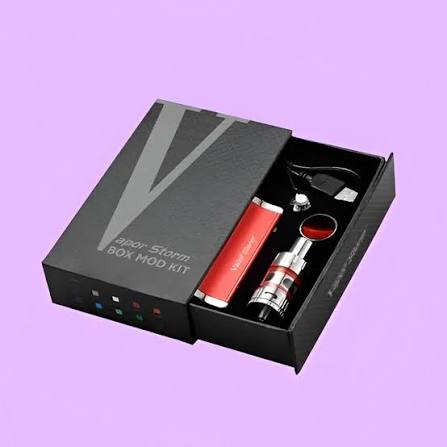
In today’s highly competitive vaping industry, presentation and protection go hand in hand. Custom Vape Boxes are no longer just packaging—they are a powerful branding tool that influences customer perception, improves product safety, and enhances retail appeal. Whether you are a startup vape brand or an established distributor, investing in high-quality custom packaging is essential for standing out in the market.
At BoxesGen and customboxeslab, we specialize in delivering premium custom boxes that combine creativity, durability, and functionality. Our goal is to provide complete packaging solutions tailored specifically to your brand’s needs.
Why Custom Vape Boxes Matter
Vape products are delicate and often come in various shapes such as pods, cartridges, e-liquids, and disposable devices. Standard packaging cannot always provide the protection or visual appeal needed in retail environments. This is where custom vape boxes make a significant difference.
With professionally designed custom printed boxes, brands can:
- Protect vape devices from damage during shipping
- Enhance shelf presentation in retail stores
- Communicate brand identity clearly
- Increase customer trust and loyalty
At BoxesGen, we understand that packaging is more than a container—it is a marketing asset.

Boost Your Brand with Custom Packaging
Strong branding is essential in the vape industry, and custom packaging plays a key role in building recognition. When customers see well-designed boxes with logo, they immediately associate the product with quality and professionalism.
Using custom boxes with logo helps your brand:
- Build a consistent visual identity
- Improve brand recall
- Stand out from competitors
- Increase perceived product value
At customboxeslab, we offer complete customization options so your packaging reflects your brand’s personality perfectly.
Premium Quality Custom Printed Boxes
One of the most effective ways to attract customers is through visually appealing custom printed boxes. High-quality printing allows you to showcase vibrant designs, product information, and branding elements clearly.
Our printing options at BoxesGen include:
- Digital printing for short runs
- Offset printing for bulk orders
- UV and matte finishes
- Foil stamping and embossing
These techniques ensure your custom box looks premium and professional on every shelf.
Packaging Solutions Designed for Vape Products
Every vape product has unique packaging requirements. That’s why we provide tailored packaging solution services designed to meet industry standards.
Our vape packaging solutions include:
- Child-resistant packaging options
- Eco-friendly materials
- Strong protective inserts
- Compact and travel-friendly designs
With custom packaging, your products not only look great but also remain safe during transport and storage.
Wholesale Custom Vape Boxes for Businesses
For businesses looking to scale, ordering custom boxes wholesale is the most cost-effective option. At BoxesGen, we provide bulk pricing without compromising quality.
Benefits of ordering wholesale:
- Lower per-unit cost
- Consistent packaging quality
- Faster production timelines
- Ideal for large retail distribution
Whether you need thousands of units or ongoing supply, our custom boxes wholesale service ensures your business runs smoothly.
Elevate Your Brand with Custom Boxes with Logo
Brand identity is everything in today’s competitive market. Adding your logo to packaging transforms a simple box into a powerful branding tool. Our custom boxes with logo service ensures your brand is always visible and memorable.
From minimalist designs to bold, colorful artwork, we help you create packaging that truly represents your business.
At customboxeslab, we believe every custom box should tell a story—and your logo is the first chapter.
Versatile Custom Boxes for Every Vape Product
Our range of custom boxes covers all types of vape products, including:
- Vape pen boxes
- E-liquid packaging boxes
- Disposable vape boxes
- Cartridge packaging
- Subscription vape boxes
Each design is crafted with precision to ensure durability and style. With custom packaging, you can match box size, shape, and design to your exact product requirements.
Why Choose BoxesGen & CustomBoxesLab?
Choosing the right packaging partner is crucial for your business success. BoxesGen and customboxeslab are trusted names in the packaging industry, known for quality, reliability, and innovation.
Here’s why brands choose us:
- High-quality materials
- Fully customizable designs
- Affordable pricing for custom boxes wholesale
- Fast turnaround times
- Expert design support
We don’t just deliver packaging—we deliver a complete packaging solution that strengthens your brand identity.
Sustainable and Modern Packaging Approach
Modern customers care about sustainability. That’s why our custom packaging options include eco-friendly materials that reduce environmental impact without sacrificing quality.
By choosing sustainable custom printed boxes, your brand can:
- Reduce carbon footprint
- Appeal to eco-conscious customers
- Improve brand reputation
- Stay compliant with environmental standards
At BoxesGen, we believe the future of packaging is both stylish and sustainable.
Final Thoughts
In the vaping industry, packaging is more than just protection—it is a branding powerhouse. Investing in high-quality custom vape boxes ensures your products stand out, stay protected, and communicate your brand identity effectively.
Whether you need custom boxes with logo, bulk custom boxes wholesale, or fully tailored custom packaging, BoxesGen and customboxeslab provide the perfect packaging solution for your business.
With expertly designed custom printed boxes, your brand can create a lasting impression in a crowded marketplace.
Author



In the high-stakes world of online gaming, the margin between a glorious victory and a crushing defeat is often razor-thin. Competitive gaming is no longer just about fast reflexes; it is about information. This is where a PVP calculator becomes your most valuable asset. It allows you to analyze complex statistics, predict potential outcomes, and sharpen your strategy before you ever step onto the digital battlefield. Whether you are a casual player looking to improve or a hardcore competitor aiming for the top of the leaderboard, understanding these tools can revolutionize your gaming experience.
Defining the Essentials: What Is a PVP Calculator?
What Does PVP Stand For?
Before diving into the tools, we must define the arena. PVP stands for “Player versus Player.” In this gaming mode, real human beings compete directly against one another. This is a sharp contrast to “Player versus Environment” (PVE), where you fight computer-controlled enemies or “bots.” Because human opponents are unpredictable, creative, and adaptive, PVP is widely considered the most challenging and rewarding form of play. You can find this format in almost every genre, including MMORPGs, mobile battle arenas, shooters, and strategic card games.

Defining the PVP Calculator
A PVP calculator is a digital application or web-based tool designed to evaluate combat data. Think of it as a strategic simulator. It helps players compare team compositions, calculate potential damage, and forecast the likelihood of winning an encounter. By inputting specific variables—such as character levels, attack power, defense ratings, and elemental bonuses—you receive a data-driven preview of the fight. It essentially allows you to “play” the match in a controlled environment before the actual combat begins.
The Mechanics: How Does a PVP Calculator Work?
You might wonder how a simple app can predict the outcome of a complex battle. Most PVP calculators function by mimicking the game’s internal “combat engine.” Developers write mathematical formulas that govern how much damage an attack deals or how much a shield absorbs.
When you use a calculator, you provide the “inputs.” These include your character’s Health Points (HP), speed, gear scores, and active buffs. The calculator then runs these numbers through weighted formulas or thousands of rapid simulations. The result is a clear output, such as a win probability percentage, a minimum and maximum damage estimate, or a matchup rating. This process turns abstract game mechanics into concrete, actionable data.
Why Should You Use a PVP Calculator?
Can It Actually Increase Your Win Rate?
The short answer is yes. Using a PVP calculator removes the “guesswork” that plagues many players. Instead of hoping your character is strong enough, you will know exactly where you stand. Informed players make better decisions about which builds to use or which tactics to deploy. Over time, consistent use of these tools helps you internalize the game’s “meta”—the most effective strategies currently available. This deep understanding allows you to adapt faster when the game developers release balance patches or new content.
Is It Useful for Beginners?
Many beginners feel overwhelmed by complex stats and hidden mechanics. For these players, a PVP calculator acts as a high-speed tutor. It dramatically flattens the learning curve. Instead of losing dozens of matches to figure out which stat is more important—defense or health—a beginner can use the tool to visualize the impact of different choices instantly. It provides a “safe space” to experiment with builds without the sting of a public loss.
The Power of Strategic Team Building
Perhaps the most potent use of a calculator is team analysis. In many games, the synergy between units is more important than individual strength. By simulating matchups between different combinations, you can identify hidden weaknesses in your lineup. You can find “counters” to popular enemy strategies and ensure your team has the right balance of offense and defense. This prevents you from wasting valuable in-game currency or time on upgrading characters that don’t actually fit your needs.
Exploring the Different Types of Calculators
Game-Specific Tools
The most popular calculators are those built for specific titles. Games like Pokémon GO, Raid: Shadow Legends, and Clash of Clans have dedicated communities that build highly accurate tools. These specialized calculators are superior because they account for unique nuances, such as type advantages, passive skill triggers, and turn-order systems. If you play one game exclusively, a dedicated tool is your best bet for precision.
General-Purpose Calculators
If you are a “variety gamer” who hops between different titles, a general-purpose calculator might be more useful. These use universal formulas, such as basic attack-versus-defense ratios. While they lack the surgical precision of game-specific tools, they offer a great baseline for evaluating new games or comparing general power levels across different platforms.
Mobile Apps for Gaming on the Go
The mobile gaming market has exploded, and so has the demand for mobile-friendly calculators. Many developers offer free apps that they update regularly to reflect the latest game patches. These apps are perfect for quick sessions. If you are in the middle of a tournament and need to make a fast decision, having a calculator on your phone allows for rapid-fire stat checks.
Best Practices: How to Use a Tool Effectively
The Importance of Accurate Data
A PVP calculator is only as good as the information you give it. This is the “Garbage In, Garbage Out” rule. To get reliable results, you must input your exact, current stats. This includes bonuses from your equipment, temporary buffs from potions, and even guild bonuses. If your data is outdated by even a few points, the entire simulation could be wrong. Always double-check your in-game profile before running a calculation.
How to Interpret the Results
When the calculator gives you a “70% win rate,” do not assume victory is guaranteed. You must interpret these numbers with caution. A 70% probability means that in a vacuum, your stats are superior. However, it does not account for human error, lag, or a lucky “critical hit” from your opponent. Use the results as a confidence builder, but stay focused during the actual fight.
Avoiding the Trap of Predictability
The most skilled players use calculators as a foundation, not a script. If you follow a calculator’s advice 100% of the time, you become predictable. An experienced human opponent will eventually notice your patterns and exploit them. The best approach is to use the data to understand your limits, then apply your own “game sense” and creativity to catch your opponent off guard.
Common Pitfalls to Avoid
Entering Incorrect Statistics
As mentioned, accuracy is everything. Players often forget that a recent “balance patch” might have changed their base stats. Always verify that the calculator you are using is updated to the current version of the game. Using a version 1.0 calculator for a version 2.5 game will lead to strategic disaster.
The Danger of Over-Reliance
Do not let the numbers replace your instincts. Some players become so obsessed with “perfect” stats that they forget to practice their mechanical skills. PVP combat is fluid and emotional. A calculator cannot tell you when an opponent is frustrated or when they are about to make a desperate, risky move. Keep your eyes on the screen, not just the spreadsheet.
Conclusion: Data-Driven Victory
A PVP calculator is an essential weapon for any serious gamer. It provides clarity in the chaos of combat, offers deep strategic insights, and gives you a measurable advantage over unprepared opponents. When you use these tools wisely—as a supplement to your skill rather than a replacement for it—you will find yourself climbing the ranks with newfound confidence.
Master the numbers, but always trust your instincts. By combining data-driven planning with creative execution, you can transform from a standard player into a dominant force. Let the PVP calculator do the heavy lifting, so you can focus on the most important part: winning the game.
Author


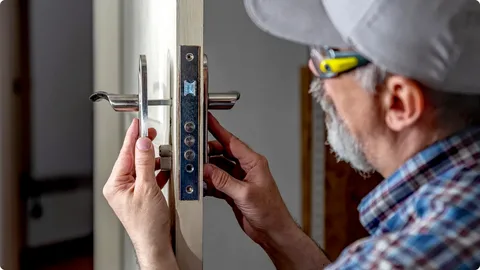
Security is one of the most important aspects of modern living. Whether it’s your home, office, or vehicle, ensuring proper protection is essential for peace of mind. If you are searching for a reliable Locksmith West Sussex, understanding the services, benefits, and selection process can help you make the right decision.
Locksmiths are not just professionals who unlock doors—they are security experts who provide a wide range of services to keep your property safe. From emergency lockouts to advanced security system installations, their role is critical in maintaining safety in everyday life.
Understanding Locksmith Services
Locksmith services in West Sussex are diverse and cater to different needs. One of the most common services is emergency lockout assistance. Getting locked out of your home or car can be stressful and inconvenient. Professional locksmiths are equipped with the tools and expertise to resolve these situations quickly without causing damage.
Another essential service is lock repair and replacement. Locks can wear out over time due to frequent use or external factors such as weather conditions. A damaged lock not only causes inconvenience but also compromises your security. Locksmiths can repair faulty locks or replace them with more secure options.
Key cutting and duplication are also widely offered services. Having spare keys can save you from potential lockouts and provide convenience for family members or employees. Professional locksmiths ensure accurate duplication for smooth operation.
Residential Locksmith Services
Modern homes are increasingly adopting smart security solutions. Locksmiths now install smart locks and keyless entry systems, allowing homeowners to control access remotely. These systems not only improve security but also add convenience to daily life.
Window locks, door reinforcements, and additional security features are also part of residential services. A comprehensive approach to home security can significantly reduce the risk of unauthorized access.

Commercial Locksmith Solutions
Businesses require a higher level of security compared to residential properties. Commercial locksmiths offer specialized services designed to protect assets, employees, and sensitive information.
One of the most popular solutions is the master key system. This allows business owners to control access to different areas of the building using a single key. It simplifies security management and reduces the need for multiple keys.
Access control systems are another important feature. These systems allow businesses to monitor and control who enters specific areas. They can include key cards, biometric systems, or digital access codes.
High-security locks and safes are also commonly installed in commercial properties. These provide an additional layer of protection against theft and unauthorized access.
Automotive Locksmith Services
Vehicle-related locksmith services are essential for modern drivers. Losing your car keys or locking them inside the vehicle can disrupt your daily routine. Automotive locksmiths provide quick solutions, including unlocking vehicles, key replacement, and ignition repair.
Modern vehicles often use transponder keys and key fobs. Locksmiths are equipped to program these advanced systems, ensuring compatibility with your vehicle. This removes the necessity of going to a dealership, conserving both time and money.
Emergency Locksmith Services
Emergencies can happen at any time, and having access to a reliable locksmith is crucial. Emergency services include lockouts, broken keys, and damaged locks. These situations require immediate attention to restore security and access.
Professional locksmiths in West Sussex offer 24/7 services, ensuring help is always available. Their quick response times minimize inconvenience and reduce the risk of security breaches.
Burglary repair is another critical emergency service. If your property has been targeted, a locksmith can secure your premises by repairing damaged locks and reinforcing entry points.
Benefits of Hiring a Professional Locksmith
Hiring a professional locksmith comes with several advantages. First and foremost is expertise. Trained locksmiths have the knowledge and experience to handle various types of locks and security systems.
Another benefit is efficiency. Professional locksmiths can complete tasks quickly and accurately, saving you time and effort. Their use of specialized tools ensures minimal damage to your property.
Security advice is also a valuable service. Locksmiths can assess your property and recommend improvements to enhance safety. This may include upgrading to high-security locks or installing advanced systems.
Reliability is another key factor. A reputable locksmith provides transparent pricing, quality service, and customer support. This ensures a smooth and stress-free experience.
How to Choose the Right Locksmith
Selecting the right locksmith is essential for ensuring quality service. Start by checking their credentials and certifications. A licensed locksmith follows industry standards and provides professional service.
Customer reviews and testimonials can provide insight into the reliability of a locksmith. Positive feedback indicates a history of satisfied customers.
Availability is another important factor. Choose a locksmith who offers 24/7 services, especially if you want assistance during emergencies.
Pricing should also be considered. Though affordability matters, very low prices may raise concerns. Quality service requires proper tools and expertise, so it’s worth investing in a reputable professional.
Importance of Security Upgrades
As technology evolves, so do security threats. Upgrading your locks and security systems is essential for staying protected. Modern solutions such as smart locks, CCTV systems, and alarm systems provide enhanced security.
These upgrades not only protect your property but also increase its value. Potential buyers and tenants often prefer properties with advanced security features.
Regular maintenance is also important. Checking your locks and security systems periodically ensures they function properly and reduces the risk of unexpected failures.
Final Thoughts
Security is not something that should be taken lightly. Whether you need emergency assistance, routine maintenance, or advanced security solutions, hiring a professional locksmith is the best way to ensure safety.
A skilled locksmith provides a wide range of services tailored to your needs. From residential and commercial solutions to automotive and emergency services, their expertise covers all aspects of security.
By choosing a reliable locksmith and investing in modern security systems, you can protect your property and enjoy peace of mind. Taking proactive steps today can prevent potential issues in the future, making locksmith services an essential part of your security strategy.
Author



Lexapro Market: Growth Trends & Global Industry Forecast

Paulo Dybala AS Roma Fleece Sweatshirt: Premium Streetwear

Tasmania Property Market: New Apartments, & Investment

Solar Battery Melbourne: Prices, Tesla Powerwall 3 & Best Options

Botox Riyadh: AI Precision Neuromodulation & Aesthetic Innovation

Organic SEO Services Company: Boost Rankings, Traffic & ROI

Web Development vs Web Design: Key Differences Explained

Capric Acid Market Growth: Bio-Based Revolution & Trends

Contact NETGEAR Support Fast: Phone, Chat, Email & Quick Fix

Benefits of Regular Visits to a Dentist for Oral Health

Cybersecurity Consulting Company SequelNet Provides Critical IT Support Services to Medical Billing Firm, Medical Optimum

Team Communication Software Transforms Operations at Finance Innovate

Project Management Tool Transforms Long Island Business

How Alleviate Poverty Utilized IPPBX’s All-in-One Solution to Transform Lives in New York City

Breast Cancer: The Imperative Role of Mammograms in Screening and Early Detection

Unstoppable Collaboration: D.C.’s Citi Open and Silicon Valley Classic Unite to Propel Women’s Tennis to New Heights

Embracing Renewal: Sizdabedar Celebrations Unite Iranians in New York’s Eisenhower Park

The Benefits of Starting a Side Hustle for Financial Freedom

New Blood Donation Screening Questions What You Need to Know

Stylishly Timeless: The 5 Types of Sandals You Need in Your Closet
-

 Business3 years ago
Cybersecurity Consulting Company SequelNet Provides Critical IT Support Services to Medical Billing Firm, Medical Optimum
-
Business3 years ago
Team Communication Software Transforms Operations at Finance Innovate
-
Business3 years ago
Project Management Tool Transforms Long Island Business
-
Business3 years ago
How Alleviate Poverty Utilized IPPBX’s All-in-One Solution to Transform Lives in New York City
-
health3 years ago
Breast Cancer: The Imperative Role of Mammograms in Screening and Early Detection
-
Sports3 years ago
Unstoppable Collaboration: D.C.’s Citi Open and Silicon Valley Classic Unite to Propel Women’s Tennis to New Heights
-
Art /Entertainment3 years ago
Embracing Renewal: Sizdabedar Celebrations Unite Iranians in New York’s Eisenhower Park
-
Finance3 years ago
The Benefits of Starting a Side Hustle for Financial Freedom







