
Technology Explained
Weather the Storm: Social Media Crisis Management for Businesses

By

Reviewed
By Harris Hubbard

About the Author:
Sarah Jones is a seasoned public relations professional with over 10 years of experience navigating the ever-evolving social media landscape. She’s passionate about helping businesses leverage social media’s power to build strong brand reputations and navigate challenging situations.
Saving Face in the Storm
In today’s digital age, social media is no longer just a platform for sharing cat videos and vacation photos. It’s become a powerful tool with the potential to make or break a brand’s reputation. When a crisis hits, having a solid social media crisis management plan in place can be the difference between weathering the storm and succumbing to the pressure.
This article is your guide to harnessing the power of social media for effective crisis communication. It equips PR professionals, business owners, and marketing managers with the strategies they need to navigate PR nightmares, protect brand reputation, and emerge stronger on the other side.
The Power of Social Media in Crisis Communication
Traditional crisis communication often relied on press releases and media interviews, leaving limited control over the narrative and a slower response time. Social media flips the script, offering a direct line to your audience and a platform for immediate, transparent communication.
Here’s how social media empowers you to manage a crisis effectively:

- Real-Time Communication: Social media allows you to address concerns and provide updates swiftly, minimizing the spread of misinformation and rumors.
- Transparency and Control: Proactive information sharing on social media builds trust and allows you to control the narrative surrounding the crisis.
- Gauge Public Sentiment: Social listening tools enable you to track conversations and understand customer concerns, allowing you to tailor your communication accordingly.
- Crisis Monitoring: Social media acts as an early warning system, allowing you to identify potential issues before they escalate into full-blown crises.
- Community Building: During a crisis, social media fosters customer loyalty and encourages brand advocacy. By addressing concerns directly and demonstrating empathy, you can turn customers into allies.
Identifying a Crisis: When to Activate Your Plan
Not every negative comment or online complaint warrants a full-blown social media crisis response. However, certain situations require a swift and strategic approach. Here are some signs that a crisis is brewing:
- Negative publicity: A news story paints your company in a bad light.
- Customer outrage: A significant number of customers are expressing anger or disappointment on social media.
- Product safety concerns: A potential safety hazard with your product comes to light.
- Data breaches: Sensitive customer information is compromised.
- Social media firestorms: A viral trend paints your brand in a negative light.
If you identify any of these red flags, it’s time to activate your social media crisis management plan.
Crafting a Crisis Communication Strategy
A well-defined crisis communication strategy is the backbone of your social media response. Here are some key elements to consider:
- Define your goals: What do you hope to achieve with your communication? Is it damage control, regaining trust, or simply providing information?
- Identify your audience: Who are you communicating with? Tailor your messaging accordingly.
- Develop key messages: Craft clear, concise, and consistent messages that address the core issues of the crisis.
- Designate a spokesperson: Choose a credible and well-spoken individual to be the face of your communication.
Taking Control of the Narrative: Responding on Social Media
Once your strategy is in place, it’s time to take action on social media. Here are some guidelines for effective crisis communication:
- Respond quickly: Don’t let silence amplify the situation. Acknowledge the issue promptly and express empathy towards those affected.
- Be transparent: Share all relevant information honestly and openly. Withhold information only if it could compromise safety or legal proceedings.
- Apologize sincerely: If mistakes were made, take responsibility and offer a sincere apology.
- Focus on solutions: Outline the steps you’re taking to address the crisis and prevent similar situations in the future.
- Monitor and engage: Actively monitor conversations, respond to comments and questions, and address concerns directly.

Picture by: Google Gemini
Building Trust and Transparency During a Crisis
Building trust and transparency during a crisis is crucial for mitigating damage and rebuilding your reputation. Here are some tips:
- Be human: Show empathy and understanding towards those affected by the crisis.
- Use visuals strategically: Images and videos can be powerful tools for conveying sincerity and authenticity.
Utilizing Social Listening for Crisis Management
Social media isn’t just a platform for broadcasting messages; it’s a powerful tool for listening and understanding your audience’s sentiment. Here’s how social listening can be a game-changer in crisis management:
- Identify Emerging Issues: By monitoring brand mentions and relevant keywords, you can identify potential crises before they explode.
- Understand Customer Concerns: Social listening allows you to delve deeper into customer sentiment, understand their pain points, and tailor your communication accordingly.
- Track the Spread of Information: You can monitor how information about the crisis is spreading and identify any misinformation that needs to be addressed.
- Measure the Impact of Your Response: Social listening tools can help you gauge the effectiveness of your crisis communication efforts and adjust your strategy as needed.
Developing a Social Media Crisis Management Plan (Template Included)
A comprehensive social media crisis management plan is your roadmap for navigating any unforeseen storm. Here’s a basic template to get you started:
- Assemble a Crisis Management Team:
Establish a dedicated team responsible for handling social media responses during a crisis. This team should include representatives from PR, marketing, customer service, and legal departments.
- Identify Potential Crisis Scenarios:
Brainstorm potential crisis scenarios that your company might face. This will help you develop pre-emptive communication strategies for various situations.
- Develop Social Media Crisis Response Guidelines:
Outline clear guidelines for your social media team on how to respond to different types of crises. This includes establishing response timelines, approval processes for content, and brand voice guidelines.
- Pre-Craft Key Messages for Common Crises:
Develop pre-approved key messages for common crisis scenarios. This will save valuable time during a crisis and ensure consistent messaging across all platforms.
- Assign Roles and Responsibilities for Social Media Response:
Clearly define roles and responsibilities within the crisis management team. This ensures everyone knows their part and avoids confusion during a high-pressure situation.
- Schedule Training and Practice Drills:
Regularly train your crisis management team on social media response protocols and conduct practice drills to ensure everyone is comfortable and prepared.
Learning from the Experts: Case Studies in Social Media Crisis Response
Throughout history, several brands have navigated crises effectively (and some not so effectively) using social media. Analyzing these case studies can provide valuable insights:
- Success Story: L.L.Bean’s Boots for Life Replacement In 2012, a customer complained on Twitter that his L.L.Bean boots fell apart after just a year. L.L.Bean promptly responded, apologized for the inconvenience, and offered a free replacement. This transparent and customer-centric approach garnered them positive publicity and showcased the brand’s commitment to quality.
- cautionary Tale: United Airlines’ Passenger Removal Debacle In 2017, a video went viral showing a passenger being dragged off a United Airlines flight. The airline’s initial response, which lacked empathy and accountability, sparked outrage on social media. This highlights the importance of taking responsibility, addressing concerns directly, and demonstrating a commitment to customer well-being.
The Bottom Line: Why Social Media Matters in Crisis Management
Social media is no longer an optional tool for businesses. It’s a critical communication channel that demands your attention, especially during a crisis. By understanding the power of social media and formulating a proactive plan, you can effectively manage public perception, mitigate damage, and ultimately rebuild trust with your customers.
Remember, a crisis can be an opportunity to showcase your brand’s character and commitment to transparency. By leveraging social media effectively, you can turn a negative situation into a springboard for rebuilding trust and strengthening your brand reputation.
Author



In today’s competitive digital environment, businesses in Phoenix need more than just a website to succeed—they need visibility. With thousands of companies competing for attention online, standing out in search engine results is essential. This is where Phoenix SEO services come into play. By implementing the right strategies, businesses can improve their rankings, attract qualified traffic, and convert visitors into loyal customers. With expert guidance from Digital Guider, businesses can unlock sustainable growth and long-term success in an increasingly crowded marketplace.
Search Engine Optimization in Phoenix?
Search engine optimization is the process of improving your website so that search engines like Google can easily understand and rank it. With effective search engine optimization Phoenix, your business can appear for relevant searches and connect with customers actively looking for your services. Unlike paid advertising, SEO focuses on organic visibility, which continues to deliver results over time. This makes it one of the most cost-effective digital marketing strategies for businesses aiming for consistent growth.
Phoenix SEO Services Are Essential
Phoenix is one of the fastest-growing business hubs, making competition more intense across industries. Without proper SEO, even well-established businesses can struggle to gain online traction. Professional SEO services Phoenix help businesses appear in front of the right audience at the right time, ensuring higher engagement and better conversion opportunities.
A strong SEO strategy improves visibility, attracts targeted traffic, and enhances overall user experience. It also builds long-term credibility, as users tend to trust businesses that appear on the first page of search results. With Digital Guider, businesses can benefit from tailored SEO strategies that focus on measurable results and sustainable growth.
Keyword Research
Keyword research is one of the most important aspects of search engine optimization Phoenix. It involves identifying the exact terms and phrases potential customers use when searching online. By targeting the right keywords, businesses can attract highly relevant traffic that is more likely to convert.
For example, keywords such as “SEO services Phoenix” and “Phoenix SEO company” help businesses connect with users actively searching for digital marketing solutions. Digital Guider ensures that keyword strategies are carefully planned and implemented to maximize visibility and engagement without overstuffing or compromising content quality.

Content Strategy That Drives Results
Content plays a crucial role in determining how well your website performs in search results. High-quality, informative, and engaging content not only improves rankings but also builds trust with your audience. Businesses that consistently publish valuable content are more likely to establish authority in their industry.
A strong content strategy includes blog posts, service pages, and informational resources that address user intent. Instead of focusing solely on keywords, the goal is to provide meaningful information that answers customer queries. With Digital Guider, content is optimized to align with both user expectations and search engine algorithms, ensuring better performance and higher engagement.
Technical SEO
Behind every successful SEO campaign is a technically optimized website. Technical SEO ensures that your site is fast, secure, and easy for search engines to crawl. A poorly structured website can negatively impact rankings, regardless of how good your content is.
A well-optimized website typically focuses on three key areas:
- Fast loading speed and smooth performance
- Mobile-friendly and responsive design
- Secure and properly indexed pages
By addressing these factors, Digital Guider helps businesses create a strong technical foundation that supports long-term SEO success.
Local SEO in Phoenix
For businesses targeting customers in specific areas, local SEO is extremely important. With SEO services Phoenix, companies can improve their visibility in local searches and attract nearby customers who are ready to take action.
Local SEO involves optimizing business listings, using location-based keywords, and encouraging customer reviews. When done correctly, it helps your business appear in Google Maps and “near me” searches. Digital Guider specializes in local SEO strategies that help businesses dominate their local market and increase foot traffic or inquiries.
Building Authority with Link Building
Link building remains a critical component of SEO. When other reputable websites link back to your content, it signals to search engines that your website is trustworthy and authoritative. This can significantly improve your rankings and overall online presence.
Instead of focusing on quantity, modern SEO emphasizes high-quality backlinks from relevant sources. Digital Guider follows ethical link-building practices that strengthen your website’s authority while maintaining compliance with search engine guidelines.
Benefits of SEO Services Phoenix
Investing in Phoenix SEO services offers long-term advantages that go beyond immediate results. Businesses can experience steady growth in traffic, improved brand recognition, and increased customer trust. Unlike short-term marketing tactics, SEO builds a strong digital foundation that continues to generate results over time.
Another key benefit is improved user experience. A well-optimized website not only ranks better but also keeps visitors engaged, encouraging them to explore your services and take action. With Digital Guider, businesses can achieve a balance between technical performance, content quality, and user satisfaction.
Future of Search Engine Optimization Phoenix
The SEO landscape is constantly evolving, with new technologies and trends shaping how search engines operate. Voice search, artificial intelligence, and mobile-first indexing are becoming increasingly important. Businesses that adapt to these changes are more likely to maintain strong rankings and stay ahead of competitors.
Digital Guider stays updated with the latest trends and algorithm updates, ensuring that your SEO strategy remains effective in a rapidly changing environment. By focusing on innovation and adaptability, businesses can continue to grow and succeed online.
Digital Guider for Phoenix SEO Services?
Choosing the right SEO partner can make a significant difference in your results. Digital Guider offers a strategic and data-driven approach to SEO, ensuring that every aspect of your campaign is optimized for success. From keyword research to technical optimization and content strategy, every step is carefully planned to deliver measurable outcomes.
Businesses that work with Digital Guider benefit from customized solutions, transparent reporting, and a strong focus on long-term growth. Instead of quick fixes, the approach is centered on building a sustainable online presence that continues to deliver value.
Final Thoughts
In a competitive market like Phoenix, investing in Phoenix SEO services is one of the most effective ways to grow your business. With the right search engine optimization Phoenix strategies, you can improve your rankings, attract targeted traffic, and increase conversions.
By partnering with Digital Guider, businesses can build a strong online presence, stay ahead of the competition, and achieve long-term success. If you’re ready to elevate your digital presence and dominate search results, now is the time to invest in smart and strategic SEO services Phoenix that deliver real results.
Author



Hearing loss can quietly affect many parts of daily life. Conversations become harder to follow. Social situations may feel overwhelming. Even simple activities like watching TV or talking on the phone can turn frustrating. Thankfully, modern hearing technology has changed this experience. Today’s devices are smarter, smaller, and far more effective. Among the leading names, Widex and Oticon stand out for their innovation and reliability. If you are considering hearing aids for yourself or someone close to you, understanding these two brands can help you make a confident and informed choice.
Hearing Aids and Why They Matter
Hearing aids, often called ear machines, are designed to amplify sound and improve clarity. However, modern devices do much more than just make sounds louder. They process audio intelligently, reduce background noise, and adapt to different environments.
Over the years, hearing aids have evolved significantly. Older models simply increased volume, which sometimes made noise unbearable. In contrast, today’s devices focus on clarity and balance. They help users understand speech better, even in busy or noisy surroundings.
This is where Widex and Oticon excel. Both brands focus on delivering a more natural listening experience. They use advanced technology to ensure users hear clearly without feeling overwhelmed.
Widex Ear Machines
Widex has built its reputation around one key idea—natural sound. The brand designs its hearing aids to closely match how the human ear processes sound. As a result, users often describe the listening experience as smooth and realistic.
One of Widex’s biggest strengths is its sound processing technology. It reduces distortion and keeps audio clear, even in challenging environments. Whether you are in a quiet room or a crowded space, Widex devices aim to maintain consistent sound quality.
Another advantage is personalization. Widex allows users to adjust their hearing settings based on their surroundings. Through smartphone apps, users can fine-tune sound preferences easily. This level of control makes a big difference in everyday comfort.
Widex also offers rechargeable models. These are convenient and reduce the need for frequent battery changes. Combined with Bluetooth connectivity, users can connect their devices to phones, TVs, and other gadgets without hassle.

Oticon Ear Machines
Oticon takes a slightly different approach. Instead of focusing only on the ear, it focuses on how the brain processes sound. This concept, known as brain hearing, aims to reduce listening effort and fatigue.
Oticon hearing aids use advanced artificial intelligence to analyze sound environments in real time. They automatically adjust settings based on surrounding noise and speech patterns. This means users do not have to manually change modes as often.
One of Oticon’s standout features is its ability to provide a full soundscape. Instead of isolating one voice, it allows users to hear multiple sounds naturally. This creates a more balanced and realistic listening experience.
For example, in a group conversation, Oticon devices help users follow different speakers without constantly shifting focus. This makes social interactions feel smoother and less tiring.
Key Differences Between Widex and Oticon
Although both brands offer excellent performance, they differ in approach. Understanding these differences can help you decide which one suits you better.
Widex focuses on delivering pure and natural sound. It gives users more control over their hearing experience. People who enjoy customizing their settings often prefer this brand.
On the other hand, Oticon emphasizes automation and brain-based processing. Its devices adjust automatically, making them ideal for users who prefer a hands-free experience.
In terms of technology, Oticon often leads with AI-driven features. Meanwhile, Widex stands out for sound clarity and personalization. Both approaches are effective, but they cater to different preferences.
When Choosing a Hearing Aid
Before making a decision, it is important to consider your personal needs. Not all hearing aids work the same for everyone.
Noise reduction plays a major role in improving speech clarity. It helps filter out unwanted background sounds, especially in busy environments.
Rechargeable batteries add convenience. You can simply charge your device overnight instead of replacing batteries frequently.
Bluetooth connectivity allows you to connect your hearing aids to smartphones, TVs, and other devices. This makes streaming audio easier and more enjoyable.
Comfort and fit are also essential. A well-fitted hearing aid ensures long-term usability without discomfort.
Customization options can enhance your experience. Some users prefer manual control, while others want automatic adjustments.
Both Widex and Oticon offer these features. However, the way they deliver them differs slightly.
Choosing the Right Brand for You
The right choice depends on your lifestyle and preferences. If you value natural sound and want to control your settings, Widex may be the better option. Its focus on clarity and customization appeals to users who like a personalized experience.
If you prefer simplicity and automation, Oticon might suit you more. Its AI-powered system handles adjustments automatically, making it easier to use in changing environments.
It is always a good idea to consult an audiologist before making a decision. A professional can assess your hearing condition and recommend suitable models. Trying different devices can also help you understand what feels comfortable.
How Modern Hearing Aids Improve Life
Modern hearing aids do more than improve hearing. They improve overall quality of life. Users can communicate more easily, stay socially active, and feel more confident in daily situations.
These devices also support mental well-being. When people hear better, they engage more with others. This reduces feelings of isolation and improves emotional health.
Author

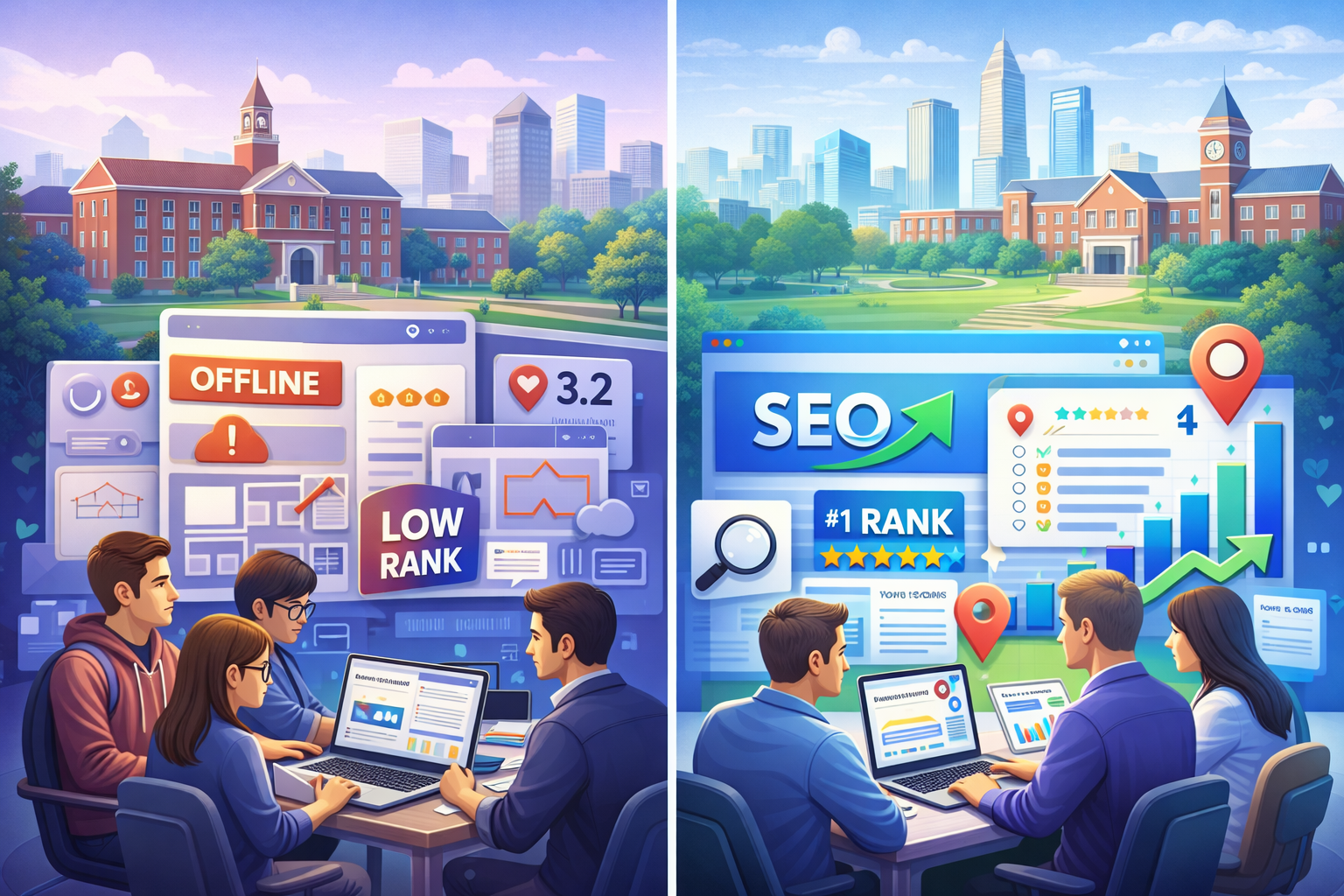
Columbus’s colleges are losing students to other schools simply because their websites are better structured. I found that when I audited 15 local colleges, poor design was running rampant across the board—most are fixable as well.
Slow Load Times on Mobile Devices
Ohio State’s primary website loads in just 2.3 seconds on a mobile device. Conversely, Columbus State’s website loads in 8.7 seconds. Given that 73% of prospective students use smartphones to browse, that’s not just slow, it’s a death sentence for admissions.
The Solution: Any reputable web design company in Columbus will tell you that mobile-first design is no longer up for discussion. Pages should load in 3 seconds or less, forms should be usable with a thumb, and navigation should be thumb-friendly. CCAD (Columbus College of Art and Design) just redesigned its website using these principles, and its applications have increased by 34% since the redesign.
Invisible in local search results
If you enter “colleges around Columbus” on a search engine (Google), you will see Ohio State as the only college that shows up. However, when searching for community colleges and other specialised institutions, you will find these institutions ranking around page 3 or lower for their named programs.
The problem: No GMB (Google My Business) optimisation. Franklin University even fails to fully claim their GMB listing. Their address is commonly listed as “temporarily closed.”
The Solution: Create and then optimize all campus addresses through both Google and business directory listings. Include photographs, create labels to respond to people reviewing your school, and post recent updates relating to the available enrollment periods. You want colleges to be able to locate you locally first when a prospective student types in “nursing programs Columbus” and you are visible in the map section.
Content That Converts Students
The college sites of most institutions are written in an academic style – high-density paragraphs about “excellence of the institution” and “a transformative learning experience.” When students are looking for information, they are looking for answers to questions such as how long it will take to complete the program, how much it will cost, and will there be any job opportunities upon completion.
For example, Otterbein University’s nursing website includes 847 words of content; however, it does not include the starting salary for a graduate until paragraph six. A competing institution’s website leads with, “96% job placement rate with an average starting salary of $65,000.”
Solution: answer the money questions up front and create program pages that convert:
- Job placement rates (with 3rd party sources).
- Graduate’s average starting salaries.
- Total program cost (not just tuition).
- Time to complete the program.
- Prerequisite information listed in plain English
Technical SEO Disasters
Most of the Columbus, Ohio college websites fail to meet the industry’s minimum criteria for Search Engine Optimization (SEO), which lead to decreased rankings in all search engines. The common issues we found include:
1. Broken internal links.
2. Missing alt tags on images.
3. Duplicate content across program pages (Capital University has 23 pages with the same meta description).
Some additional key technical issues that hamper the rankings on all college websites include:
1. No schema markup for either program or location.
2. Slow server response times.
3. Missing SSL certificate on multiple application forms.
4. Broken mobile navigation for multiple programs.
5. No local business structured data to support citation and rankings.
These common technical issues are far more than technical; they are also killing your rankings. Google cannot recommend college’s websites to its visitors if those sites are not accessible to Google through its crawler or can be understood once crawled.
The Death of Enrollment Forms
67% of potential students who fill out inquiry forms at Columbus colleges are lost at the inquiry stage. Why does this happen? Schools are using inquiry forms that require up to 15 fields when 4 would suffice, not having mobile-optimized inquiries, and having broken “Submit” buttons.
Delaware County Community College cut their inquiry form from 12 fields down to only 3 fields, resulting in an 89% increase in inquiries over 2 months.
Successful Examples of Results
Columbus State Community College worked with an SEO Services Columbus that specializes in local search engine optimisation and experienced the benefits:
- 156% more traffic through organic search
- 43% additional program inquiries
- Increased performance in local search results for targeted programs
Their formula for success: a mobile-first redesign, aggressive optimization of their Google My Business profile across their campuses, and totally answering students’ questions using quality content.
To sum it up
Ohio colleges have to compete against Arizona and Florida Colleges’ web-based programs with better web pages and better collegiate leads search engine optimization, so there’s no longer a local marketplace for columbus schools to get their students from.
It’s really easy to fix the problem. You’ll need to work with a web design company who understands education marketing, and to do that, you need to optimize the site for local search and generate content that gets visitors to apply.
Your competitors are already doing this, and if you wait to make decisions about how many more students you will lose to your competitors.
If you are ready to improve your school’s web presence, do a technical audit, make your mobile experience priority, and claim local search results. In a competitive academic landscape, your website serves not just for promotion, but as your enrollment powerhouse.
Author


Water Heater Maintenance: Save Energy & Avoid Repairs

Chrome Hearts Glasses: Luxury Eyewear & Premium Frames

Corteiz Clothing: Streetwear Culture and Iconic Urban Fashion

Syna World Clothing: Streetwear Revolution Redefining Fashion

ER Collet for CNC Machining: Uses, Sizes & Benefits

HydraFacial in Dubai: Royal Skincare for Glowing & Radiant Skin

Dermal Fillers Riyadh: Help Fight Transepidermal Water Loss

Bottleneck Calculator: Optimize Your CPU & GPU Performance

Car Rental in Agadir for Tourists: Automatic vs Manual Cars

ER Collets in CNC Machining: Improve Stability & Cutting Accuracy

Cybersecurity Consulting Company SequelNet Provides Critical IT Support Services to Medical Billing Firm, Medical Optimum

Team Communication Software Transforms Operations at Finance Innovate

Project Management Tool Transforms Long Island Business

How Alleviate Poverty Utilized IPPBX’s All-in-One Solution to Transform Lives in New York City

Breast Cancer: The Imperative Role of Mammograms in Screening and Early Detection

Unstoppable Collaboration: D.C.’s Citi Open and Silicon Valley Classic Unite to Propel Women’s Tennis to New Heights

Embracing Renewal: Sizdabedar Celebrations Unite Iranians in New York’s Eisenhower Park

The Benefits of Starting a Side Hustle for Financial Freedom

New Blood Donation Screening Questions What You Need to Know

Stylishly Timeless: The 5 Types of Sandals You Need in Your Closet
-

 Business3 years ago
Cybersecurity Consulting Company SequelNet Provides Critical IT Support Services to Medical Billing Firm, Medical Optimum
-
Business3 years ago
Team Communication Software Transforms Operations at Finance Innovate
-
Business3 years ago
Project Management Tool Transforms Long Island Business
-
Business3 years ago
How Alleviate Poverty Utilized IPPBX’s All-in-One Solution to Transform Lives in New York City
-
health3 years ago
Breast Cancer: The Imperative Role of Mammograms in Screening and Early Detection
-
Sports3 years ago
Unstoppable Collaboration: D.C.’s Citi Open and Silicon Valley Classic Unite to Propel Women’s Tennis to New Heights
-
Art /Entertainment3 years ago
Embracing Renewal: Sizdabedar Celebrations Unite Iranians in New York’s Eisenhower Park
-
Finance3 years ago
The Benefits of Starting a Side Hustle for Financial Freedom







