
Business
How to Set Up and Use the Brother PE545 Embroidery Machine

By

Reviewed
By Alani Phoebe

Introduction
Machine embroidery offers a direct path to creating personalized items, from monogrammed baby blankets to custom jacket patches. For those new to the craft, the Brother PE545 is a solid entry point. This embroidery-only machine, typically priced between $400 and $500, provides professional-grade features in a user-friendly package, making it well-suited for beginners and hobbyists. It comes with 135 built-in designs, wireless connectivity, and an intuitive touchscreen to simplify the embroidery process. As an upgrade to earlier models like the PE535, it integrates with Brother’s Artspira app for mobile design transfer.
This guide provides an in-depth look at the PE545, covering everything from setup to maintenance. At ZDigitizing, we regularly digitize custom designs for machines like the PE545, so we understand what it takes to get quality results. Let’s get your machine set up and ready to stitch.
Unboxing the Brother PE545: What’s Inside?
Opening the PE545 box reveals a lightweight machine (about 14.6 lbs) and a collection of accessories to get you started. The main unit includes a pre-installed 4″×4″ embroidery hoop. You will also find essential embroidery tools like the embroidery foot, a full 4″×4″ frame set, and stabilizer sheets to prevent fabric puckering.
For threading, the package contains an automatic needle threader, four pre-wound bobbins, multiple spool caps, and a thread spool insert. A maintenance kit is included with a cleaning brush, seam ripper, scissors, and screwdrivers. The necessary power cord and a USB cable are also in the box. To guide you, there is an operation manual, a quick reference guide, and an embroidery design guide. The machine also has built-in tutorial videos for visual learners. All these items can be stored in the included dust cover and accessory bag. It is a good practice to check the contents against the manual’s checklist to ensure everything is present.
Initial Setup: From Box to First Stitch
Setting up the brother pe545 embroidery machine is straightforward and usually takes less than 30 minutes. Begin by placing the machine on a stable, well-lit surface with at least a 24″×18″ workspace, away from direct sunlight or high humidity.

Step 1: Power It Up
Connect the power cord to the machine and a grounded 120V outlet. Turn on the power switch, and the 3.7″ color LCD touchscreen will activate.
Step 2: Wind and Load a Bobbin
Place an empty bobbin on the winder spindle and guide the thread from your spool to the bobbin. Press the winder button, and it will stop automatically when full. The bobbin then snaps into the top-loading case, which is easily accessible.
Step 3: Thread the Upper Path
Follow the numbered diagram printed on the machine. The path runs from the spool pin, through the tension discs, over the take-up lever, and down to the needle. To use the automatic threader, lower the presser foot and flip the lever; it will push the thread through the needle’s eye. For general embroidery, a 40-60 wt polyester thread is recommended.
Step 4: Prepare the Embroidery Unit
Since the PE545 is an embroidery-only model, the unit is integrated. Attach the hoop by sliding it onto the carriage arm until it clicks securely into place. You can then calibrate the starting position using the touchscreen controls.
Step 5: Run a Test
The machine’s home screen provides access to short tutorial videos covering threading, hooping, and basic functions. Before starting a real project, it is wise to stitch a built-in sample design on a scrap piece of fabric to confirm the thread tension is correct for your material. For wireless connectivity, connect to your Wi-Fi network through the settings menu. Registering your machine online activates Brother’s 25-year limited warranty.
Navigating the Interface: Mastering the Touchscreen
The PE545’s 3.7″ color LCD touchscreen is menu-driven and responsive. From the home screen, you can access the design library, which contains 135 built-in patterns and 10 fonts. The edit mode allows you to resize (up to 200%), rotate, mirror, or combine design elements using simple gestures. A useful preview tool provides a 3D stitch simulation, showing how the final thread colors and density will appear. The settings hub lets you adjust stitching speed (up to 650 stitches per minute), thread tension, and other operational preferences. The drag-and-drop positioning feature is particularly useful for precise placement on items like shirt pockets.
Key Features of the PE545
Several features contribute to the machine’s functionality and ease of use.
1. Wireless LAN and Artspira App Integration
The wireless capability allows you to send designs from your computer using Design Database Transfer software or from your phone with the free Artspira app. With the app, you can create simple line-art drawings up to 4″×4″, preview them on fabric simulations, and send them directly to the machine.
2. USB Port for Design Expansion
A USB port allows you to load custom designs in the .PES file format from a thumb drive. The machine is compatible with PE-Design software and has enough internal memory to store additional files. This makes it easy to use designs purchased or downloaded from online sources.
3. Automatic Functions for Efficient Stitching
The PE545 includes several automated features that streamline the workflow. The one-touch automatic needle threader works with #75-90 needles. An automatic thread cutter trims the top and bottom threads at the end of a color block. A bobbin sensor alerts you when the bobbin thread is running low, preventing you from running out mid-stitch. Bright LED lighting illuminates the work area for clear visibility.
Step-by-Step: Your First Project
Let’s walk through a simple project: embroidering a monogrammed keychain.
Step 1: Prepare Your Materials
You will need a small square of felt, a piece of tear-away stabilizer, embroidery thread, and scissors. Hoop the fabric and stabilizer together, making sure they are taut.
Step 2: Select and Edit a Design
On the touchscreen, navigate to the built-in fonts and choose a style. Use the on-screen keyboard to type the letters for your monogram. Drag the letters to the center of the hoop area, resize them as needed, and preview the design.
Step 3: Attach and Align
Snap the prepared hoop onto the machine’s carriage arm. The PE545 will indicate the center position, which you can fine-tune with the jog keys. Thread the first color according to the on-screen sequence.
Step 4: Stitch It Out
Press the “Start/Stop” button to begin embroidering. A progress bar will show the status. The machine will pause automatically when it’s time to change thread colors.
Step 5: Finish and Unhoop
Once the design is complete, the machine will trim the threads. Remove the hoop, take out the fabric, and tear away the excess stabilizer. Press the finished piece to set the stitches, and then attach the keychain hardware.
Maintenance and Care: Keeping Your PE545 Running Smoothly
Proper maintenance will extend the life of your machine. After every 5-10 hours of use, use the included lint brush to clean the hook race area. Regularly check the thread guides for any lint buildup. It is also good practice to change the needle after about 8 hours of stitching or if you notice any skipped stitches.
For a more thorough cleaning, disengage the needle, apply a single drop of oil to the hook as shown in the manual, and run the machine for a moment without thread. Use compressed air to clean hard-to-reach crevices, but avoid using water on the machine. When not in use, cover it with the dust bag and store it in a location with stable temperature and low humidity. Periodically check for firmware updates via USB to ensure optimal performance.
Troubleshooting Common Beginner Issues
Here are solutions to some common problems.
- Thread Breaks: If the top thread breaks, rethread the machine completely from the start. A dull or damaged needle is another common cause, so try swapping to a fresh one.
- Bird’s Nest Bobbin: Tangled thread on the underside of the fabric, known as a “bird’s nest,” often means the bobbin was inserted incorrectly or the tension is off. Ensure the bobbin is wound evenly and placed correctly in its case.
- Skewed Designs: If designs appear distorted, the fabric was likely not hooped tightly enough. Re-hoop it to be taut like a drum. For stretchy fabrics like knits, using a water-soluble stabilizer on top can also help.
- App Won’t Connect: If you have trouble with the Artspira app, restart your Wi-Fi router and the machine. Also, check that your machine’s firmware is up to date.
The troubleshooting index in the operation manual provides solutions for most common issues.
Creative Ideas for Your PE545 Projects
The 4″×4″ hoop is great for a wide range of small to medium business projects. Consider making personalized gifts like monogrammed ornaments or pet bandanas. You can add custom details to home decor by embroidering throw pillows or quilt labels. It’s also effective for apparel upgrades, such as adding floral motifs to jeans pockets or creating custom patches.
Conclusion
The Brother PE545 is a capable and accessible machine for anyone starting with embroidery. Its combination of wireless functionality, a clear touchscreen interface, and helpful automatic features lowers the barrier to entry. This guide provides the foundation to set up your machine, complete your first project, and handle basic maintenance. As you gain experience, you’ll find it to be a reliable tool for a variety of creative projects. At ZDigitizing, we can help you take your ideas further with custom digitizing services, converting your unique artwork into stitch-ready files for the PE545.
Frequently Asked Questions (FAQs)
Q1. Is the Brother PE545 suitable for absolute beginners?
Yes. Its automatic threader, on-screen tutorials, and simple editing tools make it very approachable for users with no prior embroidery experience.
Q2. What file formats does the PE545 support?
The machine primarily uses the .PES file format via its USB port. You can convert other formats to .PES using free software like Wilcom TrueSizer.
Q3. How do I connect the Artspira app?
Download the app, enable Wi-Fi on the PE545 through the settings menu, and then pair the app with the machine. Once connected, designs transfer wirelessly.
Q4. Can the PE545 handle thick fabrics?
Yes, it can embroider on materials like denim and fleece up to 6mm thick. Using the correct needle (like a ballpoint for knits or a sharper one for denim) and appropriate stabilizer is key to getting good results.
Q5. What’s the warranty and support like?
Brother offers a 25-year limited warranty on mechanical parts and provides lifetime technical support. You should register your machine online to activate the full coverage.
Author



In today’s fast-paced world, maintaining a clean and healthy indoor environment is more important than ever. With rising pollution levels and increasing awareness about health, many people are turning to solutions that improve the air they breathe. One of the most effective tools for this purpose is an air cleaner. Whether you live in a busy city or a quiet neighborhood, an air cleaner can significantly enhance your indoor air quality and overall well-being.
What Is an Air Cleaner?
An air cleaner is a device designed to remove contaminants from the air in a room or enclosed space. These contaminants may include dust, pollen, pet dander, smoke, mold spores, bacteria, and even microscopic pollutants. Air cleaners work by drawing in air, passing it through filters, and then releasing clean air back into the environment.
Many people confuse air cleaners with air purifiers. While both serve similar purposes, air cleaners mainly focus on filtering particles, whereas purifiers may also neutralize bacteria and odors using additional technologies such as UV light or ionization.
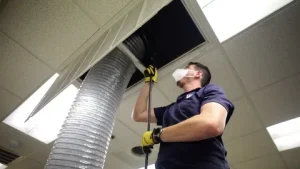
Why You Need an Air Cleaner
One of the biggest reasons to invest in an air cleaner is to improve respiratory health. Poor air quality can lead to allergies, asthma, and other breathing issues. By removing airborne particles, an air cleaner reduces the risk of these health problems and promotes better breathing.
Another benefit is improved sleep quality. Clean air allows your body to relax and function properly, leading to deeper and more restful sleep. This is especially helpful for individuals who suffer from allergies or sinus problems.
Types of Air Cleaners
There are several types of air cleaners available, each designed to address specific air quality issues. Understanding these types can help you choose the right one for your needs.
HEPA Air Cleaners
High-Efficiency Particulate Air (HEPA) filters are among the most popular and effective options. They can capture up to 99.97% of airborne particles, including very small ones. HEPA air purifiers are perfect for individuals with asthma or allergies.
Activated Carbon Air Cleaners
These air cleaners use carbon filters to absorb odors, gases, and chemical pollutants. They are particularly useful in homes where cooking smells, smoke, or chemical fumes are common.
Electrostatic Air Cleaners
UV Air Cleaners
UV air cleaners use ultraviolet light to kill bacteria and viruses. While they do not remove particles, they are effective in sterilizing the air when used alongside other filtration systems.
How to Choose the Best Air Cleaner
Selecting the right air cleaner depends on several factors. The first thing to consider is the size of the room where you plan to use it. Air cleaners are designed to cover specific areas, so choosing one that matches your room size is essential for effective performance.
Another important factor is the type of filter. If you are dealing with allergies, a HEPA filter is the best choice. For odor control, look for a model with an activated carbon filter. Some advanced air cleaners combine multiple filters to provide comprehensive air cleaning.
Noise level is also worth considering. If you plan to use the air cleaner in a bedroom or office, choose a model that operates quietly. Many modern units come with sleep modes that reduce noise levels.
Energy efficiency is another important consideration. Look for air cleaners that are designed to consume less power while maintaining high performance. This will help you save on electricity bills in the long run.
Benefits of Using an Air Cleaner
An air cleaner offers numerous benefits beyond just removing dust. One of the most significant advantages is improved health. By reducing exposure to airborne pollutants, it helps prevent respiratory issues and allergic reactions.
Another benefit is a cleaner living environment. Airborne particles often settle on furniture, floors, and other surfaces. By removing these particles from the air, an air cleaner helps keep your home cleaner for longer periods.
Odor control is another key advantage. Whether it’s cooking smells, pet odors, or smoke, an air cleaner can effectively eliminate unpleasant odors and maintain a fresh atmosphere.
Air cleaners can also extend the lifespan of your HVAC system. By reducing the amount of dust and debris in the air, they prevent buildup in your heating and cooling systems, improving efficiency and reducing maintenance costs.
Common Mistakes to Avoid
While air cleaners are highly effective, certain mistakes can reduce their performance. One common mistake is not replacing the filters on time. Dirty filters can block airflow and reduce efficiency, so it’s important to follow the manufacturer’s recommendations.
Another mistake is placing the air cleaner in the wrong location. For best results, it should be placed in an open area with good airflow. Avoid placing it behind furniture or in corners.
Using the wrong size air cleaner is another issue. A unit that is too small will not be able to clean the air effectively, while a larger unit may consume unnecessary energy.
Some people also make the mistake of using the air cleaner only occasionally. To maintain clean air, it should be used consistently.
Maintenance Tips for Long-Term Performance
Proper maintenance is essential to keep your air cleaner working efficiently. Regularly check and replace filters as needed. Some models come with indicator lights that notify you when it’s time for a replacement.
Cleaning the exterior and vents of the unit is also important. Dust and debris can accumulate over time, affecting performance.
If your air cleaner has washable filters, make sure to clean them properly and allow them to dry completely before reinstalling.
Scheduling periodic inspections can also help identify potential issues early and ensure optimal performance.
Future of Air Cleaner Technology
The future of air cleaner technology is promising, with new innovations aimed at improving efficiency and convenience. Smart air cleaners with built-in sensors can monitor air quality in real time and adjust settings automatically.
Many modern units also offer smartphone connectivity, allowing users to control and monitor their air cleaner remotely. This adds a new level of convenience and flexibility.
Eco-friendly designs and energy-efficient features are also becoming more common, making air cleaners more sustainable and cost-effective.
Conclusion
An air cleaner is an essential investment for anyone looking to improve indoor air quality and create a healthier living environment. From removing harmful pollutants to enhancing comfort and well-being, the benefits are undeniable.
By choosing the right air cleaner and maintaining it properly, you can enjoy clean, fresh air every day. Whether for your home or office, an air cleaner is a simple yet powerful solution for better health and a higher quality of life.
Author


When it comes to reliable printing solutions, Canon Inc. has built a strong reputation for delivering high-quality printers for both home and office use. However, even the most dependable devices can occasionally run into issues—whether it’s a paper jam, connectivity trouble, driver errors, or print quality concerns. In such situations, knowing how to reach Canon customer care efficiently can save you time and frustration.
This comprehensive guide focuses specifically on Canon printer support and walks you through the best ways to get help quickly and effectively.
Common Canon Printer Issues That Require Support
Before reaching out to customer care, it helps to identify the type of issue you’re experiencing. Canon printer users typically contact support for:
- Printer not responding or offline errors
- Wireless or network connectivity issues
- Driver installation or update problems
- Paper jams or feeding issues
- Ink cartridge errors or replacement guidance
- Poor print quality (faded prints, streaks, etc.)
- Scanner or multifunction printer malfunctions
Once you’ve identified the problem, you’ll be better prepared to explain it clearly to a support representative.

Primary Ways to Contact Canon Customer Care
Canon offers multiple support channels, but for printer-related concerns, these are the most effective:
1. Phone Support (Fastest Method)
Calling customer care is often the quickest way to resolve urgent printer issues. You can speak directly with a trained representative who can guide you step-by-step.
- Customer Care Number:
- Your printer is not working at all
- You need real-time troubleshooting
- You’re not comfortable with technical steps on your own
For best results, have the following information ready before calling:
- Printer model (e.g., PIXMA, imageCLASS, MAXIFY)
- Serial number
- Description of the issue
- Any error codes displayed
Calling ensures that you get immediate assistance without having to wait for email responses or navigate complex online resources.
2. Live Chat Support
Canon often provides live chat support through its official website. This is a great option if:
- You prefer typing over talking
- Your issue is not urgent
-
You desire written guidelines that you can consult later
Live chat agents can help with most printer-related issues, including setup, driver downloads, and troubleshooting.
3. Email Support
Email support is useful for non-urgent issues or when you need to share detailed information, such as screenshots or error logs. However, response times may vary, typically taking 24–48 hours.
4. Canon Support Website
Canon’s official support website is a valuable self-service resource. You can find:
- Printer manuals and user guides
- Driver downloads and updates
- Troubleshooting articles
- FAQs specific to your printer model
While this option doesn’t involve direct communication, it’s often the first step in diagnosing common problems.
Step-by-Step: How to Get Help Quickly
To make your support experience smoother, follow these steps:
Step 1: Identify the Problem
Be specific about what’s going wrong. For example:
- “Printer shows offline even though it’s connected to Wi-Fi”
- “Printouts are blurry and streaked”
Step 2: Try Basic Troubleshooting
Before contacting support, try:
- Restarting the printer and computer
- Checking cable or Wi-Fi connections
- Reinstalling drivers
- Ensuring ink cartridges are properly installed
Step 3: Contact Customer Care
If the issue persists, call for immediate assistance. Clearly explain the problem and follow the agent’s instructions carefully.
Tips for a Better Support Experience
To ensure you get the most out of your interaction with Canon customer care, keep these tips in mind:
Be Clear and Concise
Explain your issue in simple terms. Mention any error messages exactly as they appear.
Follow Instructions Carefully
Support agents may guide you through troubleshooting steps. Take your time and follow each step precisely.
Ask Questions
If something isn’t clear, don’t hesitate to ask for clarification. It’s better to fully understand the solution than to guess.
Take Notes
Write down important steps or solutions provided during the call for future reference.
When Should You Call Instead of Using Online Help?
While online resources are helpful, there are times when calling customer care is the better option:
- The printer is completely unresponsive
- You’ve already tried multiple troubleshooting steps without success
- You’re dealing with hardware issues
- You need urgent help for work or business tasks
In these cases, calling can save you significant time and effort.
Canon Printer Support for Different User Types
Home Users
Home users often face basic issues like Wi-Fi setup, ink replacement, or occasional print errors. Phone or chat support is usually sufficient.
Small Business Users
For offices relying on printers daily, downtime can be costly. Immediate phone support is recommended to resolve issues quickly.
Advanced Users
If you’re comfortable with technical troubleshooting, the Canon support website may be enough. However, phone support is always available for complex problems.
Preventive Measures to Avoid Printer Issues
While customer care is always there to help, preventing problems in the first place is even better. Here are some tips:
- Keep your printer drivers updated
- Use genuine Canon ink cartridges
- Clean the printer regularly
- Avoid overloading paper trays
- Ensure stable Wi-Fi connectivity
Regular maintenance can significantly reduce the need for support calls.
Final Thoughts
Canon printers are known for their reliability, but occasional issues are inevitable. The key is knowing how to get help quickly and efficiently. Whether you prefer phone support, live chat, or self-service resources, Canon offers multiple ways to assist you. For the fastest and most direct support, calling remains the most effective option. With the right preparation and clear communication, most printer issues can be resolved in a single interaction.
By following this guide, you’ll be well-equipped to handle any Canon printer issue and get back to printing without unnecessary delays.
Author



Sri Lanka’s packaging industry has grown steadily over the years, becoming an essential part of the country’s manufacturing and export sectors. Today, packaging is not just about protecting products—it plays a major role in branding, marketing, product safety, and sustainability. With the rise of supermarkets, food delivery services, and exports, the demand for high-quality packaging solutions has increased significantly.
Among all segments, food packaging companies in Sri Lanka are experiencing rapid growth. As consumer expectations continue to evolve, businesses are investing in better packaging to ensure freshness, hygiene, and visual appeal.
Overview of Packaging Companies in Sri Lanka
Packaging companies in sri lanka operate across a wide range of categories. These include flexible packaging, rigid packaging, corrugated boxes, plastic containers, and paper-based packaging solutions. Each category serves different industries such as food and beverages, tea exports, apparel, pharmaceuticals, and fast-moving consumer goods (FMCG).
Flexible packaging is one of the most popular sectors in the country. It includes products like laminated films, pouches, shrink wraps, and printed packaging materials. These solutions are widely used because they are lightweight, cost-effective, and highly customizable.

Rigid packaging, on the other hand, includes plastic bottles, containers, and jars used in industries like beverages, cosmetics, and household products. Meanwhile, corrugated packaging plays a key role in logistics and transportation, ensuring products are safely delivered without damage.
Paper-based packaging has also gained popularity in recent years, especially due to growing environmental concerns. Many businesses are shifting toward eco-friendly alternatives such as paper bags, kraft boxes, and biodegradable packaging materials.
Food Packaging Companies in Sri Lanka
Food packaging is one of the most important segments within the packaging industry. It directly impacts food safety, shelf life, and customer satisfaction. In Sri Lanka, food packaging companies provide a wide range of solutions designed to meet both local and international standards.
Some of the most commonly used food packaging products include stand-up pouches, zipper bags, vacuum packaging, takeaway containers, and paper-based food wraps. These are used by restaurants, supermarkets, catering services, and food exporters.
The growth of the tourism industry and food delivery services has significantly increased the demand for food packaging. Restaurants and cloud kitchens require durable, leak-proof, and attractive packaging to maintain food quality during transportation.
Another key factor driving this sector is Sri Lanka’s strong export market. Products such as tea, spices, coconut-based goods, and seafood require high-quality packaging to maintain freshness and meet international regulations. As a result, food packaging companies are continuously improving their materials, designs, and production processes.
Modern food packaging is also heavily focused on branding. Eye-catching designs, high-quality printing, and unique packaging formats help businesses stand out in competitive markets. For many brands, packaging is now a powerful marketing tool.
Akhtari Group: A Leader in Sri Lanka’s Packaging Industry
One of the most well-established names in Sri Lanka’s packaging sector is the Akhtari Group. With a history spanning several decades, the company has grown from a small business into a leading manufacturer of flexible packaging solutions.
Founded in 1967, the Akhtari Group began its journey as a trading business in Colombo. Over time, it expanded into manufacturing and developed a strong reputation for quality and reliability. Today, it serves a wide range of industries, including food processing, tea and coffee, confectionery, and beverages.
The company specializes in flexible packaging products such as laminated films, pouches, and shrink sleeves. These products are designed to protect goods, extend shelf life, and enhance visual appeal. Akhtari’s ability to provide customized solutions makes it a preferred partner for many local and international clients.
One of the key strengths of the Akhtari Group is its focus on innovation. The company continuously invests in modern machinery and advanced technology to improve efficiency and product quality. This allows it to meet the evolving needs of the market and maintain high standards.
In addition to innovation, the company is also known for its large-scale production capacity. It is capable of handling bulk orders, making it suitable for large manufacturers and exporters who require consistent and reliable packaging solutions.
Sustainability is another important area of focus. The Akhtari Group is gradually adopting environmentally friendly practices, including the use of recyclable materials and energy-efficient production methods. As global demand for sustainable packaging grows, companies like Akhtari are adapting to stay competitive.
The group has also diversified into other sectors, which has strengthened its position in the market. This diversification allows it to offer a broader range of industrial solutions beyond packaging.
Trends in the Sri Lankan Packaging Industry
The packaging industry in Sri Lanka is evolving rapidly, influenced by global trends and changing consumer behavior. One of the most important trends is the shift toward sustainable packaging. Businesses are actively looking for eco-friendly alternatives to reduce their environmental impact.
Another major trend is the development of smart and functional packaging. Features such as resealable pouches, easy-open designs, and improved barrier protection are becoming increasingly common. These innovations enhance convenience and improve the overall user experience.
The rise of online food delivery has also transformed the industry. Packaging must now be strong, secure, and capable of maintaining food quality during transport. This has led to increased demand for high-performance food packaging solutions.
Export-oriented packaging is another key trend. Sri Lankan products are gaining popularity in global markets, and packaging must meet strict international standards. This has encouraged companies to invest in advanced technologies and quality certifications.
Conclusion
Packaging companies in Sri Lanka play a crucial role in supporting the country’s economy. From protecting products to enhancing brand value, packaging has become an essential part of modern business. Food packaging companies, in particular, are driving innovation and growth in the industry. As demand continues to rise, these companies are focusing on quality, sustainability, and customization to meet customer needs.
The Akhtari Group stands out as a leading example of success in this sector. With its long history, strong reputation, and commitment to innovation, it continues to play a key role in shaping the future of packaging in Sri Lanka. As the industry moves forward, packaging will remain a vital element in ensuring product safety, improving customer experience, and supporting Sri Lanka’s presence in global markets.
Author



Cox.net Yahoo Email: Guide to Fix Login, Sync & Email Issues

Best Air Cleaners for Home: Types, Benefits, and Maintenance Tips

Canon Printer Support: Quick Ways to Contact Customer Care

Packaging Companies: Trends, Top Players & Packaging Solutions

Web Scraping Statistics 2026: Market Size, Growth & Industry

AI-Driven Social Media Marketing Strategies for Modern Businesses

Ami Paris Pullover & Hoodie: The Ultimate Material & Care Guide

Radiopharmaceutical Therapeutic Market : Innovations in Oncology

North America Deflazacort Market: 2026 Outlook & 2031 Forecast

New Apartments in NT: Darwin Harbour & Tropical Living

Cybersecurity Consulting Company SequelNet Provides Critical IT Support Services to Medical Billing Firm, Medical Optimum

Team Communication Software Transforms Operations at Finance Innovate

Project Management Tool Transforms Long Island Business

How Alleviate Poverty Utilized IPPBX’s All-in-One Solution to Transform Lives in New York City

Breast Cancer: The Imperative Role of Mammograms in Screening and Early Detection

Unstoppable Collaboration: D.C.’s Citi Open and Silicon Valley Classic Unite to Propel Women’s Tennis to New Heights

Embracing Renewal: Sizdabedar Celebrations Unite Iranians in New York’s Eisenhower Park

The Benefits of Starting a Side Hustle for Financial Freedom

New Blood Donation Screening Questions What You Need to Know

Stylishly Timeless: The 5 Types of Sandals You Need in Your Closet
-

 Business3 years ago
Cybersecurity Consulting Company SequelNet Provides Critical IT Support Services to Medical Billing Firm, Medical Optimum
-
Business3 years ago
Team Communication Software Transforms Operations at Finance Innovate
-
Business3 years ago
Project Management Tool Transforms Long Island Business
-
Business3 years ago
How Alleviate Poverty Utilized IPPBX’s All-in-One Solution to Transform Lives in New York City
-
health3 years ago
Breast Cancer: The Imperative Role of Mammograms in Screening and Early Detection
-
Sports3 years ago
Unstoppable Collaboration: D.C.’s Citi Open and Silicon Valley Classic Unite to Propel Women’s Tennis to New Heights
-
Art /Entertainment3 years ago
Embracing Renewal: Sizdabedar Celebrations Unite Iranians in New York’s Eisenhower Park
-
Finance3 years ago
The Benefits of Starting a Side Hustle for Financial Freedom







