
Finance
How New Trade Agreements are Shaping Global Economies

By

Reviewed
By Stacy Mike

How New Trade Agreements are Shaping Global Economies
In recent years, trade agreements have become pivotal in shaping global economies. These agreements, ranging from bilateral deals between two countries to multilateral pacts involving multiple nations, influence everything from economic growth to political relations. As nations seek to capitalize on global economic trends, new trade agreements are emerging, redefining trade dynamics and impacting economies on a broad scale.

Pexels.com
The Evolution of Trade Agreements
Historical Context
Trade agreements have long played a crucial role in shaping economic landscapes. Historically, agreements such as the General Agreement on Tariffs and Trade (GATT) laid the groundwork for international trade by reducing tariffs and promoting trade liberalization. The establishment of the World Trade Organization (WTO) in 1995 further solidified these efforts, creating a framework for resolving trade disputes and promoting fair trade practices.
Recent Developments
In recent years, however, the landscape of trade agreements has evolved significantly. Traditional multilateral agreements have been complemented by a surge in regional and bilateral agreements. The rise of economic powerhouses such as China and the shifting priorities of established economies like the United States have prompted a reevaluation of trade strategies, leading to the formation of new agreements that address contemporary economic challenges.

Types of New Trade Agreements
Bilateral Agreements
Bilateral trade agreements involve two countries negotiating terms that govern trade between them. These agreements often focus on reducing tariffs, increasing market access, and addressing specific trade barriers. Examples include the United States-Mexico-Canada Agreement (USMCA), which replaced the North American Free Trade Agreement (NAFTA), and the China-Australia Free Trade Agreement.
Multilateral Agreements
Multilateral trade agreements involve multiple countries and aim to create a comprehensive framework for trade relations. The Regional Comprehensive Economic Partnership (RCEP) is a notable example, encompassing 15 countries across the Asia-Pacific region. These agreements seek to harmonize trade rules and regulations, reduce trade barriers, and promote economic integration among member countries.
Economic Partnerships
Economic partnerships extend beyond traditional trade agreements, encompassing broader economic cooperation. The Comprehensive Economic and Trade Agreement (CETA) between Canada and the European Union exemplifies this approach, combining trade liberalization with elements of regulatory cooperation and investment protection.
Impact on Global Economies
Trade Liberalization and Economic Growth
New trade agreements have been instrumental in promoting trade liberalization, which often leads to increased economic growth. By reducing tariffs and other trade barriers, these agreements facilitate the flow of goods and services across borders, allowing countries to specialize in areas where they have a comparative advantage. This specialization can boost productivity, create jobs, and stimulate economic growth.
Shifts in Global Supply Chains
The advent of new trade agreements has also led to significant shifts in global supply chains. For instance, the USMCA introduced stricter rules of origin for automotive manufacturing, encouraging companies to source more components from North America. Similarly, the RCEP has streamlined trade procedures among member countries, potentially reshaping supply chains within the Asia-Pacific region.
Geopolitical Implications
Trade agreements can have profound geopolitical implications. By strengthening economic ties between countries, these agreements can influence political relations and regional stability. For example, the EU’s trade agreements with neighboring countries can help to promote political stability and economic development in the region.
Comparative Analysis of Recent Trade Agreements
| Aspect | USMCA | RCEP | CETA |
| Signatories | United States, Mexico, Canada | 15 Asia-Pacific countries | Canada, European Union |
| Primary Focus | Automotive, labor, and environmental standards | Regional economic integration and trade liberalization | Trade liberalization and regulatory cooperation |
| Key Benefits | Strengthened regional trade, updated labor standards | Broadened market access, streamlined trade procedures | Expanded market access, investment protection |
| Challenges | Adjustments in automotive supply chains, labor market changes | Potential trade imbalances, regional disparities | Regulatory alignment, market access barriers |
| Impact on Supply Chains | Increased regional sourcing, modified supply chains | Potential reshaping of Asia-Pacific supply chains | Increased market access for Canadian and EU businesses |
Case Studies
USMCA: A Modern Trade Framework
The USMCA represents a modernized approach to trade in North America. It incorporates updated provisions on digital trade, intellectual property, and labor standards. The agreement aims to enhance regional economic integration and address contemporary trade challenges. However, it has also led to significant adjustments in automotive manufacturing and labor markets.
RCEP: Regional Economic Integration
The RCEP, comprising 15 countries including China, Japan, and Australia, aims to enhance economic integration within the Asia-Pacific region. By reducing trade barriers and harmonizing regulations, the RCEP seeks to foster economic growth and stability. The agreement’s impact on global supply chains and regional trade dynamics is expected to be substantial.
CETA: Comprehensive Economic Partnership
CETA, a landmark agreement between Canada and the European Union, focuses on both trade liberalization and regulatory cooperation. It aims to reduce trade barriers, protect investments, and enhance economic cooperation. The agreement represents a significant step in deepening economic ties between Canada and the EU, with implications for global trade dynamics.
Future Prospects and Challenges
Looking ahead, the future of trade agreements is likely to be shaped by several emerging trends and challenges. The rise of digital trade and technology-driven sectors is expected to drive new agreements focused on data flows, cybersecurity, and digital commerce. Additionally, as climate change and sustainability become increasingly important, future trade agreements may incorporate provisions to address environmental concerns and promote green technologies. However, geopolitical tensions, protectionist policies, and varying national interests could pose significant challenges to the negotiation and implementation of these agreements. Balancing economic benefits with political and social considerations will be crucial as nations navigate the evolving landscape of global trade and strive to achieve mutually beneficial outcomes.
Introduction to New Trade Agreements
In recent years, new trade agreements have been reshaping global economies by creating new opportunities and challenges for businesses and governments. These agreements, which include regional, bilateral, and multilateral trade deals, are designed to reduce barriers to trade such as tariffs, quotas, and regulations, fostering greater economic integration. Not only do these agreements aim to enhance the flow of goods and services, but they also address emerging global issues, including digital trade, environmental standards, and intellectual property rights. As economies become more interconnected, these trade deals are increasingly influencing the direction of global growth.
Strengthening Economic Partnerships
One of the key outcomes of new trade agreements is the strengthening of economic partnerships between countries. Agreements like the Comprehensive and Progressive Agreement for Trans-Pacific Partnership (CPTPP) and the Regional Comprehensive Economic Partnership (RCEP) bring together large economies, opening up new markets for businesses. This fosters increased foreign direct investment (FDI) and improves access to resources such as raw materials and skilled labor. These partnerships help diversify economies, reduce reliance on a single market, and create opportunities for businesses to scale their operations internationally.
Boosting Global Trade and Supply Chains
Trade agreements also play a pivotal role in enhancing global supply chains. By reducing trade barriers and harmonizing regulations, countries can streamline the movement of goods, making international supply chains more efficient. For instance, the United States-Mexico-Canada Agreement (USMCA) replaced the North American Free Trade Agreement (NAFTA), introducing updates that reflect modern trading conditions, such as digital commerce and e-commerce regulations. These improvements help companies cut costs, speed up production times, and mitigate risks caused by trade disruptions, thereby benefiting industries that depend on cross-border supply chains, such as automotive, electronics, and agriculture.
Addressing New Global Challenges
New trade agreements are not only about reducing tariffs and quotas—they also reflect the evolving needs of the global economy. Agreements are increasingly addressing environmental sustainability, labor standards, and digital trade, responding to growing concerns about climate change, technology innovation, and the future of work. For example, the European Union’s trade agreements now often include clauses on environmental protections and carbon emissions, aligning trade policies with global efforts to combat climate change. Similarly, trade deals are incorporating provisions for data privacy and cybersecurity, recognizing the importance of the digital economy.
The Future of Global Trade
As we look to the future, new trade agreements are likely to continue playing a critical role in shaping global economies. With emerging markets in Africa, Asia, and Latin America gaining influence, trade agreements will likely focus on fostering more inclusive growth and integrating these regions into global supply chains. Furthermore, the ongoing trend of digitalization, automation, and sustainability will lead to more complex trade deals that address these areas. Governments and businesses alike will need to adapt to this changing landscape, ensuring that they not only benefit from these trade agreements but also navigate the challenges they bring. Ultimately, the success of these agreements will depend on their ability to balance economic, social, and environmental goals, creating a more equitable and sustainable global economy.
Conclusion
New trade agreements are reshaping global economies by promoting trade liberalization, influencing supply chains, and impacting geopolitical relations. As the global economic landscape continues to evolve, these agreements will play a crucial role in determining the direction of international trade and economic cooperation. Understanding the nuances of these agreements and their implications is essential for navigating the complexities of the modern global economy.
Author


The digital ecosystem is evolving rapidly, and businesses are no longer confined to a single domain. Many companies that began their journey in financial technology are now expanding into mobility solutions such as ride-sharing, logistics, and smart transportation apps. This shift from fintech to mobility is not just a trend—it’s a strategic move driven by changing user expectations, technological advancements, and the growing demand for integrated services.
However, entering a new domain requires careful planning and execution. Choosing the right app development strategy is critical to ensure scalability, security, and long-term success.
Understanding the Shift: Fintech to Mobility
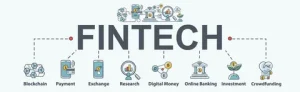
Fintech applications are primarily focused on secure transactions, data protection, and compliance. Mobility apps, on the other hand, emphasize real-time tracking, user experience, and operational efficiency. While these domains differ in functionality, they share common technological foundations such as cloud computing, APIs, and mobile-first design.
Businesses already working with fintech app development companies often have an advantage. They are familiar with building secure, scalable systems—skills that are equally valuable in mobility app development.
Why Businesses Are Expanding into Mobility
1. Growing Demand for On-Demand Services
Users today expect convenience at their fingertips. Whether it’s booking a ride or tracking a delivery, mobility apps fulfill real-time needs, making them highly profitable.
2. Opportunity for Integration
Fintech apps can integrate seamlessly with mobility platforms. For example, digital wallets, payment gateways, and subscription billing systems enhance the user experience in ride-hailing or logistics apps.
3. Diversification of Revenue Streams
Expanding into mobility allows businesses to tap into new markets and create additional revenue channels.
Key Differences in Development Strategy
Before transitioning, it’s essential to understand how fintech and mobility app strategies differ:
| Aspect | Fintech Apps | Mobility Apps |
|---|---|---|
| Core Focus | Security & compliance | Real-time operations |
| User Experience | Trust & reliability | Speed & convenience |
| Technology | Encryption, APIs | GPS, IoT, real-time data |
| Scalability | Transaction volume | User & fleet management |
A successful transition requires combining the strengths of both domains.
Choosing the Right Development Approach
1. Define Your Business Goals
Start by identifying what you want to achieve. Are you building a ride-hailing platform, a fleet management system, or a logistics solution? Your goals will determine the features, technology stack, and development timeline.
2. Select the Right Technology Stack
Mobility apps require technologies like:
- GPS and geolocation services
- Real-time data processing
- Cloud infrastructure
- AI for route optimization
If you’re already using fintech app development services, you can reuse certain backend components like payment systems and user authentication.
3. Focus on User Experience (UX)
In mobility apps, user experience is everything. A delay of even a few seconds can impact user satisfaction. Ensure:
- Fast load times
- Intuitive navigation
- Real-time updates
4. Ensure Security and Compliance
While mobility apps are less regulated than fintech apps, they still handle sensitive user data. Implement:
- Data encryption
- Secure payment gateways
- Compliance with local regulations
Your experience working with fintech app development companies will be valuable here.
5. Build a Scalable Architecture
Mobility apps often experience rapid growth. A scalable architecture ensures your app can handle increasing users and data without performance issues.
The Role of Fintech Expertise in Mobility Apps
Fintech expertise plays a crucial role in mobility applications, especially in areas like:
- Payments: Seamless in-app transactions
- Subscriptions: Monthly ride or delivery plans
- Fraud Detection: Preventing misuse of services
- Analytics: Understanding user behavior
Businesses that hire fintech software developers gain a competitive edge by integrating robust financial systems into mobility platforms.
Development Models to Consider
1. In-House Development
Best for companies with strong technical teams. Offers full control but requires significant investment.
2. Outsourcing to Experts
Partnering with fintech app development companies or mobility specialists ensures faster development and access to experienced professionals.
3. Hybrid Model
A combination of in-house and outsourced software development provides flexibility and cost efficiency.
Cost Considerations
The cost of developing a mobility app depends on several factors:
- App complexity
- Features and integrations
- Development team location
- Technology stack
On average, a basic mobility app can cost between $25,000 to $80,000, while advanced solutions may exceed $150,000.
Leveraging existing fintech infrastructure can help reduce costs significantly.
Common Challenges and How to Overcome Them
1. Real-Time Data Management
Mobility apps rely heavily on real-time updates. Use cloud-based solutions and efficient APIs to handle large data volumes.
2. User Retention
Offer features like loyalty programs, discounts, and seamless payments to keep users engaged.
3. Integration Complexity
Integrating fintech features into mobility apps can be challenging. Working with experienced fintech app development services providers can simplify the process.
Future Trends in Fintech and Mobility Integration
1. AI and Machine Learning
AI will play a major role in route optimization, demand prediction, and fraud detection.
2. Blockchain Technology
Blockchain can enhance transparency and security in payments and data sharing.
3. IoT Integration
Connected devices will improve fleet management and real-time tracking.
4. Super Apps
The future lies in super apps that combine fintech, mobility, and other services into a single platform.
Best Practices for Success
- Start with a minimum viable product (MVP)
- Focus on scalability from day one
- Prioritize user experience
- Ensure strong security measures
- Continuously update and improve your app
Conclusion
Transitioning from fintech to mobility is a strategic move that can unlock new growth opportunities. By leveraging existing fintech expertise and adopting the right app development strategy, businesses can build innovative, scalable, and user-friendly mobility solutions.
Whether you choose to work with fintech app development companies or build an in-house team, the key lies in aligning your technology, goals, and user expectations. Investing in the right approach today will ensure long-term success in this rapidly evolving digital landscape.
Author



Author



In today’s fast-paced world, personal loans have become an essential financial tool for many individuals. Whether you need funds for medical emergencies, educational expenses, or to cover unexpected bills, personal loans provide quick access to money with minimal paperwork. However, many banks and financial institutions require a PAN card for the loan application process. What do you do if you don’t have a PAN card? This article explores how to get a quick, easy personal loan without a PAN card and the necessary steps to secure one. Let’s dive into a no-check guide!
What Is a Personal Loan?
A personal loan is an unsecured type of loan that allows individuals to borrow money without pledging collateral. Unlike home loans or car loans, these are not limited to a specific purpose. Borrowers can use the funds for various needs, such as education, home renovation, medical emergencies, wedding expenses, or consolidating debts.
One of the main advantages of personal loans is their flexibility and simplicity. However, most lenders require certain documents like identity proof, income proof, and a PAN card for verification. If you do not possess a PAN card, alternative methods can help you secure a quick easy personal loan.
Challenges in Getting Personal Loans Without PAN Card
Many financial institutions require a PAN (Permanent Account Number) card to process a personal loan application. This card tracks your financial transactions and identifies you as a taxpayer, making it easier for lenders to assess your creditworthiness.
Without a PAN card, many lenders can hesitate, as it raises questions about your financial credibility. However, there are exceptions — certain non-banking financial companies (NBFCs), digital lending platforms, and private lenders offer loans without requiring a PAN card. You can still secure funds by providing alternative documentation and meeting additional requirements.

Quick Easy Personal Loan Options Without PAN Card
If you don’t have a PAN card, you still have viable alternatives for availing a personal loan. Here are the best options available:
1. Apply Through NBFCs
Non-Banking Financial Companies (NBFCs) are more lenient compared to banks regarding documentation. Many NBFCs offer quick easy personal loans with minimal paperwork. Instead of a PAN card, they might accept other proofs such as passport, Aadhaar card, voter ID, or driving license. Loan approval processes in these institutions are quicker, making them an ideal option for urgent financial needs.
2. Digital Lending Platforms
Online lending platforms provide instant loans using technology-based verification methods. They often have a simplified process, with no strict requirement for a PAN card. You’ll need alternative documents such as your Aadhaar number, income proof, and bank account details. These platforms prioritize speed and user convenience, making them suitable for borrowers with limited paperwork.
3. Loan Against Collateral
If you struggle to secure a personal loan due to the lack of a PAN card, you can opt for loans against collateral. By pledging assets like gold, property, or fixed deposits, you can receive funds as per the collateral value. Since these are secured loans, the requirements for identity verification may be less stringent than unsecured loans.
4. Payday Loans
Payday loans are small, short-term loans designed to cover immediate financial requirements. These loans usually don’t require extensive documentation or a PAN card. However, they come with higher interest rates, so should only be used for urgent needs once other options are explored.
Documents You May Need for Loans Without PAN Card
For a quick easy personal loan, even without a PAN card, you must provide alternative documents to prove your identity, income, and address. This pan card no check approach means commonly accepted documents include:
Identity Proof
- Aadhaar Card, Voter ID, Passport, or Driving License
Income Proof
- Salary slips or bank statements of the last 3–6 months
Address Proof
- Utility bills, rental agreements, or any government-issued ID with the address
Employment Details
- Offer letter or designation proof from your employer
Collateral Details
- If applying for a secured loan
Lenders might also run a background check and assess your credit score using other methods to determine your repayment capacity.
Tips to Increase Approval Chances
Follow these tips to improve your chances of loan approval:
Tip 1
Ensure a Stable Income: Maintain a steady income and provide valid proof to assure the lender of your repayment ability.
Tip 2
Choose the Right Lender: Approach NBFCs or online lenders specializing in quick approvals without stringent documentation requirements.
Tip 3
Improve Your Credit Score: A good credit score can increase loan approval chances even if you don’t have a PAN card.
Tip 4
Keep Documents Handy: Submit valid government-issued IDs and other proofs, ensuring they are accurate and up to date.
Conclusion
Getting a quick easy personal loan without a PAN card might seem challenging, but it’s possible with the right approach. By exploring NBFCs, digital lending platforms, collateral-based loans, and payday loans, you can access the funds you need for emergencies.
It’s essential to understand the terms and conditions of loans before proceeding. Evaluate the interest rates, repayment tenures, processing fees, and hidden charges. Having a PAN card is highly recommended in the financial world as it simplifies many procedures. If you don’t have one yet, apply for a PAN card to avoid hurdles in the future financial transactions.
When choosing lenders, prioritize transparency, service quality, and affordability. With thorough research and preparation, you can secure a personal loan without unnecessary friction!
Author



Standardized Reporting: Improve Workplace Safety & Compliance

Luxury Car Rental in Surat: Cars for Weddings, Events & Travel

Bariatric Surgery in Islamabad: Recovery & Long-Term Benefits

Application Modernization Services: For Legacy Systems

Chrome Hearts Hats: Iconic Trucker Caps & Luxury Streetwear

Application Modernization Services: Azure Solutions

Online Embroidery Designs: Tips & Modern Machine Techniques

Biopolymers Market: Trends, Growth & Sustainable Materials

Slice Master Game: Tips, Tricks & High-Score Strategies

Eyelid Surgery in Islamabad: Top Clinics for Blepharoplasty

Cybersecurity Consulting Company SequelNet Provides Critical IT Support Services to Medical Billing Firm, Medical Optimum

Team Communication Software Transforms Operations at Finance Innovate

Project Management Tool Transforms Long Island Business

How Alleviate Poverty Utilized IPPBX’s All-in-One Solution to Transform Lives in New York City

Breast Cancer: The Imperative Role of Mammograms in Screening and Early Detection

Unstoppable Collaboration: D.C.’s Citi Open and Silicon Valley Classic Unite to Propel Women’s Tennis to New Heights

Embracing Renewal: Sizdabedar Celebrations Unite Iranians in New York’s Eisenhower Park

The Benefits of Starting a Side Hustle for Financial Freedom

New Blood Donation Screening Questions What You Need to Know

Stylishly Timeless: The 5 Types of Sandals You Need in Your Closet
-

 Business3 years ago
Cybersecurity Consulting Company SequelNet Provides Critical IT Support Services to Medical Billing Firm, Medical Optimum
-
Business3 years ago
Team Communication Software Transforms Operations at Finance Innovate
-
Business3 years ago
Project Management Tool Transforms Long Island Business
-
Business3 years ago
How Alleviate Poverty Utilized IPPBX’s All-in-One Solution to Transform Lives in New York City
-
health3 years ago
Breast Cancer: The Imperative Role of Mammograms in Screening and Early Detection
-
Sports3 years ago
Unstoppable Collaboration: D.C.’s Citi Open and Silicon Valley Classic Unite to Propel Women’s Tennis to New Heights
-
Art /Entertainment3 years ago
Embracing Renewal: Sizdabedar Celebrations Unite Iranians in New York’s Eisenhower Park
-
Finance3 years ago
The Benefits of Starting a Side Hustle for Financial Freedom







