
Business
Fixing AOL Mail Crashes: Common Causes and Easy Solutions

If you’re trying to check a critical email and AOL Mail suddenly crashes, there are few things more aggravating than that. Recurring crashes can completely interrupt your workflow, whether you’re in the middle of writing a message, opening an attachment, or even just signing in.
Despite AOL Mail’s long history of reliability, the platform is nonetheless susceptible to the inevitable glitches that affect every digital tool. On the plus side, you can find a solution, and you’re not the only one. This tutorial will show you the probable causes of AOL Mail crashing and provide easy-to-follow instructions to resolve the problem.

Causes Behind AOL Mail Keeping Crashing
We need to know what causes AOL Mail to crash before we can fix it. Finding the root of the problem will allow you to implement a solution that works.
Below, we have listed the most common reasons behind the AOL Mail keeps crashing error:
- Your Browser Is Out of Date or Broken: When you use an old or corrupted browser, AOL Mail can crash. Using email platforms on older browsers that do not support new web apps can be a challenge.
- Broken Add-Ons or Extensions for Your Browser: Ad blockers and script blockers are extensions that could cause issues with the AOL Mail interface. Unexpected site freezing or crashes could occur if they disable necessary scripts or cookies.
- Cache and Cookie Overload: Pages may not load properly if your cache is full or out of date. When loading the inbox, AOL Mail could crash if the browser tries to use corrupted cached data.
- Slow or Interrupted Internet Connection: The correct loading of AOL Mail may be hindered by an inadequate internet connection. Your device may constantly disconnect, which could cause AOL Mail to crash while you’re using it.
- Issues with AOL’s Servers: Occasionally, the problem isn’t on your end. Experiencing frequent crashes or delayed loading times? It could be because AOL servers are offline or experiencing service outages.
- Issues with the Device: Having insufficient RAM, out-of-date software, or spyware on your device can cause AOL Mail to crash whenever you try to open or navigate between emails.
Ways to Fix the AOL Mail Keeps Crashing Issue
Now that you know the problem, you can start working on a solution. Listed here are the best solutions, along with simple instructions for each, that have been found to fix AOL Mail and get it functioning correctly once more.

Solution 1. Try Clearing Your Browser’s Cache and Cookies
To make pages load faster, browsers save temporary files in the cache. However, if these files become corrupt or accumulate, AOL Mail may crash. Often, clearing them resolves the problem.
- Get your preferred web browser up and running.
- Find the settings menu in your browser.
- Go to the Privacy or History part.
- Select either Clear browsing data or Clear cache and cookies for your browser.
- To access cached images and files, go to Cookies and mark the box.
- It is recommended to select “All time” as the time range.
- To open AOL Mail again, click Clear Data and then restart your browser.
Solution 2: Disabling Extensions That Cause Problems
- Find the Extensions or Add-Ons option in your browser’s menu.
- Take a look at every browser extension that is currently active.
- Before anything else, make sure no extensions are blocking ads, scripts, or unknown sources.
- Reload AOL Mail after disabling each extension to see if it works.
- Consider uninstalling the extension if the site functions properly after disabling it.
- To ensure that the changes take effect, restart the browser.
- If necessary, re-enable just the extensions that you have complete faith in.
Solution 3. Try Using a Newer Browser or Updating Your Current One
Repeated crashes are possible with AOL Mail if you’re using an outdated or incompatible browser. Updating the browser ensures improved security and performance.
- Start up your web browser and go to the Settings or About bar.
- Verify if there are any accessible updates (the majority of browsers update themselves).
- When prompted, select Install Update to begin downloading any available updates.
- To finish the update, you will need to restart your browser.
- Launch AOL Mail once more and see if the crash problem continues to occur.
- If you are still experiencing issues, try switching to a different browser.
- To verify the enhanced performance, sign in to your AOL account using the updated browser.
Solution 4: Verify Internet Access
When your internet connection is sluggish or unpredictable, AOL Mail might freeze up. Maintaining a constant and error-free connection is crucial for webmail services.
- Use any online speed test tool to check your internet speed.
- To fix sluggish connections, try rebooting your wireless router or modem.
- If your Wi-Fi signal is weak, try moving closer to the source.
- Turn off any other gadgets that are using up your bandwidth.
- Take a look at AOL Mail on a different device to determine if the problem still remains.
- If you can, change to an Ethernet cable for your connection.
- If you continue to experience connection issues, please contact your internet service provider.
Solution 5. Try Resetting Your Browser to Factory Settings
There might be a problem with your browser’s configuration if the previous steps don’t resolve the issue. Resetting to the default can fix deeper problems that cause AOL Mail to crash.
- Navigate to the preferences menu on your web browser.
- You can find the reset settings and restore defaults further down the page.
- Select the option to clear all configuration data.
- Press the reset button when asked, and once you’ve reset your browser, restart it.
- Launch AOL Mail again and sign in.
- Try loading the inbox, accessing messages, or creating an email to confirm the crash’s resolution.
Conclusion
AOL Mail crashes can significantly disrupt your day, but fortunately, once you identify the cause, resolving it usually becomes a simple task. There is an effortless fix for every issue, be it slow internet, outdated browser settings, corrupted cache files, or problematic extensions. Quickly restore normal operation to your AOL Mail and safeguard it from future crashes by following the instructions provided in this article.
Avoiding problems in the future is as simple as making it a habit to periodically clean your cache, keep your internet connection stable, and upgrade your browser. If these solutions don’t work, you must dial the AOL tech support number for further assistance with troubleshooting. A steady inbox is within reach with the correct strategy.
Author


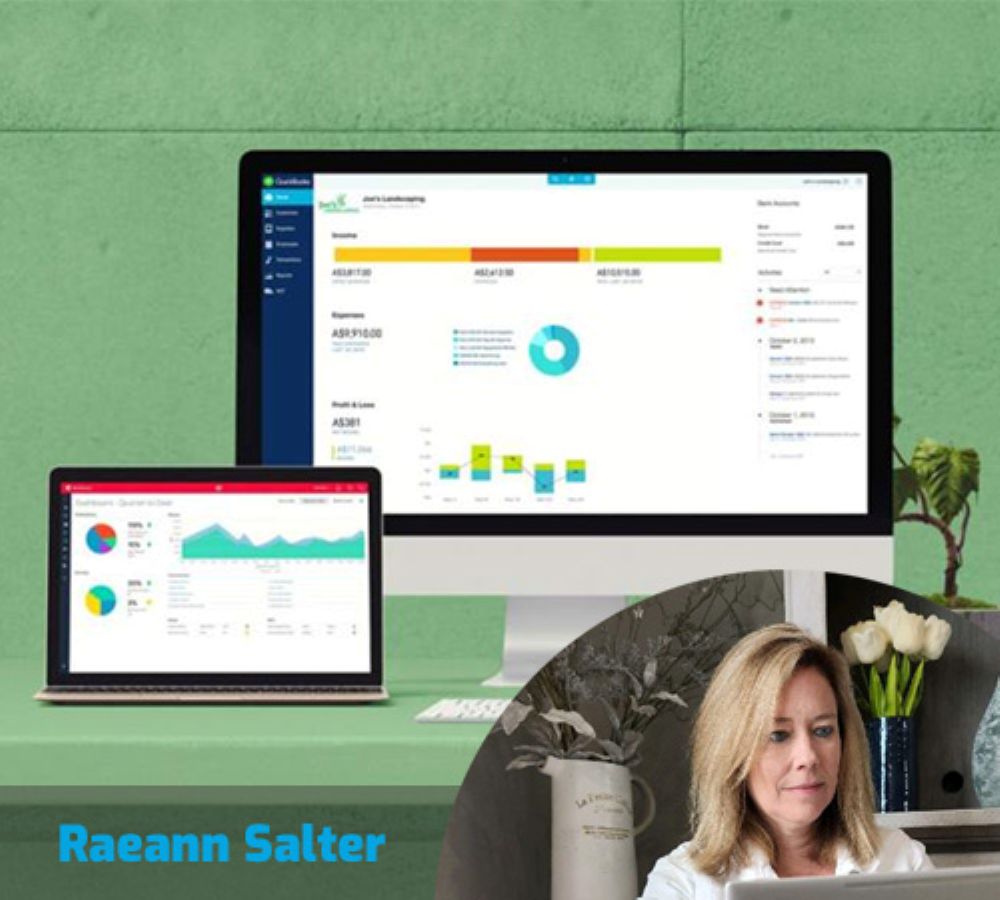
Effectively managing your business finances goes far beyond simply owning excellent software; instead, it requires expert guidance to truly maximize the benefits of your accounting system. At Minding My Books, our QuickBooks Consulting Service is specifically designed to help businesses streamline their operations, simplify complex accounting processes, and make financial decisions with absolute confidence.
Elevate Your Business with Expert Strategic Guidance
Whether you are embarking on a first-time QuickBooks setup or seeking to refine an existing configuration, professional consulting ensures your system is meticulously customized to your needs. Indeed, our services offer tailored solutions that optimize financial management, streamline daily workflows, and guarantee that your setup effectively supports long-term expansion.
Furthermore, certified QuickBooks experts can analyze your current bookkeeping habits, identify hidden inefficiencies, and reconfigure your account to align perfectly with industry standards. From the initial installation to complex troubleshooting and deep-dive reporting, professional consultants ensure the software works for you, rather than against you.

The Role of a Modern QuickBooks Consultant
A QuickBooks consultant serves as a bridge between high-level accounting knowledge and technical software expertise. Specifically, typical services include customizing your chart of accounts, executing secure data migrations, and managing reconciliation cleanups. In addition, consultants optimize your tech stack by integrating payroll, time tracking, and payment apps so that everything syncs without a hitch.
By partnering with our consulting service, you gain a strategic ally who reduces the burden of manual labor, improves the accuracy of your reporting, and ultimately helps you make faster, data-driven decisions.
Key Advantages of Certified Expertise
Hiring a professional brings several transformative benefits to your organization:
- Precision Financials: Experience fewer errors and gain access to superior reporting for smarter business choices.
- Accelerated Workflows: Leverage automation and smart integrations that significantly reduce manual tasks.
- Industry-Specific Setup: Benefit from a chart of accounts and workflows designed specifically for your unique niche.
- Total Compliance: Ensure your payroll and tax configurations are audit-ready well before tax season arrives.
- Continuous Support: Gain instant access to certified help whenever technical issues or complex questions arise.
Consequently, these advantages free up your schedule to focus on revenue-generating activities while keeping your financial house in perfect order.
Reasons Why Minding My Books is the Top Pick
Our team of Certified QuickBooks ProAdvisors blends deep accounting wisdom with hands-on technical experience. Consequently, we help small and mid-sized businesses implement tailored solutions, migrate legacy data safely, and train staff to maintain spotless records. Whether you need a one-off cleanup or a full-scale system implementation, our consultants provide practical, cost-effective guidance that scales alongside your business.
Defining QuickBooks Consulting Services
In essence, these services provide professional mentorship for every stage of your software journey—from setup to long-term maintenance. By combining accounting expertise with technical mastery, consultants customize the platform to fit your specific operational requirements. As a result, whether you are a fledgling startup or a growing enterprise, your accounting system remains accurate, efficient, and scalable.
Diving Deeper: The Benefits of Professional Consulting
1. Precision Customization
A correct setup is the foundation of reliable data. Therefore, consultants carefully configure your tax settings, inventory tracking, and reporting structures. This level of customization ensures that QuickBooks actually reflects the reality of your industry and business size.
2. Enhanced Accuracy
Many financial discrepancies occur due to a lack of technical expertise during setup. However, QuickBooks consultants help eliminate duplicate entries and reconciliation headaches. With this guidance, your financial records remain clean and dependable year-round.
3. Time-Saving Automation
Consulting services help you automate the most repetitive parts of your day, such as invoicing and bank reconciliations. By doing so, you reduce manual effort and reclaim precious hours for strategic business development.
4. Advanced Reporting and Financial Insights
Perhaps the greatest advantage of consulting is the access to meaningful insights. Consultants build customized dashboards, such as cash flow reports and industry-specific profit and loss statements. Ultimately, these reports provide real-time visibility, helping you plan for growth with total confidence.
Supporting Growth and Optimization
As your business expands, your accounting needs will naturally become more complex. To support this, our consulting services assist with:
- Upgrading to more robust QuickBooks versions.
- Managing multi-user permissions for growing teams.
- Implementing advanced features like job costing.
- Moreover, we integrate QuickBooks with essential tools like CRM systems and eCommerce platforms to eliminate data silos.
Tax Compliance and Audit Readiness
Staying compliant is a critical priority for any business owner. To address this, our consultants ensure your tax settings are properly configured and your records are audit-ready. Not only does this reduce the risk of penalties, but it also makes the annual filing process entirely stress-free.
Secure Data Migration and Ongoing Support
Moving data from another system can be a technical nightmare. Fortunately, our consulting services handle secure migrations with a focus on continuity. Furthermore, we provide proactive support to troubleshoot errors as they arise, ensuring your business avoids costly downtime.
Final Thoughts: A Proactive Financial Strategy
In summary, professional QuickBooks consulting offers long-term value by providing tailored solutions and increased financial control. Rather than simply reacting to financial problems, your business gains a strategic and proactive accounting framework.
Take the first step toward a more efficient future. Contact Minding My Books today for personalized assistance. Our certified ProAdvisors are ready to guide you toward the QuickBooks configuration that best suits your goals.
Author

Moving accounting records is arguably one of the most daunting tasks a business owner can face. It is not just about moving files; it is about ensuring the entire history of your company’s financial health remains intact. At Minding My Books, we recognize this challenge, which is why our QuickBooks Data Migration Services are designed to be secure, precise, and entirely stress-free. Whether you are transitioning from a desktop environment to the cloud, moving from a competing platform, or merging multiple complex files, our certified specialists manage the entire lifecycle with surgical precision.
Navigating Secure and Seamless Transitions
In the world of finance, there is no room for “almost accurate.” Consequently, our team prioritizes data security and integrity above all else. We have developed a meticulous, multi-stage protocol that eliminates the common pitfalls of data migration, such as file corruption, loss of historical detail, or prolonged operational downtime. By following this structured approach, we preserve every vital detail—from your fundamental chart of accounts to your most granular transaction histories.
Ultimately, our professional migration and setup support allow you to unlock your company’s full potential. We take the technical burden off your shoulders so that you can dedicate your energy to strategic growth rather than troubleshooting software errors.

Why the Integrity of Migration Matters
Data migration is far more than a simple “copy and paste” exercise. It is a fundamental preservation of your financial legacy. Whether you are migrating from manual spreadsheets, legacy software like Sage or Xero, or simply upgrading to a newer version of QuickBooks, even a minor synchronization error can snowball into major compliance issues or reporting discrepancies.
Working with certified QuickBooks ProAdvisors ensures that your payroll data, bank reconciliations, and historical transactions land exactly where they should. Our deep experience allows us to identify and resolve inconsistencies before they ever reach your new system, keeping your records clean and audit-ready.
What to Expect from Our Migration Services
When you partner with Minding My Books, you receive a comprehensive end-to-end solution. We don’t just move data; we build a foundation for your future success. Our service roadmap includes:
- Strategic Consultation: We begin by deeply analyzing your current system to understand your specific operational needs.
- Data Compatibility Audit: We evaluate your existing files for health and compatibility, creating a blueprint for a secure transfer.
- Bespoke Configuration: Our experts migrate your essential data and configure QuickBooks Enterprise or Online to mirror your unique business logic.
- Engaged Customization: We go beyond the basics by tailoring reports, templates, and forms to match your corporate branding and reporting style.
- Training and Success Monitoring: Furthermore, we don’t leave you at the finish line. We train your staff to use the new system with total confidence and monitor the setup post-migration to ensure peak optimization.
In addition to internal QuickBooks upgrades, we specialize in high-stakes conversions from platforms like FreshBooks, Xero, and Sage. Every step is managed to minimize business disruption and maximize data accuracy.
The Advantage of Certified Expertise
Choosing a professional service over a DIY approach offers several tangible benefits:
- Guaranteed Accuracy: We prevent the common issues of missing entries or double-counted transactions.
- Significant Time Savings: Professional tools and scripts allow for a much faster transition with minimal manual intervention.
- Proactive Problem Solving: We identify and repair underlying data issues in your old system before they contaminate the new one.
- Customized Workflow: We don’t just install software; we configure QuickBooks to follow your specific workflow and reporting requirements.
As a result, your accounting system runs flawlessly from day one, giving you the confidence that every financial report you generate is 100% reliable.
Beyond Simple Transfers: Full System Optimization
At Minding My Books, we believe a successful implementation requires more than just moving numbers. Therefore, we optimize your reporting structure and verify your settings to ensure your environment supports efficient management. Our ProAdvisors focus on a “transparency-first” model, helping you move to a stronger, more intelligent accounting ecosystem.
Precision Setup and Configuration
A truly successful migration includes deep-level software configuration. For example, our consultants design your chart of accounts based on your specific industry standards. We also configure tax settings, payroll modules, and user permissions to ensure strict internal controls and regulatory compliance. Furthermore, for businesses that handle physical goods, we establish project-level tracking and inventory rules to provide immediate insights into profitability.
Rigorous Testing and Validation
Before your system goes live, we perform exhaustive data validation. In essence, we compare the reports from your old system against the new QuickBooks environment to confirm every cent is accounted for. This testing phase ensures that your invoices, expenses, and payroll functions are ready for action without a single hitch.
Secure Your Financial Future Today
Transitioning to a new accounting system should be a moment of progress, not a source of anxiety. By choosing expert QuickBooks Data Migration Services, you protect your data, preserve your accuracy, and gain immediate confidence in your new financial home.
Stop worrying about data loss and start focusing on your results. Contact Minding My Books today for a personalized consultation. Our certified experts are ready to lead your business through a safe, efficient, and flawless migration into the modern QuickBooks environment.
Author
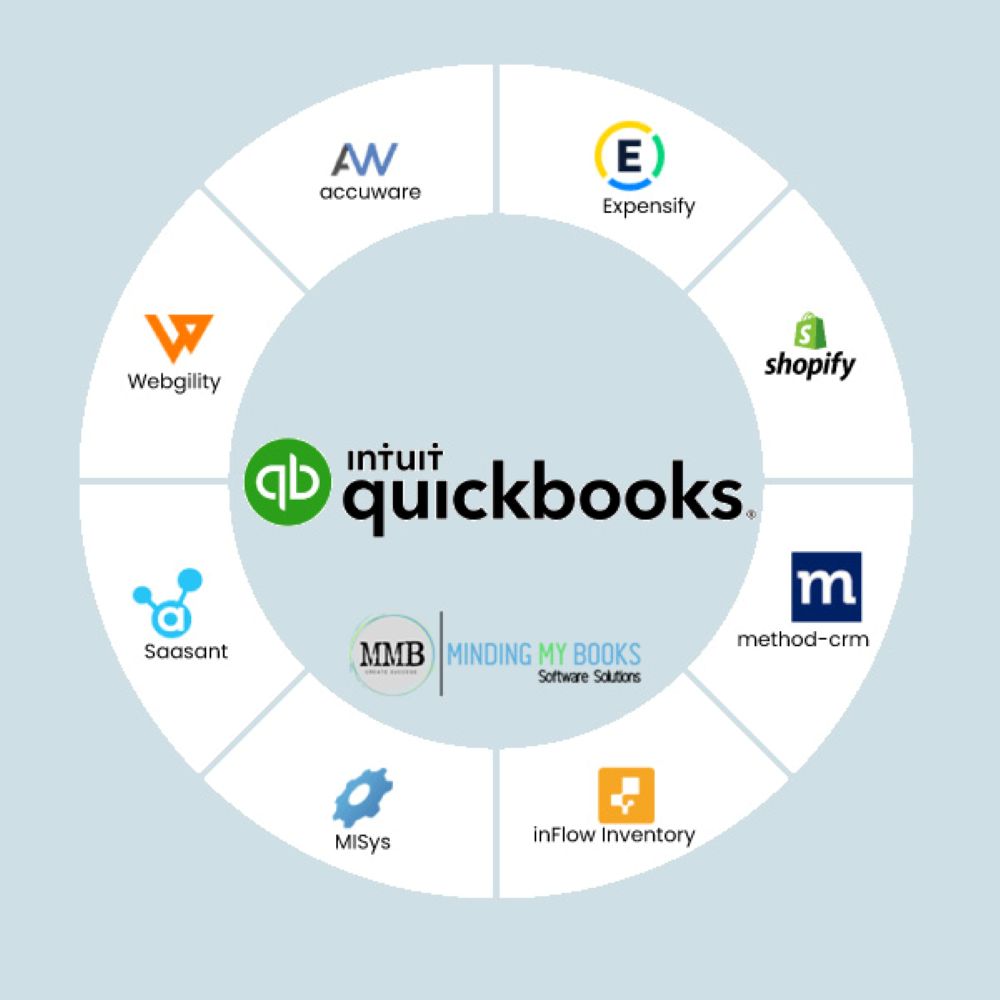
In the modern business world, efficiency is no longer just a goal; it is a requirement for survival. To keep a company running smoothly, financial data must be precise, organized, and refreshed in real-time. At Minding My Books, we have seen firsthand how much energy small businesses and accounting teams waste when they are forced to jump between disconnected software systems. Consequently, we champion QuickBooks App Integration as the ultimate solution for those looking to automate their data flow, eliminate the drudgery of manual entry, and bring true simplicity to the bookkeeping process.
What Exactly is QuickBooks App Integration?
At its heart, this technology serves as a digital bridge. It allows you to link the third-party applications you already use—such as your time-tracker, your payment processor, or your payroll system—directly to your QuickBooks account. Instead of forcing you to move data by hand, these integrations ensure that your information moves automatically into one centralized location.
By doing so, you move away from the era of messy spreadsheets and risky manual uploads. Integration ensures that every time a sale is made or an expense is recorded, your books update themselves. As a result, you gain a much clearer picture of your company’s financial health without spending hours in front of a computer screen.

The Massive Benefits of a Connected Ecosystem
Choosing apps that communicate fluently with QuickBooks does more than just save a few minutes here and there. It fundamentally changes how your business operates. When your digital tools talk to each other, several major advantages emerge:
- A Dramatic Drop in Data Entry: You no longer need to type the same invoice details into two different systems. Information syncs across platforms instantly.
- Superior Financial Clarity: Your dashboard becomes a window into the soul of your business. You can see detailed transaction data from your sales platforms without leaving your accounting software.
- End-to-End Task Automation: From tracking daily employee expenses to generating recurring invoices, the system handles the “busy work” on your behalf.
- A Focused Path to Growth: Ultimately, every hour you save on bookkeeping is an hour you can spend on sales, marketing, and scaling your brand.
For instance, an e-commerce brand can link its storefront, its shipping software, and its merchant account to QuickBooks. In turn, this creates a 24/7 automated workflow that requires zero human intervention to stay accurate.
Leading Third-Party Apps for Your Business
There is a vast library of tools ready to be integrated. Depending on your industry, certain apps can act as “superchargers” for your accounting. Here are a few notable examples:
- Avalara: This tool is a lifesaver for those struggling with tax laws. It automates sales tax calculations and ensures your filings are always compliant.
- Handifox: If you manage physical goods, this app provides robust inventory and sales tracking that stays perfectly in sync with your ledger.
- Method: CRM: This bridge allows your sales team and your accounting team to see the same customer data, leading to much smarter client management.
- MISys: Specifically designed for the manufacturing sector, this provides a full-scale ERP integration to track materials and production costs.
- Procore: For those in the construction industry, this app offers real-time financial syncing, making project management far less stressful.
By integrating these specialized tools, you move away from a fragmented business model and toward a unified, efficient ecosystem.
Why Professional Support is Essential
While many software companies claim their apps are “plug-and-play,” the reality of data migration is often more complex. This is exactly why so many businesses seek out the experts at Minding My Books. Integrating multiple platforms requires a deep understanding of both accounting principles and cloud technology.
Therefore, we don’t just “click a button.” We assess your specific business needs, configure the software to handle your unique tax requirements, and ensure that no data is lost during the transition. Furthermore, we provide comprehensive training for your staff. This ensures that once the system is live, your team has the confidence to maintain it effectively.
Boosting Productivity Through Seamless Flow
The most immediate impact of a successful integration is a surge in productivity. Specifically, it addresses three major bottlenecks:
First, it destroys repetitive labor. Manual data entry is the “silent killer” of productivity. By automating the flow of invoices and payments, you free your staff to engage in high-value analysis rather than low-value typing.
Second, it streamlines the management of your finances. When your payroll and sales figures flow directly into your ledger, the month-end reconciliation process becomes a breeze. As a result, tax season is no longer a source of anxiety, but a routine administrative task.
Third, it builds a foundation for automation. Beyond just moving data, these integrations allow you to automate triggers. For example, when a payment is received in your gateway, QuickBooks can automatically mark an invoice as paid and send a thank-you note to the customer.
The Strategic Value: Real-Time Insights and Scalability
In a volatile market, making decisions based on “last month’s data” is dangerous. Fortunately, QuickBooks app integration provides a real-time window into your cash flow and profitability. Consequently, you can spot a dip in sales or an increase in overhead the moment it happens, allowing for rapid course correction.
Moreover, this setup is built for growth. As your business expands, your operational needs will change. You might hire more employees or open a new sales channel. A connected system is inherently scalable; you can simply add a new module or app to your existing framework without having to rebuild your entire accounting department.
Accuracy, Compliance, and Peace of Mind
Human error is an inevitable part of manual bookkeeping. However, integrated systems significantly reduce this risk. Because the data is pulled directly from the source, the chance of a “typo” ruining your balance sheet is virtually eliminated. This level of accuracy is crucial for staying compliant with tax authorities and maintaining the trust of your investors or bank. Why Professional Integration Services are the Right Choice
Although it might be tempting to try a DIY approach, professional services offer a level of security that a manual setup cannot match. Our experts test every connection for security and data integrity. In short, we ensure that your integrations are an asset to your business, not a liability.
Take the Next Step Today
If you are tired of being buried in paperwork and want to regain control of your time, it is time to embrace the future of accounting. Minding My Books is ready to help you connect your favorite apps and build a financial system that works for you, not against you.
Contact us today to speak with a certified QuickBooks ProAdvisor. We will help you select the ideal integration path tailored specifically to your industry and your goals.
Author


Elevate Your Style with Balmain T-shirts: New Standard in Luxury

Maximize Your Financial potential with our QuickBooks Consult

QuickBooks Data Migration Services: Secure Your Financial Future

Business with QuickBooks App Integration for Seamless Accounting

Beard Hair Transplant Journey in Dubai: A 12-Month Timeline

Lip Fillers vs. Lip Implants in Islamabad: Choosing the Right Option

Complete 1300-Word Guide for Homeowners

Casablanca: Redefining Luxury Fashion with Elegance and Comfort

Allure of Limited Edition Luxury Watches: A Collector’s Guide

Download, Install, and Reinstall AOL Desktop Gold Current Member

Cybersecurity Consulting Company SequelNet Provides Critical IT Support Services to Medical Billing Firm, Medical Optimum

Team Communication Software Transforms Operations at Finance Innovate

Project Management Tool Transforms Long Island Business

How Alleviate Poverty Utilized IPPBX’s All-in-One Solution to Transform Lives in New York City

Breast Cancer: The Imperative Role of Mammograms in Screening and Early Detection

Unstoppable Collaboration: D.C.’s Citi Open and Silicon Valley Classic Unite to Propel Women’s Tennis to New Heights

Embracing Renewal: Sizdabedar Celebrations Unite Iranians in New York’s Eisenhower Park

The Benefits of Starting a Side Hustle for Financial Freedom

New Blood Donation Screening Questions What You Need to Know

Stylishly Timeless: The 5 Types of Sandals You Need in Your Closet
-

 Business3 years ago
Cybersecurity Consulting Company SequelNet Provides Critical IT Support Services to Medical Billing Firm, Medical Optimum
-
Business3 years ago
Team Communication Software Transforms Operations at Finance Innovate
-
Business3 years ago
Project Management Tool Transforms Long Island Business
-
Business3 years ago
How Alleviate Poverty Utilized IPPBX’s All-in-One Solution to Transform Lives in New York City
-
health3 years ago
Breast Cancer: The Imperative Role of Mammograms in Screening and Early Detection
-
Sports3 years ago
Unstoppable Collaboration: D.C.’s Citi Open and Silicon Valley Classic Unite to Propel Women’s Tennis to New Heights
-
Art /Entertainment3 years ago
Embracing Renewal: Sizdabedar Celebrations Unite Iranians in New York’s Eisenhower Park
-
Finance3 years ago
The Benefits of Starting a Side Hustle for Financial Freedom







