
Accounting
Partnership Accounting Explained: Profit, Trust & Growth Guide


When James and Aamir founded their consultancy firm, they shared more than ambition; they shared a profound sense of trust. In those early days, one brought financial expertise while the other provided invaluable industry connections. Consequently, decisions were made over coffee, expenses were tracked in simple spreadsheets, and profits were divided with a mere handshake. However, the business grew quickly, and as clients multiplied, revenue increased significantly. Yet, as the numbers became larger, so did the complexity of their questions.
For instance, they began to wonder why the capital accounts looked uneven. They questioned how partner drawings were affecting overall cash flow and whether profits were being distributed fairly. Furthermore, they needed to determine their individual tax liabilities. Although the partnership had momentum, it lacked structured Partnership Accounting. What once felt simple became increasingly complex, and as a result, the absence of clarity began to create hesitation in their decision-making.
Their story reflects the experience of many growing businesses. Growth inevitably introduces financial intricacy; therefore, without a solid accounting structure, uncertainty can quietly undermine even the strongest professional relationships. At Lanop Business and Tax Advisors, we believe that effective Partnership Accounting transforms uncertainty into clarity and shared ambition into measurable profit. It is not merely a matter of compliance; rather, it is the financial framework that protects partnerships, strengthens trust, and drives sustainable growth.
The Foundation of Partnership Accounting
Partnership Accounting refers to the structured process of recording, managing, and reporting the financial activities of a business owned by two or more individuals. Unlike sole traders or limited companies, partnerships require special attention to equity distribution, profit sharing, and capital accounts. Because each partner may contribute different levels of capital, expertise, and time, profit-sharing arrangements often vary.
Additionally, since withdrawals may occur throughout the year, tracking these elements becomes difficult without a defined system. Specifically, the foundation of strong Partnership Accounting includes:

- Accurate recording of initial and ongoing capital contributions.
- Clear documentation regarding the allocation of profits and losses.
- Consistent tracking of all partner drawings and personal expenses.
- Preparation of reliable, transparent financial statements.
- Strict compliance with evolving tax regulations.
When these elements operate together, the partnership gains vital financial visibility. Furthermore, as discussed across various business and finance features, entrepreneurs are increasingly prioritizing jurisdictions that offer regulatory clarity and banking credibility.

Building Trust Through Transparency
Trust is the most valuable asset in any partnership; consequently, transparency in financial matters serves to reinforce that trust. Imagine a partnership where each member has access to clear financial statements showing revenue, expenses, and profit allocation. In this scenario, questions are answered with data, and decisions are guided by accurate reports rather than vague assumptions.
This represents the true power of structured Partnership Accounting. Not only does transparent reporting reduce disputes, but it also aligns expectations and creates a shared understanding of performance. By utilizing professional partnership accounting services, firms ensure that transparency becomes a standard practice rather than an afterthought. Ultimately, when partners see the same numbers and understand how they are derived, their collaboration strengthens.
Capital Accounts and Partner Equity
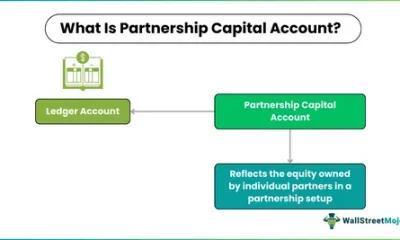
One of the distinguishing features of Partnership Accounting is the management of individual capital accounts. Each partner maintains a specific account reflecting their financial stake in the business. Typically, these accounts include:
-
The initial investment and any additional contributions.
-
Allocated profits or losses for the period.
-
Personal withdrawals or “drawings.”
Without careful management, discrepancies can easily arise. For example, if one partner withdraws funds more frequently than another, the equity balances shift. If profits are not allocated accurately, misunderstandings may develop. Therefore, professional partnership bookkeeping ensures that these movements are recorded precisely. This clarity becomes essential during times of expansion, restructuring, or partner transitions, as it protects both the partnership and the individual stakeholders.
Profit Sharing and Fair Allocation
Profit sharing lies at the heart of partnership relationships; however, whether profits are distributed equally or based on agreed ratios, accurate allocation remains critical. Structured Partnership Accounting follows the specific terms set out in the partnership agreement, which may involve:
-
Fixed percentage splits or interest on capital contributions.
-
Salary allowances for active partners.
-
Performance-related distributions.
Because errors in profit allocation can have severe tax consequences, reliable partnership bookkeeping is vital. It ensures that income and expenses are categorized correctly throughout the financial year, making profit calculations defensible. When these processes are clear, partners can focus on growth rather than internal disputes.
The Role of Partnership Bookkeeping in Daily Operations
Behind every strong accounting system lies disciplined daily recording. In fact, partnership bookkeeping forms the operational core of effective financial management. Every invoice issued, supplier payment made, or expense claim filed must be recorded accurately. If entries are delayed, it creates significant confusion at the end of the year.
Specifically, professional bookkeeping provides:
-
Real-time tracking of income and expenses.
-
Accurate reconciliation of all business bank accounts.
-
Clear classification of partner drawings versus business costs.
-
Reduced risk of costly manual errors.
At Lanop Business and Tax Advisors, we integrate meticulous bookkeeping within our broader accounting services to provide complete financial oversight.
Financial Statements as Strategic Tools
Financial statements are far more than mere compliance documents. In the context of effective Partnership Accounting, they become powerful strategic tools. While the balance sheet provides a snapshot of assets and liabilities, the income statement measures profitability over time.
Through structured financial management, these reports help partners evaluate:
-
Operational efficiency and cost control.
-
Cash flow stability and capital adequacy.
-
Growth potential for future expansion.
Consequently, data-driven decisions improve outcomes. Instead of guessing whether expansion is affordable, partners rely on financial analysis to anticipate cash needs and mitigate risks.
Tax Responsibilities and Compliance
Partnership taxation requires absolute precision. In many jurisdictions, partnerships operate under “pass-through” taxation, where profits are allocated to partners who then report them individually. Therefore, accurate accounting ensures the correct preparation of partnership returns and the identification of legitimate deductions. Moreover, professional oversight reduces exposure to penalties and protects the partnership during potential audits.
Managing Growth and Structural Changes
As partnerships evolve, accounting complexity naturally increases. Growth may require additional capital or the admission of new partners. Because each structural change requires adjustments in capital accounts and profit-sharing ratios, organized accounting is vital. Without it, transitions can become contentious. However, strong financial management ensures a smooth integration of new partners and a fair settlement for those exiting the business.
Leveraging Technology for Modern Partnerships
Modern technology significantly enhances Partnership Accounting efficiency. Cloud-based systems provide secure, real-time access to financial data, while automated reporting reduces the manual workload. Nevertheless, technology must be paired with expertise. Professional oversight ensures that these systems are configured correctly and that the data interpretation remains accurate. Our services combine these advanced tools with experienced advisory support to ensure maximum strategic value.
From Complexity to Confidence
Returning to James and Aamir, their turning point occurred when they finally implemented structured Partnership Accounting. Once their capital accounts were reconciled and profit allocation was clarified, the change was immediate. Meetings shifted from moments of tension to sessions of strategic planning.
Their experience illustrates a fundamental truth: simplifying accounting does not reduce sophistication; instead, it enhances clarity. Furthermore, clarity enables confidence, and confidence ultimately drives profit.
The Strategic Value of Partnership Financial Management
Beyond simply recording transactions, effective financial management aligns your financial structure with your strategic vision. It answers critical questions regarding reinvestment, fair compensation, and risk mitigation. Professional services transform raw numbers into actionable insight, helping partnerships set measurable goals and monitor progress effectively. After all, profitability is not accidental; it is the result of disciplined planning.
Why Professional Expertise Matters
While some partnerships attempt internal management, complexity often increases alongside growth. As regulatory requirements evolve and tax laws change, the risks expand. Therefore, engaging experienced advisors ensures that your accounting remains accurate and compliant.
At Lanop Business and Tax Advisors, our approach is comprehensive. We understand that each partnership is unique; thus, our solutions reflect your individual goals and long-term ambitions.
Conclusion
Partnerships are built on collaboration and collective vision; yet, without structured Partnership Accounting, even the strongest bonds may struggle with financial uncertainty. By maintaining clear capital accounts, disciplined bookkeeping, and strategic financial management, you create a stable foundation for growth.
When accounting systems are professionally managed, partners gain the clarity needed to unlock sustainable profit. At Lanop Business and Tax Advisors, we are committed to helping you move from confusion to confidence, ensuring that financial clarity becomes the catalyst for your lasting success. Ultimately, in every thriving partnership, clarity is not optional; it is essential.
Author



Author



Running a UK limited company involves more than serving customers, managing finances, and growing the business. Directors also need to meet ongoing legal and administrative duties. One of the most important duties involves keeping the information registered with Companies House accurate and current.
A Confirmation Statement helps companies meet this responsibility. Every registered company generally needs to file one during each 12-month review period. This requirement applies even when a company has not changed its details or carried out any trading activity.
Many business owners confuse this filing with annual accounts. However, the two serve different purposes. Annual accounts focus on financial information. The statement focuses on the company’s registered details.
What Is a Confirmation Statement?
A Statement is a filing that tells Companies House that the information held on the public register remains correct. Companies House introduced it in June 2016 to replace the annual return. The filing gives directors an opportunity to review important company information. It also allows them to update certain details when necessary. Depending on the business, directors may need to check:
- Company name
- Registered office address
- Directors
- Company secretary, where applicable
- People with significant control (PSCs)
- Shareholders
- Share capital
- SIC code
- Trading status of shares
- Registered email address
- Other relevant company information
Some changes require separate filings. Directors should therefore check the correct Companies House process before submitting an update.
Who Needs to File?
Almost every company registered with Companies House must meet this requirement. This includes private limited companies, public companies, dormant companies, and non-trading companies.
A company cannot avoid the filing simply because it has stopped trading. Similarly, directors cannot skip it because nothing has changed. The filing confirms that the existing information remains accurate.
This rule makes regular company record checks important. Directors should not wait until the deadline to discover outdated information.
When Do You Need to File?
The company receives a 12-month review period. For a newly incorporated business, the first period generally starts from the incorporation date. After that, each period usually runs from the date of the previous confirmation statement.
Companies House generally allows a company to file within 14 days after its confirmation date. However, directors should prepare the filing early. This approach gives them enough time to identify incorrect information and make any necessary changes.
Companies can also file early. However, early filing affects the next confirmation date. The following review period starts from the new confirmation date, so directors should consider this before submitting an early filing.
What Should You Check Before Filing?
Before submitting the statement, review the company’s Companies House record carefully. Check all key details and make sure they match the company’s current records. Look for any outdated information, errors, or recent changes that need reporting. Updating these details before filing can help keep the company’s public record accurate.
Registered Office
Make sure the registered office address remains correct. Companies House sends official correspondence to this address, so outdated details can cause problems.
Directors and PSCs
Check the names and details of current directors and people with significant control. Report relevant changes through the appropriate Companies House process instead of simply waiting for the next annual filing.
Shareholders and Share Capital
Review shareholder information and the company’s statement of capital where applicable. Make sure the records reflect any changes that have occurred during the year.
SIC Code
The SIC code identifies the company’s main business activity. If the nature of the business has changed, directors should check whether they need to update the code.
Registered Email Address
Companies must provide Companies House with a registered email address. Directors should ensure that the company has supplied the required information and keep it current when necessary.
Is It the Same as Annual Accounts?
No. A Confirmation Statement and annual accounts have different purposes. Annual accounts provide financial information about the company. They may include details about income, expenses, assets, liabilities, and other accounting matters.
The statement deals mainly with corporate information. Therefore, filing annual accounts does not remove the need to submit a statement. A company may need to complete both filings and should track their deadlines separately.

How Do You File?
Online filing usually provides the simplest option for eligible companies. Directors should start by checking the company’s confirmation date and reviewing its information on Companies House.
Next, identify any details that need updating. Some changes require separate filings, particularly changes involving directors or PSCs. Complete those filings when required before confirming that the company’s information remains accurate.
The filing also includes a lawful purpose statement. This confirms that the company’s intended future activities remain lawful.
Finally, pay the applicable filing fee and submit the statement. Keep the confirmation of submission with the company’s records.
Companies that cannot use the relevant online service may need to use another filing method, such as the CS01 paper form.
How Much Does It Cost?
Companies House changed its filing fees on 1 February 2026. The current digital filing fee for the annual confirmation statement payment period is £50, while the paper filing fee is £110.
The payment rules can cause confusion. Companies do not necessarily pay the annual fee every time they submit a statement. If a company files another statement during the same payment period, it may not need to pay the annual fee again.
Directors should distinguish between the review period, which determines when the filing falls due, and the payment period, which determines when the annual fee applies.
What Happens If You Miss the Deadline?
Missing the filing deadline can create significant problems. Companies House can take action against companies that fail to meet their filing obligations.
A company may face a financial penalty and could eventually face strike-off action. Strike-off can create serious consequences, especially when the company continues to trade, owns assets, or has outstanding obligations.
For that reason, directors should monitor filing dates throughout the year. A simple compliance calendar can help prevent missed deadlines.
Do Dormant Companies Need to File?
Yes. Dormant and non-trading companies still need to meet this requirement. A lack of trading activity does not remove the company’s responsibility to keep its Companies House information accurate. Directors of dormant businesses should therefore continue monitoring both their statement and annual accounts obligations.
Why Does It Matter?
Keeping company information accurate benefits more than Companies House. Banks, investors, lenders, suppliers, customers, solicitors, and potential buyers may check the public register before doing business with a company.
Accurate records can also simplify future transactions. If a company seeks investment, applies for finance, changes ownership, appoints directors, or prepares for a sale, up-to-date information can make the process smoother.
A Confirmation Statement may look like a routine administrative task, but it supports the accuracy and credibility of the public company register.
Final Thoughts
UK company directors should treat the confirmation statement as an important part of their regular compliance routine. Every eligible company generally needs to file during each 12-month review period, even when its details have not changed.
Before filing, review the company’s registered information carefully. Check its directors, PSCs, shareholders, registered office, SIC code, and other relevant details. Report changes through the correct Companies House process and submit the filing before the deadline.
The current digital fee is £50, while the paper fee is £110. Remember that this filing remains separate from annual accounts. If the company’s requirements seem complicated, an accountant or company secretarial professional can provide practical assistance. Regular record checks and early preparation can also reduce errors and help directors maintain good company compliance.
Author



Indoor farming has changed the way growers approach agriculture. Instead of depending entirely on outdoor conditions, farmers can now grow crops throughout the year in controlled environments. This approach supports the production of fresh vegetables, herbs, flowers, and specialty plants regardless of seasonal changes. However, successful indoor cultivation requires the right combination of temperature, humidity, nutrients, and lighting. Among these factors, lighting plays a major role in plant development.
A quality Grow Light can provide plants with the illumination they need when natural sunlight is limited or unavailable. LED technology has become especially popular because it combines strong performance with lower energy consumption. For commercial growers and businesses, this combination can improve productivity while helping control operating expenses.
For distributors, retailers, greenhouse operators, and large-scale growers, choosing the right wholesale supplier can make a significant difference. A dependable manufacturer provides consistent quality, competitive prices, and reliable stock. Businesses searching for led grow light wholesale options can gain an advantage by working with an experienced manufacturer that understands the changing requirements of modern agriculture.
Supporting Different Stages of Plant Growth
Plants need different types of light throughout their development. Seedlings, leafy plants, flowering crops, and fruit-producing plants may respond differently to specific light wavelengths. Modern LED systems allow growers to create lighting conditions that support each stage.
This flexibility makes LED lighting useful for many cultivation environments. Growers can use it in indoor gardens, greenhouses, hydroponic facilities, vertical farms, and plant nurseries. As a result, businesses can adapt their lighting systems to different crops and production methods.
Lower Energy Consumption
Energy costs can quickly become a major expense in commercial agriculture. Lighting systems often operate for many hours each day. Therefore, choosing an energy-efficient solution can have a noticeable effect on long-term operating costs.
LED fixtures use less electricity than many traditional lighting technologies while delivering strong light output. This efficiency can help commercial growers reduce power consumption without compromising their cultivation goals. For businesses that purchase and operate lighting systems on a large scale, the savings can become even more significant over time.
A modern Grow Light also helps businesses improve overall efficiency. Lower electricity use can contribute to better profit margins and make indoor farming more financially sustainable.
Long-Term Performance and Reliability
Commercial growing operations need equipment that can work consistently. Frequent lighting failures can interrupt production schedules and create unnecessary maintenance expenses. High-quality LED fixtures offer long operating lifespans, which can reduce the need for frequent replacements.
Durable construction also matters. Reliable components can help fixtures withstand demanding agricultural environments. With proper installation and maintenance, quality LED systems can provide dependable performance for years.
This reliability gives growers greater confidence. They can focus more on crop management instead of constantly dealing with lighting replacements or unexpected equipment problems.
Better Heat Management
Temperature control remains another important part of indoor farming. Traditional lighting can produce considerable heat. Excessive heat may increase cooling requirements and make it harder to maintain stable growing conditions.
LED technology generally produces less unwanted heat than conventional lighting options. This feature can help growers manage the temperature inside their facilities more effectively. It may also reduce the workload placed on cooling systems.
Stable environmental conditions benefit plants throughout their growth cycle. Therefore, selecting an efficient Grow Light can contribute to a more controlled and comfortable cultivation environment.
Benefits of Wholesale Purchasing
Wholesale purchasing offers several advantages for businesses that need lighting equipment in larger quantities. Retailers can purchase products at competitive prices and maintain healthier margins. Commercial farms can also equip larger facilities without placing unnecessary pressure on their budgets.
Buying directly from a manufacturer can provide another advantage: consistency. Businesses can receive the same product specifications across multiple orders. This consistency helps retailers maintain reliable product offerings and allows growers to standardize their cultivation systems.
Many manufacturers also provide a wide range of LED fixtures. Smaller models can serve indoor gardens, while high-powered systems can support commercial facilities. A broad product range makes it easier for businesses to select equipment based on their specific requirements.

Custom Branding and Product Development
Competition continues to grow within the agricultural technology market. Because of this, businesses often look for ways to differentiate their products. OEM and private-label services can provide a practical solution.
Manufacturers may offer customized packaging, labeling, product specifications, and branding options. These services allow distributors and retailers to build a recognizable identity while offering products that match their target market.
Customization can also help businesses develop long-term customer relationships. When customers associate consistent quality with a specific brand, they are more likely to return for future purchases.
Quality Control Matters
Product quality should remain a top priority when selecting a wholesale supplier. A reputable manufacturer uses quality control procedures throughout the production process. These procedures help identify potential problems before products reach customers.
Reliable components, strong construction, and proper testing all contribute to dependable performance. Manufacturers that invest in quality control can provide businesses with greater confidence in their purchases.
Innovation also continues to improve LED technology. Manufacturers are developing better light distribution, improved cooling systems, greater energy efficiency, and more specialized light spectrums. These developments can help growers improve plant health and production while managing operating costs.
Reliable Supply and Global Support
Growing businesses often need large quantities of lighting equipment within specific timeframes. A manufacturer with strong production capabilities can handle bulk orders more efficiently. Consistent production also helps prevent supply interruptions.
International buyers should consider shipping and logistics as well. Experienced manufacturers understand export requirements and use suitable packaging to protect products during transportation. Reliable logistics can reduce delays and help businesses maintain steady inventory.
Customer service is just as important. Technical support teams can help customers choose suitable lighting solutions based on facility size, crop type, and growing methods. Responsive after-sales support can also help resolve technical concerns quickly.
A Sustainable Choice for Modern Agriculture
Sustainability has become an important goal across the agricultural industry. LED technology supports this goal by using less electricity and lasting longer than many conventional lighting systems. Lower energy consumption can reduce operating costs while also helping businesses limit their environmental impact.
A long-lasting Grow Light can also reduce replacement frequency. Fewer replacements may mean less waste over the product’s lifespan. These benefits make LED lighting a practical choice for businesses that want to combine productivity with more responsible farming practices.
Choosing the Right Wholesale Partner
The right manufacturing partner can provide more than affordable products. Businesses can gain access to consistent inventory, technical expertise, customization services, product innovation, and dependable customer support. These advantages can strengthen supplier relationships and support long-term growth.
As indoor agriculture expands, growers will continue to seek efficient and dependable lighting solutions. Businesses that choose high-quality LED systems can improve cultivation efficiency, manage energy costs, and support consistent crop production.
Ultimately, a Grow Light is more than a source of artificial illumination. It serves as an important part of a controlled growing environment. By partnering with an experienced wholesale manufacturer, businesses can access reliable products and build stronger foundations for sustainable growth in the expanding indoor farming industry.
Final Thoughts
Indoor farming continues to create new opportunities for growers and agricultural businesses around the world. As this industry grows, the need for efficient, reliable, and cost-effective lighting will become even more important. LED technology offers a practical solution by supporting healthy plant growth while helping businesses manage energy and maintenance costs.
Choosing the right Grow Light can make a noticeable difference in cultivation performance. However, the quality of the manufacturer matters just as much. A trusted wholesale supplier can provide consistent products, dependable support, flexible customization, and reliable order fulfillment.
For retailers, distributors, greenhouse operators, and commercial growers, investing in quality LED lighting can support both short-term efficiency and long-term business growth. With the right products and a reliable manufacturing partner, businesses can meet changing customer demands while building a more productive and sustainable future for indoor agriculture.
Author



Cash Only A Modern Approach to Everyday Streetwear

Kentucky Bourbon Trail Tours What Is Included and How to Plan a Trip

Point Cloud to BIM for Renovation Projects: From 3D Scanning

Malware Protection Solutions for Business Data Security

Balance With Dedicated Oversight From the Best Virtual Psychiatrist

Make Gifts Memorable with Custom Shaped Rigid Boxes

Brooklyn Creativity, Streetwear, Art, and Fashion

CAD vs. BIM: Which Workflow Is Right for Your Project?

Top 25 Podcast Marketing Firms Based in the United States

QuickBooks Bank Feeds Not Working: Expert Fix Guide

Cybersecurity Consulting Company SequelNet Provides Critical IT Support Services to Medical Billing Firm, Medical Optimum

Meet the Megalodon: The Shark Star of ‘Meg 2’

Reduce Video Game Lag: Level Up Your Gaming Performance

Balancing India’s Entertainment: Cricket vs. Bollywood

Jetsetter’s Secrets: Unveiling Our Favorite Travel Hacks for a Seamless Adventure

The 5 Best Live Sports Streaming Sites: Legal and Exciting!

Hollywood Labor Unrest: The Impact of ‘What About Us?’ Strikes

Unveiling the Magic of Dream Fulfillment at the Late NBA Draft

Illuminate Your Skin: Dr. Axe Unveils Natural Remedies for Lightening Knees and Elbows

Bright Choices: Navigating the Pros and Cons of Skin Whitening Creams with Dr. Axe
-

 Business3 years ago
Cybersecurity Consulting Company SequelNet Provides Critical IT Support Services to Medical Billing Firm, Medical Optimum
-
Entertainment3 years ago
Meet the Megalodon: The Shark Star of ‘Meg 2’
-
Entertainment3 years ago
Reduce Video Game Lag: Level Up Your Gaming Performance
-
 Sports3 years ago
Balancing India’s Entertainment: Cricket vs. Bollywood
-
Entertainment3 years ago
Jetsetter’s Secrets: Unveiling Our Favorite Travel Hacks for a Seamless Adventure
-
Productivity3 years ago
The 5 Best Live Sports Streaming Sites: Legal and Exciting!
-
Art /Entertainment3 years ago
Hollywood Labor Unrest: The Impact of ‘What About Us?’ Strikes
-
Sports3 years ago
Unveiling the Magic of Dream Fulfillment at the Late NBA Draft






