
Technology
Discover AI Detector and KI Detector Tools for Identifying AI Content

By

Reviewed
By Eva Brooklyn
Introduction
The rapid advancement of artificial intelligence (AI) has transformed the way we produce, share, and consume digital content. From academic research to social media, AI tools like ChatGPT, Bard, and other large language models (LLMs) are now widely used to write essays, generate marketing copy, create code, and even craft art. However, this progress has also raised concerns about authenticity, originality, and transparency. As a result, AI detectors and KI detectors have emerged as essential technologies to identify whether a piece of text, image, or other content has been created by a human or by AI.
This article provides a detailed overview of AI detectors and KI detectors, their functions, applications, limitations, and their role in ensuring digital integrity in various fields.
What is an AI Detector?
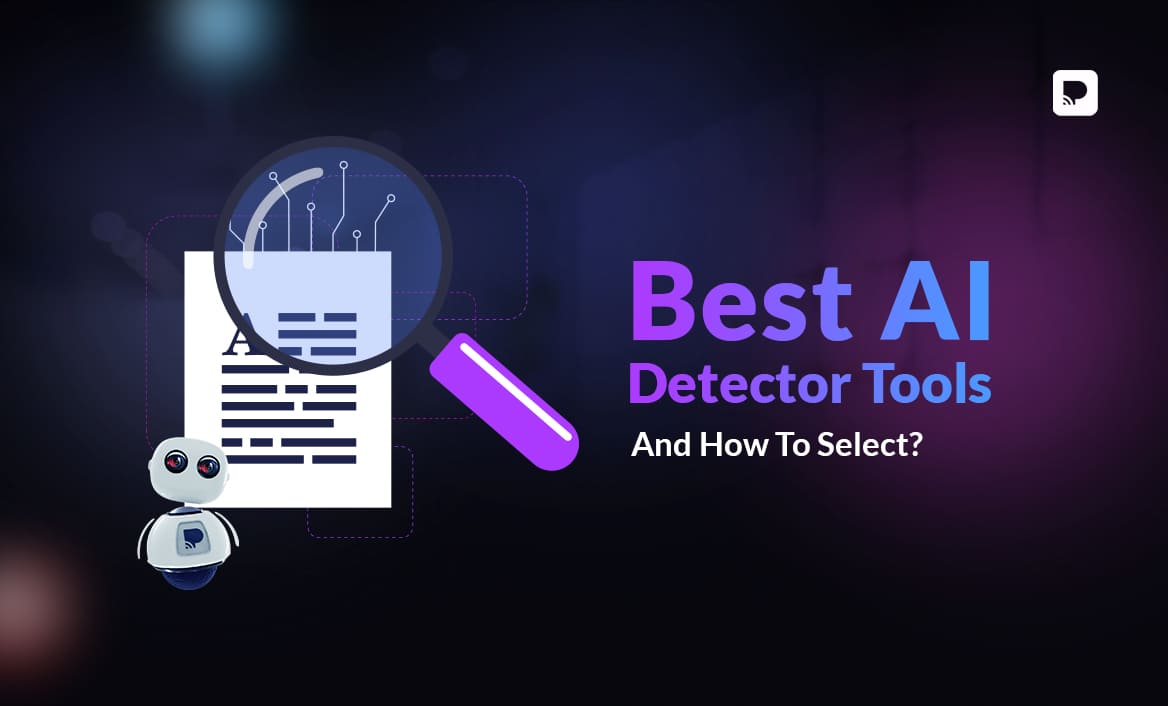
An AI detector is a software tool or algorithm designed to determine whether a given piece of content has been generated by artificial intelligence. These detectors analyze linguistic patterns, sentence structure, word distribution, and other subtle markers that distinguish AI-written text from human-written text.
1. How AI Detectors Work
AI detectors rely on various techniques, such as:
- Perplexity and Burstiness Analysis
- AI-generated text usually has low perplexity because it follows structured and statistically probable patterns.
- Burstiness evaluates sentence variation. Human writing tends to have more irregularity and variety, while AI writing is often more uniform.
- Machine Learning Models
Some detectors are trained on large datasets of human and AI-generated content. By learning the unique characteristics of each, these models can classify new text as either human or AI-generated with a certain probability. - Watermarking Techniques
Some advanced AI systems embed invisible “watermarks” into the generated text. Detectors can search for these hidden signals to confirm AI involvement.
2. Types of Content Detected
AI detectors can analyze different types of content, including:
- Text: Essays, articles, reports, blog posts, etc.
- Images: Artworks, photographs, and deepfakes.
- Code: Programming scripts generated by coding AIs.
- Audio and Video: AI-generated voices or synthetic media.
Understanding KI Detector
The term KI Detector is more commonly used in German-speaking regions, where “KI” stands for Künstliche Intelligenz. Essentially, a KI detector serves the same purpose as an AI detector: to identify whether content has been created by humans or AI systems.
Similarities Between AI and KI Detectors
Both AI and KI detectors:

- Analyze patterns and statistical markers in text or media.
- Provide a probability score indicating whether content is AI-generated.
- Are applied in fields like education, journalism, cybersecurity, and publishing.
What is a KI Detector?
The term “KI” is the German abbreviation for “Künstliche Intelligenz,” which translates to “artificial intelligence” in English. In essence, a KI detector is the German counterpart of an AI detector, designed to perform the same function: identifying AI-generated content.
Although AI detectors are often used globally, the rise of digital tools and content in non-English-speaking countries has led to the development of specific detectors for different languages. A KI detector, therefore, works similarly to an AI detector but is optimized to handle the linguistic and cultural differences of German-language content.
Why the Term “KI” Matters
The distinction between “AI” and “KI” is primarily linguistic. While English-speaking users refer to artificial intelligence as AI, many European countries, especially Germany, use KI. As AI technology spreads globally, KI detectors are becoming popular tools in European academic institutions, media houses, and businesses to detect machine-generated content in German or multilingual texts.
Applications of AI and KI Detectors
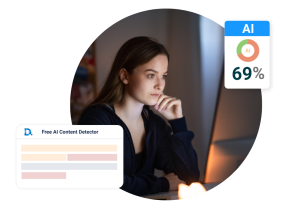
Image by: Yandex.com
AI and KI detectors are not just theoretical tools they are actively used across industries for various important functions.
1. Academic Integrity
With students increasingly using AI tools to generate assignments and research papers, schools and universities use AI/KI detectors to:
- Check for originality in essays.
- Prevent plagiarism and academic dishonesty.
- Promote critical thinking and genuine learning.
2. Journalism and Media
Journalistic organizations rely on detectors to verify whether news articles, images, or videos have been produced using AI. This helps:
- Preserve credibility.
- Prevent misinformation.
- Identify fake news or deepfake content.
3. Content Creation and Marketing
Businesses use KI detectors to ensure their content is authentic, especially when outsourcing work to freelancers or agencies. It helps maintain brand tone and prevent overreliance on automated tools.
4. Legal and Regulatory Compliance
In some regions, using AI-generated content without disclosure may violate regulations. Detectors assist in monitoring and ensuring compliance with transparency laws.
Advantages of AI and KI Detectors
These detection tools offer several benefits:
- Preservation of Human Creativity: They encourage original content creation by discouraging overuse of automated systems.
- Academic Honesty: They help educators maintain integrity in academic assessments.
- Misinformation Control: By identifying fake or AI-generated content, detectors help combat the spread of misleading information.
- Ethical and Transparent Use of AI: Detectors support responsible AI usage by promoting clear disclosure when AI is involved.
Limitations and Challenges
Despite their usefulness, AI and KI detectors are not perfect. They face several challenges:
1. False Positives and Negatives
Detectors may sometimes wrongly classify human-written content as AI-generated (false positive) or fail to detect AI-generated text (false negative). This can lead to misunderstandings, especially in academic or professional settings.
2. Rapid Evolution of AI Models
AI models are improving quickly, making their text more human-like. Detectors need constant updates to keep up with these advancements.
3. Multilingual Detection
While many detectors perform well with English text, their accuracy decreases with other languages, including German, French, or mixed-language content. This makes KI detection in multilingual environments more challenging.
4. Overreliance on Detectors
Some institutions rely too heavily on detection tools without human review. This can lead to unfair judgments, especially when the tools are not 100% accurate.
Best Practices for Using AI and KI Detectors
To use these tools effectively:
- Use Multiple Tools: Combining different detectors improves accuracy and minimizes errors.
- Interpret Results with Caution: Treat detection results as indicators, not absolute proof. Human review is essential.
- Stay Updated: Regularly update detection tools to keep up with evolving AI models.
- Encourage Transparency: Encourage content creators to disclose AI usage voluntarily.
- Educate Users: Institutions should train users to understand how detectors work and their limitations.
Challenges in Detecting AI-Generated Content
While AI detectors are powerful tools, they are not without their challenges. The rapid advancement of AI technology means that these detectors must constantly evolve to keep up with new AI models and techniques. Some of the challenges include:
- Sophistication of AI Models: As AI models like GPT-4 continue to improve, they become harder to distinguish from human-generated content. This makes it more difficult for AI detectors to provide accurate results, especially when dealing with more advanced AI models.
- Language and Cultural Variations: AI detectors may struggle to detect content in languages other than English, especially when dealing with slang, idiomatic expressions, or cultural references. This can lead to false positives or missed detections in non-English content.
- False Positives and Negatives: AI detectors are not always perfect. They can sometimes flag human-generated content as machine-made (false positive) or miss machine-generated content altogether (false negative). The accuracy of these detectors is constantly improving but still varies depending on the tool and content being analyzed.
Future of AI and KI Detection
The future of AI and KI detectors will likely involve:
- Stronger Watermarking and Metadata Systems: Embedding identifiable markers in AI outputs to make detection more reliable.
- Advanced Multilingual Detection: Improving accuracy for non-English texts.
- Integration with Legal Frameworks: Governments may mandate AI content disclosures, making detectors critical for enforcement.
- Human AI Collaboration: Rather than replacing detectors with human reviewers or vice versa, future systems will likely combine both for higher reliability.
Conclusion
AI and KI detectors have become crucial tools in maintaining authenticity, academic integrity, and public trust in the digital age. As AI technology continues to evolve, so must the tools and strategies to detect it. While no detector is perfect, understanding how these systems work—and using them thoughtfully can help individuals and institutions navigate a world where human and machine-generated content often coexist seamlessly. The goal is not to hinder technological progress but to ensure its ethical and transparent use.
For more information.
Author


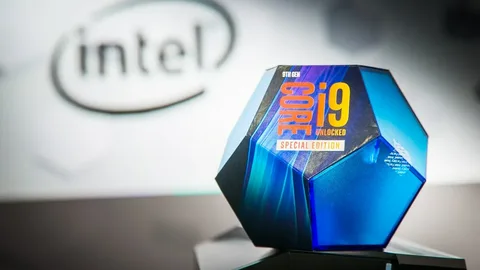
If you’re running an Intel Core i9-9900K in 2026, you’ve got a powerhouse CPU that’s stood the test of time for both gaming and professional workloads. As one of Intel’s most legendary 9th-generation processors, the i9-9900K still packs strong single-core performance and multi-threaded punch but it does have one clear dependency: you need the right motherboard under it to unlock its true potential.
In this article, we’ll walk through every detail you need to know to pick the Best Motherboard For i9 9900K 2026, covering:
- Why the motherboard matters for the i9-9900K
- Key features to look for
- Best compatible boards in 2026
- How to choose the right one based on your needs
Whether you’re building a high-end gaming rig, a creative workstation, or looking to squeeze out every last frame and MHz, this guide is for you.
Why the Right Motherboard Still Matters Even in 2026
The Intel Core i9-9900K launched with the LGA1151 socket and Z390 chipset, which back in the day were flagship tech for enthusiasts. Even though newer chipsets and CPUs have since come out, the Z390 platform has remained relevant because:
- It fully supports the i9-9900K without BIOS hassles if you choose the right board
- Smart VRM designs keep power delivery stable especially for overclocking
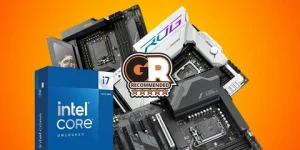
- Motherboards like the AORUS and ROG lines still offer plenty of connectivity and future-proofing
That means in 2026, choosing the Best Motherboard For i9 9900K 2026 isn’t just about finding a compatible board it’s about matching your performance goals, cooling needs, and feature expectations with what’s still available on the market or refurbished.
Essential Features to Look For
Before we list the top boards, let’s break down what actually matters when you’re pairing with an i9-9900K:
1. Chipset & Socket
Your CPU uses the LGA1151 socket and Z390 chipset which means modern Z490, Z590, or newer boards won’t work without serious compatibility hacks. Always choose motherboards specifically built around the Z390 chipset for plug-and-play support.
2. VRM Quality
The VRM (Voltage Regulator Module) dictates how stable your CPU runs especially under heavy load or overclocking. Boards with stronger VRMs not only boost performance but also keep temperatures in check.
3. Thermal Design
Go for heat sinks on VRMs and chipset components this matters a lot if you plan to push your i9-9900K beyond stock frequencies.
4. Memory & Storage Support
Although the Z390 platform uses DDR4 (no DDR5 here), boards with high memory frequency support (e.g., DDR4-4200 or higher) will help the CPU breathe with faster workloads. Look for multiple M.2 slots if you want blazing-fast NVMe storage.
5. Connectivity
Top Motherboards for i9-9900K Best Picks in 2026
Here are the standout options that still make sense to pair with your 9900K in 2026.
1. ASUS ROG Maximus XI Hero
If performance is your top priority, the ASUS ROG Maximus XI Hero remains one of the best motherboards for the i9-9900K. Designed originally for gamers and enthusiasts, it packs:
- Dual M.2 slots and tons of USB connectivity
- A rock-solid VRM setup that keeps the i9-9900K stable under load
- Easy-to-navigate BIOS for tweaking and overclocking
- RGB lighting with Aura Sync support for custom builds
This board blends the kind of premium stability and tuning flexibility you’d expect in 2026 — ideal for gaming, content creation, and serious multitasking.
2. MSI MPG Z390 Gaming Pro Carbon AC
For those wanting balanced performance and features without breaking the bank, the MSI MPG Z390 Gaming Pro Carbon AC is a strong contender. This board offers:
- Excellent VRM cooling and power delivery
- Robust PCIe layout with reinforced slots
- Built-in Wi-Fi and Bluetooth
- Mystic Light RGB for lighting flair
It’s perfect for mid-range builds where you still want to push clock speeds and have solid thermal performance while accommodating high-speed peripherals.
3. Gigabyte Z390 AORUS Master
If you love to overclock and maximize every ounce of performance from your i9-9900K, Gigabyte’s Z390 AORUS Master deserves your attention. It boasts:
- Premium 12+1 phase VRM design
- Triple M.2 slots with heat dissipation
- USB 3.1 Gen2 and high-speed network support
- Sleek styling with RGB Fusion lighting
This board is a favorite among power users and gamers who push limits, and in 2026 its stable power delivery still holds up.
4. ASRock Z390 Taichi Ultimate
Looking for a solid all-rounder with a unique aesthetic? The ASRock Z390 Taichi Ultimate delivers:
- Excellent connectivity with plenty of I/O
- Stable power stage for overclocking
- Clean PCB design and advanced cooling
- Dual high-speed M.2 slots
This is often ranked as a versatile pick for both performance and daily reliability.
5. Gigabyte Z390 AORUS Ultra
If you want high endurance and good futureproofing, the Gigabyte Z390 AORUS Ultra is another solid choice. With sturdy power stages, good thermal layout, and flexible expansion options, it’s often labeled among the best entry to enthusiast level boards for the i9-9900K.
How to Choose Based on Your Use Case
Not every builder needs the same motherboard here’s how to pick based on your priorities:
Best for Gaming
Choose boards with excellent VRMs and cooling like the ASUS ROG Maximus XI Hero or Gigabyte AORUS Master. These handle sustained loads and give you stable frame rates even in long sessions.
Best for Overclocking
If you’re planning to push clocks and voltages, prioritize boards with robust power delivery. MSI Pro Carbon AC or Gigabyte AORUS Master are excellent in this category.
Best for Everyday Build
For general productivity and balanced performance, ASRock Z390 Taichi Ultimate and Gigabyte AORUS Ultra offer great connectivity and features without premium pricing.
Pro Tips for 2026 i9-9900K Builders
Here are some nuanced tips to make this build future-smart:
- Cooling matters even the best boards can thermal throttle without good airflow and heatsinks.
- BIOS updates if buying refurbished Z390 boards in 2026, make sure the BIOS is updated for i9-9900K support before you install your CPU.
- Memory speed prioritize boards with strong DDR4 RAM support (high MHz) since that influences responsiveness.
- Avoid non-Z chipsets boards with B series chipsets might be cheaper, but they limit overclocking ability.
Final Thoughts:
In 2026, the Z390 platform may feel “retro” next to newer Intel chipsets, but for the Intel Core i9-9900K, it’s still the clear pairing without DIY compatibility hacks.
Author



Downtime never comes with a warning. It doesn’t care if you’re launching a feature, running a campaign, or sleeping peacefully. It just shows up — and when it does, the damage goes far beyond a broken dashboard.
I’ve seen teams lose users, revenue, and confidence within minutes of an outage. What’s frustrating is this: most downtime isn’t caused by the cloud itself. It’s caused by how the cloud is managed. That’s where cloud downtime infrastructure management stops being a technical checkbox and becomes a business-critical discipline.

Downtime Is a Management Failure, Not a Cloud Failure
AWS, Azure, and Google Cloud are built for resilience. They fail occasionally — yes — but widespread outages usually trace back to internal issues like:
- No proper load balancing or failover
- Systems not designed for traffic spikes
- Manual deployments without rollback plans
- Weak monitoring that reacts too late
- Security gaps that turn into system crashes
The cloud gives you power. Poor infrastructure decisions turn that power into risk.
What “Stopping Downtime Cold” Really Means
It doesn’t mean hoping nothing breaks.
It means expecting failure and designing systems that survive it.
Strong cloud infrastructure management focuses on four core pillars.
1. Architecture Built for Failure
If your system collapses when one service fails, it was never stable to begin with.
High-availability infrastructure includes:
- Load balancers across multiple availability zones
- Auto-scaling that reacts before performance drops
- Redundant services so failures stay isolated
When architecture is done right, failures don’t become incidents — they become background noise.
2. Proactive Monitoring Instead of Panic Alerts
If customers are the first ones to notice downtime, you’re already late.
Modern cloud environments rely on:
- Real-time health monitoring
- Smart alerts that trigger before limits are reached
- Centralized logs for faster root-cause analysis
Cloud providers themselves emphasize observability because visibility is what turns outages into manageable events instead of full-blown crises.
3. Automation That Removes Human Error
Manual processes are one of the biggest causes of downtime.
Teams that prioritize stability automate:
- Infrastructure provisioning
- Scaling rules
- Backups and disaster recovery
- CI/CD deployments with safe rollbacks
Automation doesn’t just save time — it prevents mistakes, especially during high-pressure moments.
4. Security That Protects Stability
Security incidents are downtime.
Unpatched systems, exposed credentials, and poor access controls often end with services being taken offline.
Strong cloud management includes:
- Continuous security monitoring
- Role-based access control
- Encrypted data pipelines
- Automated patching and compliance checks
Security and uptime aren’t separate goals. They depend on each other.
Where Growing Teams Usually Slip
Here’s something I’ve seen far too often. A product starts gaining traction, traffic slowly increases, integrations pile up, and suddenly the infrastructure that once felt “solid” starts showing cracks. Not all at once but in subtle, dangerous ways. Pages load a little slower. Deployments feel riskier. Minor incidents start happening more frequently, yet they’re brushed off as one-off issues. Teams stay focused on shipping features because growth feels urgent, while infrastructure quietly falls behind. The problem is that cloud systems don’t fail dramatically at first — they degrade.
And by the time downtime becomes visible to users, the technical debt has already piled up. Without regular audits, performance optimization, and proactive scaling strategies, even well-designed cloud environments become fragile over time. This is usually the point where teams realize that cloud infrastructure isn’t something you “set and forget.” It’s a living system that needs continuous attention to stay reliable under real-world pressure.
The Hidden Cost of “Mostly Stable” Systems
A lot of companies settle for “good enough.”
99% uptime sounds impressive — until you realize that’s more than three days of downtime per year.
Now add:
- Lost transactions
- User churn
- Support overload
- Engineering burnout
Suddenly, downtime isn’t a technical issue. It’s a growth blocker.
Reliable infrastructure doesn’t just protect systems — it protects momentum.
Where Growing Teams Usually Slip
I’ve noticed this pattern again and again.
Teams invest heavily in:
- Product features
- Design improvements
- Marketing and growth
But infrastructure gets treated as:
“We’ll fix it when it breaks.”
The problem is that cloud environments are not static. Traffic grows, data scales, integrations multiply. Without continuous management, even well-built systems degrade over time.
That’s why many scaling companies eventually move toward structured cloud engineering practices that focus on long-term reliability, not just initial setup.
Stability Feels Boring — And That’s the Goal
The best infrastructure doesn’t get attention.
It feels boring because:
- Deployments don’t cause anxiety
- Traffic spikes don’t break systems
- Incidents resolve quietly or automatically
That calm is the result of intentional decisions, not luck.
Downtime thrives in chaos.
Stability thrives in preparation.
Final Thoughts
Downtime isn’t inevitable. It’s a signal that systems weren’t built — or managed — for reality. Cloud infrastructure management isn’t about keeping servers running. It’s about protecting user trust, revenue, and your team’s sanity. When infrastructure is resilient, everything else moves faster.
Ready to Stop Worrying About Downtime?
If your platform is scaling — or planning to — reliable cloud downtime infrastructure isn’t optional anymore. The right cloud engineering approach doesn’t just reduce outages.
It removes fear from growth. Explore what resilient, production-ready cloud infrastructure looks like here:
Build for failure. Scale with confidence. And make downtime something your users never have to think about.
Author



SBCGlobal Email is a widely used webmail service, recognized for its ability to facilitate global communication while prioritizing data security and user confidentiality. Despite its robust features, users occasionally encounter issues that can affect their email experience.
One of the most common problems is not receiving new emails, which can disrupt your workflow and communication. In this article, we will examine the causes of this problem and offer practical solutions.

Why Isn’t SBCGlobal Email Receiving New Emails?
There are several potential reasons why you might not be receiving emails in your SBCGlobal account. Grasping these elements is essential for pinpointing the correct answer. Here are some common issues:
- Filter Settings
Email filters can sometimes inadvertently block incoming messages by redirecting them to designated folders. If you’ve set up filters, one of them may be hindering the delivery of specific emails. - Forwarding Settings
Many users set up forwarding to manage multiple email accounts. If you’ve enabled forwarding to another address and that option is misconfigured, it can prevent incoming emails from reaching your SBCGlobal inbox. - Blacklisting Issues
If you’ve inadvertently blacklisted a sender or their domain, their emails will not appear in your inbox. This is something to verify if you’re missing messages from specific individuals. - Incorrect Email Address
Sometimes, the sender might simply type the wrong email address. This can easily happen, so it’s worth confirming that the sender has your correct email. - Server Address Problems
If you’re trying to access your SBCGlobal account using a mobile app or third-party application, incorrect server addresses can lead to issues with receiving emails.
How to Resolve the “SBCGlobal Not Receiving Emails” Issue
If you find yourself unable to receive emails, there are several troubleshooting steps you can take to resolve the problem.
Step 1: Verify the Sender’s Email Address
First, confirm with the sender that they are using the correct email address. This simple step can often resolve issues stemming from typos or miscommunication. Communicating directly with the sender can save both parties time and frustration.
Step 2: Check Email Filter Settings
Log into your SBCGlobal Email account and review your filter settings. Ensure that none of your filters are mistakenly blocking incoming messages. If necessary, remove or adjust the filters and test to see if emails are now arriving.
Step 3: Review Forwarding Settings
If you have set up email forwarding to another account, double-check that the settings are correct. Disable any forwarding options temporarily to see if this resolves the issue. This will help ensure that all emails are directed to your primary inbox.
Step 4: Correct Server Address
If you’re using a third-party application or accessing your email via mobile, ensure that you have entered the correct server address. Incorrect settings can prevent emails from being delivered. You may want to look up the correct server settings on the SBCGlobal help page for confirmation.
Step 5: Seek Professional Support
If after trying the above steps you are still experiencing issues, it may be time to consult technical support. The SBCGlobal customer support team is well-equipped to assist you with your account issues. They can provide insights and solutions tailored to your specific situation.
Contacting SBCGlobal Customer Support
Should problems persist, SBCGlobal offers multiple channels for support. Here’s how you can get in touch:
1. Phone Support
For immediate assistance, calling is often the most effective method. Simply:
- Dial the SBCGlobal customer service number.
- Choose your language preference and follow the automated instructions.
- Select the topic related to your email issue.
- Wait for a representative to assist you.
This direct communication can lead to quicker resolutions and is often preferred by users who need urgent help.
2. Email Support
If you prefer written communication, you can also reach out via email:
- Visit the [SBCGlobal website]
- Send an email to support@sbcglobal.com detailing your issue
This method is useful for more complicated concerns that might require documentation or a detailed explanation.
3. Live Chat Support
Live chat is another convenient option for obtaining help:
- Navigate to the SBCGlobal support page.
- Look for the live chat icon to start a conversation with a support agent.
- Describe your issue to receive real-time assistance.
Chat support can be particularly useful for those who prefer not to speak on the phone.
Advantages of 24/7 Support
One of the great benefits of SBCGlobal customer service is that it’s available 24/7. This ensures that no matter the time of day, you can receive help for a range of issues, from technical glitches to account security questions. However, note that some specific departments may have limited hours, so check their website for the latest information.
Conclusion
In today’s digital age, email is an essential tool for both personal and professional communication. Encountering issues with your SBCGlobal Email can be frustrating, especially when you rely on it for vital correspondence. By understanding the common reasons for not receiving emails and following the provided troubleshooting steps, you can often rectify the situation swiftly.
However, if issues continue, don’t hesitate to tap into SBCGlobal’s user-friendly customer support resources. Whether you choose to call, email, or chat live, assistance is readily available to ensure you have a smooth email experience. Remember, a proactive approach to resolving these issues can significantly enhance your overall experience with the SBCGlobal platform.
Author



Eric Emanuel Sweatpants: The Ultimate Streetwear Staple

Choosing the Best Motherboard for Intel Core i9-9900K in 2026

The Advantage of Export-Only Trims in Japanese Vehicles

Corteiz Air Max 95: A Cultural Icon in UK Streetwear

Carsicko Clothing: Redefining Streetwear with Confidence

LinkedIn Profile Hacks: Boost Your Authority and Visibility

Wedding Rings: 3 Best Choices for Men and Women

Embracing Wearable Health Technology for Health Management

Cloud Downtime: Essential for Infrastructure Management

Troubleshooting SBCGlobal Email: Guide to Receive Emails

Cybersecurity Consulting Company SequelNet Provides Critical IT Support Services to Medical Billing Firm, Medical Optimum

Team Communication Software Transforms Operations at Finance Innovate

Project Management Tool Transforms Long Island Business

How Alleviate Poverty Utilized IPPBX’s All-in-One Solution to Transform Lives in New York City

Breast Cancer: The Imperative Role of Mammograms in Screening and Early Detection

Unstoppable Collaboration: D.C.’s Citi Open and Silicon Valley Classic Unite to Propel Women’s Tennis to New Heights

Embracing Renewal: Sizdabedar Celebrations Unite Iranians in New York’s Eisenhower Park

The Benefits of Starting a Side Hustle for Financial Freedom

New Blood Donation Screening Questions What You Need to Know

Stylishly Timeless: The 5 Types of Sandals You Need in Your Closet
-

 Business3 years ago
Cybersecurity Consulting Company SequelNet Provides Critical IT Support Services to Medical Billing Firm, Medical Optimum
-
Business3 years ago
Team Communication Software Transforms Operations at Finance Innovate
-
Business3 years ago
Project Management Tool Transforms Long Island Business
-
Business2 years ago
How Alleviate Poverty Utilized IPPBX’s All-in-One Solution to Transform Lives in New York City
-
health3 years ago
Breast Cancer: The Imperative Role of Mammograms in Screening and Early Detection
-
Sports3 years ago
Unstoppable Collaboration: D.C.’s Citi Open and Silicon Valley Classic Unite to Propel Women’s Tennis to New Heights
-
Art /Entertainment3 years ago
Embracing Renewal: Sizdabedar Celebrations Unite Iranians in New York’s Eisenhower Park
-
Finance3 years ago
The Benefits of Starting a Side Hustle for Financial Freedom







