
Technology Explained
Customer Acquisition: Master Social Media

By

Reviewed
By Harris Hubbard

In the digital age, social media platforms have evolved from mere channels for social interactions into powerful tools for customer acquisition and business growth. Leveraging these platforms effectively can help businesses reach new audiences, engage with potential customers, and ultimately drive conversions. This article explores strategic approaches to using social media for customer acquisition, focusing on targeted advertising, content marketing, influencer partnerships, and engagement strategies.
Understanding Your Audience
The first step in effective customer acquisition through social media is understanding who your audience is. This involves demographic research, identifying customer behaviors, preferences, and the social media platforms they frequent. Tools like Google Analytics, Facebook Insights, and Twitter Analytics can provide comprehensive data about your audience’s age, gender, location, and how they interact with your content.
Developing a Targeted Social Media Strategy
Once you have a clear understanding of your audience, the next step is to develop a social media strategy that aligns with your business goals. This strategy should include:
- Choosing the Right Platforms: Not all social media platforms will be relevant to your audience. Select platforms where your potential customers are most active. For instance, LinkedIn is excellent for B2B businesses, while Instagram and Pinterest might be better suited for B2C enterprises focusing on lifestyle and consumer goods.
- Creating a Content Calendar: Consistency is key in social media. A content calendar helps you plan out posts in advance, ensuring that your content is timely, relevant, and engaging.
- Setting Clear Objectives: Each social media campaign should have clear KPIs (Key Performance Indicators) such as number of leads generated, engagement rate, or conversion rate. This helps in measuring the success of your social media efforts and optimizing accordingly.
Leveraging Targeted Advertising
Social media platforms offer powerful targeting options that allow you to reach specific demographics, geographies, and even user behaviors. Here’s how you can leverage targeted advertising for customer acquisition:
- Facebook Ads: Facebook offers extensive targeting options including interests, behaviors, and detailed demographics. Utilizing Facebook’s Lookalike Audiences can also help you reach new users who are similar to your existing customers.
- Instagram Ads: Given Instagram’s high engagement rates, using visually appealing ads can help capture the attention of potential customers. Instagram’s integration with Facebook also allows for detailed targeting and performance tracking.
- LinkedIn Ads: For B2B companies, LinkedIn’s targeted ads can be invaluable. You can target professionals based on industry, company size, job role, and more.

Picture by: Google Gemini
Content Marketing for Engagement and Conversion
Content is the backbone of any social media strategy. Effective content marketing can attract and engage potential customers, and guide them through the buyer’s journey. Here’s how to use content marketing for customer acquisition:
- Educational Content: Share blog posts, whitepapers, and case studies that address common customer pain points and position your brand as a solution.
- Interactive Content: Utilize quizzes, polls, and surveys to engage users. This not only increases interaction but also helps in gathering data about customer preferences and behaviors.
- Video Content: Videos can significantly increase engagement and shares. Platforms like YouTube, Facebook, and TikTok are ideal for sharing video content that can go viral and reach a large audience.
Influencer Partnerships
Partnering with influencers can amplify your brand’s reach and credibility. Influencers have loyal followers who trust their recommendations:
- Choosing the Right Influencers: Look for influencers who align with your brand values and have an engaged audience relevant to your target market.
- Co-Creating Content: Work with influencers to create content that is authentic and resonant with both your brand’s and the influencer’s audiences.
- Performance Tracking: Set clear metrics for influencer campaigns such as engagement rate, traffic, and conversions to measure ROI.
Fostering Engagement and Building Relationships
Engagement on social media isn’t just about posting content regularly. It’s about fostering interactions that build relationships and loyalty:
- Prompt Responses: Engage with users who comment on your posts, answer questions, and resolve complaints swiftly. This shows that your brand values customer feedback and is attentive to customer needs.
- Community Building: Create Facebook groups or Twitter chats that allow your customers to engage not only with you but also with each other. This helps in building a community around your brand.
- User-Generated Content: Encourage your customers to share their experiences with your brand. This not only provides you with authentic content but also enhances trust among potential customers.
Conclusion
Social media is a dynamic and potent tool for customer acquisition. By understanding your audience, crafting a targeted strategy, leveraging advertising, engaging through compelling content, collaborating with influencers, and fostering genuine interactions, businesses can effectively harness the power of social media to attract and acquire new customers. Remember, the key to successful customer acquisition via social media lies in being authentic, responsive, and strategic.
Author




You install Norton Antivirus to protect your computer. You expect it to work quietly in the background. But sometimes things go wrong. The software stops scanning. Updates fail repeatedly. A confusing error message pops up for no clear reason. Do not panic. Most Norton issues have simple fixes. I will guide you through the typical issues and how to resolve them.
Installation Gets Stuck or Fails Completely
You try to install Norton Antivirus on a new computer. The progress bar moves slowly. Then it stops altogether. Nothing happens for twenty minutes.
This usually happens because of leftover files from previous antivirus software. Old programs leave traces behind. These traces conflict with Norton during installation.
What you can do:
- First, download the Norton Removal Tool from the official website. This tool wipes out all Norton files cleanly. Run it even if you have never installed Norton before. It also removes files from other security software.
- Second, restart your computer. A fresh start clears out temporary files that might block the installation.
- Third, disable other security software temporarily. Windows Defender sometimes interferes. Turn it off just during the Norton setup. Don’t forget to switch it on again later if you require it.
- Fourth, check your internet connection. A weak or unstable connection interrupts the download. Use a wired connection if possible.
Activation Says Your Product Key Is Invalid
You type in your product key carefully. You double-check every letter and number. Norton still rejects it. This frustrates many users. The issue frequently depends on the location where you obtained the key. Third-party sellers sometimes sell used or fake keys. Always buy directly from Norton or authorized retailers.
What you can do:
Log into your Norton account on their website. Check if the product key already links to your account. At times, there’s no need to input it by hand. Simply log in, and Norton starts up on its own.
If that fails, examine your key carefully. The digit 0 and the character O appear alike. The digit 1 and the letter I can also create confusion. Try swapping them. If nothing works, request a refund from where you bought the key. Then purchase a new one directly from Norton.
Norton Says “Your System Is Not Protected”
You open Norton. A big red X appears. The message says your system is at risk. You feel a wave of worry. Take a breath. This message usually means one of three things. Your virus definitions are outdated. Real-time protection turned off accidentally. Or your subscription expired.
What you can do:
Click the Fix or Fix Now button inside Norton. The software often resolves the issue automatically. If that fails, open Norton and go to Security. Turn on Real-Time Protection manually.
Next, run Live Update manually. Click Live Update, then wait for it to download and install all updates. Restart your computer after the updates finish. Check your subscription status. Open your Norton account online. If your subscription expired, renew it. Norton will return to full protection immediately after renewal.
Live Update Keeps Failing
You run Live Update. It starts downloading. Then it stops with an error. You try again. Same result. This often happens due to network issues or corrupted update files.
What you can do:
Restart your computer first. A simple restart clears many temporary problems. If the problem continues, reset Norton’s update components. Open Norton, go to Help, then select About. Look for a Reset or Repair option.
Norton Slows Down Your Computer
Your computer feels sluggish after installing Norton. Programs open slowly. Booting takes forever. Norton should protect you without slowing you down. When it does, something is wrong.
What you can do:
Open Norton and go to Settings. Look for Idle Time Scans. Turn this feature off. It runs scans when you are not using your computer, but sometimes it runs at the wrong times. Schedule scans for when you sleep. Set Norton to scan at 2 AM instead of during your workday.
Exclude trusted programs. If you know a program is safe, add it to Norton’s exclusion list. Norton will stop scanning that program repeatedly. Check your computer’s RAM. Norton needs at least 2GB to run smoothly. Older machines with less memory struggle.
You Cannot Log Into Your Norton Account
You enter your email and password. Norton says the information is wrong. You know you typed it correctly.
What you can do:
Click Forgot Password. Norton will send a reset link to your email. Look in your spam folder if the email isn’t in your inbox after five minutes. Empty your browser cache. Previously saved passwords can occasionally lead to issues. Log in using an incognito or private browsing window.
Try a different browser. Chrome might have issues while Firefox works fine. If you have two-factor authentication enabled and lost your phone, contact Norton through their official website chat support. They will confirm your identity and assist you in recovering access.
Norton Blocks a Program You Trust
You try to run a program. Norton stops it. You know the program is safe. Norton disagrees.
What you can do:
Open Norton and go to History. Find the blocked program in the list. Click Restore or Allow. Add the program to Norton’s exclusions. Go to Settings, then Antivirus, then Scans and Risks. Find Low Risks and Exclusions. Add the program’s folder there.
Be careful with this feature. Only exclude programs you trust completely. Excluding the wrong program creates a security risk.
When to Reinstall Norton Completely
Some problems resist all fixes. When nothing else works, a clean reinstallation often saves the day.
Follow these steps:
Download the Norton Removal Tool from Norton’s official website. Run it as administrator. Restart your computer. Download a fresh copy of Norton from your account page. Install it using your product key or by signing into your account. Run Live Update repeatedly until no more updates remain. Restart your computer one final time.
Final Thoughts
Norton issues feel stressful. Your computer’s security matters. But most problems have straightforward solutions. Work through the steps above methodically. You will likely fix the issue yourself without needing to call anyone.
Remember to keep your software updated. Run weekly manual scans. Back up important files regularly. A little maintenance goes a long way toward keeping Norton running smoothly. If you truly cannot resolve the problem after trying everything, visit Norton’s official website. Their support page offers chat and email options. Avoid calling random numbers you find online. Many of those belong to scammers who charge hundreds of dollars for free fixes. Stay safe. Keep your antivirus running. And do not let small technical glitches ruin your peace of mind.
Author


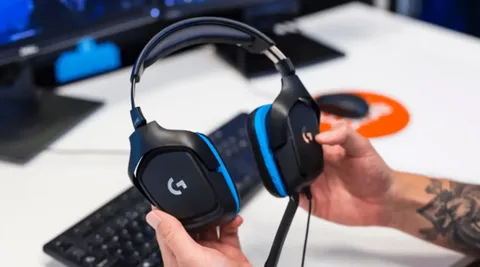
Gaming headsets are an essential part of any modern gaming setup. Whether you are a competitive PC gamer, a console enthusiast, or someone who enjoys online multiplayer games, a reliable headset improves communication, immersion, and overall performance. In Pakistan, as interest in gaming gear and PC accessories continues to grow, more gamers are investing in quality audio equipment. However, even the best gaming headsets in Pakistan can develop problems over time. Issues like distorted sound, microphone failure, connection drops, or discomfort are common and can ruin the gaming experience if not handled properly. This guide covers the most common gaming headset problems and explains how to fix them, helping gamers get the most out of their equipment.
No Sound or Audio Cutting Out
One of the most common gaming headset problems is no sound or audio cutting in and out. This issue can occur on both PC and consoles and is often related to connection or settings rather than hardware failure.
Possible Causes
Loose cables, damaged connectors, incorrect audio output settings, or outdated audio drivers can cause sound issues.
How to Fix It
First, check all physical connections. Make sure the headset is firmly plugged into the correct audio port. If you are using a USB headset, try a different USB port. On PC, open your sound settings and confirm that your gaming headset is selected as the default playback device. Update your audio drivers from the manufacturer’s website. For consoles, check audio settings to ensure the headset output is enabled.
Microphone Not Working or Poor Voice Quality
A non-working microphone is a frustrating issue, especially in multiplayer games where communication is critical. Many gamers searching for the best gaming headsets in Pakistan prioritize microphone quality, but even good headsets can face mic problems.
Possible Causes
Muted microphones, incorrect input settings, driver issues, or physical damage to the mic cable are common reasons.
How to Fix It
Check if the microphone is muted using inline controls or software settings. On PC, go to sound settings and ensure the correct microphone input is selected. Increase microphone volume and disable unnecessary enhancements that may distort sound.
For detachable microphones, remove and reattach them securely. If using a console, check in-game chat settings and system audio preferences. Testing the microphone in a voice recording app or communication software can help identify whether the issue is hardware or software related.

Distorted or Low-Quality Sound
Distorted audio, crackling sounds, or very low volume can affect immersion and competitive performance. This issue is common among gamers using budget headsets or incorrect audio configurations.
Possible Causes
Incorrect equalizer settings, damaged cables, interference, or low-quality audio sources can lead to distortion.
How to Fix It
Reset audio settings to default and disable excessive equalizer boosts. If your headset comes with software, use recommended presets for gaming. Inspect the cable for bends or damage. Try using the headset on a different device or audio port. For wireless headsets, ensure there is no signal interference from other wireless devices nearby. Using high-quality audio sources and keeping volume levels moderate can also reduce distortion.
Headset Not Detected by PC or Console
Sometimes a gaming headset is not detected at all by the system, making it unusable. This problem is common with USB and wireless headsets.
Possible Causes
Outdated drivers, faulty ports, compatibility issues, or firmware problems may prevent detection.
How to Fix It
Restart your system and reconnect the headset. Try a different USB port or cable. Update audio drivers and headset firmware if available. For wireless headsets, ensure the receiver is properly connected and paired. Some headsets require specific drivers or software installation to function correctly. Check compatibility with your device, especially when using consoles, as not all headsets support every platform.
Wireless Connection Drops or Lag
Wireless gaming headsets are popular in Pakistan for their convenience, but connection drops or audio lag can be a major issue during gaming sessions.
Possible Causes
Low battery, wireless interference, outdated firmware, or long distance from the receiver can cause connectivity problems.
How to Fix It
Charge the headset fully before use. Keep the wireless receiver close to the headset and avoid placing it near routers or other wireless devices. Update the headset firmware using the manufacturer’s software. Reducing the number of active wireless devices nearby can also improve stability. If lag persists, switching to a wired connection for competitive gaming may be a better option.
Uncomfortable Fit or Ear Fatigue
Comfort issues are common, especially during long gaming sessions. Even some of the best gaming headsets in Pakistan may feel uncomfortable if not adjusted properly.
Possible Causes
Tight headbands, stiff ear cushions, heavy design, or poor ventilation can lead to discomfort.
How to Fix It
Adjust the headband to reduce pressure. Take short breaks during long gaming sessions to relieve ear fatigue. Replacing ear pads with softer or breathable alternatives can significantly improve comfort. Choosing lightweight headsets with memory foam cushions is ideal for extended use. Proper comfort ensures better focus and performance during gaming.
Echo or Feedback During Voice Chat
Echo or feedback issues can disrupt team communication and are often reported in online games.
Possible Causes
High microphone sensitivity, sound leakage, or incorrect audio settings can cause echo.
How to Fix It
Lower microphone sensitivity in system or game settings. Enable echo cancellation and noise reduction options if available. Ensure that headset audio is not leaking into the microphone. Using closed-back headsets helps reduce sound leakage. Proper mic positioning also plays a key role in preventing feedback.
Final Thoughts
Gaming headset problems are common, but most can be fixed with simple troubleshooting. Understanding these issues helps gamers maintain their equipment and enjoy uninterrupted gameplay. For gamers searching for the best gaming headsets in Pakistan, knowing how to fix common problems adds long-term value to their investment. A well-maintained gaming headset ensures clear communication, immersive sound, and reliable performance for both casual and competitive gaming.
A gaming headset is more than just an accessory. It is a critical part of the gaming experience, and taking care of it ensures better performance and enjoyment for years to come.
Author



In today’s highly competitive digital world, businesses are constantly searching for smarter ways to reach potential customers quickly and effectively. Email marketing remains one of the most powerful channels for direct communication, offering high ROI and measurable results. If your business is looking to expand into the Baltic region, a Latvia Email List can be the perfect solution to connect with the right audience and grow your customer base.
Latvia, known for its fast-growing economy, strong tech sector, and strategic location in Northern Europe, offers excellent opportunities for international businesses. With the help of a verified Latvia email database, companies can reach decision-makers, professionals, entrepreneurs, and consumers in this thriving market. This article explores what a Latvia Email List is, its benefits, how businesses can use it, and why it is essential for successful marketing campaigns.
What is a Latvia Email List?
A Latvia Email List is a database containing email addresses and contact details of individuals and businesses located in Latvia. These lists are often categorized by industry, profession, location, or business type, making it easier for marketers to target the right group.
A high-quality Latvia email list may include:
-
Business email addresses
-
Consumer email contacts
-
Company names
-
Contact person names
-
Job titles (CEO, Manager, Director, etc.)
-
Phone numbers
-
Industry classifications
-
Geographic segmentation (Riga, Daugavpils, Liepaja, etc.)
With such detailed information, businesses can run highly targeted marketing campaigns and improve lead conversion rates.
Why Latvia is a Growing
Latvia has become an attractive destination for international trade and investment. It is part of the European Union, making it a gateway for businesses wanting access to EU markets.
Key industries in Latvia include:
-
Information Technology
-
Manufacturing
-
Logistics and Transportation
-
Finance and Banking
-
Retail and E-commerce
-
Tourism and Hospitality
The country’s strong digital infrastructure and business-friendly environment make it ideal for companies looking to expand in Europe.
Using a Latvia Email List allows businesses to tap directly into these industries and connect with potential clients.
Benefits of Using a Latvia
1. Targeted Marketing Campaigns
A Latvia email database helps you reach the exact audience you want. Whether you’re selling software, financial services, or consumer products, you can target contacts based on industry or job role.
This improves engagement and ensures your marketing message reaches the right inbox.
2. High ROI and Cost-Effective Outreach
Email marketing is far more affordable than traditional advertising methods like TV, print, or billboards. With a verified Latvia email list, businesses can run campaigns at a low cost while generating strong returns.
3. Faster Lead Generation
Instead of spending months building contacts from scratch, purchasing or accessing a Latvia email list provides immediate access to thousands of potential leads. This accelerates the sales procedure and boosts revenue possibilities.
4. Increased Brand Awareness in Latvia
Expanding into a new market requires strong visibility. Regular email campaigns help your business build recognition and trust among Latvian consumers and businesses.
5. Better Business Networking
A Latvia business email list is valuable not only for marketing but also for partnerships, collaborations, and B2B networking. You can connect with suppliers, distributors, or corporate clients efficiently.
Who Can Benefit from a Latvia?
A Latvia email list is useful for a wide range of industries and business types, including:
-
Digital marketing agencies
-
E-commerce businesses
-
Software and IT service providers
-
Real estate companies
-
Travel and tourism agencies
-
Financial institutions
-
Export and import companies
-
Event organizers
-
Educational institutions
Whether you are a startup or a multinational corporation, having access to Latvia-based contacts can help you scale faster.
How to Use a Latvia Effectively
Segment Your Audience
Don’t send the same email to everyone. Divide your list into smaller segments such as:
-
Industry type
-
Company size
-
Location
-
Job title
-
Consumer vs. business contacts
Segmentation increases open rates and conversions.
Create Personalized Email Campaigns
Personalization is key. Use the recipient’s name, company, or industry in your email content. Personalized emails feel more relevant and drive stronger engagement.
Promote the Right Offers
A Latvia email list can be used for:
-
Product launches
-
Business promotions
-
Newsletters
-
Event invitations
-
Special discounts
-
Service updates
-
B2B proposals
Make sure your offer matches the audience’s needs.
Ensure Compliance with GDPR
Latvia, as an EU member, follows GDPR regulations. Always ensure that your email campaigns comply with privacy laws, including opt-out options and ethical marketing practices.
Features of a High-Quality Latvia Email List
Not all email lists provide the same value. A reliable and effective Latvia email list should be:
-
Verified and accurate
-
Updated regularly
-
Free from duplicate emails
-
Segmented by niche or industry
-
GDPR-compliant
-
Containing real decision-maker contacts
Choosing a trusted provider ensures better campaign success and protects your brand reputation.
Choose a Verified Latvia Business Email
Using an outdated or unverified email list can lead to high bounce rates, spam complaints, and wasted marketing budget. A verified Latvia email database ensures:
-
Higher deliverability
-
Better response rates
-
Stronger lead quality
-
Improved campaign performance
Businesses that invest in quality data achieve faster growth and better marketing results.
Conclusion
A Latvia Email List is an essential tool for businesses looking to expand into the Latvian market and connect with targeted customers or corporate decision-makers. With Latvia’s growing economy and strategic role in the European Union, the demand for direct and effective marketing channels is increasing.
By using a verified and well-segmented Latvia email database, businesses can generate leads faster, boost sales, improve brand visibility, and build long-term relationships in one of Europe’s most promising markets. If you want to maximize your marketing success, investing in a high-quality Latvia email list can be a game-changer for your business growth.
Author



Airtool vs OutSystems: Choosing the Right Business Platform

Tuta Palm Angels: Premium Streetwear with Timeless Style

Buying Office Furniture Online: Avoid Costly Mistakes When Buying

Dandy Worldwide: Streetwear Brand Redefining Modern Fashion

AMI Paris Pullover: Timeless Style with Everyday Comfort

Air Canada LAX Terminal: Facilities, Services & Travel Tips

Mushroom Coffee: 8 Benefits for Health and Daily Performance

House Contractors: Home Renovation Experts in Noida

Feynix Solution: Website Redesign & Development Services

Maeve Clothing: The Brand That Makes Everyday Style Feel Effortless

Cybersecurity Consulting Company SequelNet Provides Critical IT Support Services to Medical Billing Firm, Medical Optimum

Meet the Megalodon: The Shark Star of ‘Meg 2’

Reduce Video Game Lag: Level Up Your Gaming Performance

Balancing India’s Entertainment: Cricket vs. Bollywood

Jetsetter’s Secrets: Unveiling Our Favorite Travel Hacks for a Seamless Adventure

The 5 Best Live Sports Streaming Sites: Legal and Exciting!

Hollywood Labor Unrest: The Impact of ‘What About Us?’ Strikes

Unveiling the Magic of Dream Fulfillment at the Late NBA Draft

Illuminate Your Skin: Dr. Axe Unveils Natural Remedies for Lightening Knees and Elbows

Bright Choices: Navigating the Pros and Cons of Skin Whitening Creams with Dr. Axe
-

 Business3 years ago
Cybersecurity Consulting Company SequelNet Provides Critical IT Support Services to Medical Billing Firm, Medical Optimum
-
Entertainment3 years ago
Meet the Megalodon: The Shark Star of ‘Meg 2’
-
Entertainment3 years ago
Reduce Video Game Lag: Level Up Your Gaming Performance
-
 Sports3 years ago
Balancing India’s Entertainment: Cricket vs. Bollywood
-
Entertainment3 years ago
Jetsetter’s Secrets: Unveiling Our Favorite Travel Hacks for a Seamless Adventure
-
Productivity3 years ago
The 5 Best Live Sports Streaming Sites: Legal and Exciting!
-
Art /Entertainment3 years ago
Hollywood Labor Unrest: The Impact of ‘What About Us?’ Strikes
-
Sports3 years ago
Unveiling the Magic of Dream Fulfillment at the Late NBA Draft






