
Digital Development
AI and Automation: Transforming Business Workflows for Efficiency


In today’s fast-paced business environment, efficiency and speed are no longer luxuries; they are necessities. Companies of every size are under pressure to reduce manual tasks, streamline operations, and deliver better results with fewer resources. This is where technologies like artificial intelligence (AI) and automation come in, offering powerful solutions for modern digital workflows.
AI and automation tools are no longer futuristic concepts; they are practical business enablers. From handling customer interactions to connecting systems behind the scenes, these technologies are reshaping how teams work and improving productivity across departments.
In this article, we’ll explore how AI and automation are making a measurable impact on business workflows, what types of tools are available, and why adopting them is no longer optional for forward-thinking organizations.

What Is AI-Driven Automation and Why It Matters
Artificial intelligence and automation together create systems that can perform repetitive tasks with minimal human intervention. Traditional automation focuses on rule-based processes, but AI-driven automation goes a step further. It uses intelligent algorithms to adapt, learn, and improve results over time.
For example, instead of manually moving data from one system to another, intelligent automation can observe patterns and automate entire processes from start to finish. This reduces errors, improves speed, and frees up human workers to focus on strategic priorities.

Businesses that adopt AI automation tools can:
- Reduce time spent on manual tasks
- Improve accuracy and consistency
- Enhance cross-department collaboration
- Unlock deeper insights from data
AI doesn’t replace human workers; it augments them.
Key Areas Where AI and Automation Are Making the Biggest Impact
Customer Engagement and Support Systems
Customer expectations have never been higher, and companies must respond quickly and accurately. AI-powered chat systems and automation tools help businesses manage customer queries, support tickets, and websites seamlessly.
For example, integrating chatbot platforms with customer relationship management systems allows teams to automate responses, route tickets, and maintain personalized conversations without constant human oversight. Services like chatbot-to-CRM integration empower organizations to synchronize customer data and provide faster, more consistent service.
Interconnecting Business Systems
Most modern businesses rely on a variety of tools, from marketing platforms to sales dashboards and project trackers. Manually shifting data between these tools can be slow and error-prone.
By implementing AI development services and automation solutions, organizations can connect these systems intelligently. Automated workflows push data where it needs to go, trigger notifications, and keep information synchronized without constant manual input. This improves operational visibility and reduces the risk of mistakes.
AI Tools That Support Internal Efficiency
Smart Task Automation
Instead of assigning repetitive tasks to employees, intelligent systems can execute them automatically. This includes activities like:
- sending scheduled reports
- updating databases
- triggering follow-ups
- monitoring system health
The result? Teams can redirect their time and energy toward high-value work.
Knowledge Management and Digital Assistants
Another major area where AI is helping teams is in managing internal knowledge. AI-powered knowledge bots allow organizations to index, retrieve, and share internal documentation quickly. Projects that once stalled because information was buried in email or shared drives now move faster because employees can ask a bot and get answers instantly. This is particularly useful for teams facing rapid growth or complex environments.
Why Modern Businesses Need AI and Automation Now
Adopting AI and automation isn’t just a nice-to-have anymore; it’s a strategic priority. The world is changing, competition is increasing, and customers expect faster responses than ever before. Below are some reasons why these technologies are vital:
- Faster decision-making: With automated reports and real-time insights
- Error reduction: Systems outperform humans in consistency
- Cost efficiency: Less time wasted on repetitive tasks
- Employee satisfaction: Workers focus on meaningful work
Investing in these tools can make the difference between thriving and just surviving.
Choosing the Right Tools for Your Business
With so many options available, it can be hard to decide which tools are right for your organization. Here are a few tips when evaluating potential solutions:
- Understand your pain points — Identify processes that are slow, repetitive, or error-prone.
- Start small — Pilot automation in one area before scaling.
- Measure results — Track time saved, error reduction, and productivity improvements.
- Build for growth — Choose tools that can evolve as your business grows.
Remember, automation should help employees work smarter, not just faster.
Conclusion
AI and automation tools are fundamentally transforming the way businesses operate. They reduce manual effort, accelerate workflows, and unlock new efficiencies across departments. Whether it’s enhancing customer engagement, improving internal operations, or connecting disconnected systems, these technologies are becoming essential for organizations that want to stay competitive in a digital-first world.
Forward-thinking teams are increasingly adopting structured automation strategies and intelligent integrations to simplify daily processes and improve accuracy. Platforms like MindRind focus on helping businesses implement practical AI systems, workflow automation, and connected solutions that make operations smoother and more scalable over time.
Ultimately, the goal isn’t just to automate tasks; it’s to build smarter systems that allow people to focus on meaningful work. Businesses that embrace AI-driven tools today will be better prepared for sustainable growth tomorrow.
FAQ’s
- What is the difference between automation and AI automation?
Traditional automation follows fixed rules to perform repetitive tasks, while AI automation uses machine learning and intelligent decision-making to adapt and improve over time. This allows systems to handle more complex processes and respond dynamically to changing conditions.
- How can AI tools improve customer support operations?
AI tools like chatbots and automated workflows can respond to common queries instantly, route tickets efficiently, and sync customer data across systems. This reduces response times, improves accuracy, and allows support teams to focus on higher-value interactions.
- Are AI and automation solutions suitable for small businesses?
Yes, AI and automation are not just for large enterprises. Small and mid-sized businesses can benefit greatly by automating repetitive tasks, reducing operational costs, and improving productivity. Even simple workflow improvements can save hours every week.
- What processes are best to automate first?
Businesses should start with repetitive, time-consuming tasks such as data entry, customer follow-ups, reporting, or system integrations. These areas deliver quick wins and make it easier to scale more advanced solutions like intelligent bots or connected CRM workflows.
- How do chatbot and CRM integrations help sales teams?
Connecting chatbots with CRM platforms ensures that customer conversations, leads, and data are captured automatically in one place. Solutions such as chatbot-to-CRM integration services help teams track interactions, reduce manual updates, and create faster, more personalized follow-ups.
Author











Creating an online presence is one of the most important steps for any modern business. A professional website helps companies show their services, attract customers, and build trust in the market. However, many business owners face a common question before starting a project: Should you choose a CMS platform or go for custom development?
Both options have advantages and limitations. The right choice depends on your business goals, budget, and the level of control you want. Many companies consult a professional Website developer or an experienced development company to understand which solution fits their needs best. Businesses looking for flexibility often explore custom web design services when they want a unique and scalable digital platform.
This article explains the differences between CMS platforms and custom website development in simple terms so business owners can make the right decision.
Understanding CMS Platforms
A Content Management System (CMS) is a tool that allows people to build and manage a website without needing deep programming knowledge. Popular systems include WordPress, Joomla, and Drupal. These platforms provide ready-made templates and built-in features that help businesses launch quickly.
With a CMS, users can update content, add images, publish blogs, and manage pages from a simple dashboard. This makes it easier for non-technical teams to maintain their site without depending on developers every time a small update is required.
Benefits of CMS Platforms
1. Easy to Use
Most CMS tools provide user-friendly interfaces. Business owners can log in, edit content, and publish updates without complex technical skills.
2. Faster Launch Time
Since themes and plugins are already available, creating a website can take only a few days or weeks.
3. Lower Initial Cost
A CMS solution usually costs less compared to fully customized development. This makes it ideal for startups or small businesses.
4. Built-in Features
Many platforms provide plugins for contact forms, search optimization, security tools, and e-commerce functions.
Limitations of CMS Platforms
Although CMS platforms are convenient, they may not always meet the needs of growing businesses.
Limited Flexibility
Templates restrict design options. Customizing advanced features can become difficult.
Performance Issues
Large numbers of plugins may slow down the site and affect loading speed.
Security Risks
Popular systems sometimes face security threats if updates and protection tools are not maintained properly.
What Is Custom Website Development?
Custom website development means building a website from scratch using programming languages and frameworks. Instead of using ready-made templates, developers create every element based on business requirements.
This process involves detailed planning, user interface design, coding, testing, and optimization. Companies that require advanced features, complex integrations, or unique user experiences often choose this approach.
Benefits of Custom Development
1. Unique Design
A custom solution allows businesses to create a completely original design that reflects their brand personality.
2. High Performance
Since the system is built specifically for the project, unnecessary code and plugins are avoided. This improves speed and efficiency.
3. Scalability
As a business grows, new features can be added easily without limitations from third-party systems.
4. Better Security
Custom platforms often provide stronger security because developers control the entire architecture.
5. Advanced Integrations
Businesses can connect their website with CRM systems, payment gateways, or internal tools without restrictions.
Challenges of Custom Website Development
Despite its advantages, this approach also has some considerations.
Higher Cost
Building a platform from scratch requires more time and skilled developers, which increases the initial investment.
Longer Development Time
Custom projects may take several weeks or months, depending on the complexity.
Technical Maintenance
Ongoing updates and improvements usually require professional support from a development team.
CMS vs Custom Development: Key Differences
Understanding the main differences between the two options helps businesses decide which approach suits them better.
Flexibility
CMS platforms provide limited design flexibility because they rely on templates. Custom development allows full creative control and tailored functionality.
Cost
CMS websites are generally cheaper in the beginning. Custom development involves higher investment but may deliver better long-term value.
Scalability
Custom solutions grow easily with business expansion, while CMS platforms may face limitations when adding complex features.
Performance
Custom-built systems can achieve faster loading speeds because they contain only necessary components.
Security
Custom architecture usually offers stronger protection, while CMS platforms require regular updates and security plugins.
Problems Business Owners Often Face
Many companies struggle when choosing the right website solution. Some common issues include:
Limited Technical Knowledge
Business owners may not understand the technical differences between CMS and custom development.
Budget Concerns
Companies want professional quality while managing project costs.
Scalability Questions
A website that works today may not support future growth.
Maintenance Challenges
Some platforms require constant updates and technical support.
User Experience Issues
Poor navigation or slow loading speeds can reduce customer engagement.
These challenges can affect the success of a digital presence. Choosing the right platform from the beginning helps avoid these problems.
When Should You Choose a CMS Platform?
A CMS platform is suitable when businesses need a simple website with basic functionality. It works well for:
- Small business websites
- Blogs and content publishing platforms
- Basic company profiles
- Startup projects with limited budgets
- Businesses that update content frequently
If the main goal is to launch quickly and manage content easily, a CMS solution can be an effective choice.
When Should You Choose Custom Website Development?
Custom development is ideal for businesses that need unique functionality and advanced features.
This approach is best for:
- Large company websites
- Complex service platforms
- Custom booking systems
- SaaS platforms
- E-commerce systems with unique workflows
- Businesses planning long-term digital growth
Why Website Strategy Matters for Business Growth
A website is more than just an online brochure. It acts as a digital sales platform that helps businesses attract leads, communicate with customers, and build credibility.
The success of a website depends on several factors:
User Experience
Visitors should find information easily and navigate smoothly.
Search Visibility
Search optimization ensures potential customers can discover the website online.
Performance
Fast-loading pages improve engagement and reduce bounce rates.
Mobile Compatibility
Many users access websites through smartphones, making responsive design essential.
How to Choose the Right Solution
Before selecting a CMS platform or custom development approach, business owners should consider a few important questions.
What is your business goal?
If the website is mainly informational, a CMS may work well. If it requires advanced systems, custom development might be better.
What is your budget?
A CMS solution costs less initially, while custom development requires more investment.
Do you need unique features?
Custom platforms allow greater flexibility for specialized requirements.
How fast do you need the website?
CMS systems can launch quickly, while custom development requires more planning time.
Will your business grow?
Companies expecting rapid expansion may benefit from scalable custom architecture.
Answering these questions helps businesses choose a platform that supports long-term success.
Final Thoughts
Choosing between a CMS platform and custom website development depends on your business goals, budget, and plans. Both options can work well when used in the right situation.
A CMS platform offers simplicity, affordability, and quick deployment, making it suitable for smaller projects. Custom development provides flexibility, performance, and scalability for businesses that need a more powerful digital platform.
The most important step is working with experienced professionals who understand your requirements and recommend the best approach. A well-planned website built with the right technology can help businesses improve visibility, attract customers, and achieve long-term growth in the digital marketplace.
Author


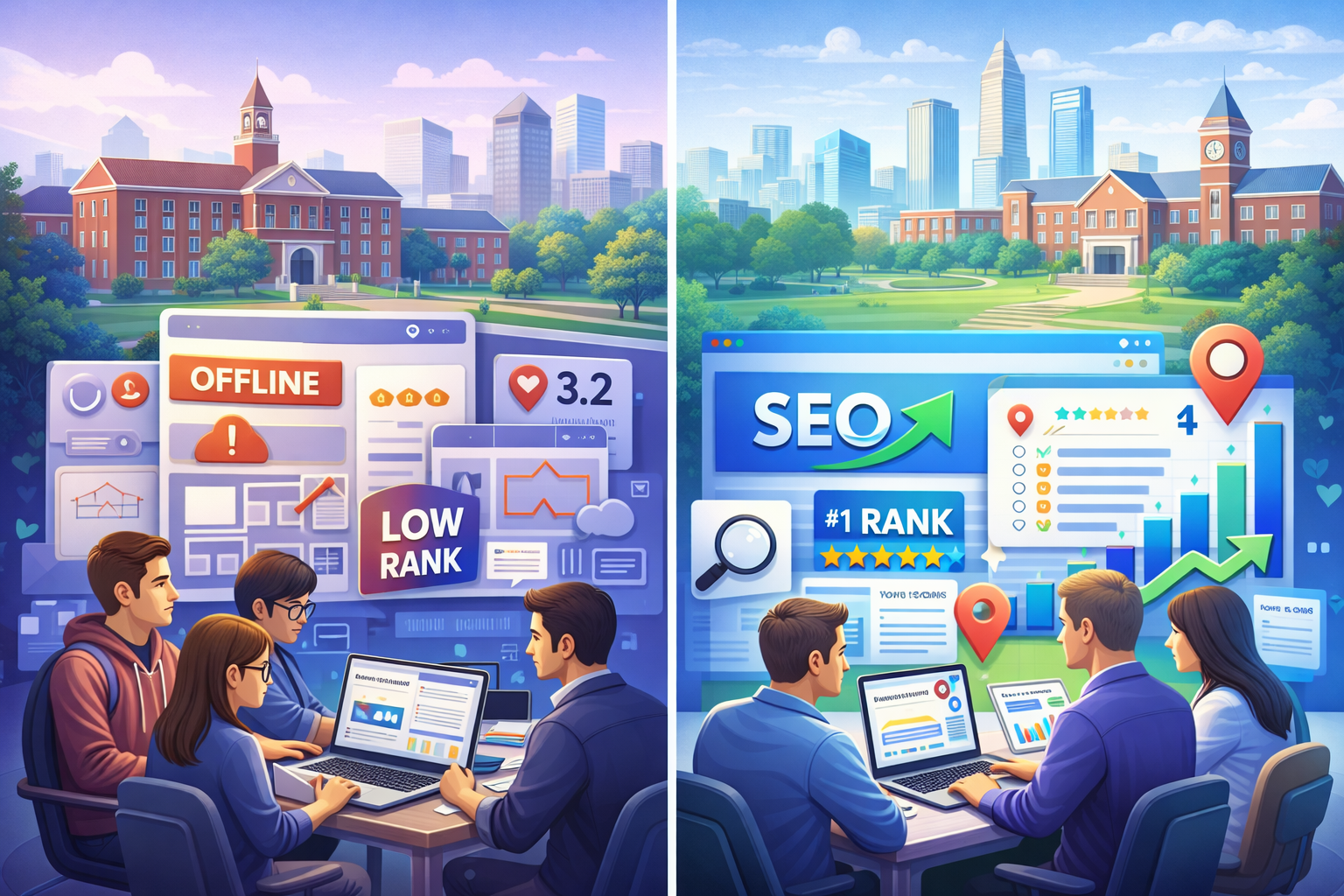
Columbus’s colleges are losing students to other schools simply because their websites are better structured. I found that when I audited 15 local colleges, poor design was running rampant across the board—most are fixable as well.
Slow Load Times on Mobile Devices
Ohio State’s primary website loads in just 2.3 seconds on a mobile device. Conversely, Columbus State’s website loads in 8.7 seconds. Given that 73% of prospective students use smartphones to browse, that’s not just slow, it’s a death sentence for admissions.
The Solution: Any reputable web design company in Columbus will tell you that mobile-first design is no longer up for discussion. Pages should load in 3 seconds or less, forms should be usable with a thumb, and navigation should be thumb-friendly. CCAD (Columbus College of Art and Design) just redesigned its website using these principles, and its applications have increased by 34% since the redesign.

Invisible in local search results
If you enter “colleges around Columbus” on a search engine (Google), you will see Ohio State as the only college that shows up. However, when searching for community colleges and other specialised institutions, you will find these institutions ranking around page 3 or lower for their named programs.
The problem: No GMB (Google My Business) optimisation. Franklin University even fails to fully claim their GMB listing. Their address is commonly listed as “temporarily closed.”
The Solution: Create and then optimize all campus addresses through both Google and business directory listings. Include photographs, create labels to respond to people reviewing your school, and post recent updates relating to the available enrollment periods. You want colleges to be able to locate you locally first when a prospective student types in “nursing programs Columbus” and you are visible in the map section.
Content That Converts Students
The college sites of most institutions are written in an academic style – high-density paragraphs about “excellence of the institution” and “a transformative learning experience.” When students are looking for information, they are looking for answers to questions such as how long it will take to complete the program, how much it will cost, and will there be any job opportunities upon completion.
For example, Otterbein University’s nursing website includes 847 words of content; however, it does not include the starting salary for a graduate until paragraph six. A competing institution’s website leads with, “96% job placement rate with an average starting salary of $65,000.”
Solution: answer the money questions up front and create program pages that convert:
- Job placement rates (with 3rd party sources).
- Graduate’s average starting salaries.
- Total program cost (not just tuition).
- Time to complete the program.
- Prerequisite information listed in plain English
Technical SEO Disasters
Most of the Columbus, Ohio college websites fail to meet the industry’s minimum criteria for Search Engine Optimization (SEO), which lead to decreased rankings in all search engines. The common issues we found include:
1. Broken internal links.
2. Missing alt tags on images.
3. Duplicate content across program pages (Capital University has 23 pages with the same meta description).
Some additional key technical issues that hamper the rankings on all college websites include:
1. No schema markup for either program or location.
2. Slow server response times.
3. Missing SSL certificate on multiple application forms.
4. Broken mobile navigation for multiple programs.
5. No local business structured data to support citation and rankings.
These common technical issues are far more than technical; they are also killing your rankings. Google cannot recommend college’s websites to its visitors if those sites are not accessible to Google through its crawler or can be understood once crawled.
The Death of Enrollment Forms
67% of potential students who fill out inquiry forms at Columbus colleges are lost at the inquiry stage. Why does this happen? Schools are using inquiry forms that require up to 15 fields when 4 would suffice, not having mobile-optimized inquiries, and having broken “Submit” buttons.
Delaware County Community College cut their inquiry form from 12 fields down to only 3 fields, resulting in an 89% increase in inquiries over 2 months.
Successful Examples of Results
Columbus State Community College worked with an SEO Services Columbus that specializes in local search engine optimisation and experienced the benefits:
- 156% more traffic through organic search
- 43% additional program inquiries
- Increased performance in local search results for targeted programs
Their formula for success: a mobile-first redesign, aggressive optimization of their Google My Business profile across their campuses, and totally answering students’ questions using quality content.
To sum it up
Ohio colleges have to compete against Arizona and Florida Colleges’ web-based programs with better web pages and better collegiate leads search engine optimization, so there’s no longer a local marketplace for columbus schools to get their students from.
It’s really easy to fix the problem. You’ll need to work with a web design company who understands education marketing, and to do that, you need to optimize the site for local search and generate content that gets visitors to apply.
Your competitors are already doing this, and if you wait to make decisions about how many more students you will lose to your competitors.
If you are ready to improve your school’s web presence, do a technical audit, make your mobile experience priority, and claim local search results. In a competitive academic landscape, your website serves not just for promotion, but as your enrollment powerhouse.
Author



Author



Saint Vanity Clothing: Unisex Essentials & Elevated Basics

Drew House Clothing — Comfort-First Unisex Streetwear

Sports Medicine Detroit: Expert Care for Athletic Injuries

Latest Calcium Carbonate Price Trend Analysis

Custom Fast Food Boxes: Wholesale, Sustainable & Branded

Treasure Orbit Dubai: Personal Care Focus, Logistics & Trends

Custom Food Trays: Stylish, Eco-Friendly Serving Solutions

TReDS Platform India: RXIL Onboarding, Process & Benefits

Japanese Second-Hand Car Dealer: UFS AUTO Review & Guide

Genuine Appliance Parts: Choose Safe, Durable Replacements

Cybersecurity Consulting Company SequelNet Provides Critical IT Support Services to Medical Billing Firm, Medical Optimum

Team Communication Software Transforms Operations at Finance Innovate

Project Management Tool Transforms Long Island Business

How Alleviate Poverty Utilized IPPBX’s All-in-One Solution to Transform Lives in New York City

Breast Cancer: The Imperative Role of Mammograms in Screening and Early Detection

Unstoppable Collaboration: D.C.’s Citi Open and Silicon Valley Classic Unite to Propel Women’s Tennis to New Heights

Embracing Renewal: Sizdabedar Celebrations Unite Iranians in New York’s Eisenhower Park

The Benefits of Starting a Side Hustle for Financial Freedom

New Blood Donation Screening Questions What You Need to Know

Stylishly Timeless: The 5 Types of Sandals You Need in Your Closet
-

 Business3 years ago
Cybersecurity Consulting Company SequelNet Provides Critical IT Support Services to Medical Billing Firm, Medical Optimum
-
Business3 years ago
Team Communication Software Transforms Operations at Finance Innovate
-
Business3 years ago
Project Management Tool Transforms Long Island Business
-
Business3 years ago
How Alleviate Poverty Utilized IPPBX’s All-in-One Solution to Transform Lives in New York City
-
health3 years ago
Breast Cancer: The Imperative Role of Mammograms in Screening and Early Detection
-
Sports3 years ago
Unstoppable Collaboration: D.C.’s Citi Open and Silicon Valley Classic Unite to Propel Women’s Tennis to New Heights
-
Art /Entertainment3 years ago
Embracing Renewal: Sizdabedar Celebrations Unite Iranians in New York’s Eisenhower Park
-
Finance3 years ago
The Benefits of Starting a Side Hustle for Financial Freedom







