
Technology
Web App Security: Best Practices for 2026

By

Reviewed
By Ana Quinn

Introduction
What is life without web apps? For most, be it business, academics, healthcare, ecommerce, or any other industry, they are the lifeline. Unfortunately, like us, even the hackers know this. And we know what their only intent is to sabotage the web app, steal the data, and sell it to make a huge profit. For you, this translates into reputational and financial loss. So, you need to counter it proactively by integrating web application security best practices.
We know how technically advanced hackers are, and to ensure you keep your business safe from these cyberthreats, we at Unified Infotech have come up with a practical guide. Implement the practices mentioned. It will help keep your team ahead of the hackers, make your users happy, and ensure your business is safe
The New Face of Threats: Why Modern Web Security Demands More

2026 isn’t like ten years ago. Now attackers use automated bots, exploit supply-chain dependencies, target APIs, and even try social tricks on your support team. Secure web app development used to mean a locked login page; now it’s about endpoint protection, smart authentication flows, data encryption everywhere, and fast patching.
If you’re still using last decade’s playbook, you’re leaving the door wide open. Let’s fix that.
The Ultimate Web App Security Checklist 2026
Every project (from startup MVPs to Fortune 500 dashboards) should start with this web app security checklist 2026:

- Update everything: Libraries, frameworks, web/app servers. Outdated dependencies top the OWASP threat list.
- Use strong authentication: Enforce multi-factor authentication (2FA/MFA). Never rely on password-only logins.
- Control access: Apply least privilege; build RBAC/ABAC into your backend. No public admin panels or open test routes.
- Encrypt all data: In transit (SSL/TLS only!), and at rest for sensitive fields.
- Validate user input: Never trust the client. All form inputs, URLs, API data, and cookies must be filtered and sanitized server-side.
- Protect APIs: Use proper tokens/Auth, rate-limiting, versioning, and error handling.
- Set up a WAF: Deploy a web app firewall (WAF) configuration to block malicious traffic and DDoS.
- Monitor and log everything: Record access, error, and admin events in a tamper-resistant way.
- Automate testing: Run static (SAST), dynamic (DAST), and pen-testing via top scanners or enterprise suites.
- Back up, test, and rehearse: Have clear disaster recovery plans, regular restore drills, and table-top incident response scenarios.
The Power of Secure Coding Practices for Web Developers
Today’s breaches happen at the code level: a forgotten input, a lazy SQL command, or a copy-paste from Stack Overflow. So, make secure coding practices for web developers part of every sprint and code review.
- Never concatenate raw user input into queries (SQL/NoSQL injection is a top risk).
- Always escape and validate fields/headers—yes, even checkboxes and hidden fields.
- Use parameterized queries or ORM frameworks for all database work.
- Hide error messages from users, but log them for internal eyes only.
- Store secrets and credentials in safe vaults—not in source control or config files.
- Prefer allowlists over denylists for uploads, file types, and redirections.
Adopting the OWASP Secure Coding Checklist or your own in-house playbook lets new hires ship secure code, every single time.
Modern Tricks: Web Application Security Best Practices 2026
Your enemy is fast and automated. So get proactive:
- Zero-trust design: Never trust internal traffic blindly. Verify everything, always.
- Role-based sessions: Use short-lived JWTs, session timeouts, and auto-revoke on privilege changes.
- Strong session management: Store sessions securely (in-memory or secure cookies), and force logout on password change.
- Content Security Policy (CSP) & Headers: Always use CSP, HSTS, X-Frame-Options, Referrer-Policy, and X-Content-Type-Options headers to block common attacks (XSS, clickjacking, MIME sniffing).
- Dependency audits: Use SCA tools (Software Composition Analysis) to spot outdated packages.
- API gateway and throttling: Every API gets rate-limited, monitored, and error responses don’t reveal internal logic.
These modern web app security techniques are your first and often the best line of defense.
Mastering Web App Data Encryption Methods
Think HTTPS is enough? Not in 2026. All serious web app data encryption methods must:
- Use industry-standard HTTPS/TLS 1.3+ for all web, API, and CDN traffic.
- Encrypt sensitive data at rest: customer info, passwords, payment cards, tokens.
- Never roll your own crypto. Use vetted libraries and keep keys in hardware security modules (HSM) or cloud equivalents.
- Salt and hash passwords with bcrypt, scrypt, or Argon2, not plain MD5/SHA1 only.
- For mobile and SPA apps, use end-to-end encryption when syncing critical user data.
- Rotate keys and certificates regularly.
Need ultra-secure? Invest in field-level encryption or envelope encryption for the most sensitive data and documents.
Strong API Security for Web Applications
2026 is the year of API attacks. APIs power SPAs, mobile apps, IoT platforms, internal microservices, and public partner integrations. That means API security for web applications must be a priority:
- Require authentication for every endpoint, even public data.
- Use rate limits to block brute force and bots.
- Validate and sanitize all input; don’t rely on client-side checks.
- Hide error details (especially in 400/500s), which could reveal system info.
- Use API gateways for centralized auth, quotas, monitoring, and traffic shaping.
- Employ versioning to control what’s exposed with legacy or public APIs.
- Log all calls, successes, and failures for real-time anomaly detection.
If your API is public, publish docs with clear security sections (expected headers, error codes, limits, etc.). For internal microservices, mutant fuzzing and contract/security testing are now standard.
The Art of Web App Firewall (WAF) Configuration
A modern web app firewall (WAF) configuration is like a 24/7 security guard. It keeps proactively blocking threats you haven’t spotted yet. Key steps:
- Deploy a WAF in front of your app and API, whether as SaaS (Cloudflare, AWS, Azure) or on-prem.
- Enable rule sets for OWASP Top 10, bots, SQLi, XSS, SSRF, and credential stuffing.
- Update policies with custom block/allow lists tuned to your app’s usage and traffic.
- Enable logging/auditing and monitor for rate anomalies or suspicious IPs.
- If you allow file uploads, scan them for malware immediately.
A tuned WAF can stop attacks before they hit your app; smart logs help you react faster to new threats.
How to Approach Secure Web App Deployment
Don’t drop the ball at the finish line. True secure web app deployment looks like:
- Provision cloud infrastructure with IaC (Infrastructure as Code) so you can audit and version-control every config.
- Encrypt all traffic inside and outside VPCs (not just edge-facing connections).
- Separate dev/staging/production environments, each with unique secrets and no shared databases.
- Turn on security monitoring pre-launch, not after a breach.
- Patch and auto-update at every layer, whether it is OS, app code, DB, container, or WAF.
- Run blue/green deployments or canary releases so you can roll back instantly if something’s off.
- Rehearse both routine and “disaster” recovery scenarios with realistic data.
Don’t Forget: People & Process Matter as Much as Code
Security is a team sport, not just a tech checklist. Make sure you:
- Train everyone (not just devs) in phishing, social engineering, and secure habits.
- Use bug bounties or third-party pen tests: fresh eyes catch what insiders miss.
- Document, review, and update policies and procedures every year, or after significant changes.
- Enforce the “four-eyes principle” for all privileged actions (at least two people—think deployments, firewall edits, etc.).
Conclusion
In 2026, the difference between a hacked app and a trusted one comes down to putting web application security best practices front and center. Nail your web app security checklist 2026, bake in secure coding practices for web developers, automate with the latest web app security tools and frameworks, and treat secure web app deployment as a critical launch step.
If you need help, partner with a custom web app development services provider like Unified Infotech that lives and breathes it. Your business and users can flourish without the fear of that next big breach.
Author



The US Intelligent document processing market continues to gain momentum as businesses look for faster and smarter ways to manage large volumes of information. Companies across banking, insurance, healthcare, government, retail, and other industries handle thousands of invoices, contracts, claims, forms, and records every day. Managing these documents manually can consume valuable time and create avoidable errors.
Intelligent document processing, or IDP, helps organizations overcome these challenges. The technology combines artificial intelligence, machine learning, natural language processing, optical character recognition, and computer vision. Together, these tools can capture information, understand document content, extract relevant data, and send it into business workflows.
Market Growth Outlook Through 2035
According to Dimension Market Research, the US market holds a value of USD 2.47 billion in 2026. Analysts expect the market to reach approximately USD 11.86 billion by 2035. This growth represents a projected compound annual growth rate of 19.02% between 2026 and 2035.
Several factors support this expansion. Businesses continue to increase their use of cloud platforms and enterprise automation. At the same time, growing document volumes create pressure to process information more efficiently.
Traditional OCR can recognize printed or scanned text. However, modern IDP platforms go much further. They can identify document types, understand context, extract specific information, validate results, and connect the output with enterprise applications. As a result, organizations increasingly view document processing as part of a broader automation strategy rather than as a simple scanning function.
What Is Driving Market Demand?
Businesses want to reduce repetitive work while improving accuracy and response times. Manual document handling often requires employees to enter information into multiple systems. This approach can slow operations and increase the possibility of mistakes.
IDP addresses this problem by automating several stages of the process. For example, a company can use the technology to capture invoice information, identify important fields, check the extracted data, and send it into an accounting platform.
Furthermore, cloud technology makes these solutions easier to scale. Organizations can expand document processing capacity without building large infrastructure environments. Subscription-based models and prebuilt integrations can also make adoption more practical for smaller and mid-sized businesses.
Another important driver involves artificial intelligence. Newer AI models can understand documents with greater context. Therefore, they can support more complicated workflows involving contracts, claims, correspondence, financial statements, and other business records.
Key Trends Shaping the Market
One major trend involves end-to-end automation. Businesses no longer want technology that simply extracts text. Instead, they want systems that can validate information, identify exceptions, trigger workflows, and transfer results into other applications.
Generative AI also creates new possibilities. It can help organizations interpret complex documents, summarize lengthy content, and identify important information. These capabilities can reduce the time employees spend reviewing large document collections.
Cloud deployment represents another major trend. Cloud platforms provide flexibility and centralized management. They also make it easier for organizations to access newer AI capabilities as vendors continue to improve their platforms.
Meanwhile, industry-specific solutions are gaining attention. A bank may need tools for financial documents and customer onboarding. An insurance company may focus on claims and policy records. Healthcare organizations may prioritize patient documentation and administrative records. This growing specialization gives technology providers opportunities to develop workflows around specific industry requirements.
Emerging Opportunities
Generative AI-based document understanding represents an important opportunity for the US Intelligent document processing market. Conventional OCR works well with straightforward text recognition. However, complex documents often require deeper contextual understanding.
Contracts provide a good example. A contract may contain dates, obligations, conditions, financial terms, and exceptions across multiple sections. Advanced AI can help identify these details and organize them into useful outputs.
Healthcare records, insurance claims, financial statements, and government documents can benefit from similar capabilities.
Mid-sized companies also offer significant growth potential. Cloud delivery, low-code configuration, subscription pricing, and ready-made connectors can lower technical barriers. Consequently, more organizations can adopt document intelligence without creating large internal technology teams.
Market Segmentation
The market covers several important categories. By component, it includes software solutions and services. Software can cover document capture, classification, data extraction, workflow automation, AI models, and related capabilities. Services can include consulting, implementation, managed services, training, and support.
Deployment options include cloud, on-premises, and hybrid environments. Cloud solutions currently lead the deployment segment, accounting for 61.7% of the market in 2026.
Technology categories include OCR, natural language processing, machine learning, computer vision, robotic process automation, deep learning, and generative AI extraction.
Large enterprises represent an important customer group. However, small and medium-sized businesses increasingly have access to these technologies through flexible cloud offerings.
Major end-user industries include banking and financial services, insurance, healthcare and life sciences, government, IT and telecommunications, manufacturing, retail, transportation, logistics, and legal services.
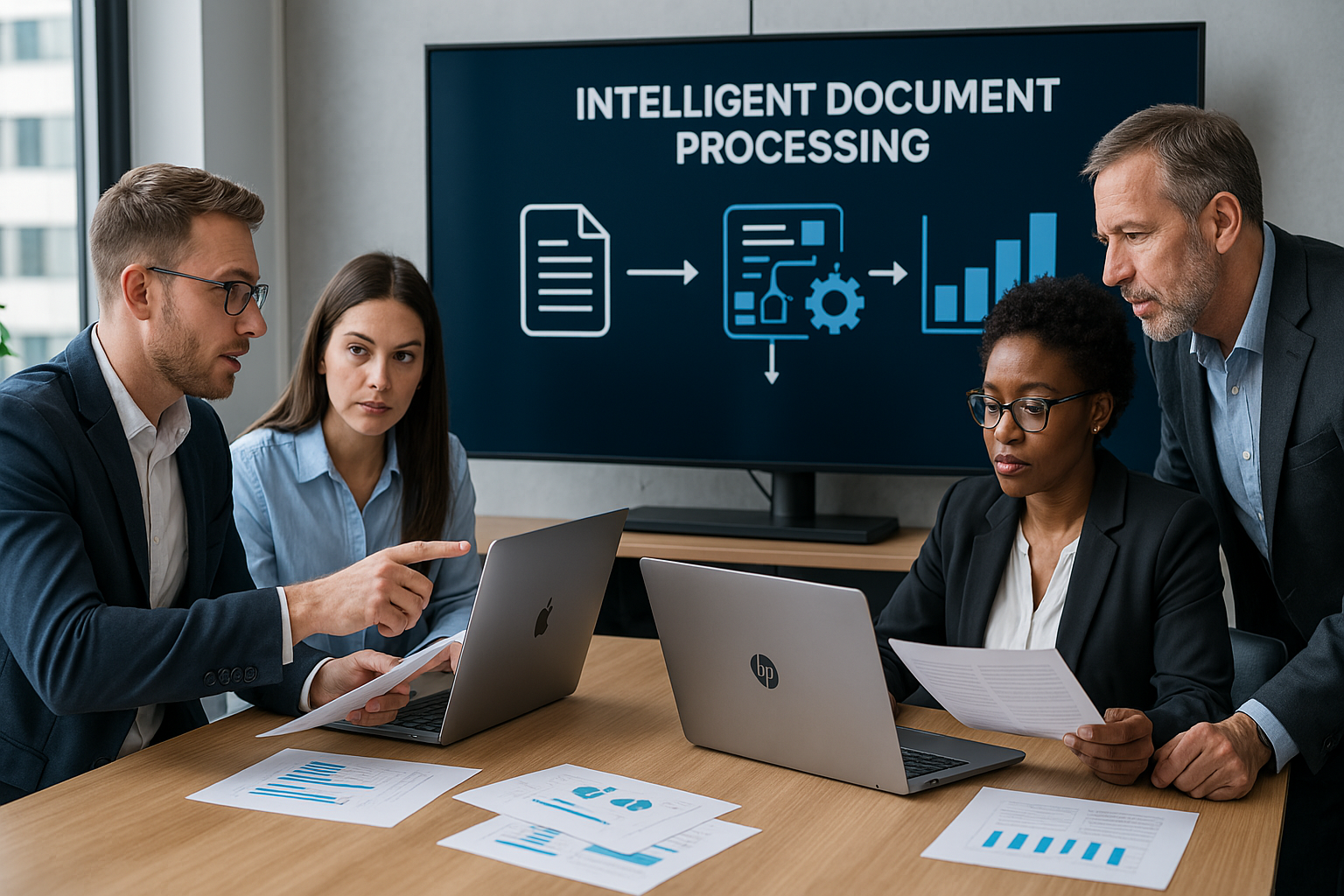
Leading Companies
The competitive landscape includes several established technology providers and specialized IDP companies. Key names include ABBYY, AntWorks, Appian, Automation Anywhere, AWS, Datamatics, Google Cloud, HCLTech, Hypatos, Hyperscience, IBM, Infrrd, Microsoft, Nanonets, OpenText, Rossum, SS&C Blue Prism, Tungsten Automation, UiPath, and WorkFusion.
These companies compete through AI capabilities, automation features, cloud platforms, industry solutions, integrations, security, and ease of deployment.
Recent Market Development
In July 2026, Microsoft expanded its partnership with Mistral and introduced Mistral Document AI with OCR 4 to Microsoft Foundry. The development supports structured document processing and agentic enterprise workflows.
Such developments show how quickly the market continues to evolve. Vendors increasingly combine document intelligence with broader AI and automation platforms.
Key Market Numbers
The market offers several notable figures for 2026. Its estimated value stands at USD 2.47 billion, while analysts project a value of USD 11.86 billion by 2035. The expected CAGR stands at 19.02% during the forecast period.
Software solutions hold a 68.4% share, while cloud-based solutions account for 61.7%. Banking and financial services represent 19.4% of the market. Together, these figures highlight the strong demand for intelligent document technologies across major business sectors.
Future Outlook
The US Intelligent document processing market should continue expanding as organizations connect document automation with wider business processes. Future solutions will likely focus on contextual understanding, validation, summarization, exception management, workflow orchestration, and automated actions.
Generative AI will remain an important area of development. At the same time, businesses will continue to prioritize security, compliance, integration, and governance.
Organizations also want measurable results. Therefore, vendors that can demonstrate lower processing costs, faster turnaround times, better data quality, and improved employee productivity may gain a competitive advantage.
Ultimately, the market is moving beyond basic document digitization. Modern platforms aim to turn unstructured information into useful business intelligence and automated actions.
Conclusion
The US Intelligent document processing market is moving toward a more connected and automated future. Organizations increasingly want to replace repetitive manual tasks with intelligent workflows that deliver faster and more accurate results.
As AI, cloud computing, and automation continue to advance, IDP will likely become an increasingly important part of enterprise technology strategies. Companies that combine intelligent document processing with strong security, reliable integration, and measurable business outcomes can build more efficient operations and respond more effectively to changing market demands.
Author



Managing commercial, industrial, and institutional buildings with outdated 2D drawings can create unnecessary challenges. Facility teams often spend valuable time searching through old files, checking measurements, and confirming whether drawings still match the actual building. These tasks can slow maintenance, increase operating costs, and make renovation projects more difficult.
CAD to BIM technology offers a practical way to modernize this process. It transforms traditional 2D drawings into intelligent 3D models that contain useful building information. As a result, facility managers can access accurate spatial data, understand building components, and make better decisions throughout the property lifecycle.
Why Traditional 2D Drawings Create Problems
Many buildings still depend on paper plans, scanned documents, or basic CAD files. These resources can show walls, doors, rooms, and other elements. However, they rarely provide enough information for efficient facility management.
For example, a maintenance team may need to locate a specific air-handling unit or electrical panel. Staff might have to search through several drawing sets before finding the right information. Even then, the drawing may not reflect later renovations or equipment changes.
This creates uncertainty. It can also increase the risk of incorrect decisions. A digital building model can solve many of these issues. Instead of relying only on lines and labels, facility teams can work with intelligent objects that contain information about individual components.
Turning Old Drawings Into Intelligent Building Information
A successful digital conversion begins with an assessment of the available documentation. Specialists review existing CAD files, architectural plans, structural drawings, and other records. They then determine the information required for the final model.
During CAD to BIM development, modelers convert flat drawing elements into intelligent 3D components. Walls, doors, windows, columns, mechanical equipment, and other assets can receive useful information.
This information may include dimensions, materials, equipment specifications, manufacturer details, installation dates, and maintenance information. The exact data depends on the project’s goals.
The result gives facility teams a centralized digital reference. Instead of searching through disconnected documents, managers can review building information within one coordinated environment.
Improving Accuracy With Reality Capture
Old drawings do not always represent current building conditions. Tenants may have changed layouts. Contractors may have installed new equipment. Renovation projects may also have modified structural or mechanical systems. Reality capture can help address these gaps.
Laser scanners can record existing conditions and collect millions of spatial points. Specialists then process this information to create a detailed digital representation of the property.
Point cloud modeling can support accurate as-built documentation. It can reveal deviations between original drawings and current conditions. Consequently, design and facility teams gain a clearer understanding of the building before they plan modifications. This approach proves especially valuable for older properties with incomplete records.
Supporting Architectural and Structural Planning
A detailed digital model can help architects and engineers work more confidently. They can review room layouts, building dimensions, structural elements, and other important components within one environment.
Architectural teams can use the model to study available space and plan renovations. They can also evaluate circulation areas, room configurations, and building envelopes.
Structural professionals can review columns, beams, foundations, and framing systems. This information can support renovation planning and reduce the need for assumptions.
Furthermore, combining architectural and structural information improves coordination. Teams can identify potential conflicts earlier and discuss solutions before construction begins.
Making Maintenance More Efficient
Facility management teams handle countless maintenance tasks every year. Finding the right information quickly can make a significant difference. An intelligent model can help staff identify equipment locations and review related information. For example, a manager may locate an air-conditioning unit and review its specifications without searching through several folders.
The model can also support maintenance planning. Teams can connect equipment information with service schedules, warranties, and replacement plans when the project includes those details. As a result, managers can organize maintenance work more effectively. They can also reduce unnecessary delays caused by missing or outdated information.
Improving Space Management
Large organizations often manage extensive properties with constantly changing space requirements. Departments move. Tenants change. Workspaces evolve. Facility teams therefore need accurate information about available areas. A digital model can make space planning easier. Managers can review room dimensions, floor areas, and building layouts from a centralized source.
This information can support office planning, tenant coordination, renovation studies, and space allocation. It can also help organizations understand how they currently use their buildings. Therefore, digital modeling does more than improve visualization. It can support practical decisions about real estate and workplace management.

Supporting Renovation and Capital Projects
Renovation projects often become complicated when teams lack reliable existing-condition information. Contractors may discover unexpected conditions after work begins. These discoveries can lead to delays, additional costs, and design changes.
Accurate digital documentation can reduce this uncertainty.
Before a renovation starts, project teams can review the existing model and compare it with proposed designs. They can identify potential conflicts and determine whether new systems will fit within the available space.
4D BIM can add another layer of value by connecting model elements with project schedules. Managers can then visualize construction sequences and coordinate different phases more effectively.
Connecting BIM With Facility Management Systems
Modern facility teams often use CAFM, IWMS, and other digital management platforms. A well-structured BIM model can support these systems by providing organized building information.
This connection creates a stronger digital foundation for property management. Facility teams can move from isolated drawings toward a more connected information environment.
However, the model must match the organization’s actual needs. Adding excessive information can increase complexity without providing meaningful value. Therefore, project teams should define data requirements before modeling begins.
Choosing the Right Level of Detail
Not every facility project requires the same modeling depth. A simple space-planning project may need basic geometry. A complex renovation may require detailed architectural, structural, and MEP information.
The team should establish the required Level of Development or Level of Detail at the beginning. Clear requirements help control project costs and prevent unnecessary modeling work.
Similarly, teams should identify which assets require detailed information. Focusing on important equipment and systems can create a more useful model without adding unnecessary complexity.
Benefits of Professional BIM Conversion
Working with experienced modeling specialists can help organizations manage large conversion projects more efficiently. Professionals can review legacy drawings, identify inconsistencies, coordinate disciplines, and structure model data according to project requirements.
Professional CAD to BIM services can also support scalable workflows for large property portfolios. Organizations can establish consistent modeling standards across multiple buildings. This consistency makes future updates easier. It also gives different teams a common framework for managing building information.
Preparing Buildings for the Digital Future
Facility management continues to move toward connected digital environments. Digital twins, smart building systems, predictive maintenance, and automated asset management all depend on reliable building information.
Accurate BIM models can provide an important foundation for these technologies. They help organizations understand physical assets and connect building data with digital management tools. As technology develops, property owners can build on this foundation rather than starting from outdated documentation.
Final Thoughts
Modern facility management requires accurate information, efficient workflows, and reliable documentation. Traditional 2D drawings can provide useful historical records, but they often lack the intelligence needed for today’s complex property operations.
CAD to BIM creates a bridge between legacy documentation and modern digital facility management. It gives organizations a clearer view of their buildings, supports maintenance planning, improves renovation coordination, and strengthens long-term asset management.
For property owners and facility managers, the real value comes from using digital models as practical management tools. With accurate data, thoughtful modeling standards, and regular updates, organizations can make smarter decisions and manage their buildings with greater confidence.
Author




Author



What Parents Should Look for in a Quality Tennis Camp

Clothing Fashion: Express Your Personality Through Personal Style

Essentials Tracksuit: How to Style It for Modern Streetwear

Perfume Ingredients: What Makes a Fragrance Smell So Amazing

US Intelligent Document Processing Market Outlook Through 2035

Retro Game Collection: How to Build and Enjoy Classic Gaming

CAD to BIM: Modernizing Facility Management for Better Efficiency

Marketing Agency: How to Choose the Right Partner in Miami

War Jeans: Inside the Story of Who Decides Fashion

Online slots: How They Work, RTP, RNG and Responsible Play

Cybersecurity Consulting Company SequelNet Provides Critical IT Support Services to Medical Billing Firm, Medical Optimum

Meet the Megalodon: The Shark Star of ‘Meg 2’

Reduce Video Game Lag: Level Up Your Gaming Performance

Balancing India’s Entertainment: Cricket vs. Bollywood

Jetsetter’s Secrets: Unveiling Our Favorite Travel Hacks for a Seamless Adventure

The 5 Best Live Sports Streaming Sites: Legal and Exciting!

Hollywood Labor Unrest: The Impact of ‘What About Us?’ Strikes

Unveiling the Magic of Dream Fulfillment at the Late NBA Draft

Illuminate Your Skin: Dr. Axe Unveils Natural Remedies for Lightening Knees and Elbows

Bright Choices: Navigating the Pros and Cons of Skin Whitening Creams with Dr. Axe
-

 Business3 years ago
Cybersecurity Consulting Company SequelNet Provides Critical IT Support Services to Medical Billing Firm, Medical Optimum
-
Entertainment3 years ago
Meet the Megalodon: The Shark Star of ‘Meg 2’
-
Entertainment3 years ago
Reduce Video Game Lag: Level Up Your Gaming Performance
-
 Sports3 years ago
Balancing India’s Entertainment: Cricket vs. Bollywood
-
Entertainment3 years ago
Jetsetter’s Secrets: Unveiling Our Favorite Travel Hacks for a Seamless Adventure
-
Productivity3 years ago
The 5 Best Live Sports Streaming Sites: Legal and Exciting!
-
Art /Entertainment3 years ago
Hollywood Labor Unrest: The Impact of ‘What About Us?’ Strikes
-
Sports3 years ago
Unveiling the Magic of Dream Fulfillment at the Late NBA Draft






