
Technology
Scalable CAD Conversion Services for Complex Architectural Projects

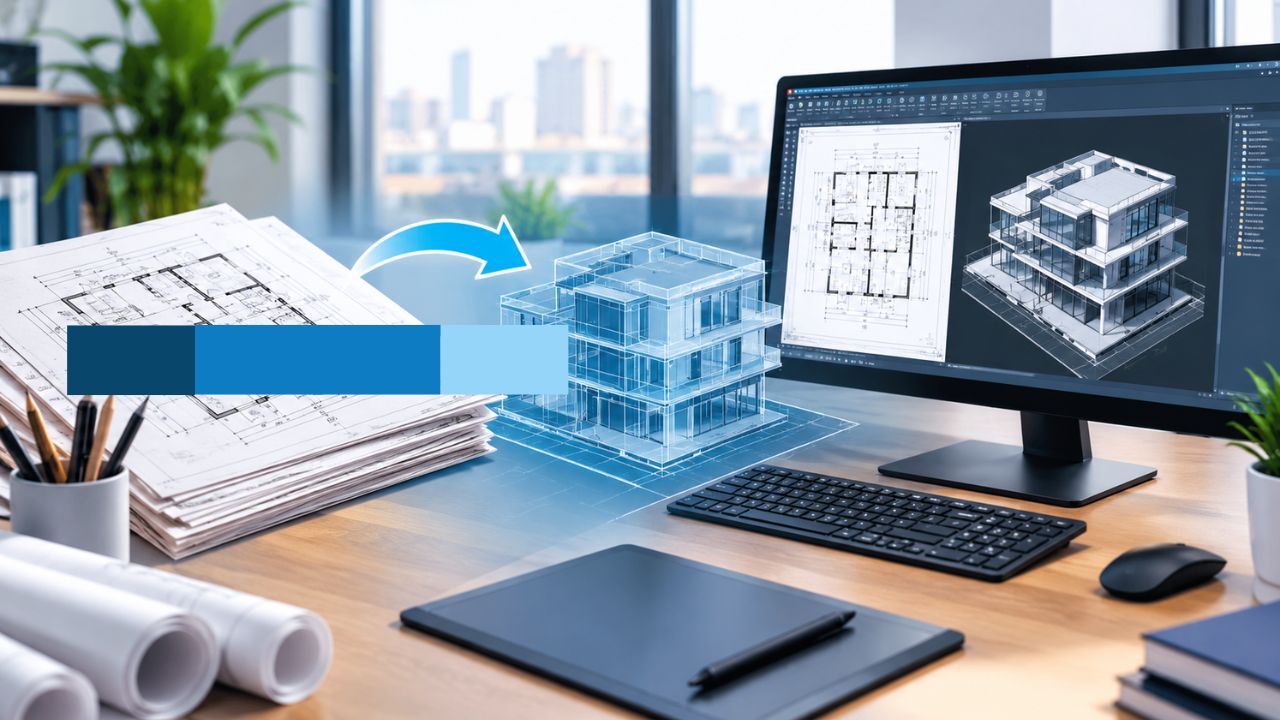
Managing large-scale commercial developments, urban master plans, and historic adaptive reuse ventures demands millimeter-level precision. Relying on legacy paper documents, high-density raster scans, or uneditable static vector files introduces immediate operational bottlenecks into modern design workflows. Architecture, Engineering, and Construction (AEC) firms nationwide continually face the friction of integrating legacy documentation with cutting-edge design technology. To resolve these workflow challenges, leading firms increasingly partner with specialized engineering partners offering high-precision CAD conversion services tailored specifically for complex architectural demands in the USA.
Digital transformation in the AEC industry goes beyond merely scanning old blueprints into computer memory. It requires transforming static image pixels into intelligent, vector-based design primitives that integrate into contemporary design environments. When modern architectural firms attempt to overlay new structural designs onto unverified legacy drawings, minor discrepancies quickly compound into major structural errors, budget overruns, and severe schedule delays. Professional CAD conversion bridges the gap between historical physical documentation and state-of-the-art computational design.
Overcoming Legacy Paper Bottlenecks in Modern Architecture
Unconverted paper archives present serious operational risks throughout the lifecycle of an architectural project. Operating directly from physical prints or uneditable flat PDFs introduces spatial inaccuracies, limits real-time coordination among multi-disciplinary teams, and dramatically elevates the potential for expensive field rework during construction phases. Paper media deteriorates over time stretching, warping, and fading under environmental exposure, which distorts original scaling ratios and compromises structural measurements.
Transforming historical documentation into dynamic vector formats serves as a core strategy for risk management and long-term operational continuity. By updating archival assets through professional paper-to-CAD conversion services, architecture and engineering teams convert fragile physical drawings into fully layered, editable, and highly structured digital assets. Standardized vector geometry empowers project leads to establish solid baselines, enhance cross-disciplinary collaboration among structural, mechanical, and electrical engineers, and streamline integration into modern Building Information Modeling (BIM) software suites.
Furthermore, digitized architectural records protect firm intellectual property against physical damage, fires, or natural disasters. Centralized, cloud-accessible CAD databases ensure that project stakeholders across multiple geographic offices work from a single source of truth, eliminating version-control errors and drastically shortening client review cycles.

Strategic Conversion Pathways for Complex Project Files
Managing complex architectural developments requires a nuanced, targeted file conversion strategy. Conversion techniques must adapt based on source document quality, age, level of physical degradation, and required downstream software compatibility.
Reconstructing Legacy Assets with Vector Precision
During historic adaptive reuse projects or additions to vintage municipal structures, design teams rely heavily on specialized blueprint-to-CAD conversion services to reconstruct original geometry with pinpoint accuracy. Automated raster-to-vector software tools frequently fail when processing older blueprints due to paper yellowing, hand-annotated pencil marks, or uneven line weight distribution.
To prevent geometric distortion, professional CAD technicians manually redraw legacy plans from scratch using the original dimensional readouts as rigid constraints. This process guarantees that structural gridlines, foundation footprints, and load-bearing wall thickness remain completely accurate down to the millimeter, providing a clean digital baseline for modern structural calculations.
Converting Static PDFs to Editable Native Files
Static vector and raster PDFs are standard formats for document distribution, but they restrict structural engineers and job-site superintendents from making direct, necessary design adjustments. Deploying high-precision PDF to CAD conversion services ensures that line weights, text annotations, hatch patterns, dimensional chains, and layer properties transition cleanly into fully usable software environments.
For firms built around Autodesk ecosystems, dedicated PDF to DWG conversion services deliver native, fully editable files that align directly with existing firm standards, customized dynamic block libraries, and plot style configurations. This seamless translation allows engineers to extract dimensions, run automated quantity takeoffs, and modify architectural geometry without manual transcription.
Elevating Flat 2D Drawings into Multi-Dimensional Models
Advancing beyond traditional two-dimensional layouts, forward-thinking architectural firms leverage 2D to 3D CAD conversion services to convert flat floor plans, elevations, and structural sections into rich parametric models. This spatial upgrade enables project leads to conduct early virtual clash detection, evaluate complex structural relationships, and resolve physical coordination conflicts long before mobilization on the construction site.
Comprehensive architectural CAD conversion services ensure complete continuity across every phase of design development. By converting two-dimensional concept sketches and paper schematics into fully articulated 3D spatial models, firms construct a virtual prototype of the building. This structural visibility minimizes change orders, streamlines trade contractor coordination, and delivers intuitive spatial presentations for non-technical project stakeholders and municipal approval boards.
Maximizing Firm Capacity with Scalable Drafting Solutions
Integrating specialized CAD drafting services gives architecture firms flexible operational capacity. By outsourcing routine conversion tasks and technical drafting to dedicated specialists, core design teams remain focused on design innovation, client relations, and overall project management.
Specialized Drafting Frameworks
- Targeted Architectural Drafting: Enforces strict layer management, consistent dimensioning standards, customized block references, and uniform line weight hierarchies designed to satisfy strict regional building codes and municipal submission guidelines.
- Specialized Residential Drafting: Provides custom drafting support tailored specifically for high-volume home builders, luxury multi-family developers, and complex residential renovation projects requiring rapid layout adjustments.
- Efficient Floor Plan Drafting Services: Accelerates the volume production of clear interior spatial layouts, commercial marketing schematics, leasing plans, and accurate construction documentation sets for tenant fit-out projects.
Firms that establish long-term conversion partnerships achieve faster turnaround times on client submittals, drastically reduce internal operational overhead, and maintain consistent drafting quality across all active project phases.
Future-Proofing Architectural Pipelines for Long-Term Growth
Successfully executing complex architectural ventures depends on data reliability, format interoperability, and flexible drafting infrastructure. Transitioning legacy physical archives into clean digital vector assets eliminates design friction, minimizes job-site delays, and protects project profitability across the entire construction lifecycle. Working alongside an experienced conversion specialist ensures that your firm’s technical documentation remains precise, scalable, and ready for construction.
Digitizing historical project archives also establishes a foundation for long-term facility management and digital twin deployment. When building owners possess accurate, as-built vector files, future renovations, maintenance operations, and spatial reconfigurations proceed with minimal design discovery costs.
Author


You turn a technical subject into an easy-to-follow explainer animation by choosing one main idea, writing for a viewer who knows nothing about the topic, replacing jargon with plain words, and showing one step at a time on screen. You then plan the script and storyboard before any animation starts, so the final video stays simple.
The hard part is rarely the animation. It is the knowledge gap. The people who build a product or understand a process know too much to see where a beginner gets lost. The result is a video that lists features, uses terms nobody defined, and loses the viewer early.
If you are briefing an explainer video company for the first time, this guide shows you what to prepare and what to expect. It covers a step-by-step method, script structure, visual techniques, a worked example, and the mistakes that make technical videos confusing.
What makes a technical subject hard to explain on video?
A technical subject is hard to explain because the viewer is missing background that the expert takes for granted. Psychologists call this the curse of knowledge: once you know something, it is hard to remember what it was like not to know it.
Four problems show up again and again:
- Terms like API, latency, or throughput mean nothing to a first-time viewer.
- Invisible processes. Data moving between servers or a chemical reaction cannot be seen, so the viewer has nothing to hold on to.
- Too many parts. Systems have many components, and showing all of them at once is overwhelming.
- A missing starting point. The video begins at step three because the team forgot steps one and two.
Animation helps with all four. It can make the invisible visible, and it controls the order in which the viewer sees things. Wyzowl’s 2026 State of Video Marketing report found that 93% of video marketers say video has increased people’s understanding of their product or service.
How do you turn a technical subject into an explainer animation?
Use this seven-step method. It works for software, science, engineering, finance, and healthcare topics.
- Choose one audience and one main idea.
- Find out what the viewer already knows.
- Break the subject into three to six steps.
- Replace jargon with plain words.
- Pick a visual comparison for each hard idea.
- Write the script and storyboard together.
- Test the draft with someone outside your team.
The sections below explain each step.
Choose one audience and one main idea
A video for engineers and a video for buyers should not be the same video. Decide who will watch, then finish this sentence: after watching, the viewer will understand that…
If you need two sentences, you probably need two videos. One main idea keeps the script short and gives the animator a clear target.
Find out what the viewer already knows
Talk to a customer, a new hire, or a sales rep who explains the product to beginners. Ask what confuses people most. Their answers show you where the video should start.
Start at the viewer’s level, not yours. If they do not know what a server is, your first scene should show one in simple terms.
Break the subject into three to six steps
Most technical processes can be told in a handful of steps. Write them in order, in plain words. If you reach ten steps, group some together or cut the ones that do not support the main idea.
Leave out details that experts care about but beginners do not need. You can point to a longer guide or technical document for people who want more.
Replace jargon with plain words
Go through the draft and underline every term a beginner might not know. For each one, either swap in a simple word or define it in one short sentence the first time it appears.
Read the script aloud to someone outside your field. Every time they pause or frown, rewrite that line.
Pick a visual comparison for each hard idea
A comparison links something new to something familiar. A firewall can be a security gate. A data pipeline can be a set of pipes. A cell receptor can be a lock that only one key opens.
Choose comparisons that are accurate enough for the purpose. A good analogy simplifies without telling the viewer something false. If the comparison breaks down at an important point, say so or pick another.
Write the script and storyboard together
Do not write the whole script first and then hand it to an animator. Write each line with the matching picture in mind. A storyboard is a set of sketches, one per scene, that shows what the viewer sees while each line is spoken.
This catches problems early. If you cannot picture a line, the viewer will not understand it either. Changes are cheap at this stage and costly once animation starts.
Test the draft with someone outside your team
Show the storyboard, or an animatic, to a person who does not know the topic. An animatic is a rough timed version with sketches and a temporary voiceover. Ask them to explain the idea back in their own words. Where their explanation goes wrong, the video needs work.
What should the script of a technical explainer video include?
A clear structure helps the viewer stay oriented. Most technical explainers follow this order:
- The problem: a situation the viewer recognizes.
- The idea: one sentence that says what the solution or concept is.
- How it works: the three to six steps, one scene each.
- The result: what changes for the viewer.
- The next step: one clear action, such as booking a demo or reading a guide.
Length matters. A 60-second script usually runs about 130 to 160 words at a natural speaking pace. That is a small space, which is why cutting is part of the job.
Write short sentences in active voice, and say one thing per sentence. If a sentence needs a comma and a second clause to make sense, split it.
Which visual techniques make complex ideas easier to follow?
Show one piece at a time
Reveal elements in the order they matter. When everything appears at once, the viewer does not know where to look. Build the diagram step by step, and remove old pieces when they are no longer needed.
Use motion to show cause and effect
Movement can show direction, such as data traveling from a phone to a server. Keep it purposeful. Decoration that moves without meaning pulls attention away from the idea.
Use color and shape consistently
Give each main object the same color and shape every time it appears. If the customer is blue in scene one, keep them blue in scene five. Viewers can then track things without reading labels.
Keep on-screen text short
Use a few words as labels, not full sentences. The voiceover carries the explanation. Text that repeats the narration forces the viewer to read and listen at the same time.
Zoom in and out
Changes of scale help with systems that have layers. Start with the whole system, zoom into one part, then zoom back out so viewers can see where that part fits.
Example: turning a technical sentence into a scene
This is an illustration, not a client project. Say a software company wants to explain how it protects customer data.
The original line from the product team: Our platform encrypts data in transit with TLS and at rest with AES-256.
The plain version for the voiceover: Your files are locked while they travel and while they are stored.
The scene: a file icon leaves a laptop and moves along a line to a server. A padlock appears on the file as it leaves, and it stays on when the file lands on a shelf inside the server. The technical names move to a short on-screen label or to the company’s security page.
The viewer gets the idea in seconds. Accuracy is intact because the padlock shows what the technical terms mean, and the specifics stay available for people who want them.
How should you brief an explainer video company?
A good brief saves weeks. Before you contact an explainer video company, gather these items:
- The audience and the one sentence they should understand after watching.
- The goal of the video, such as more demo requests or fewer support tickets.
- Existing material: documents, diagrams, product demos, and sales decks.
- A subject-matter expert who can answer questions and review the script.
- Where the video will be used, such as a homepage, sales emails, or training.
- Your preferred length, deadline, and brand guide.
- Two or three videos you like, and what you like about them.
What should you look for in a 2D animation company?
2D animation suits technical subjects because it is flexible, quick to revise, and focused on clarity. It can show diagrams, interfaces, characters, and processes in one consistent style. 3D animation is a better fit when you need realistic views of a physical object, such as a machine part or a medical device.
A 2D animation company that handles technical topics well should do the following:
- Ask questions about the subject and the audience before drafting anything.
- Write or edit the script instead of only animating what you send.
- Give you a storyboard to approve before animation begins.
- Show samples that explain complex topics clearly, whatever their style.
- Ask for subject-matter review at the script and storyboard stages.
- Explain how many revision rounds are included and what happens after that.
Many teams also ask for shorter versions of the video for social media and sales emails. Plan for those cutdowns at the start, so they come from the same project.
Common mistakes when explaining technical topics on video
- Trying to explain everything. One video should carry one idea.
- Starting with the company instead of the viewer’s problem.
- Leaving jargon undefined.
- Showing text on screen that repeats the narration word for word.
- Skipping expert review, which leads to errors found after animation is finished.
- Choosing style over clarity. A beautiful video that confuses viewers has failed.
- Making the video too long. Technical topics tempt teams to add one more step.
- Forgetting captions. Many viewers watch with the sound off.
Best practices for technical explainer animations
- Write a one-sentence summary and check every scene against it.
- Introduce a technical term only after the viewer has seen a simple picture of the idea.
- Leave short pauses between steps so viewers can absorb each one.
- Have an expert check the facts at the script and storyboard stages.
- Keep the same style, colors, and characters across scenes, and across videos in a series.
- Check the video on a phone before approving it.
- Split a large subject into a series of short videos, each covering one idea.
- Add captions and plan a short cutdown for social media.
Frequently asked questions
How long should a technical explainer video be?
Between 60 and 120 seconds works for most first videos. If the subject needs more time, split it into a series of shorter videos.
How much technical detail should an explainer include?
Include only what the viewer needs to understand the main idea. Put deeper detail in a linked document, webinar, or product page.
Can animation explain abstract topics like finance or science?
Yes. Animation can turn numbers, flows, and processes into shapes and movement. Use comparisons and keep each scene to one idea.
How long does it take to produce a technical explainer?
Several weeks is common. Technical topics often take longer at the script stage because experts need to review the content. Quick feedback is the biggest time saver.
Should I choose 2D or 3D animation for a technical topic?
2D works well for ideas, processes, and software. 3D fits objects with a physical form where realistic detail matters. Some projects use both.
What do I need to send a studio to get started?
Send your audience, your goal, the main idea, any existing documents or diagrams, a contact for technical questions, and a deadline.
Making technical ideas simple
To make a technical subject easy to follow, pick one main idea, use plain words, give every hard concept a simple comparison, and plan the script and storyboard before animation. Test the draft with someone who does not know the topic, and fix whatever confuses them.
Author


Choosing the right education app development company can help EdTech businesses turn an idea into a useful digital learning product. Whether you want to build an online learning app, a learning management system (LMS), a school management platform, or an AI-powered tutoring application, your development partner should understand the needs of students, teachers, and educational institutions.
The challenge is finding a company that matches your learning model, technical requirements, budget, and future plans. Some providers offer dedicated education app development services, while others focus on mobile learning experiences or broader digital product development.
This guide explores 10 companies worth evaluating, the educational applications they may be suitable for, and the questions to ask before hiring a development partner.
How We Selected These Education App Development Companies
This list is a starting point for businesses researching potential development partners. The companies are presented in a numbered format for easy reading, not as a verified ranking based on performance or customer satisfaction.
We considered the relevance of their published education offerings, the types of learning products they support, their mobile application capabilities, and their potential suitability for different EdTech projects.
Before making a decision, review each company’s current portfolio, request education-specific case studies, and verify that its experience matches your requirements.
Top 10 Education App Development Companies
1. Developer Bazaar Technologies
Developer Bazaar Technologies is an option for EdTech businesses looking to build custom educational applications and digital learning platforms. Its education app development services cover learning applications, eLearning platforms, learning management systems, virtual classrooms, and other digital education solutions.
These products can support different learning models, from self-paced courses and online tutoring to school communication and student progress tracking. Depending on the project, an education app may also require integrations with existing learning platforms, content libraries, or assessment systems.
Key capabilities to discuss:
- Custom education mobile app development
- eLearning and LMS development
- Virtual classroom applications
- AI-assisted learning features
- Integration with existing educational platforms
Best suited for: EdTech startups, schools, coaching institutes, and online learning businesses seeking a custom educational product.
Before hiring: Ask for relevant education project examples, a proposed feature roadmap, and a clear breakdown of development and maintenance costs.
Website: https://developerbazaar.com/education-app-development-company/
2. Appinventiv
Appinventiv offers dedicated education app development services for businesses and educational institutions. Its published capabilities cover learning platforms, virtual classrooms, corporate training applications, and technology-enabled learning experiences.
For an EdTech business, this type of offering may be relevant when building an application that combines course delivery, assessments, student engagement, and academic information. AI features can also be considered when they solve a defined learning problem, such as helping learners practice concepts or discover relevant lessons.
Key capabilities to explore:
- Education and eLearning applications
- Virtual classroom solutions
- Learning platform integrations
- AI-enabled learning features
- Mobile learning experiences
Best suited for: Businesses planning feature-rich educational applications or connected learning platforms.
Before hiring: Confirm the team’s experience with your specific learning model and request case studies that demonstrate the relevant features.
3. MindInventory
MindInventory publishes dedicated education app and educational software development services. Its offerings include eLearning applications, virtual classrooms, assessment systems, gamified learning experiences, and custom educational platforms.
These capabilities are relevant to businesses that want to create interactive learning experiences rather than simply provide digital reading materials. For example, a language learning app may combine short lessons, quizzes, progress tracking, and practice activities in one application.
Key capabilities to explore:
- Custom educational mobile apps
- Learning management systems
- Interactive assessments and quizzes
- Gamified learning applications
- Virtual classroom development
Best suited for: EdTech startups, educational institutions, and businesses developing interactive learning products.
Before hiring: Check relevant project examples and establish how the proposed application will support different learner roles and devices.
4. Konstant Infosolutions
Konstant Infosolutions offers EdTech app development services for educational businesses and institutions. Its published services cover online learning applications, self-learning products, and educational platforms.
An organization considering this provider should evaluate how its proposed solution would support course access, learner accounts, assessments, and other essential learning activities. The final feature set should reflect the intended audience rather than include every available function.
Key capabilities to explore:
- EdTech application development
- Online learning applications
- Self-paced learning experiences
- Educational mobile apps
- Learning platform development
Best suited for: Startups and educational businesses planning custom learning applications.
Before hiring: Request an itemized proposal that separates essential launch features from future enhancements.
5. ScienceSoft
ScienceSoft offers dedicated eLearning software development services. Its published offering covers learning management systems, eLearning portals, mobile learning solutions, and related educational platforms.
This experience may be particularly relevant when an organization needs to manage structured courses, assessments, learner records, and training activities. Businesses with an existing learning platform should also assess whether the provider can support modernization or integration requirements.
Key capabilities to explore:
- eLearning platform development
- Learning management systems
- Online training applications
- Learning content management
- Educational system integrations
Best suited for: Educational organizations and businesses with structured training or complex learning platform requirements.
Before hiring: Confirm which learning standards, content formats, and existing systems the proposed solution can support.
6. Goji Labs
Goji Labs offers digital product strategy, design, and development services. These capabilities may be useful for an EdTech business that needs help defining its product before investing in a full application.
For example, a startup planning an online tutoring marketplace may need to understand how students find tutors, schedule sessions, make payments, and review their learning progress. Product discovery and interface design can help clarify these workflows before development begins.
Key capabilities to explore:
- Product discovery and planning
- User experience and interface design
- Application development
- Product validation
- Digital product strategy
Best suited for: Early-stage EdTech businesses that need to define and validate a learning product.
Before hiring: Ask for education-specific experience and confirm whether the team can support both product planning and implementation.
7. Simform
Simform offers application development and cloud engineering services. These capabilities may be relevant to EdTech companies building learning applications that need reliable infrastructure, integrations, and room to grow.
For example, an online course platform may need to support increasing numbers of learners, manage video and course content, and connect its application to payment or learning management systems. The right architecture depends on the product’s expected usage and technical requirements.
Key capabilities to explore:
- Application development
- Cloud-based application architecture
- Third-party integrations
- Application performance
- Scalable digital platforms
Best suited for: EdTech businesses with significant application infrastructure or integration requirements.
Before hiring: Request evidence of comparable education projects. General application experience alone does not establish specialist EdTech expertise.
8. Fueled
Fueled specializes in digital product strategy, design, and mobile application development. Its capabilities may be relevant to educational businesses that prioritize the learner experience across mobile devices.
A well-designed learning app should make it easy for users to discover courses, resume lessons, complete exercises, and understand their progress. Product design should support these activities without adding unnecessary steps.
Key capabilities to explore:
- Mobile application development
- Product strategy
- User experience design
- Digital product engineering
- Mobile learning interface design
Best suited for: EdTech businesses prioritizing product design and mobile usability.
Before hiring: Ask for relevant education app examples and clarify how the proposed product will be tested with its intended users.
9. ArcTouch
ArcTouch provides digital product development services, including mobile application development. These broader capabilities may be worth evaluating for businesses planning an educational application for smartphones or multiple device types.
The suitability of a provider depends on whether its experience matches the application’s learning requirements. A simple educational content app, for instance, has different needs from a virtual classroom with live sessions, assessments, and teacher dashboards.
Key capabilities to explore:
- Mobile application development
- Digital product engineering
- Application design
- Connected digital experiences
Best suited for: Businesses seeking mobile product development capabilities for an educational use case.
Before hiring: Verify its education-specific portfolio and ask how the proposed application will support your learning workflows.
10. WillowTree
WillowTree, part of TELUS Digital, provides digital product strategy, design, and engineering services. Its broader capabilities may be relevant to education businesses planning complex digital products that require coordinated design and engineering.
For larger learning organizations, the evaluation should focus on the provider’s ability to understand institutional workflows, manage integrations, and support an application throughout its lifecycle.
Key capabilities to explore:
- Digital product strategy
- Application design and engineering
- Enterprise digital experiences
- Product development planning
Best suited for: Larger organizations considering complex digital product initiatives.
Before hiring: Confirm the provider’s experience with educational applications and evaluate its proposed delivery process, project structure, and total cost.
Which Education App Development Services Does Your Business Need?
The right education app development services depend on the problem you want to solve. Before requesting proposals, identify your target users and the main tasks the application should help them complete.
1. eLearning App Development
An eLearning app allows students or professionals to access digital lessons, recorded videos, learning materials, and assessments. Depending on the business model, it may also include subscriptions, certificates, and offline access.
2. Learning Management System Development
An LMS helps manage courses, assignments, assessments, learner progress, and training activities. Businesses should consider integrations with existing course content, student records, and reporting tools.
3. School Management App Development
School management applications can support attendance, timetables, parent-teacher communication, announcements, and student records. The goal is to make essential school activities easier to manage for educators, administrators, and families.
4. Virtual Classroom App Development
Virtual classroom applications support online teaching through live video, screen sharing, interactive whiteboards, chat, and session recordings. Reliable connectivity and a clear interface are particularly important for live learning.
5. AI-Powered Education App Development
AI can support learning recommendations, conversational practice, question generation, and automated feedback. These features should be tested for accuracy and designed with appropriate privacy protections and human oversight.
6. Language Learning App Development
Language learning apps may combine vocabulary exercises, listening practice, pronunciation activities, quizzes, and progress tracking. Speech recognition or conversational AI can be useful additions when they support specific learning objectives.
What Should You Check Before Hiring Education App Developers?
A company may offer many development services, but the best choice is the one that understands your particular educational product. Use these questions when comparing proposals.
Relevant experience: Has the company built an application with a similar audience, learning model, or set of features?
Technical approach: Does it recommend native iOS and Android apps, cross-platform development, or a web-based learning platform? Can it explain the reasons?
Student data protection: How will the application manage account permissions, secure data, and protect information belonging to children or students?
Learning experience: How will the team make lessons, assessments, navigation, and progress tracking easy to use?
Integrations: Can the proposed application connect with your existing LMS, payment gateway, video platform, or student information system?
Ownership and support: Who owns the source code and intellectual property? What maintenance, updates, and technical support are included after launch?
Compare the answers and supporting evidence rather than choosing a provider based only on its website or quoted price.
How Much Does Education App Development Cost?
The cost of education mobile app development depends on the features, platforms, design, integrations, security requirements, and complexity of the learning experience.
A basic app that delivers recorded lessons and quizzes will generally require less development effort than a platform that combines live classes, multiple user roles, analytics, payments, and AI-powered learning tools.
The main factors affecting the budget include:
- The number and complexity of features
- Android, iOS, web, or cross-platform requirements
- UI/UX design and accessibility
- Video delivery, storage, and cloud infrastructure
- Integrations with existing educational systems
- Testing, maintenance, and future updates
Before requesting a quote, prepare a short project brief describing your users, essential features, preferred platforms, and launch goals. Ask shortlisted companies to separate initial development costs from ongoing operating and maintenance expenses.
Should You Start With an Education App MVP?
For many EdTech startups, launching every planned feature at once is unnecessary. A minimum viable product (MVP) focuses on the core functionality needed to test a learning idea with real users.
For example, a new course platform might begin with registration, course access, quizzes, and basic progress tracking. Once learners start using the product, the business can decide whether live classes, AI recommendations, or advanced analytics are worth adding.
This approach can help businesses validate demand, learn from user feedback, and prioritize investment based on actual needs.
Final Thoughts
The best education app development company for your business will depend on the learning product you want to build, your target audience, and the technical support you need.
Developer Bazaar Technologies, Appinventiv, MindInventory, Konstant Infosolutions, and ScienceSoft have published education-specific service offerings worth examining. Goji Labs, Simform, Fueled, ArcTouch, and WillowTree may also be considered for relevant product strategy, design, or application engineering capabilities, but their suitability for a particular EdTech project should be verified.
Before making a decision, compare education-specific case studies, proposed features, security practices, development costs, and post-launch support. A clear project brief and a focused shortlist will help you identify a partner that matches your requirements.
If you are planning a learning app, school management platform, LMS, or another educational product, explore Developer Bazaar Technologies’ education app development services to discuss your project requirements.
Frequently Asked Questions
How do I choose the best education app development company?
Evaluate relevant education projects, technical capabilities, portfolio quality, data protection practices, pricing, communication, and post-launch support. Ask for case studies that demonstrate experience with your type of learning application.
What is the difference between an education app development company and an EdTech app development company?
The terms often overlap. An education app development company may focus on applications for schools, students, teachers, and learning providers. An EdTech app development company may also support commercial learning platforms, tutoring marketplaces, corporate training products, and other technology-driven education businesses.
Should I hire an education app development company in India?
India is one option for businesses comparing development partners. Evaluate relevant experience, communication, project management, technical capabilities, time-zone compatibility, and total project cost instead of choosing solely on location.
Do I need separate Android and iOS education apps?
Not always. Native apps can be appropriate when platform-specific functionality is important, while cross-platform development may allow businesses to share much of the code across devices. The right approach depends on the required features, budget, and maintenance plans.
Can an education app connect with an existing LMS?
Yes, if the LMS supports suitable APIs or integration methods. Before development begins, confirm compatibility, authentication requirements, course data exchange, user management, and any applicable learning standards.
What features make an education app engaging?
Useful features include interactive lessons, quizzes, progress tracking, clear navigation, and feedback that helps learners understand their progress. Gamification and personalized recommendations can be added when they support the learning objectives.
What should I prepare before contacting education app developers?
Prepare a brief explaining your target audience, learning problem, essential features, preferred platforms, existing systems, approximate budget, and desired launch timeframe. This helps companies recommend an appropriate approach and provide more meaningful estimates.
Author


Dubai has become an important destination for businesses investing in digital products, mobile technology, and customer-focused applications. From startups launching new ideas to established companies improving their digital services, organizations are looking for reliable development partners that can turn business requirements into practical mobile solutions.
A professional Mobile App Development Company in Dubai, UAE can help businesses plan, design, develop, test, and maintain applications for their customers and employees. Whether the project involves an eCommerce platform, a healthcare application, a fintech product, or an on-demand service, the right development partner should understand the business model, target audience, technical requirements, and long-term growth objectives.
Custom app solutions can also help businesses automate everyday processes, improve customer engagement, simplify transactions, and deliver services through convenient digital experiences. However, selecting a development company requires more than comparing prices or looking at a portfolio. Businesses should consider technical capabilities, industry experience, communication, security practices, and post-launch support.
This guide explores the services businesses should expect, the technologies involved, and 10 mobile app development companies to consider when planning a project in Dubai and across the UAE.
Why Businesses in Dubai Invest in Custom Mobile App Development
Mobile applications have become an important part of how businesses communicate with customers, manage operations, and deliver services. A well-planned application can provide a direct channel between a business and its users while creating opportunities for better service delivery.
Here are some common reasons businesses invest in mobile application development in Dubai.
Better Customer Experience
A mobile app gives customers convenient access to products, bookings, payments, support, and account information. Features such as personalized dashboards, push notifications, secure login, and real-time updates can make everyday interactions easier.
Improved Business Operations
Custom business applications can automate repetitive tasks, manage workflows, track orders, and connect different systems. These capabilities are useful for logistics companies, retail businesses, healthcare providers, and service-based organizations.
New Revenue Opportunities
Businesses can use mobile apps to introduce subscription plans, in-app purchases, digital marketplaces, loyalty programs, and online payment options. The right revenue model depends on the target audience and the product’s purpose.
Scalable Digital Products
A scalable application can accommodate new features, additional users, and changing business requirements. An experienced app development team can plan the architecture, database, APIs, and infrastructure to support future improvements.
Mobile App Development Services in Dubai
A full-service mobile app development agency may provide several services throughout the product lifecycle. The exact scope depends on the company and the project.
Custom Mobile App Development
Custom mobile app development focuses on creating software around a business’s specific requirements rather than relying entirely on ready-made templates. The process may include requirement analysis, application architecture, frontend and backend engineering, third-party integrations, and deployment.
Custom solutions are useful for businesses that need specialized workflows, unique features, or integration with existing systems.
iOS App Development
iOS app development involves building applications for iPhone and, where required, iPad and other Apple platforms. Development teams commonly use Swift and Apple’s development tools to create applications that follow platform conventions and provide a consistent user experience.
Android App Development
Android app development services help businesses reach users across a broad range of devices. Depending on the project, developers may use Kotlin, Java, or suitable cross-platform frameworks.
Performance testing across different screen sizes, operating system versions, and device configurations is an important part of Android development.
Cross-Platform App Development
Cross-platform development allows teams to build applications for multiple operating systems using a shared codebase where appropriate. Flutter and React Native are two commonly used technologies.
This approach can reduce duplicated development work, although native development may be more suitable for applications requiring specialized device features or platform-specific performance.
UI/UX Design and Prototyping
Mobile app UI/UX design covers the screens, navigation, visual elements, and interactions users experience. Wireframes and clickable prototypes help businesses evaluate the product before investing in full development.
For the UAE market, companies may also need Arabic and English interfaces, right-to-left layouts, and culturally appropriate content.
AI-Powered Mobile App Development
Artificial intelligence can support features such as recommendations, conversational assistants, document processing, intelligent search, and workflow automation. The value of AI depends on the actual business problem, available data, privacy requirements, and expected user benefit.
App Testing, Launch, and Maintenance
A reliable development process includes functional testing, usability checks, security reviews, performance testing, and compatibility testing. After release, ongoing maintenance may cover bug fixes, operating system updates, monitoring, security patches, and new features.
Top 10 Mobile App Development Companies in Dubai, UAE
The following companies are potential options for businesses seeking custom mobile app solutions in Dubai and the wider UAE. This is a practical shortlist, not an independently verified ranking of the ten best providers. The order does not imply that one company is objectively better than another.
1. Appikr Labs
Company overview: Appikr Labs provides mobile application development services for startups, small and medium-sized businesses, and larger organizations. Its website describes full-cycle app development, from understanding project requirements and designing prototypes to development and delivery.
Location: Conrad Business Tower, Office 29–30, Suite 2103, Sheikh Zayed Road, Al Thanyah Fifth, Dubai, UAE.
Core services: Custom mobile app development, iOS and Android applications, cross-platform development, web development, and AI-powered solutions.
Key strengths to evaluate: Businesses considering Appikr Labs can review its portfolio, relevant industry experience, proposed technology stack, development process, and approach to ongoing support. Its suitability will depend on the requirements and complexity of the project.
Suitable for: Businesses seeking a development partner for custom mobile applications, digital platforms, or technology-led products.
2. Dubai App Developers
Company overview: Dubai App Developers focuses on mobile applications, AI-powered products, cloud solutions, and digital platforms for businesses in Dubai and the wider Gulf region.
Its technology offering includes iOS, Android, Flutter, React Native, AI development, AWS cloud services, and cloud migration. The company also emphasizes UAE-specific considerations such as Arabic-first interfaces, RTL support, and data-residency requirements.
Location: Dubai, UAE.
Core services: Android app development, iOS app development, cross-platform applications, UI/UX design, testing, deployment, and maintenance.
Key strengths to evaluate: Review its relevant project portfolio, development approach, quality assurance practices, and ability to support applications after launch.
Suitable for: Businesses seeking a locally based development partner for custom mobile applications and ongoing product improvements.
3. Mobiiworld
Company overview: Mobiiworld is a digital engineering agency with mobile application development among its core services. Its website highlights native development for Apple and Android platforms, along with technologies such as Swift, SwiftUI, Kotlin, and Flutter.
Location: Dubai, UAE.
Core services: Native iOS and Android development, cross-platform applications, web development, and digital experience solutions.
Key strengths to evaluate: Its native application capabilities may be relevant to projects requiring platform-specific experiences. Businesses should also review the agency’s design process, integration experience, and enterprise delivery capabilities.
Suitable for: Organizations looking for native mobile applications or mobile products that form part of a broader digital experience.
4. ToXSL Technologies
Company overview: ToXSL Technologies provides custom software and mobile application development services in Dubai and the UAE. The company currently reports 14+ years in business, 5,000+ projects delivered, 2,500+ clients, and 300+ team members.
Its mobile development services include Android and iOS applications, custom software, AI solutions, and scalable digital products. The company also highlights industry-focused solutions across areas such as banking, real estate, healthcare, logistics, and other business sectors.
Location: Dubai, UAE.
Core services: iOS and Android development, Flutter and React Native applications, AI-enabled solutions, and custom software development.
Key strengths to evaluate: Ask about the team’s experience with your preferred framework, the complexity of previous projects, integration requirements, and how it manages testing and delivery.
Suitable for: Startups and established businesses exploring custom applications, cross-platform development, or AI-related features.
5. TekRevol
Company overview: TekRevol offers digital product development services for businesses seeking to turn ideas into mobile applications. Its work covers application planning, design, engineering, and related software solutions.
Location: Dubai, UAE.
Core services: Custom mobile app development, iOS and Android applications, cross-platform development, UI/UX design, and digital product development.
Key strengths to evaluate: Businesses should assess its experience with similar business models, project management approach, technical documentation, and ability to maintain a product over time.
Suitable for: Businesses developing customer-facing mobile products, service platforms, or applications that require customized features.
6. DeviceBee
Company overview: DeviceBee is a Dubai-based mobile app development company that works with startups, SMEs, enterprises, and organizations in the UAE. Its current website reports 700+ projects delivered, 150+ clients, and 13 years of experience.
The company’s mobile development capabilities include native iOS and Android applications as well as Flutter and React Native solutions. It also offers AI-powered applications, UI/UX design, backend/API development, quality assurance, DevOps, and post-launch support.
Location: Dubai, UAE
Core services: Mobile app development, AI development, custom software, and digital product engineering.
Key strengths to evaluate: Review its experience with your industry, technical architecture, integration requirements, project estimates, and quality assurance process.
Suitable for: Businesses seeking mobile applications alongside custom software or AI-enabled functionality.
7. Konstant Infosolutions
Company overview: Konstant Infosolutions is one of the established names appearing prominently in current Dubai mobile app development directories. Clutch currently lists the company with a Dubai presence and identifies mobile app development as its primary service focus.
Location: Dubai, UAE.
Core services: Native Android and iOS applications, Flutter and React Native development, UI/UX design, and custom digital solutions.
Key strengths to evaluate: Ask to see applications similar to your planned product and confirm whether the proposed team can handle backend services, integrations, deployment, and post-launch improvements.
Suitable for: Businesses seeking a mobile app development agency for consumer applications, business platforms, or specialized digital products.
8. AppVerticals
Company overview: AppVerticals provides mobile and software development services, with an emphasis on applications built around specific business requirements. Its service offering includes backend components and integrations needed to support functional mobile products.
Location: Dubai, UAE.
Core services: Custom mobile applications, Android development, iOS development, backend engineering, APIs, and third-party integrations.
Key strengths to evaluate: Check its experience with authentication, payment processing, admin dashboards, data security, and the integrations required by your business.
Suitable for: Organizations that need custom application functionality and integration with existing systems.
9. Hidden Brains
Company overview: Hidden Brains offers software engineering and IT consulting services across multiple technology areas. Its capabilities include mobile application development and broader systems that support business operations.
Location: Dubai, UAE, with broader international operations.
Core services: Mobile app development, custom software development, web applications, enterprise solutions, and digital product engineering.
Key strengths to evaluate: Businesses with complex requirements should review its experience with enterprise systems, backend architecture, security, and long-term technical support.
Suitable for: Companies seeking mobile applications that connect with wider business systems or form part of a larger digital transformation initiative.
10. Suffescom Solutions
Company overview: Suffescom Solutions provides software and mobile application development services for businesses pursuing custom digital products. Its service portfolio includes mobile applications and supporting technologies that can be tailored to different project requirements.
Location: Dubai, UAE, with wider service coverage.
Core services: Mobile app development, custom software, cross-platform applications, AI-related development, and digital product engineering.
Key strengths to evaluate: Review the proposed development team’s relevant experience, project milestones, application security, delivery process, and support arrangements before making a decision.
Suitable for: Businesses comparing development partners for custom mobile applications, software platforms, and feature-rich digital products.
Research note: Company descriptions summarize publicly presented service offerings and are not a guarantee of delivery quality. Confirm each company’s current Dubai office details, service availability, portfolio, and commercial terms directly before signing a contract.
How to Choose the Right Mobile App Development Company in Dubai
Selecting a development partner is an important decision because the quality of the planning, engineering, and delivery process can influence the product’s long-term success.
1. Review Relevant Portfolio Projects
Look for applications that share your business model, technical requirements, or target audience. A company that has built eCommerce apps may not necessarily have the experience required for a regulated fintech product or a complex enterprise application.
Ask for live app links, case studies, and an explanation of the company’s contribution to each project.
2. Confirm the Technology Stack
Your development partner should explain why a particular technology is appropriate for your product.
For example:
- Swift or SwiftUI may suit native iOS applications.
- Kotlin may suit native Android development.
- Flutter or React Native may suit certain cross-platform applications.
- Cloud services and backend APIs may support applications that require real-time data or substantial user activity.
The decision should reflect product requirements, not just the popularity of a framework.
3. Understand the Development Process
A transparent mobile app development process generally covers discovery, requirement analysis, UI/UX design, prototyping, development, testing, deployment, and maintenance.
Confirm who will manage the project, how frequently progress will be shared, and how changes to the scope will affect cost and timelines.
4. Discuss Data Security and Privacy
Applications that handle personal information, financial transactions, location data, or medical information need appropriate security controls.
Discuss secure authentication, access management, encryption, data retention, backup procedures, vulnerability testing, and relevant UAE legal requirements. Compliance depends on the nature of the business and the data being processed.
5. Compare Proposals Carefully
A lower quotation may not include everything required to launch and maintain an application. Compare proposals based on deliverables, milestones, assumptions, exclusions, ownership of source code, third-party costs, and support arrangements.
6. Confirm Post-Launch Support
Mobile applications need updates as operating systems change, integrations evolve, and users request improvements. Before signing a contract, clarify the warranty period, maintenance fees, response times, and ownership of application accounts and code repositories.
Mobile App Development Cost in Dubai, UAE
The cost of custom mobile app development depends on the product’s complexity, design requirements, integrations, technology stack, and delivery schedule. There is no single price that applies to every project.
| Application type | Typical scope |
|---|---|
| Basic app or MVP | Core features, standard screens, and limited integrations |
| Mid-level business app | User accounts, dashboards, APIs, notifications, and additional workflows |
| Advanced application | Real-time functionality, complex integrations, advanced security, or AI features |
| Enterprise application | Multiple user roles, large-scale integrations, complex workflows, and extensive security requirements |
For an accurate estimate, prepare a feature list and request an itemized proposal from multiple providers. Ask whether the quotation includes design, development, testing, app-store deployment, hosting, third-party licenses, and maintenance.
How Long Does Mobile App Development Take?
Project timelines depend on the scope, team size, technical complexity, and availability of requirements.
A small minimum viable product may take several weeks to a few months, while a more complex business application can take several months or longer. Enterprise projects may require additional time for integrations, security reviews, user acceptance testing, and approvals.
A realistic project plan should identify major milestones, dependencies, testing periods, and the process for approving changes.
Industries Using Custom Mobile App Solutions in Dubai
Mobile applications support a wide range of business models across the UAE.
- eCommerce and retail: Product catalogs, online ordering, digital payments, loyalty programs, and order tracking.
- Healthcare: Appointment scheduling, patient portals, telehealth features, and secure communication.
- Real estate: Property listings, virtual tours, lead management, and viewing bookings.
- Fintech: Account management, transaction interfaces, payment experiences, and financial dashboards, subject to applicable regulations.
- Logistics: Delivery tracking, fleet management, route planning, and proof of delivery.
- Travel and hospitality: Booking systems, itinerary management, guest services, and customer support.
- Education: Digital learning, course management, student portals, and assessment tools.
- On-demand services: Booking, dispatch, live status updates, customer reviews, and service-provider management.
The best solution depends on the specific operational challenges and customer needs within each industry.
Final Thoughts
Finding the right Mobile App Development Company in Dubai, UAE starts with understanding what your business needs from the application. A suitable partner should offer relevant technical expertise, clear communication, realistic planning, and a practical approach to long-term support.
Compare the companies in this guide using the same criteria, review their actual work, and request detailed proposals before making a decision. Whether you are launching a new startup product or improving an existing business platform, a well-planned custom mobile application can help you deliver better digital experiences and support sustainable business growth.
Frequently Asked Questions
How do I find a reliable mobile app development company in Dubai, UAE?
Review relevant portfolios, client references, technical expertise, project estimates, security practices, and maintenance terms. Compare proposals against the same requirements so you can evaluate each company fairly.
What services does a mobile app development company provide?
Services commonly include business analysis, UI/UX design, iOS and Android development, cross-platform engineering, backend development, API integration, testing, deployment, and ongoing maintenance.
Should I choose native or cross-platform app development?
Native development may be appropriate when an application requires deep platform integration or specialized performance. Cross-platform development can be suitable when a shared codebase supports the required features and user experience. The right choice depends on the product.
How much does it cost to build a mobile application in Dubai?
The cost depends on features, design, integrations, security requirements, and project complexity. Request an itemized quotation based on a defined scope rather than relying on a generic estimate.
Can a development company maintain my app after launch?
Many providers offer maintenance and support, but the scope varies. Confirm whether the agreement covers bug fixes, operating system updates, security patches, performance monitoring, and new features.
Do Dubai app developers build applications for both iOS and Android?
Many providers offer both platforms, either through separate native development teams or cross-platform frameworks. Confirm which approach the company recommends and whether both platforms are included in the quotation.
What should I prepare before contacting an app development agency?
Prepare a summary of your business objectives, target users, essential features, preferred platforms, reference applications, integrations, budget range, and desired launch timeframe. These details help the development team provide a more realistic proposal.
Author



How to Fix QuickBooks Has Stopped Working in Mac

How Do You Turn a Technical Subject Into an Easy Explainer Animation?

Understanding Herbal Teas: Ingredients, Preparation, and Everyday Uses

Get Well Soon Cards for Caring Recovery Messages

Top 10 Education App Development Companies for EdTech Businesses

Understanding Revit Model Detail Levels for Construction Teams

Mobile App Development Company in Dubai, UAE | Custom App Solutions

Amenity Rendering Services for Modern Real Estate Developments

VTI Consultancy | Construction Scheduling Consultants

Airport Transfers: How to Book the Right Airport Taxi

Cybersecurity Consulting Company SequelNet Provides Critical IT Support Services to Medical Billing Firm, Medical Optimum

Meet the Megalodon: The Shark Star of ‘Meg 2’

Reduce Video Game Lag: Level Up Your Gaming Performance

Balancing India’s Entertainment: Cricket vs. Bollywood

Jetsetter’s Secrets: Unveiling Our Favorite Travel Hacks for a Seamless Adventure

The 5 Best Live Sports Streaming Sites: Legal and Exciting!

Hollywood Labor Unrest: The Impact of ‘What About Us?’ Strikes

Unveiling the Magic of Dream Fulfillment at the Late NBA Draft

Illuminate Your Skin: Dr. Axe Unveils Natural Remedies for Lightening Knees and Elbows

Bright Choices: Navigating the Pros and Cons of Skin Whitening Creams with Dr. Axe
-

 Business3 years ago
Cybersecurity Consulting Company SequelNet Provides Critical IT Support Services to Medical Billing Firm, Medical Optimum
-
Entertainment3 years ago
Meet the Megalodon: The Shark Star of ‘Meg 2’
-
Entertainment3 years ago
Reduce Video Game Lag: Level Up Your Gaming Performance
-
 Sports3 years ago
Balancing India’s Entertainment: Cricket vs. Bollywood
-
Entertainment3 years ago
Jetsetter’s Secrets: Unveiling Our Favorite Travel Hacks for a Seamless Adventure
-
Productivity3 years ago
The 5 Best Live Sports Streaming Sites: Legal and Exciting!
-
Art /Entertainment3 years ago
Hollywood Labor Unrest: The Impact of ‘What About Us?’ Strikes
-
Sports3 years ago
Unveiling the Magic of Dream Fulfillment at the Late NBA Draft