
Business
6 Benefits of Using a Fan Engagement Platform


In today’s fast-paced digital world, connecting with fans has become more essential than ever for brands, artists, and organizations. A fan engagement platform can be a game-changer, providing tools and strategies to foster meaningful interactions. In this article, we’ll explore six key benefits of using a fan engagement platform, highlighting how it can elevate your connection with your audience.
1. Enhanced Interaction and Communication
One of the primary benefits of a fan engagement platform is the ability to enhance interaction and communication with fans. Traditional methods of engagement, such as email newsletters or social media posts, often lack the immediacy and personalization that fans crave. A fan engagement platform offers real-time communication tools, such as chat features, polls, and Q&A sessions, allowing for direct interaction.
Personalization
These platforms can also segment your audience based on their preferences and behaviors, enabling tailored communication. Personalized messages resonate better, fostering a deeper emotional connection with fans. With features that allow you to send targeted notifications or updates about upcoming events, fans feel valued and appreciated.
2. Data-Driven Insights
Utilizing a fan engagement platform provides access to analytics that can inform your marketing strategies. By tracking fan interactions, behaviors, and preferences, you can gain valuable insights into what resonates with your audience. This data-driven approach enables you to make informed decisions, ensuring that your engagement strategies are effective.
Understanding Fan Behavior
For instance, you can analyze which types of content receive the most engagement or what times of day your audience is most active. This information allows you to optimize your communication strategy, ensuring that you reach fans when they are most receptive.

3. Building Community
A fan engagement platform cultivates a sense of community among fans. By creating dedicated spaces for interaction—such as forums, discussion boards, or social media groups—you encourage fans to connect with one another. This community-building aspect not only strengthens the bond between fans and your brand or organization but also enhances loyalty.
Fostering Connections
When fans engage with each other, they are more likely to develop a sense of belonging, which can lead to increased brand loyalty. A thriving fan community can become an invaluable asset, providing support and advocacy for your brand or artists.
4. Increased Fan Retention
Retaining fans is often more challenging than gaining new ones. A fan engagement platform plays a crucial role in boosting fan retention rates. By maintaining regular communication and offering exclusive content, you keep fans engaged and invested in your brand.
Exclusive Offers and Content
Platforms often provide features such as member-only content, early access to tickets, or special promotions, which incentivize fans to stay connected. When fans feel they are part of an exclusive group, they are less likely to disengage. This loyalty not only leads to repeat interactions but also increases the likelihood of word-of-mouth referrals.
5. Streamlined Event Management
For artists, brands, or organizations that host events, a fan engagement platform simplifies event management. Many platforms offer integrated tools for ticket sales, RSVPs, and event promotion, making it easier to manage logistics.
Real-Time Updates
Through the platform, you can send real-time updates about the event, such as changes in schedule or location. This ensures that fans are always informed, reducing confusion and enhancing their overall experience. The streamlined process also allows you to focus on creating memorable events rather than getting bogged down in administrative tasks.
6. Monetization Opportunities
Finally, a fan engagement platform opens up new avenues for monetization. By leveraging your engaged fan base, you can explore various revenue streams. For example, you can offer premium memberships that provide additional content or experiences. Merchandise sales can also be integrated into the platform, making it easier for fans to support their favorite artists or brands.
Crowdfunding and Donations
Additionally, platforms may support crowdfunding initiatives or donation features, allowing fans to contribute directly to projects they believe in. This not only generates revenue but also strengthens fan commitment, as they feel directly involved in the success of the brand or artist.
Conclusion
In an era where fan engagement is crucial to success, utilizing a fan engagement platform can significantly enhance your ability to connect with your audience. From improving communication and building a community to offering valuable insights and monetization opportunities, the benefits are numerous. By embracing these platforms, brands and artists can create lasting relationships with their fans, ultimately leading to greater success and loyalty.
Author














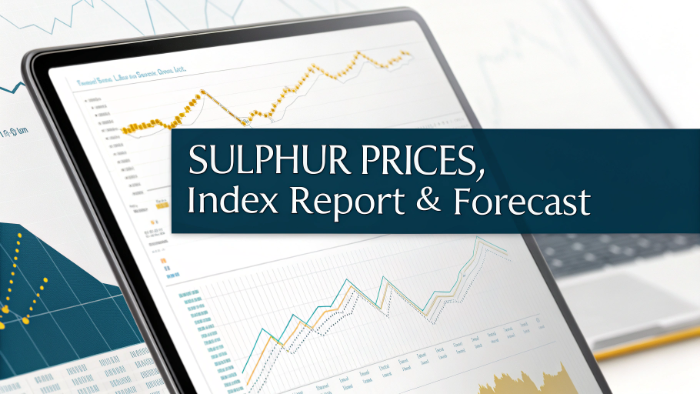
Sulphur prices in March 2026 displayed a mixed yet dynamic pattern across major regions, reflecting varied supply conditions and demand from fertilizer and chemical industries. While Northeast Asia experienced a slight decline, other regions recorded strong upward movements due to increased consumption and tightening supply. The overall Sulphur Price Trend highlights regional contrasts in pricing behavior. Insights from the Sulphur Price Forecast suggest that demand from agriculture and industrial sectors continues to play a significant role in shaping global price movements.
Sulphur Price Index Analysis in Northeast Asia: March 2026 Breakdown
In Northeast Asia, sulphur prices stood at USD 0.61/kg in March 2026, reflecting a 1.6% decline. The Sulphur Price Trend shows slight downward movement influenced by balanced supply and moderated demand. According to the Sulphur Price Forecast, stable production and reduced short-term consumption contributed to easing pricing during this period.
Sulphur Price Index Analysis in Europe: March 2026 Breakdown
Europe recorded sulphur prices at USD 0.41/kg, showing a significant 24.2% increase in March 2026. The Sulphur Price Trend highlights strong upward movement driven by increased demand and supply constraints. As per the Sulphur Price Forecast, continued consumption from fertilizer and industrial sectors is expected to support elevated pricing levels.
Sulphur Price Index Analysis in India: March 2026 Breakdown
India saw sulphur prices at USD 0.5/kg in March 2026, marking a 13.6% increase. The Sulphur Price Trend reflects firm pricing supported by strong demand from the agricultural sector. According to the Sulphur Price Forecast, ongoing fertilizer demand and supply factors are expected to maintain upward pricing momentum.
Sulphur Price Index Analysis in Middle East: March 2026 Breakdown
In the Middle East, sulphur prices reached USD 0.33/kg, reflecting a notable 26.9% increase in March 2026. The Sulphur Price Trend indicates strong upward movement supported by export demand and production dynamics. Based on the Sulphur Price Forecast, continued global demand and supply conditions are expected to sustain higher pricing levels.
Sulphur Price Index Analysis in North America: March 2026 Breakdown
North America recorded sulphur prices at USD 0.2/kg in March 2026, showing a 5.3% increase. The Sulphur Price Trend highlights moderate upward movement driven by steady demand and supply balance. According to the Sulphur Price Forecast, consistent consumption from industrial and agricultural sectors is expected to support stable pricing trends.
What is Sulphur?
Sulphur is a naturally occurring non-metal widely used in fertilizer production, chemicals, and industrial processes. It is primarily obtained as a by-product of oil refining and natural gas processing. Due to its essential role in agriculture and industry, Sulphur Prices are closely monitored, as they reflect changes in energy production, supply levels, and demand from key downstream sectors.
Factors Affecting Sulphur Prices
Key factors influencing Sulphur Prices include
- Crude Oil & Gas Production: Sulphur supply depends on refining output
- Fertilizer Demand: Strong agricultural demand drives Sulphur price trend
- Industrial Consumption: Usage in chemicals impacts the price of Sulphur
- Supply Chain Efficiency: Logistics and distribution affect Sulphur price today
- Export-Import Activity: Trade flows influence regional pricing
- Energy Costs: Refining and processing expenses impact Sulphur price history
- Seasonal Demand: Agricultural cycles affect Sulphur future price
- Environmental Regulations: Compliance impacts production and pricing
Supply and Prices Overview – Latest
The latest data shows that Sulphur Prices experienced mixed movement in March 2026 across regions. The Sulphur price chart reflects strong increases in Europe, India, and the Middle East, while Northeast Asia recorded a slight decline. The price of Sulphur continues to be influenced by demand from fertilizers and industrial sectors, along with supply variations across regions.
Sulphur Price Index:
The Sulphur price index serves as a key benchmark for tracking global pricing trends. It compiles regional data to provide insights into price movements and variations. Recent insights from the Sulphur price index highlight strong upward movement in several regions. Businesses rely on the Sulphur price index to monitor trends and optimize procurement strategies.
Recent News and Development:
Recent developments have influenced Sulphur Prices significantly. Increased fertilizer demand in key agricultural regions has driven price growth, while stable refining output has ensured consistent supply. Additionally, global trade dynamics and seasonal demand patterns have contributed to the ongoing Sulphur price trend, shaping pricing across regions.
Sulphur Price Trend Analysis – March 2026:
The Sulphur price trend in March 2026 indicates a mixed pattern across regions. The Sulphur price chart highlights strong upward movement in Europe, India, and the Middle East, while Northeast Asia experienced a slight decline. Compared to Sulphur price history, current trends reflect strong demand combined with regional supply variations.
Future Outlook for Sulphur:
The outlook for Sulphur Prices remains positive, with expectations of stable to increasing trends. The Sulphur future price is likely to be influenced by agricultural demand, energy production levels, and global supply conditions. The Sulphur price index is expected to show gradual upward movement supported by consistent demand.
Current Demand for Sulphur:
Current demand continues to support Sulphur Prices, particularly from fertilizer production and chemical industries. The Sulphur price trend reflects strong consumption in agricultural sectors, especially in emerging economies. This steady demand plays a key role in maintaining price stability across regions.
Uses of Sulphur:
Major applications influencing Sulphur Prices include
- Fertilizer Production: Key component in phosphate fertilizers
- Chemical Industry: Used in sulfuric acid production
- Petroleum Refining: Essential in refining processes
- Rubber Processing: Used in vulcanization
- Pharmaceuticals: Used in medicinal compounds
- Industrial Applications: Used in various manufacturing processes
Key Coverage:
- Market Analysis
- Market Breakup by Region
- Demand Supply Analysis by Type
- Demand Supply Analysis by Application
- Demand Supply Analysis of Raw Materials
- Price Analysis
- Spot Prices by Major Ports
- Price Breakup
- Price Trends by Region
- Factors influencing the Price Trends
- Market Drivers, Restraints, and Opportunities
- Competitive Landscape
- Recent Developments
- Global Event Analysis
FAQs regarding Sulphur Price Trends, Index, and Forecast
What is the current trend in Sulphur Prices in March 2026?
The current Sulphur Prices trend shows a mixed pattern, with strong increases in Europe, India, and the Middle East, while Northeast Asia recorded a slight decline. The latest Sulphur price trend reflects regional demand variations and supply dynamics.
How does the Sulphur Price Index help businesses track pricing?
The Sulphur price index provides a reliable benchmark for monitoring global price movements. It helps businesses analyze trends, compare regional pricing, and make informed decisions using insights from the Sulphur price index data.
Where can I access accurate Sulphur price charts and historical data?
You can access detailed Sulphur price chart, historical trends, and regional insights through our comprehensive report. It includes Sulphur price history, current updates, and forecasts to support strategic planning.
What factors are currently affecting Sulphur Prices?
Key factors influencing Sulphur Prices include fertilizer demand, refining output, logistics, and seasonal agricultural cycles. These elements directly impact the price of Sulphur and shape the Sulphur future price outlook globally.
What is the future outlook for Sulphur Prices?
The outlook for Sulphur Prices remains positive, with stable to increasing trends expected. The Sulphur future price is likely to be supported by strong agricultural demand and consistent industrial consumption.
Author



Author



Most enterprises don’t struggle because of lack of tools, they struggle because of too many disconnected ones.
Finance runs on one system. Operations on another. Reporting lives somewhere else. Automation is layered on top. Over time, this creates friction across the organization, slowing down execution and increasing operational risk.
This is where a unified Enterprise Application Platform becomes essential. Instead of connecting multiple tools, businesses are starting to rethink how systems are designed from the ground up and platforms like Airtool are emerging at the center of that shift.
The Hidden Cost of Disconnected Enterprise Systems
Fragmented systems don’t just create technical complexity, they directly impact business performance.
A typical enterprise software architecture often includes multiple SaaS tools stitched together through integrations. While this may work initially, it introduces long-term inefficiencies.
Key operational issues:
- Data duplication across systems
- Inconsistent reporting across departments
- High dependency on integration layers
- Delays in executing cross-functional workflows
- Difficulty in scaling systems without rework
Over time, teams spend more effort managing systems than improving business processes.

Rethinking Platform as a Service for Enterprises
The concept of platform as a service has evolved. It’s no longer just about hosting applications, it’s about running entire business operations on a unified system.
A modern Enterprise Application Platform provides:
- A shared data model across applications
- Built-in workflow execution
- Native analytics and reporting
- Embedded automation capabilities
- Flexible deployment across environments
This creates a foundation where systems are not just connected—they are inherently aligned.
How Airtool Changes the Architecture Layer
Airtool as an Operational Framework
Airtool is designed as a full-stack enterprise platform that integrates multiple layers of business systems into one runtime environment.
Rather than separating application logic, data handling, and automation, Airtool brings them together into a cohesive framework.
What makes this approach different:
- Applications and data operate within the same system
- Automation is embedded, not added externally
- Reporting is generated from live operational data
- Changes can be implemented without disrupting workflows
This reduces the need for external dependencies and simplifies how systems evolve over time.
Book a demo with Airtool to see how a modern enterprise platform can support your business automation strategy and reduce system complexity.
Core Capabilities That Enable Business Automation
A modern enterprise platform must go beyond basic functionality. It should actively support how businesses operate at scale.
Key capabilities include:
- Unified Data Management
All business entities transactions, users, workflows exist within a single data structure. - Process Automation Engine
Business rules and workflows are executed automatically without manual intervention. - Dynamic Application Layer
Interfaces and processes adapt based on underlying data and logic. - Real-Time Reporting
Insights are generated directly from operational data without external tools. - Flexible Deployment Models
Systems can run in cloud, private environments, or hybrid setups.
These capabilities allow organizations to move faster while maintaining control.
Use Case: Automating Multi-Department Operations
Consider a company managing procurement, finance, and operations across different systems.
Before a unified platform:
- Procurement data must be manually shared with finance
- Approval workflows are handled through emails
- Reports are generated from outdated data
- System updates require coordination across teams
After implementing a unified platform like Airtool:
- Procurement and finance operate on shared data
- Approval workflows are automated within the system
- Reports reflect real-time operational activity
- Changes are applied instantly without system downtime
This significantly reduces delays and improves overall efficiency.
Comparison: Layered Systems vs Unified Platform Architecture
| Layered SaaS Model | Unified Platform Model |
| Multiple tools for each function | Single system for all functions |
| Heavy reliance on APIs | Built-in system integration |
| Delayed data synchronization | Real-time data consistency |
| Complex maintenance | Simplified system management |
| Limited cross-functional visibility | Full operational transparency |
A unified enterprise platform simplifies architecture while improving performance.
Why Enterprises Are Moving Toward Unified Systems
The shift toward unified platforms is not just a trend, it’s a response to growing operational demands.
Enterprises are adopting unified systems to enable faster execution, simplify integration complexity, support real-time decisions, reduce infrastructure overhead, and scale automation within a flexible, modern enterprise software architecture
Airtool in Context: A Practical Platform Approach
In practical terms, Airtool enables organizations to consolidate their systems into a single operational layer. Instead of managing multiple tools, teams can build and run their applications within one platform.
This approach aligns development, operations, and analytics in a way that traditional systems cannot easily achieve.
To understand how this model works in detail, you can explore Airtool’s low-code application platform and enterprise capabilities here:
It provides a clearer view of how unified systems can replace fragmented architectures.
Conclusion: Moving Beyond System Integration
The future of enterprise systems is not about better integrations, it’s about eliminating the need for them.
A unified Enterprise Application Platform allows organizations to operate with greater clarity, speed, and control. By bringing applications, data, and automation into one system, businesses can reduce complexity and focus on execution.
Airtool represents this shift by offering a platform designed for modern enterprise needs where systems are not just connected, but inherently unified.
Author



Enfants Riches Déprimés x Essentials Hoodie: Luxury Streetwear

Temporary Replacement Vehicles UK: Save Time and Stay Mobile

Low-Cost Family Cars London: Everything You Need to Know

JetBlue Airlines: Contact Number, Chat & Support Guide 2026

Sulphur Price Trend March 2026: Forecast & Regional Analysis

Skin Parasites in Livestock: Prevention & Best Hygiene Solutions

Pool Coping Replacement: Signs, Benefits & Cost Guide

Fully Managed Landlord Services: Save Time, Stress, and Money

Prevent Crushing and Leaning With Custom Corrugated Boxes

Car Battery Replacement: Step-by-Step Guide to Reliable Starts

Cybersecurity Consulting Company SequelNet Provides Critical IT Support Services to Medical Billing Firm, Medical Optimum

Team Communication Software Transforms Operations at Finance Innovate

Project Management Tool Transforms Long Island Business

How Alleviate Poverty Utilized IPPBX’s All-in-One Solution to Transform Lives in New York City

Breast Cancer: The Imperative Role of Mammograms in Screening and Early Detection

Unstoppable Collaboration: D.C.’s Citi Open and Silicon Valley Classic Unite to Propel Women’s Tennis to New Heights

Embracing Renewal: Sizdabedar Celebrations Unite Iranians in New York’s Eisenhower Park

The Benefits of Starting a Side Hustle for Financial Freedom

New Blood Donation Screening Questions What You Need to Know

Stylishly Timeless: The 5 Types of Sandals You Need in Your Closet
-

 Business3 years ago
Cybersecurity Consulting Company SequelNet Provides Critical IT Support Services to Medical Billing Firm, Medical Optimum
-
Business3 years ago
Team Communication Software Transforms Operations at Finance Innovate
-
Business3 years ago
Project Management Tool Transforms Long Island Business
-
Business3 years ago
How Alleviate Poverty Utilized IPPBX’s All-in-One Solution to Transform Lives in New York City
-
health3 years ago
Breast Cancer: The Imperative Role of Mammograms in Screening and Early Detection
-
Sports3 years ago
Unstoppable Collaboration: D.C.’s Citi Open and Silicon Valley Classic Unite to Propel Women’s Tennis to New Heights
-
Art /Entertainment3 years ago
Embracing Renewal: Sizdabedar Celebrations Unite Iranians in New York’s Eisenhower Park
-
Finance3 years ago
The Benefits of Starting a Side Hustle for Financial Freedom







